Decision Log Template

Free Excel download β€’ Edit online β€’ Save & share with Drive β€’ Export to PDF

1 pageβ€’15–25 min to fillβ€’Difficulty: Standard
Learn more ↓
FreeXLSDecision Log Template

At a glance

What it is
A Decision Log is a structured form used to record significant business decisions β€” capturing what was decided, who made the call, why, what alternatives were considered, and what outcome is expected. This free Word download gives you a ready-to-use log you can edit online and export as PDF to share with teams, stakeholders, or auditors.
When you need it
Use it whenever a project, team, or leadership group makes a choice that affects scope, budget, timeline, personnel, or strategy β€” and needs a clear record for accountability and future reference.
What's inside
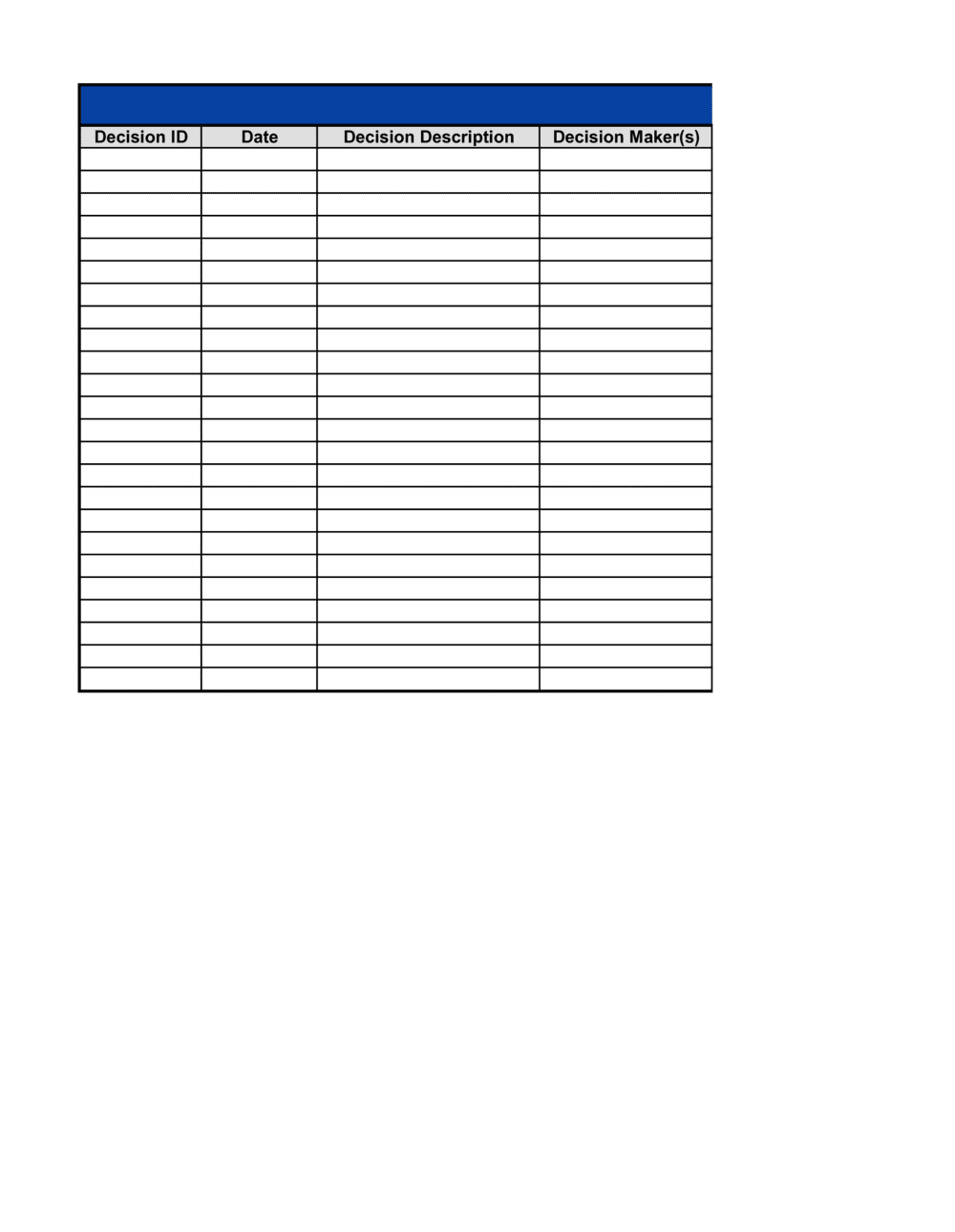
Decision ID, date, description, decision owner, stakeholders consulted, options considered, rationale, final decision, expected outcome, and review date β€” all in a single structured form.

What is a Decision Log?

A Decision Log is a structured form used to record significant business or project decisions in a consistent, searchable format. Each entry captures what was decided, who made the call, what alternatives were evaluated, the reasoning behind the final choice, and the outcome expected β€” creating a permanent, auditable record that teams can reference weeks or years after the decision was made. Unlike informal email threads or verbal agreements, a decision log assigns clear ownership and sets a review date so the organization can measure whether each decision delivered what it promised.

Why You Need This Document

Without a decision log, organizational knowledge leaks out through staff turnover, project handoffs, and the simple passage of time. Teams re-litigate settled questions because no one can find the original reasoning. Auditors and regulators ask for evidence of deliberate, documented decision-making and find none. New team members make contradictory choices because they have no visibility into what was already decided and why. A decision log closes these gaps by converting informal choices into structured records β€” every significant decision has a named owner, a documented rationale, and a scheduled review. This template gives you a ready-to-use format that takes under ten minutes per entry and pays for that time every time a stakeholder asks "why did we do it this way?"

Which variant fits your situation?

If your situation is…Use this template
Tracking decisions across a multi-phase projectProject Decision Log
Recording architectural or technical design choices in software developmentArchitecture Decision Record (ADR)
Logging meeting resolutions and action items from a recurring team meetingMeeting Minutes
Documenting board-level or governance decisions formallyBoard Resolution
Tracking issues and their resolutions in a projectIssue Log
Recording change requests and their approval statusChange Request Form

Common mistakes to avoid

❌ Logging decisions after implementation

Why it matters: Retroactive logging skews the rationale to match the outcome rather than capturing what was actually known at the time of the decision, undermining the log's value as a learning tool.

Fix: Make logging a required step before implementation sign-off β€” not something done in the post-mortem.
❌ No named decision owner

Why it matters: When accountability is assigned to a team or left blank, follow-through falls through the gaps and disputed decisions have no clear arbiter.

Fix: Require a single named individual with a job title in the owner field before the entry is considered complete.

❌ Vague rationale with no supporting data

Why it matters: Entries like 'best fit for our needs' provide nothing to evaluate at review time and force future teams to re-litigate settled questions from scratch.

Fix: Reference at least one quantitative data point or named document in the rationale field β€” even a vendor quote or a meeting summary.

❌ Skipping the review date and outcome field

Why it matters: A decision log with no completed reviews is a historical archive, not a management tool β€” the organization never learns whether its decisions are working.

Fix: Assign the review entry to the decision owner at the time of logging and include the review date in the project or team calendar.

The 9 key fields, explained

Decision ID and date

Decision title and description

Decision owner

Stakeholders consulted

Options considered

Decision rationale

Final decision

Expected outcome and success criteria

Review date and outcome review

How to fill it out

  1. 1

    Assign a decision ID and record the date

    Use a consistent sequential format such as DEC-YYYY-NNN. Enter the date the decision was formally made, not the date you are filling in the log.

    πŸ’‘ Standardize your date format across the entire log β€” ISO format (YYYY-MM-DD) sorts correctly in every spreadsheet application.

  2. 2

    Write a clear title and description

    Give the decision a short, searchable title and follow it with two to three sentences that explain what was decided and why it matters. Write for a reader who was not present.

    πŸ’‘ If you cannot describe the decision in three sentences, the decision itself may not be fully resolved yet β€” clarify before logging.

  3. 3

    Name a single decision owner

    Enter the full name and job title of the individual accountable for this decision and its implementation. Avoid listing teams or committees as owners.

    πŸ’‘ If multiple people share ownership, list a primary owner and note the others under stakeholders consulted.

  4. 4

    List stakeholders consulted and informed

    Record everyone whose input was sought (consulted) and everyone who needs to know the outcome (informed). Use the RACI distinction if your organization already uses that framework.

    πŸ’‘ Capturing this at the time of the decision is significantly easier than reconstructing it weeks later from email threads.

  5. 5

    Document all options considered

    List at least two alternatives, including a 'do nothing' or 'maintain status quo' option. For each rejected option, note the primary reason it was not selected.

    πŸ’‘ Three well-documented options signal thorough analysis; one option signals a rubber stamp β€” investors and auditors notice the difference.

  6. 6

    State the rationale with specific evidence

    Explain which criteria drove the final choice and what data or analysis supported them. Reference specific numbers, reports, or recommendations where available.

    πŸ’‘ Link or attach the supporting analysis document directly to the log entry so reviewers can access the full evidence without hunting through email.

  7. 7

    Write the final decision as an action statement

    State exactly what was decided, who owns execution, what resources are approved, and by what date the action should be complete.

    πŸ’‘ Use active voice: 'Approved X. [Name] to complete by [Date].' Passive constructions like 'it was agreed that' obscure ownership.

  8. 8

    Set measurable success criteria and a review date

    Define what a successful outcome looks like in quantitative terms and schedule a review date β€” typically 30, 60, or 90 days post-implementation β€” to compare actuals against expectations.

    πŸ’‘ Put the review date in the decision owner's calendar immediately. Undiarized review dates are almost never completed.

Frequently asked questions

What is a decision log?

A decision log is a structured form used to record significant business or project decisions β€” capturing what was decided, who made the call, what alternatives were considered, the rationale behind the choice, and the expected outcome. It creates an auditable record that teams, stakeholders, and auditors can reference to understand why a direction was taken and whether it delivered the expected results.

When should a decision be logged?

Log a decision whenever it affects project scope, budget, timeline, personnel, vendor selection, process design, or strategic direction. As a practical rule: if the decision would be questioned in a post-mortem, in a board review, or by a new team member joining six months later, it belongs in the log. Routine operational tasks β€” daily scheduling, minor task assignments β€” generally do not need to be logged.

What is the difference between a decision log and meeting minutes?

Meeting minutes capture everything discussed and actioned in a meeting β€” agenda items, attendees, action items, and general discussion. A decision log is narrower: it focuses exclusively on formally recording individual decisions with structured fields for rationale, options, ownership, and review. Teams often maintain both β€” minutes for the full meeting record and a decision log as a searchable index of every significant choice made.

How many decisions should be in a decision log?

There is no fixed number. A typical project might log 10–40 decisions across its lifecycle. The key is consistency β€” log all decisions above your organization's materiality threshold, not just the ones that seem controversial at the time. Gaps in the log are as informative (and problematic) as the entries themselves during an audit or post-mortem.

Who should have access to the decision log?

At minimum, the decision owner, the project or team lead, and any stakeholders listed as consulted or informed should have read access. For governance and compliance purposes, the log is often shared with senior leadership, internal audit, or a project sponsor. Restrict edit access to the log owner or project manager to prevent retroactive modification of existing entries.

Can a decision log be used in an audit?

Yes, and this is one of its primary values. A well-maintained decision log demonstrates that key choices were made deliberately, with documented rationale and appropriate stakeholder involvement. Internal and external auditors, as well as regulators in industries like financial services and healthcare, frequently request decision records as evidence of sound governance. An incomplete or retroactively filled log often raises more questions than having no log at all.

What happens when a logged decision turns out to be wrong?

The review date field is where this is captured. If the actual outcome diverges significantly from the expected outcome, log the reversal or revision as a new decision entry that references the original Decision ID. Do not edit or delete the original entry β€” the record of the original reasoning is as valuable as the correction, because it shows the information available at the time of the decision.

Should every project have its own decision log?

For projects with defined scope, timeline, and deliverables, a project-level decision log is standard practice and recommended. For ongoing operational teams, a shared rolling log organized by date or functional area works well. The format matters less than the habit β€” a consistently used shared log outperforms a well-structured log that only gets filled in when something goes wrong.

How this compares to alternatives

vs Meeting Minutes

Meeting minutes record the full narrative of a meeting β€” attendance, discussion, and action items. A decision log isolates and structures only the formal decisions made, with fields for rationale, ownership, and outcome review. Teams typically use both: minutes for the full meeting record, the decision log as a searchable index of every significant choice.

vs Issue Log

An issue log tracks problems that arise during a project β€” their status, priority, and resolution. A decision log records deliberate choices made by the team, whether or not they were triggered by an issue. The two are complementary: an issue log entry often generates a corresponding decision log entry when a resolution is formally approved.

vs Change Request Form

A change request form is a formal document initiating and approving a specific change to project scope, budget, or schedule. A decision log is broader β€” it records any significant decision, including the approval of a change request. The approved change request is typically referenced in the corresponding decision log entry.

vs Board Resolution

A board resolution is a formal legal document recording a decision made by a company's board of directors, often with binding corporate or legal effect. A decision log is an operational management tool used at the project or team level without formal legal standing. Major board resolutions may be summarized in an executive-level decision log, but the resolution itself is the authoritative governing document.

Industry-specific considerations

Technology / Software Development

Architecture decisions, build-vs-buy choices, and sprint scope changes are logged as architecture decision records (ADRs) that feed directly into the project decision log.

Construction and Engineering

Design change approvals, material substitutions, and subcontractor selections require a documented decision trail to support variation claims and contract disputes.

Financial Services

Regulators and internal audit teams expect documented rationale for credit policy changes, risk appetite decisions, and product approval choices.

Healthcare

Clinical protocol changes, vendor selections for medical equipment, and compliance-related policy decisions require an auditable record for accreditation and regulatory review.

Template vs pro β€” what fits your needs?

PathBest forCostTime
Use the templateProject teams, operations managers, and small businesses tracking decisions internallyFree5–10 minutes per entry
Template + professional reviewOrganizations implementing a formal governance framework or preparing for an audit$100–$500 (process consultant or project management office review)Half a day to align the log format with existing governance standards
Custom draftedEnterprises integrating decision logging into a project management information system or GRC platform$1,000–$5,000+ (system configuration and workflow design)2–6 weeks

Glossary

Decision ID
A unique sequential identifier assigned to each decision entry so it can be referenced consistently across documents and conversations.
Decision Owner
The individual or role accountable for making the final call and ensuring the decision is implemented.
Stakeholders Consulted
The people or groups whose input was sought or who have a material interest in the outcome of the decision.
Decision Rationale
The documented reasoning that explains why one option was chosen over the alternatives β€” including the key factors that drove the choice.
Options Considered
The alternative courses of action that were evaluated before the final decision was made.
Expected Outcome
The anticipated result or impact of the decision, used later to compare against actual results during a review.
Review Date
A scheduled future date to assess whether the decision produced the expected outcome and whether it should be revised.
Decision Status
The current state of a logged decision β€” typically Open, Approved, Implemented, or Reversed.
Audit Trail
A chronological record of decisions and actions that allows reviewers to reconstruct who did what, when, and why.
RACI
A responsibility matrix β€” Responsible, Accountable, Consulted, Informed β€” used to clarify who plays which role in a decision or process.

Part of your Business Operating System

This document is one of 3,000+ business & legal templates included in Business in a Box.

  • Fill-in-the-blanks β€” ready in minutes
  • 100% customizable Word document
  • Compatible with all office suites
  • Export to PDF and share electronically

Create your document in 3 simple steps.

From template to signed document β€” all inside one Business Operating System.
1
Download or open template

Access over 3,000+ business and legal templates for any business task, project or initiative.

2
Edit and fill in the blanks with AI

Customize your ready-made business document template and save it in the cloud.

3
Save, Share, Send, Sign

Share your files and folders with your team. Create a space of seamless collaboration.

Save time, save money, and create top-quality documents.

β˜…β˜…β˜…β˜…β˜…

"Fantastic value! I'm not sure how I'd do without it. It's worth its weight in gold and paid back for itself many times."

Managing Director Β· Mall Farm
Robert Whalley
Managing Director, Mall Farm Proprietary Limited
β˜…β˜…β˜…β˜…β˜…

"I have been using Business in a Box for years. It has been the most useful source of templates I have encountered. I recommend it to anyone."

Business Owner Β· 4+ years
Dr Michael John Freestone
Business Owner
β˜…β˜…β˜…β˜…β˜…

"It has been a life saver so many times I have lost count. Business in a Box has saved me so much time and as you know, time is money."

Owner Β· Upstate Web
David G. Moore Jr.
Owner, Upstate Web

Run your business with a system β€” not scattered tools

Stop downloading documents. Start operating with clarity. Business in a Box gives you the Business Operating System used by over 250,000 companies worldwide to structure, run, and grow their business.

Start freeΒ Β·Β No credit card required