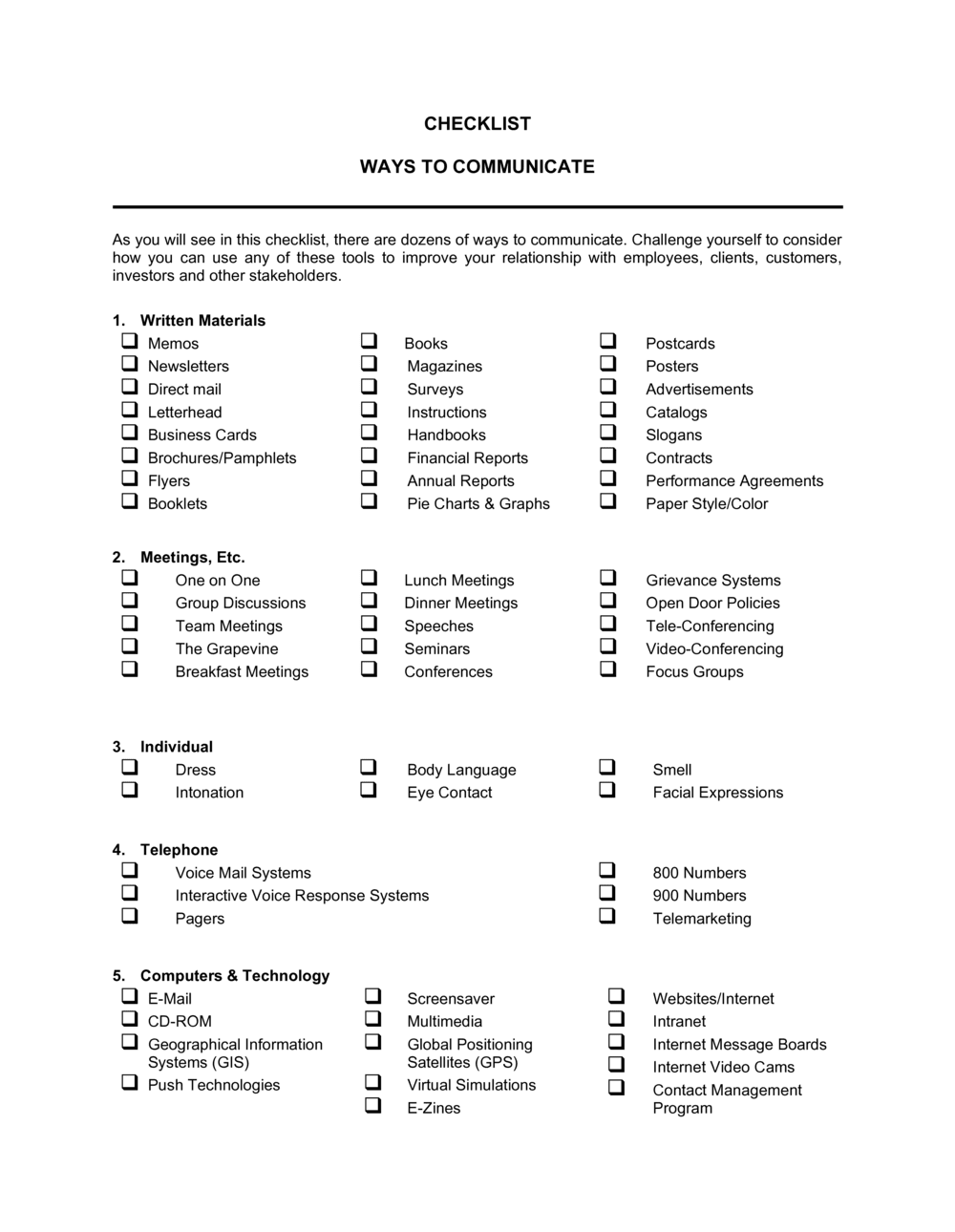
Checklist Ways to Communicate

Free download β€’ Use as a template β€’ Print or share

2 pagesβ€’20–25 min to useβ€’Difficulty: Standard
Learn more ↓
FreeChecklist Ways to Communicate Template

At a glance

What it is
A Checklist Ways To Communicate is a structured form that catalogs every communication channel available to a team or organization β€” email, phone, instant messaging, video calls, project management tools, and more β€” along with the protocols for when and how each should be used. This free Word download gives managers and teams a ready-to-edit reference they can customize and distribute in minutes.
When you need it
Use it when onboarding new employees, launching a project with multiple stakeholders, or standardizing how a distributed or remote team routes different types of messages across channels.
What's inside
Communication channel names, descriptions of appropriate use cases, expected response times, responsible parties, escalation paths, and a notes field for team-specific conventions β€” all organized in a scannable checklist format.

What is a Checklist Ways To Communicate?

A Checklist Ways To Communicate is a structured reference form that catalogs every communication channel a team or organization uses β€” email, phone, instant messaging, video calls, project management platforms, and in-person meetings β€” and defines clear protocols for when and how each channel should be used. Rather than leaving channel selection to individual preference, it gives every team member a shared, documented standard for routing messages, setting response expectations, and escalating unanswered requests. This free Word download is ready to edit and distribute in under 30 minutes.

Why You Need This Document

Without a defined communication framework, teams default to personal habits β€” some people send urgent requests by email, others by chat, others by text β€” and critical messages routinely get missed or misrouted. The cost is real: missed client escalations, delayed project decisions, and the recurring time lost to "did you see my message?" follow-ups. For remote and hybrid teams, the problem compounds because there is no physical proximity to fall back on. A completed communication checklist eliminates ambiguity on day one for every new hire, gives managers a single document to enforce channel norms, and reduces the tool sprawl that drains productivity in growing teams. This template provides the structure; your team provides the specifics β€” the result is a living reference that scales with you.

Which variant fits your situation?

If your situation is…Use this template
Defining communication norms for a new project teamCommunication Plan
Onboarding a new employee and covering internal toolsEmployee Onboarding Checklist
Establishing protocols for a crisis or emergency situationCrisis Communication Plan
Tracking stakeholder communication for a formal projectStakeholder Communication Log
Setting expectations for remote or hybrid team collaborationRemote Work Policy
Running a recurring team meeting with structured check-insMeeting Agenda Template

Common mistakes to avoid

❌ Listing channels without defining use cases

Why it matters: A list of tool names with no guidance on when to use each one replicates the problem the checklist is meant to solve β€” team members still default to their personal preferences.

Fix: Write at least one concrete use-case example and one explicit exclusion for every channel before distributing the checklist.


❌ Using 'ASAP' as a response time standard

Why it matters: Vague urgency language is interpreted differently by every team member, consistently producing missed expectations and follow-up friction.

Fix: Replace every instance of 'ASAP' with a specific time window β€” e.g., '2 business hours' β€” and include the applicable business hours and time zone.

❌ Assigning channel ownership to a team rather than a role

Why it matters: Shared accountability becomes no accountability β€” when a message goes unanswered, everyone assumes someone else handled it.

Fix: Assign every channel to a specific named role as primary owner, with a named backup for coverage during absences.

❌ Never updating the checklist after the initial rollout

Why it matters: Tool stacks and team rosters change; a checklist with discontinued channels or departed contacts actively misleads users within months of publication.

Fix: Schedule a recurring quarterly review, assign a named owner, and record the last-reviewed date directly on the checklist.

The 9 key fields, explained

Communication channel name

Appropriate use cases

Not appropriate for

Expected response time

Responsible parties

Escalation path

Message format or etiquette notes

Record-keeping or documentation requirement

Review and update schedule

How to fill it out

  1. 1

    List every active communication channel your team uses

    Open the template and enter one row per channel β€” email, phone, instant messaging platforms, video conferencing tools, project management apps, and any physical methods such as in-person meetings or printed memos.

    πŸ’‘ Audit your team's actual tool usage for one week before filling this in β€” most teams discover two or three channels they forgot they were using.

  2. 2

    Define appropriate use cases for each channel

    For each channel, write one to three sentences describing the types of messages or requests it is best suited for. Be specific about urgency level, audience size, and whether a record is needed.

    πŸ’‘ Frame use cases as 'use this channel when...' statements β€” action-oriented language is easier to follow than abstract descriptions.

  3. 3

    Add 'not appropriate for' guidance

    For each channel, note at least one category of message that should not be sent through it. This prevents high-priority items from getting lost in low-urgency channels.

    πŸ’‘ The most important exclusion to document is sensitive HR, legal, or financial information β€” specify which channel should handle those instead.

  4. 4

    Set specific response time expectations

    Enter a concrete time window β€” not 'ASAP' β€” for each channel. Include the business hours and time zone that apply, especially for distributed teams.

    πŸ’‘ Align response time expectations with your team before publishing β€” unrealistic SLAs that no one can meet are worse than having none.

  5. 5

    Assign responsible parties by role, not by name alone

    Enter the job title of the person responsible for monitoring each channel, and add a named backup. Using roles rather than names makes the checklist durable through staff changes.

    πŸ’‘ For shared channels like a general inbox, assign a rotating weekly owner so responsibility is always clear.

  6. 6

    Document the escalation path for each channel

    Define what happens if the expected response time is not met β€” the next person to contact, the channel to use, and any further escalation steps.

    πŸ’‘ Test your escalation paths by walking through a hypothetical missed message scenario before distributing the checklist.
  7. 7

    Set a review date and assign an owner

    Enter the next scheduled review date and the role responsible for keeping the checklist current. Add this review to the team calendar immediately.

    πŸ’‘ Tie the review cycle to an existing recurring event β€” quarterly planning, team all-hands, or annual onboarding refresh β€” so it never gets skipped.

Frequently asked questions

What is a communication checklist?

A communication checklist is a structured reference document that lists all the channels a team uses to communicate, defines when each channel is appropriate, sets response time expectations, and identifies who is responsible for monitoring each one. It gives teams a shared set of norms that reduces message overload, missed requests, and channel confusion β€” especially useful for onboarding new hires or coordinating distributed teams.

When should I use a communication checklist?

Use it when onboarding new employees so they understand your team's channel norms from day one, when launching a project with stakeholders from multiple departments or external partners, or when your team has grown to the point where informal channel conventions are breaking down. It is also useful during a tool migration β€” for example, switching from email-heavy communication to a platform like Slack or Teams.

How is a communication checklist different from a communication plan?

A communication plan is a project- or campaign-specific document that defines what information will be shared, with whom, and on what schedule throughout a defined initiative. A communication checklist is an ongoing operational reference that defines how the team communicates day-to-day across all channels. The plan is temporary and project-scoped; the checklist is persistent and team-scoped.

What communication channels should I include?

Include every channel your team actively uses: email, phone, SMS, instant messaging platforms (Slack, Teams, Google Chat), video conferencing tools (Zoom, Google Meet), project management tools (Asana, Jira, Monday.com), shared documents (Google Drive, SharePoint), and any physical methods such as in-person meetings or printed notices. Do not list aspirational tools you plan to adopt β€” only document what is currently in use.

How often should a communication checklist be updated?

Review the checklist at least quarterly, and immediately after any significant change to your tool stack, team structure, or working arrangements (such as a shift to remote or hybrid work). Assign a named owner and record the last-reviewed date directly on the document so it is always clear how current the information is.

Can a small team benefit from a communication checklist?

Yes β€” small teams often benefit most because informal norms are rarely written down and break down quickly when even one new person joins. A one-page checklist takes 20 minutes to complete and eliminates the recurring friction of explaining channel expectations to each new hire individually. It also surfaces hidden inefficiencies, such as duplicate tools serving the same purpose.

Does a communication checklist need to be signed or approved?

No signature is required for an internal communication checklist β€” it is a reference document, not a binding agreement. However, having a manager or team lead formally review and date it before distribution adds credibility and signals that the guidelines are official policy rather than one person's preference. Some organizations attach it to an employee handbook or onboarding packet for acknowledgment.

How this compares to alternatives

vs Communication Plan

A communication plan is a project-specific document defining what information is shared, with whom, and on what schedule for a defined initiative. A communication checklist is a permanent operational reference for how the whole team communicates day-to-day. Use the plan for a specific project or campaign; use the checklist as an always-on team resource.

vs Meeting Agenda

A meeting agenda structures the content and flow of a single scheduled meeting. A communication checklist governs all channels across all interactions, of which meetings are just one. The two documents complement each other β€” the checklist tells you when a meeting is the right channel; the agenda makes that meeting effective.

vs Employee Onboarding Checklist

An onboarding checklist covers all tasks a new hire must complete in their first days or weeks β€” tool access, introductions, training, and paperwork. A communication checklist is a reference document the new hire receives as part of onboarding, specifically covering channel norms. The onboarding checklist triggers the distribution of the communication checklist.

vs Remote Work Agreement

A remote work agreement is a formal document between employer and employee defining the terms of remote work β€” location, hours, equipment, and availability. A communication checklist is an operational tool that supports those terms by specifying which channels to use and when. The agreement sets the policy; the checklist operationalizes it.

Industry-specific considerations

Professional Services

Client-facing communication protocols are critical β€” defining which channel handles client requests, billing questions, and escalations prevents costly missed messages.

Construction and Trades

Field crews, site supervisors, and office staff operate across different environments; a checklist clarifies which channel is monitored in real time versus checked at end of day.

Healthcare

Strict rules govern which channels may carry patient information β€” the checklist documents HIPAA-compliant channels separately from general team communication.

Retail and E-commerce

Shift-based staffing means incoming and outgoing team members need clear handoff communication norms, including which channel carries urgent inventory or customer escalations.

Template vs pro β€” what fits your needs?

PathBest forCostTime
Use the templateTeams of any size establishing or documenting communication norms for the first timeFree20–30 minutes to complete
Template + professional reviewOrganizations integrating the checklist into a formal communications policy or employee handbook$50–$200 (HR advisor or operations consultant review)1–2 hours
Custom draftedEnterprise teams with complex multi-platform environments, compliance requirements, or regulated communication channels$300–$1,000+ (consultant or communications specialist)1–3 days

Glossary

Communication Channel
Any medium used to send or receive information in a business context, such as email, phone, chat, or video conferencing.
Synchronous Communication
Real-time communication that requires all parties to be present simultaneously, such as a phone call or live video meeting.
Asynchronous Communication
Communication that does not require an immediate response, such as email, recorded video, or a message left in a project tool.
Response Time SLA
A service-level agreement defining the maximum acceptable time before a message or request must be acknowledged or resolved.
Escalation Path
A defined sequence of contacts or channels to use when a message has not received a response within the expected timeframe.
Communication Protocol
A set of agreed rules governing how, when, and through which channel different types of information are shared within a team.
Channel Redundancy
The overlap that occurs when a team uses multiple tools for the same purpose, causing messages to be missed or duplicated.
Primary vs. Secondary Channel
A primary channel is the default medium for a given message type; a secondary channel is the fallback used when the primary is unavailable or unresponsive.

Part of your Business Operating System

This document is one of 3,000+ business & legal templates included in Business in a Box.

  • Fill-in-the-blanks β€” ready in minutes
  • 100% customizable Word document
  • Compatible with all office suites
  • Export to PDF and share electronically

Create your document in 3 simple steps.

From template to signed document β€” all inside one Business Operating System.
1
Download or open template

Access over 3,000+ business and legal templates for any business task, project or initiative.

2
Edit and fill in the blanks with AI

Customize your ready-made business document template and save it in the cloud.

3
Save, Share, Send, Sign

Share your files and folders with your team. Create a space of seamless collaboration.

Save time, save money, and create top-quality documents.

β˜…β˜…β˜…β˜…β˜…

"Fantastic value! I'm not sure how I'd do without it. It's worth its weight in gold and paid back for itself many times."

Managing Director Β· Mall Farm
Robert Whalley
Managing Director, Mall Farm Proprietary Limited
β˜…β˜…β˜…β˜…β˜…

"I have been using Business in a Box for years. It has been the most useful source of templates I have encountered. I recommend it to anyone."

Business Owner Β· 4+ years
Dr Michael John Freestone
Business Owner
β˜…β˜…β˜…β˜…β˜…

"It has been a life saver so many times I have lost count. Business in a Box has saved me so much time and as you know, time is money."

Owner Β· Upstate Web
David G. Moore Jr.
Owner, Upstate Web

Run your business with a system β€” not scattered tools

Stop downloading documents. Start operating with clarity. Business in a Box gives you the Business Operating System used by over 250,000 companies worldwide to structure, run, and grow their business.

Start freeΒ Β·Β No credit card required