A Remote Workers Guide To Balancing Home and Work

Free to read β€’ Save or share with one click

FreeA Remote Workers Guide To Balancing Home and Work Template

At a glance

What it is
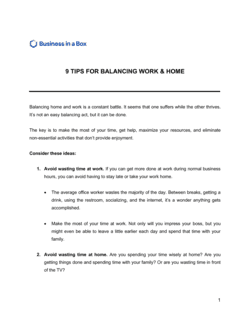
A Remote Workers Guide To Balancing Home And Work is a structured operational document that provides remote employees with a clear framework for maintaining productivity, setting boundaries, and protecting their wellbeing while working outside a traditional office. This free Word download covers everything from dedicated workspace setup and daily scheduling to communication norms and mental health practices β€” ready to edit online and export as PDF for individual use or team-wide distribution.
When you need it
Use it when onboarding new remote employees, rolling out a company-wide remote or hybrid work policy, or addressing widespread burnout and boundary issues in an existing distributed team. It is equally useful for individual contributors who feel their work and personal life are bleeding together without structure.
What's inside
Dedicated workspace guidelines, daily routine and scheduling frameworks, communication boundaries and availability expectations, time management strategies, physical and mental wellness practices, social connection tactics, and a personal accountability checklist for remote workers to self-assess and adjust over time.

What is a Remote Workers Guide To Balancing Home And Work?

A Remote Workers Guide To Balancing Home And Work is a structured operational document that gives employees a practical, section-by-section framework for maintaining productivity and protecting personal time when their home and office share the same address. It covers everything from ergonomic workspace setup and daily scheduling to communication boundaries, wellness habits, and team connection strategies β€” translating broad advice about work-life balance into specific, repeatable behaviors. Unlike a remote work policy, which governs the terms of employment, this guide is a support resource designed to help employees actually thrive within those terms.

Why You Need This Document

Without a structured guide, remote employees default to the path of least resistance: staying logged on longer than they should, answering messages at all hours, and gradually losing the mental separation between work time and personal time. The organizational consequences are measurable β€” remote workers report burnout at consistently higher rates than their in-office counterparts, and disengaged remote employees are harder to identify and support before performance deteriorates. A well-distributed balance guide gives your team shared language around availability, focus time, and disconnection β€” so managers and employees are working from the same playbook rather than improvising individually. For companies scaling a distributed workforce, this template provides a ready-to-customize foundation that would otherwise take an HR team weeks to develop from scratch.

Which variant fits your situation?

If your situation is…Use this template
Onboarding a new remote hire who has never worked from home beforeRemote Workers Guide To Balancing Home And Work
Formalizing company-wide remote work rules and expectationsRemote Work Policy
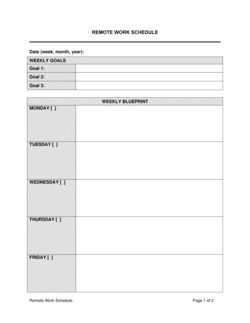
Setting up a structured daily schedule for remote employeesDaily Schedule Template
Addressing team communication and availability norms specificallyTeam Communication Plan
Documenting how employees should set up and use a home officeHome Office Setup Checklist
Creating an employee wellness program for a distributed workforceEmployee Wellness Plan
Reviewing overall employee performance and engagement in a remote settingEmployee Performance Review

Common mistakes to avoid

❌ Treating the guide as a policy document rather than a support resource

Why it matters: Employees read policy-framed documents for compliance and then file them away. A support-framed guide gets referenced repeatedly because it feels useful, not obligatory.

Fix: Rewrite imperative directives ('You must...') as recommended practices ('We suggest...') and frame each section around the employee's benefit, not the company's requirement.

❌ Publishing the guide without manager buy-in

Why it matters: If a manager ignores the availability norms or expects instant responses outside the defined window, the guide becomes a document employees cite and managers contradict β€” destroying its credibility.

Fix: Share a manager version of the guide alongside the employee version, explicitly naming manager behaviors that reinforce or undermine each section.

❌ Omitting guidance for employees with caregiving responsibilities

Why it matters: A guide built around an uninterrupted 9-to-5 schedule excludes parents, caregivers, and people with non-standard living situations β€” the majority of remote workers in many organizations.

Fix: Add a sidebar or callout in the scheduling section with alternative structures for split-shift workers and caregivers, and note which availability norms are flexible by arrangement with a manager.

❌ Listing wellness resources that are outdated or no longer available

Why it matters: An employee who reaches out to an EAP or app listed in the guide and finds it inactive loses trust in every other recommendation in the document.

Fix: Assign a specific owner to review resource links and contact details every six months, and include a 'last reviewed' date on the guide's footer.

The 9 key sections, explained

Introduction and purpose

Dedicated workspace setup

Daily routine and scheduling framework

Communication boundaries and availability norms

Time management and productivity strategies

Physical wellness and ergonomics

Mental health and boundary protection

Social connection and team engagement

Personal accountability checklist

How to fill it out

  1. 1

    Customize the introduction for your company and audience

    Replace placeholder references with your company name, remote work policy context, and the specific employee group this guide targets β€” new hires, all remote staff, or a specific department.

    πŸ’‘ A single sentence acknowledging that every home situation is different goes further than a paragraph of policy language in building employee trust.

  2. 2

    Fill in workspace setup standards relevant to your team

    Specify any equipment the company provides, minimum ergonomic standards, and guidance for employees without a dedicated room. Include your IT security requirements for home network setup.

    πŸ’‘ If your company offers a home office stipend, mention the amount and claim process here β€” it turns an abstract recommendation into an actionable benefit.

  3. 3

    Define core availability hours and response-time expectations

    Enter the specific hours during which employees are expected to be reachable, the expected response time by channel (Slack, email, phone), and the protocol for marking focus time on shared calendars.

    πŸ’‘ Align availability windows with your most common cross-time-zone collaboration hours before publishing β€” polling team leads takes 15 minutes and prevents immediate pushback.

  4. 4

    Select and describe two or three productivity techniques

    Choose the methods that fit your team's work style β€” time blocking for project-based work, Pomodoro for task-heavy roles β€” and describe each in plain terms. Do not recommend more than three techniques in a single guide.

    πŸ’‘ Link each technique to a specific role type or work pattern so employees self-select the right approach rather than guessing.

  5. 5

    Populate the physical and mental wellness sections with specific resources

    Add your company's EAP contact details, any wellness app subscriptions offered, and specific movement break schedules. Vague wellness advice is ignored; named resources with instructions are used.

    πŸ’‘ If your company has no EAP, list free alternatives β€” most national mental health associations publish free remote-worker resources.

  6. 6

    Adapt the social connection section to your team's tools and cadence

    Reference the specific platforms your team uses for informal connection (Slack channels, virtual coffee roulette, monthly team social), and state the frequency of optional participation.

    πŸ’‘ Flag events as optional explicitly β€” employees are more likely to attend optional events than mandatory ones because attendance feels like a choice, not a compliance task.

  7. 7

    Finalize and calibrate the personal accountability checklist

    Review each checklist item to confirm it maps to a section in the guide. Add any company-specific items (e.g., calendar hygiene, security log-off habits) and remove generic items that do not apply to your team's context.

    πŸ’‘ Send the guide with a note inviting employees to share checklist scores after the first month β€” aggregate responses reveal which areas need more structural support from the company.

Frequently asked questions

What is a remote workers guide to balancing home and work?

A remote workers guide to balancing home and work is a structured document that gives employees practical frameworks for separating their professional and personal lives when both happen in the same physical space. It typically covers workspace setup, daily scheduling, communication boundaries, wellness habits, and team connection strategies. Organizations distribute it during remote onboarding or when rolling out a remote or hybrid work policy.

Why do remote workers struggle with work-life balance?

Remote workers face a unique set of conditions that erode balance: no physical commute to mark the transition between work and home, constant access to work tools and messaging apps, and the social pressure of digital presenteeism β€” feeling obligated to appear online at all times. Without deliberate boundaries, work expands to fill all available time, and personal recovery time disappears. A structured guide directly addresses each of these conditions with specific, testable habits.

How do you set work-life boundaries when working from home?

Effective boundaries for remote workers typically combine four elements: a defined workspace that you physically leave at the end of the day, a consistent schedule with a hard stop time, a communication protocol that defines when you are and are not reachable, and a deliberate end-of-day ritual β€” such as shutting down all work applications and noting tomorrow's top three tasks. The key is making each boundary visible to both yourself and your colleagues.

What should a remote work balance guide include?

A complete guide covers workspace setup and ergonomics, daily routine and scheduling, availability and communication norms, time management techniques, physical wellness and movement, mental health and boundary protection, social connection strategies, and a personal accountability checklist. Guides that address only productivity without covering wellness and connection produce short-term performance gains and long-term burnout.

How often should a remote work guide be updated?

Review the guide at least annually, or whenever your company changes its remote work tools, communication platforms, or core availability expectations. Wellness resources and EAP contacts should be verified every six months. A guide with outdated resources or policies that contradict current practice signals to employees that their wellbeing is not a priority.

Is a remote work balance guide the same as a remote work policy?

No. A remote work policy is a formal document that governs employment conditions β€” eligibility, equipment, expense reimbursement, data security, and performance expectations. A remote work balance guide is a practical support resource designed to help employees thrive within those conditions. Both documents are complementary; a policy without a balance guide tells employees what is required but not how to succeed.

How do managers support remote worker balance without micromanaging?

Effective managers reinforce balance by modeling the behaviors described in the guide β€” not sending messages outside agreed availability windows, blocking their own focus time on shared calendars, and avoiding the implicit expectation of instant responses. Regular one-on-ones that include a wellbeing check-in question create a safe channel for employees to flag boundary issues before they become burnout. Managers who publicly reference the guide normalize its use.

Can this guide be used for hybrid workers as well as fully remote employees?

Yes, with minor adjustments. Hybrid workers face a different version of the same challenge: transitions between office and home days can blur routines and reset hard-won boundary habits. The scheduling, communication, and wellness sections apply directly. The workspace and social connection sections may need a hybrid-specific callout noting which practices apply on home days versus office days.

What is digital presenteeism and how does the guide address it?

Digital presenteeism is the pressure remote workers feel to appear constantly online β€” keeping messaging apps active, responding to messages within minutes regardless of time, and avoiding focus-mode status flags for fear of appearing disengaged. A well-structured balance guide directly names this pattern, normalizes blocking focus time, and defines response-time norms that remove the ambiguity that drives presenteeism in the first place.

How this compares to alternatives

vs Remote Work Policy

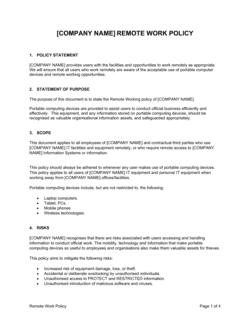
A remote work policy is a formal governance document covering eligibility, equipment, expenses, data security, and performance standards β€” it sets the rules of remote employment. A remote work balance guide is a practical support resource that helps employees succeed within those rules. The policy answers 'what is required'; the guide answers 'how to thrive'. Most organizations need both.

vs Employee Wellness Plan

An employee wellness plan is a company-level program document outlining benefits, resources, and initiatives across physical, mental, and financial health for all staff. A remote work balance guide is targeted specifically at the unique challenges of working from home β€” boundary setting, workspace ergonomics, and digital disconnection. The wellness plan is broader; the balance guide is deeper on remote-specific issues.

vs Employee Handbook

An employee handbook is a comprehensive reference covering all company policies, procedures, and cultural expectations across the full employment relationship. A remote work balance guide is a focused, actionable resource on a single dimension of the employee experience. The handbook may include a remote work section that references the balance guide as a supplementary resource.

vs Team Communication Plan

A team communication plan defines how a specific team shares information, tracks decisions, and runs meetings β€” it is an operational coordination document. A remote work balance guide addresses the individual employee's communication boundaries and response norms. The communication plan governs team behavior; the balance guide helps the individual manage their side of those interactions.

Industry-specific considerations

Technology / SaaS

Engineering teams benefit from explicit deep-work blocks and async-first communication norms that protect focus time across distributed time zones.

Professional Services

Consultants and analysts working from home face client availability pressure beyond normal hours β€” the guide's boundary and communication sections are especially critical for this group.

Financial Services

Compliance and data security requirements mean home workspace setup and device usage guidelines carry regulatory weight alongside the wellness content.

Healthcare / Health Tech

Administrative and telehealth staff need clear transitions between clinical work and personal time, with additional guidance on managing emotionally demanding work in a home environment.

Template vs pro β€” what fits your needs?

PathBest forCostTime
Use the templateHR teams, managers, and individuals building a remote work balance framework without a dedicated L&D or wellbeing functionFree1–3 hours to customize and distribute
Template + professional reviewCompanies rolling out remote work programs at scale, or those with existing wellbeing initiatives that need alignment$200–$800 for an HR consultant or organizational psychologist review3–5 days
Custom draftedEnterprise employers with regulated industries, union workforces, or multi-country remote teams requiring jurisdiction-specific content$1,500–$5,000 for a custom program design2–4 weeks

Glossary

Deep Work
Uninterrupted, high-concentration work on cognitively demanding tasks β€” typically blocked in 90-minute to 3-hour periods, free from notifications and interruptions.
Availability Window
The defined hours during which a remote employee is expected to be reachable and responsive to colleagues and clients.
Asynchronous Communication
Messages, updates, and documents exchanged without requiring both parties to be online simultaneously β€” common in distributed teams across time zones.
Digital Presenteeism
The pressure remote workers feel to appear constantly online or respond instantly to messages, even outside agreed working hours.
Boundary Fatigue
The gradual erosion of the mental and physical separation between work and personal life, often leading to chronic stress and reduced productivity.
Dedicated Workspace
A physical area in the home used exclusively or primarily for work, distinct from spaces used for leisure, dining, or sleep.
Time Blocking
A scheduling technique that assigns specific calendar slots to particular tasks or task types, reducing context-switching and protecting focus time.
Overcommunication
The practice of sharing more frequent and explicit status updates than an in-person environment requires, compensating for the absence of visible office presence.
Ergonomic Setup
A workstation configured to reduce physical strain β€” including monitor height, chair support, keyboard placement, and lighting β€” to prevent injury during long work sessions.
Right to Disconnect
A practice, and in some jurisdictions a legal entitlement, allowing employees to stop responding to work communications outside of agreed working hours without penalty.

Part of your Business Operating System

This document is one of 3,000+ business & legal templates included in Business in a Box.

  • Fill-in-the-blanks β€” ready in minutes
  • Compatible with all office suites
  • Export to PDF and share electronically

Create your document in 3 simple steps.

From template to signed document β€” all inside one Business Operating System.
1
Download or open template

Access over 3,000+ business and legal templates for any business task, project or initiative.

2
Edit and fill in the blanks with AI

Customize your ready-made business document template and save it in the cloud.

3
Save, Share, Send, Sign

Share your files and folders with your team. Create a space of seamless collaboration.

Save time, save money, and create top-quality documents.

β˜…β˜…β˜…β˜…β˜…

"Fantastic value! I'm not sure how I'd do without it. It's worth its weight in gold and paid back for itself many times."

Managing Director Β· Mall Farm
Robert Whalley
Managing Director, Mall Farm Proprietary Limited
β˜…β˜…β˜…β˜…β˜…

"I have been using Business in a Box for years. It has been the most useful source of templates I have encountered. I recommend it to anyone."

Business Owner Β· 4+ years
Dr Michael John Freestone
Business Owner
β˜…β˜…β˜…β˜…β˜…

"It has been a life saver so many times I have lost count. Business in a Box has saved me so much time and as you know, time is money."

Owner Β· Upstate Web
David G. Moore Jr.
Owner, Upstate Web

Run your business with a system β€” not scattered tools

Stop downloading documents. Start operating with clarity. Business in a Box gives you the Business Operating System used by over 250,000 companies worldwide to structure, run, and grow their business.

Start freeΒ Β·Β No credit card required