- Time Blocking
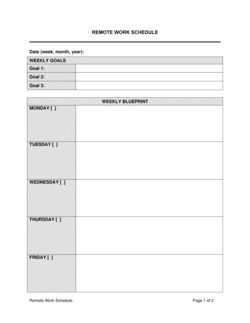
- Scheduling dedicated, uninterrupted periods in the calendar for specific tasks or categories of work — preventing ad hoc interruptions from consuming focused time.
- Eisenhower Matrix
- A 2×2 prioritization framework that sorts tasks by urgency and importance into four quadrants: do now, schedule, delegate, and eliminate.
- Parkinson's Law
- The observation that work expands to fill the time available — meaning tasks without firm deadlines tend to take longer than necessary.
- Deep Work
- Cognitively demanding tasks performed in a state of distraction-free concentration, producing higher-quality output in less time than fragmented effort.
- Task Batching
- Grouping similar low-complexity tasks — such as email, expense reports, or status updates — into a single scheduled block to reduce context-switching overhead.
- Delegation
- Assigning a task to another person who has the skill and authority to complete it, freeing the delegator's time for higher-priority work.
- Pareto Principle (80/20 Rule)
- The principle that roughly 80% of results come from 20% of effort — used to identify which tasks deserve priority attention.
- Context Switching
- The cognitive cost of shifting attention between unrelated tasks; frequent switching reduces quality and increases total time spent on both tasks.
- MIT (Most Important Task)
- The single highest-priority task identified at the start of a workday, completed before less critical work begins.
- Pomodoro Technique
- A time management method that alternates 25-minute focused work sessions with 5-minute breaks, using completion cycles to maintain sustained concentration.