How to Maintain an Office

Free to read β€’ Save or share with one click

FreeHow to Maintain an Office Template

At a glance

What it is
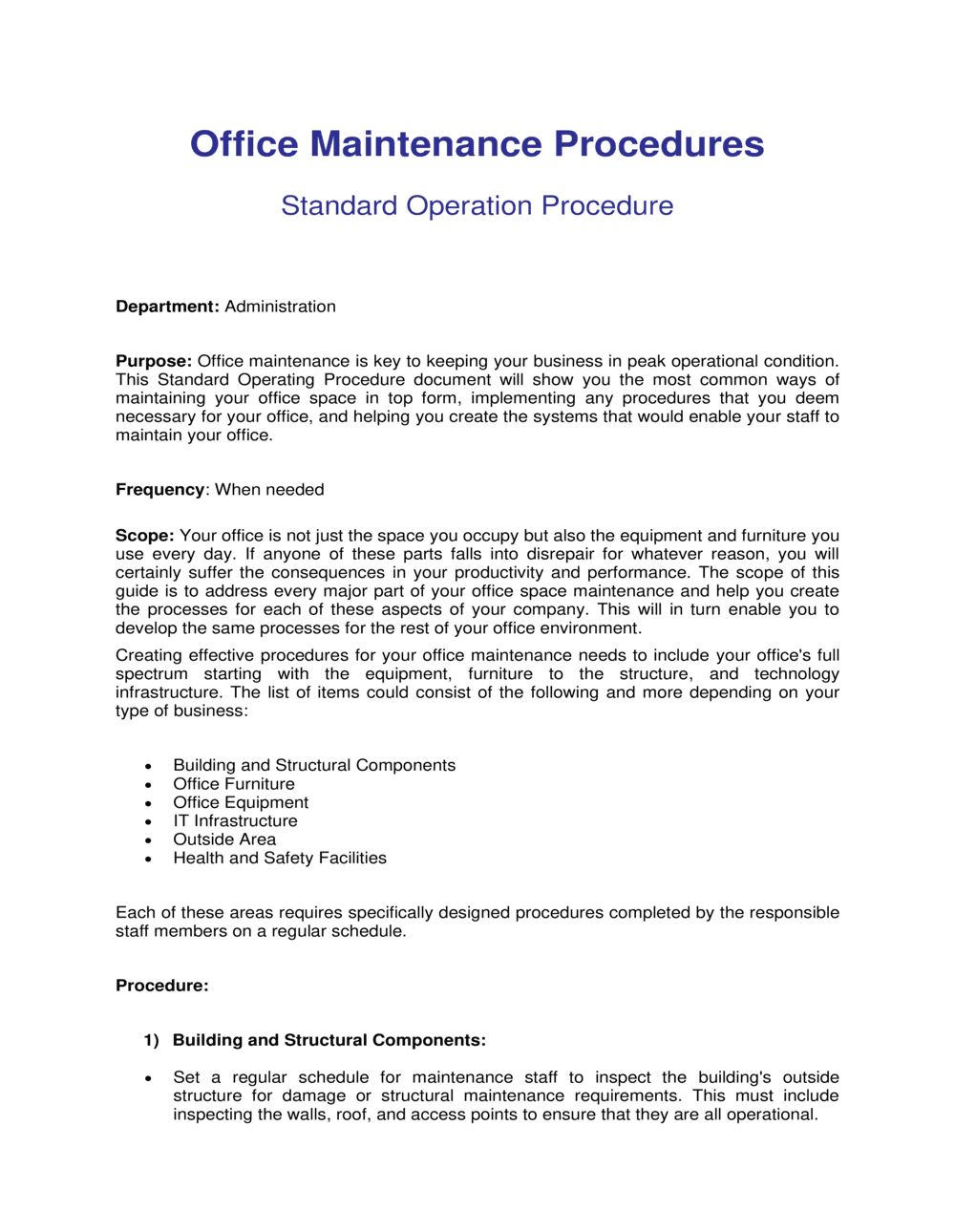
An Office Maintenance Guide is an operational document that outlines the schedules, responsibilities, and procedures required to keep a physical workplace clean, safe, and fully functional. This free Word download gives you a ready-to-edit framework covering daily, weekly, monthly, and annual maintenance tasks β€” exportable as PDF and distributable to staff or facilities vendors the same day.
When you need it
Use it when setting up a new office, onboarding a facilities coordinator, standardizing cleaning and equipment upkeep across multiple locations, or preparing for a lease renewal inspection. It is also the right tool when recurring maintenance issues β€” HVAC failures, cluttered common areas, broken equipment β€” signal the absence of a consistent upkeep routine.
What's inside
Daily and periodic cleaning schedules, equipment inspection checklists, safety and compliance checks, supply inventory guidance, vendor contact management, and escalation procedures for facilities issues. Each section assigns clear ownership so nothing falls through the cracks.

What is an Office Maintenance Guide?

An Office Maintenance Guide is an operational document that defines the schedules, procedures, and role assignments needed to keep a physical workplace clean, safe, and fully functional on a day-to-day and long-term basis. It covers everything from daily cleaning checklists and consumables reordering to periodic equipment inspections, vendor SLA management, and health and safety compliance checks. Rather than relying on informal habits or individual memory, the guide creates a repeatable, documented system that survives staff turnover and scales as the business grows.

Why You Need This Document

Without a written maintenance guide, office upkeep defaults to whoever notices a problem first β€” which means tasks are inconsistent, vendor relationships are managed from a single inbox, and safety checks happen only when something goes wrong. The consequences are tangible: equipment fails earlier than it should, supply stockouts disrupt operations, and undocumented safety lapses create regulatory exposure that a signed checklist would have prevented. For businesses preparing a lease renewal, onboarding a new office manager, or managing multiple locations under one standard, a centralized maintenance guide is the difference between a workplace that runs predictably and one that demands constant reactive intervention. This template gives you a complete, customizable starting point that any operations professional can fill in and put to work in a single afternoon.

Which variant fits your situation?

If your situation is…Use this template
Need a quick daily task reference for staffOffice Maintenance Checklist
Managing a building with multiple tenants or departmentsFacilities Management Plan
Onboarding a new cleaning or maintenance vendorJanitorial Services Agreement
Conducting a periodic full-office safety reviewWorkplace Safety Inspection Report
Tracking recurring maintenance costs and vendor invoicesMaintenance Budget Tracker
Setting employee expectations for shared workspace conductOffice Rules and Regulations Policy
Preparing for a lease renewal or landlord inspectionProperty Inspection Report

Common mistakes to avoid

❌ No named owner for maintenance tasks

Why it matters: When responsibilities are listed by team rather than role, tasks are assumed to belong to someone else and consistently go undone β€” broken equipment and supply stockouts follow.

Fix: Assign every recurring task to a specific job title. If the person in that role changes, the task ownership transfers automatically.

❌ Daily checklist exceeds 15 items

Why it matters: Checklists that are too long are abandoned within weeks. Staff begin ticking boxes without performing tasks, making the guide worse than useless as a compliance record.

Fix: Audit the daily list and move anything that can wait a week to the weekly cycle. Reserve the daily list for tasks where a one-day lapse is genuinely noticeable.

❌ Vendor contacts stored in a single person's inbox

Why it matters: When the office manager is sick, on leave, or resigns, no one can reach the HVAC technician during a failure or the cleaning company to adjust a schedule.

Fix: Centralize all vendor contact details in the guide itself or a shared team drive accessible to at least two people β€” and include an emergency after-hours number for each critical vendor.

❌ Skipping safety and compliance checks because they feel optional

Why it matters: Undocumented or skipped safety checks expose the business to regulatory fines and, in a workplace incident, create liability that documented compliance would have mitigated.

Fix: Treat safety checks as non-negotiable line items in the monthly schedule, assign them to a named role, and require a dated sign-off that is filed for at least 12 months.

The 10 key sections, explained

Purpose and scope

Roles and responsibilities

Daily maintenance checklist

Weekly and monthly maintenance schedule

Periodic and annual inspections

Equipment and asset management

Supply and consumables management

Vendor and contractor management

Issue reporting and escalation

Health, safety, and compliance checks

How to fill it out

  1. 1

    Define the scope and assign an owner

    Enter the office address, the specific areas covered (floors, zones, or rooms), and the name and role of the person responsible for maintaining the guide and overseeing compliance.

    πŸ’‘ If maintenance duties are shared across roles, assign a primary owner anyway β€” one person is always more accountable than a committee.

  2. 2

    Map all current vendors and service contracts

    List every external provider β€” cleaning, HVAC, pest control, security β€” with contact details, contracted scope, SLA terms, and next contract renewal date. Store this in the vendor management section.

    πŸ’‘ Pull contract renewal dates onto a shared calendar with a 60-day reminder β€” renegotiating a cleaning contract under time pressure almost always means paying more.

  3. 3

    Build the daily checklist from observed reality

    Walk through the office and note every task that visibly needs to happen each day. Assign each item to a role β€” staff, cleaner, or office manager β€” and limit the list to 12 or fewer items.

    πŸ’‘ Pilot the checklist for two weeks before finalizing. Tasks that are consistently skipped are either unnecessary or need to move to a less-frequent cycle.

  4. 4

    Set weekly, monthly, and annual task cycles

    For each recurring task beyond daily, assign a specific day of the week or week of the month, not just a frequency. Enter vendor booking lead times next to any task that requires an external appointment.

    πŸ’‘ Anchor monthly tasks to the first Monday of each month β€” a fixed anchor date prevents the 'we'll do it next week' drift that turns monthly into never.

  5. 5

    Complete the equipment and asset register

    List every major piece of equipment with its make, model, installation date, warranty expiry, and the name of the service vendor. Note the maintenance interval and the last service date for each item.

    πŸ’‘ Photograph each item's serial number label and attach it to the register entry β€” this saves 20 minutes every time you need to call a warranty line.

  6. 6

    Define reorder thresholds for all consumables

    For each regularly used supply, enter the quantity at which an order must be placed, the preferred vendor, the order method, and the typical lead time. Assign the ordering task to a specific role.

    πŸ’‘ Start conservative β€” set reorder points higher than you think necessary for the first three months, then adjust down once you have real consumption data.

  7. 7

    Document the issue-reporting and escalation process

    Write out exactly how a staff member should report a non-urgent issue (system, email, or form) and what steps to follow for an emergency. Include backup contacts for when the primary facilities owner is unavailable.

    πŸ’‘ Post the emergency escalation contacts on a printed card near the front desk and in the kitchen β€” a digital-only record is useless during a power outage.

  8. 8

    Schedule the first review date

    Add a review date to the guide β€” typically 6 months from initial rollout and annually thereafter β€” and assign a person to conduct it. Update vendor contacts, task owners, and inspection schedules at each review.

    πŸ’‘ A maintenance guide that is never reviewed becomes actively misleading as vendors change and staff turn over. A 90-minute annual review is all it takes to keep it current.

Frequently asked questions

What is an office maintenance guide?

An office maintenance guide is an operational document that defines the schedules, responsibilities, and procedures for keeping a workplace clean, safe, and fully functional. It covers daily cleaning tasks, periodic equipment inspections, vendor management, supply reordering, safety compliance checks, and the process for reporting and escalating maintenance issues. It serves as the single reference point for anyone responsible for facilities upkeep.

Who is responsible for maintaining an office?

Responsibility typically sits with an office manager or facilities coordinator for oversight, with specific tasks delegated to staff, cleaning vendors, and specialist contractors. In small businesses without a dedicated facilities role, an operations manager or even the business owner often covers this function. A well-structured maintenance guide makes responsibilities explicit so tasks don't fall through the gaps during staff transitions.

How often should office maintenance tasks be performed?

Maintenance frequency depends on the task. Wiping down high-touch surfaces and emptying bins should happen daily. Vacuuming, appliance cleaning, and supply reordering are typically weekly. HVAC vent cleaning, fire extinguisher checks, and safety inspections are monthly. Full electrical inspections, deep cleans, and lease-compliance walkthroughs are annual. The guide should specify a clear cadence for every task rather than grouping them all as "regular."

What should an office maintenance checklist include?

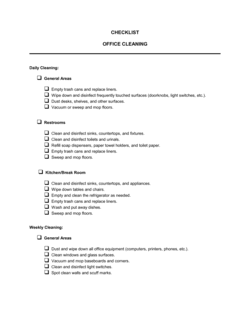
A complete maintenance checklist covers daily cleaning of workstations, kitchens, restrooms, and common areas; weekly equipment and appliance checks; monthly safety inspections including fire exits and first-aid kits; periodic HVAC and electrical servicing; consumables inventory and reordering; and vendor contact details with SLA terms. Each item should specify the responsible role and the expected completion frequency.

How do I manage office maintenance vendors effectively?

Start by documenting every vendor's contact details, contracted scope, SLA terms, and contract renewal date in a centralized location accessible to at least two people. Schedule vendor performance reviews quarterly. Set calendar reminders 60 days before contract renewals to allow time for renegotiation. Log any SLA breaches in writing so you have documented grounds for renegotiation or termination.

What is the difference between preventive and corrective maintenance?

Preventive maintenance is scheduled, routine upkeep performed before anything breaks β€” replacing HVAC filters, testing smoke alarms, or servicing a printer. Corrective maintenance is reactive β€” fixing a broken lock, replacing a failed appliance, or repairing a leaking pipe after the fact. A good office maintenance guide reduces corrective maintenance by catching issues early through a consistent preventive schedule, which is generally less expensive and less disruptive.

Do I need a separate guide for each office location?

If your locations share the same vendors, building type, and staff structure, a single guide with location-specific appendices is more efficient. If locations differ significantly in size, lease terms, equipment, or regulatory requirements, separate guides avoid confusion. The core framework β€” roles, schedules, escalation, vendor management β€” can be templated and reused across locations with site-specific details filled in for each.

How often should the office maintenance guide be reviewed?

Review the guide every 6 months during the first year of use to incorporate lessons from real-world operation, then annually thereafter. Trigger an unscheduled review whenever a key vendor changes, a major piece of equipment is replaced, the office relocates, or a significant maintenance failure reveals a gap in the current procedures.

How this compares to alternatives

vs Workplace Safety Inspection Report

A safety inspection report is a point-in-time record of specific hazards found and corrective actions required during a formal inspection. An office maintenance guide is an ongoing operational document that prevents hazards through regular scheduled upkeep. The inspection report captures what went wrong; the maintenance guide defines what should happen routinely to prevent it.

vs Office Rules and Regulations Policy

An office rules and regulations policy governs staff conduct β€” noise levels, kitchen etiquette, visitor procedures, and shared space norms. An office maintenance guide governs physical upkeep β€” cleaning schedules, equipment checks, and vendor management. Both documents are needed; they address different aspects of a well-run workplace.

vs Facilities Management Plan

A facilities management plan is a broader strategic document covering space planning, lease management, capital expenditure on infrastructure, and long-term asset lifecycle decisions. An office maintenance guide is a practical operational document focused on day-to-day and periodic upkeep tasks. Growing businesses typically start with the maintenance guide and graduate to a full facilities plan as their real estate footprint expands.

vs Employee Handbook

An employee handbook covers company-wide HR policies β€” benefits, conduct standards, leave entitlements, and disciplinary procedures. An office maintenance guide is specifically an operational facilities document. While the handbook may reference the maintenance guide or summarize workspace expectations for staff, the detailed procedures, vendor contacts, and inspection schedules live in the maintenance guide itself.

Industry-specific considerations

Professional Services

Client-facing reception and meeting rooms require daily presentation-ready standards; after-hours cleaning schedules must coordinate with billable-hours work patterns.

Technology / SaaS

High density of electronic equipment means cooling, cable management, and power infrastructure maintenance are critical alongside standard cleaning cycles.

Healthcare / Medical Offices

Sanitation standards exceed typical office requirements; medical waste disposal, biohazard protocols, and regulatory inspection readiness are integrated into the maintenance schedule.

Retail / Hospitality

Customer-facing spaces require multiple daily tidying passes; maintenance tasks must be scheduled around trading hours without disrupting service or foot traffic.

Template vs pro β€” what fits your needs?

PathBest forCostTime
Use the templateSmall to mid-sized offices with a dedicated office manager or operations lead who can implement and own the guideFree2–4 hours to complete and customize
Template + professional reviewOffices in regulated industries, multi-location businesses, or those with complex vendor contracts requiring SLA alignment$200–$800 for a facilities consultant review1–3 days
Custom draftedLarge corporate campuses, healthcare facilities, or businesses with stringent regulatory compliance requirements$1,500–$5,000+ for a professional facilities management consultant2–4 weeks

Glossary

Preventive Maintenance
Scheduled, routine upkeep performed before a failure occurs β€” such as replacing HVAC filters monthly β€” to extend equipment life and avoid costly emergency repairs.
Corrective Maintenance
Repairs carried out after a failure or defect is identified, intended to restore equipment or facilities to working condition.
Maintenance Schedule
A calendar-based plan specifying which tasks must be performed daily, weekly, monthly, quarterly, or annually and who is responsible for each.
Facilities Coordinator
The person or role responsible for overseeing day-to-day office upkeep, vendor relationships, and facilities-related issue resolution.
Escalation Procedure
A defined process for reporting a maintenance issue that exceeds a staff member's authority or capability, routing it to the right person or vendor for resolution.
Vendor SLA (Service Level Agreement)
A contracted commitment from a service provider β€” such as a cleaning company or HVAC technician β€” specifying response times, service frequency, and quality standards.
Deep Clean
A thorough cleaning of areas not covered in routine daily or weekly cleaning, typically performed quarterly or annually β€” including vents, upholstery, and behind fixtures.
Safety Inspection
A structured review of the workplace to confirm that fire exits, first-aid kits, electrical panels, and emergency equipment comply with applicable health and safety requirements.
Consumables Inventory
A tracked record of regularly used supplies β€” paper, soap, coffee, printer ink β€” with reorder points to prevent stockouts.
Asset Register
A list of all physical equipment and furnishings in the office β€” computers, chairs, printers, appliances β€” with purchase dates, condition notes, and maintenance history.

Part of your Business Operating System

This document is one of 3,000+ business & legal templates included in Business in a Box.

  • Fill-in-the-blanks β€” ready in minutes
  • Compatible with all office suites
  • Export to PDF and share electronically

Create your document in 3 simple steps.

From template to signed document β€” all inside one Business Operating System.
1
Download or open template

Access over 3,000+ business and legal templates for any business task, project or initiative.

2
Edit and fill in the blanks with AI

Customize your ready-made business document template and save it in the cloud.

3
Save, Share, Send, Sign

Share your files and folders with your team. Create a space of seamless collaboration.

Save time, save money, and create top-quality documents.

β˜…β˜…β˜…β˜…β˜…

"Fantastic value! I'm not sure how I'd do without it. It's worth its weight in gold and paid back for itself many times."

Managing Director Β· Mall Farm
Robert Whalley
Managing Director, Mall Farm Proprietary Limited
β˜…β˜…β˜…β˜…β˜…

"I have been using Business in a Box for years. It has been the most useful source of templates I have encountered. I recommend it to anyone."

Business Owner Β· 4+ years
Dr Michael John Freestone
Business Owner
β˜…β˜…β˜…β˜…β˜…

"It has been a life saver so many times I have lost count. Business in a Box has saved me so much time and as you know, time is money."

Owner Β· Upstate Web
David G. Moore Jr.
Owner, Upstate Web

Run your business with a system β€” not scattered tools

Stop downloading documents. Start operating with clarity. Business in a Box gives you the Business Operating System used by over 250,000 companies worldwide to structure, run, and grow their business.

Free Forever PlanΒ Β·Β No credit card required