Lead Generation Templates
★★★★★4.7from 280+ reviews· Trusted by 20M+ businesses
Track prospects, build your email list, and staff your sales team with ready-to-use lead generation documents.
WordEditable onlinePDF13+ Lead Generation templates
Other Sales & Marketing categories
Sales pipeline and tracking
Content marketing and list building
250K+Clients
20M+Free users
20+Years
190+Countries
10,000+Law firms
50M+Downloads
Trusted across review platforms
- Capterra★★★★☆4.649 reviews
- G2★★★★☆4.713 reviews
- GetApp★★★★☆4.649 reviews
- Google Play★★★★☆4.6179 ratings
- Google Reviews★★★★☆4.567 reviews
Frequently asked questions
What is a lead generation template?
A lead generation template is a pre-built document that helps a business attract, capture, or manage potential customers. Templates in this category include pipeline trackers, lead magnet idea guides, and staffing documents for the teams that run lead generation activities. They reduce setup time and give teams a consistent structure to work from.
What is a lead tracker and why do I need one?
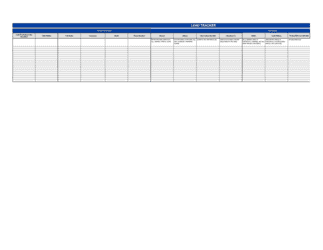
A lead tracker is a structured document or spreadsheet that records every prospect your team is pursuing, along with their status, assigned owner, and next follow-up action. Without one, leads fall through the cracks, follow-up becomes inconsistent, and it is impossible to measure pipeline health. Even a simple tracker outperforms informal notes or shared inboxes for teams of two or more.
What is a lead magnet?
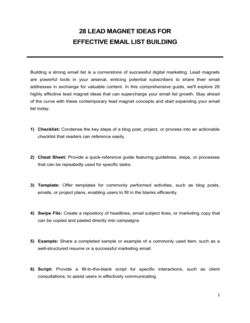
A lead magnet is a free piece of content or resource offered in exchange for a visitor's contact information — typically an email address. Common formats include checklists, templates, guides, webinars, free trials, and quizzes. The best lead magnets solve a specific problem quickly and are closely related to a paid product or service the business sells.
How many lead magnet ideas should I test?
Start with one or two that closely match your audience's most pressing problem and your team's ability to deliver. Test a second format only after the first is converting consistently. Running too many lead magnets simultaneously splits traffic, complicates attribution, and makes it hard to know what is working.
When should I move from a lead tracker spreadsheet to a CRM?
A spreadsheet tracker works well for pipelines under roughly 100 active leads or for teams of one to three people. Move to a CRM when manual data entry is taking more than an hour a week, when multiple reps are editing the same tracker simultaneously, or when you need automated follow-up sequences. The tracker is also a useful interim tool while evaluating CRM options.
What fields should a lead tracker include?
At minimum, a lead tracker should capture the prospect's name, company, contact details, lead source, current pipeline stage, assigned owner, last contact date, next action, and next follow-up date. Optional fields include estimated deal value, notes from calls, and a close probability score. Keep the number of fields small enough that reps will actually maintain the data.
Is a lead cook job description related to sales lead generation?
Not directly. A lead cook is a culinary role — the senior cook who leads a kitchen station or shift in a restaurant or food-service operation. The term "lead" refers to team leadership, not sales leads. The job description template in this folder is intended for food-service businesses hiring kitchen staff, and it appears here because it shares the "lead" keyword in our template library.
Lead Generation vs. related documents
A lead tracker template is a lightweight, immediately usable document that requires no software setup or subscription. CRM platforms such as Salesforce or HubSpot offer automation and integrations for larger teams but introduce cost and complexity. Start with a template when your pipeline is under 100 contacts; migrate to a CRM once volume demands it.
A lead generation form captures contact information on a website or landing page. A lead generation template, by contrast, is a working document your team uses internally to plan, track, or execute a lead-generation strategy. Both are useful at different stages of the same funnel.
Key clauses every Lead Generation contains
Effective lead generation documents share a common set of structural elements regardless of whether they are tracking sheets, idea guides, or job descriptions.
- Prospect identification fields. Captures company name, contact, source channel, and initial interest so no lead is lost between handoffs.
- Lead status and stage tracking. Defines where each prospect sits in the pipeline — new, contacted, qualified, proposal sent, closed — so the team can prioritize follow-up.
- Assigned owner. Names the sales rep or team member responsible for each lead, preventing duplicated effort or neglect.
- Next action and follow-up date. Records the specific next step and deadline so prospects never go cold by accident.
- Lead source attribution. Tags each prospect with the channel that generated them — paid ad, referral, content download, event — to measure ROI by source.
- Lead magnet offer description. For content-driven campaigns, names the incentive offered (checklist, guide, webinar, etc.) and the audience it targets.
- Conversion or outcome field. Records the final result — won, lost, disqualified, or nurturing — so pipeline reporting reflects reality.
How to build a lead generation system
A working lead generation system connects the right offer to the right audience, captures contact details, and hands prospects to the sales team at exactly the right moment.
1
Define your target audience
Write a one-paragraph description of the exact person you want to reach — their role, industry, problem, and what they search for online.
2
Choose a lead magnet format
Select an incentive that solves a specific problem for your audience — a checklist, template, guide, webinar, or free tool — using a proven format from your lead magnet ideas list.
3
Create a dedicated landing page
Build a focused page with a single call-to-action that explains the offer, its benefit, and a short opt-in form.
4
Set up your lead capture fields
Collect only the data you will actually use — name, email, company, and job role are usually sufficient to qualify a lead.
5
Load prospects into your lead tracker
As contacts opt in or are sourced through other channels, add them to your lead tracker with source, status, and assigned owner immediately.
6
Define follow-up sequences and next actions
For each pipeline stage, write the specific action your team takes next and how many days they wait before escalating.
7
Review and clean your pipeline weekly
Hold a brief weekly review to update statuses, remove dead leads, and confirm every open lead has a next action and owner.
At a glance
- What it is
- Lead generation templates are ready-to-use documents that help businesses attract, capture, and organize potential customers. They cover everything from tracking active prospects in a pipeline to generating lead magnet content that grows an email list.
- When you need one
- Any time your sales or marketing team needs a structured system for capturing prospects, following up, or launching a content-driven list-building campaign.
Which Lead Generation do I need?
The right template depends on whether you need to organize existing prospects, attract new ones through content, or hire someone to manage your lead pipeline.
Your situation
Recommended template
Sales team needs a structured way to track and follow up on prospects
Centralizes prospect data, status, and next actions in one organized document.Marketer wants to grow an email list with content incentives
Provides 28 proven lead magnet formats to attract subscribers and generate opt-ins.Restaurant or food-service business hiring a kitchen team leader
Ready-to-post job description that attracts qualified lead cook candidates.Glossary
- Lead
- A person or organization that has shown some interest in your product or service and whose contact information you have captured.
- Lead generation
- The process of attracting potential customers and collecting their contact details so a sales team can follow up.
- Lead magnet
- A free resource offered to website visitors in exchange for their email address or other contact information.
- Lead tracker
- A document or tool that records prospects, their pipeline stage, and the next action required to move them forward.
- Pipeline
- The full set of prospects a sales team is actively working, organized by stage from first contact to closed deal.
- Opt-in
- The act of a visitor voluntarily providing their contact details, usually to receive a lead magnet or newsletter.
- Lead qualification
- The process of evaluating whether a prospect has the budget, authority, need, and timing to become a paying customer.
- Lead source
- The channel or activity that generated a particular prospect — such as a paid ad, referral, webinar, or organic search.
- Conversion rate
- The percentage of visitors or prospects who complete a desired action, such as filling out a form or booking a call.
- Email list
- A collected set of subscriber email addresses that a business uses to send marketing messages and nurture leads over time.
What is a lead generation template?
A lead generation template is a pre-built document that helps a sales or marketing team attract potential customers, organize prospects, and execute the activities that fill a pipeline. Rather than designing a system from scratch, teams use these templates to start tracking leads, planning content incentives, or posting roles immediately.
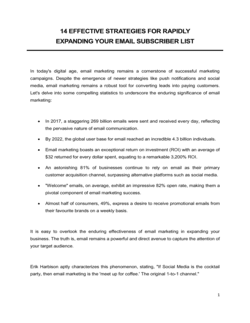
Lead generation spans two distinct activities. The first is outbound and inbound prospect capture — finding people who might buy and getting their contact details into a structured tracker before they go cold. The second is content-driven list building, where a business offers something valuable in exchange for an email address and then nurtures those subscribers toward a first purchase. Templates exist for both, and for hiring the people who run these functions.
The three templates in this folder cover a lead tracker for managing an active sales pipeline, a curated guide of 28 lead magnet formats for email list building, and a job description for a lead cook — a food-service team leader role that shares the "lead" label but serves a different operational need.
When you need a lead generation template
A lead generation template is useful any time your team lacks a consistent, documented process for capturing or managing prospects. If leads are tracked in personal inboxes, informal notes, or a shared spreadsheet that nobody maintains, you are almost certainly losing revenue to follow-up gaps.
Common triggers:
- A sales rep is managing more than a handful of active prospects and needs a structured pipeline view
- A marketing team is launching a content campaign and needs proven lead magnet formats to model
- A new hire is joining the sales team and there is no standard way to hand off or record prospect activity
- A founder is transitioning from referral-only growth to inbound marketing for the first time
- A small business wants to start building an email list but does not know where to begin
- A food-service operator is hiring a senior kitchen team leader and needs a ready-to-post job description
Skipping structured lead generation documentation does not just create administrative friction — it makes growth unpredictable. When no one knows which prospects are warm, who owns follow-up, or which content offers are converting, the pipeline cannot be measured or improved. Starting with a template, even a simple one, gives every team member the same shared system to work from.
Award-winning platform
- Great Place to Work 2025
- BIG Award — Product of the Year 2025
- Smartest Companies 2025
- Global 100 Excellence 2026
- Best of the Best 2025