Trade Show Exhibit Questionnaire Template

Free Word download β€’ Edit online β€’ Save & share with Drive β€’ Export to PDF

1 pageβ€’15–25 min to fillβ€’Difficulty: Standard
Learn more ↓
FreeTrade Show Exhibit Questionnaire Template

At a glance

What it is
A Trade Show Exhibit Questionnaire is a structured intake form that captures every piece of information an exhibitor or event organizer needs before a trade show β€” booth dimensions, AV and electrical requirements, staffing headcount, shipping details, and marketing objectives. This free Word download gives you a ready-to-send form you can customize and export as PDF in minutes.
When you need it
Use it 6–12 weeks before any trade show, expo, or industry conference where your company is exhibiting. Event coordinators also use it to collect standardized information from multiple exhibitors in a single structured document.
What's inside
Company and contact details, booth size and configuration preferences, AV and electrical requirements, shipping and drayage instructions, staffing and badge requests, marketing goals, and special accommodation notes β€” all in a single form that feeds directly into your event planning workflow.

What is a Trade Show Exhibit Questionnaire?

A Trade Show Exhibit Questionnaire is a structured intake form that captures every logistical, technical, and marketing detail an exhibitor needs to coordinate before setting up at a trade show or industry expo. It consolidates booth dimensions, AV and electrical requirements, freight and shipping information, staffing headcount, badge requests, and business objectives into a single document β€” giving exhibit houses, event coordinators, and marketing teams a complete brief before any vendor orders are placed or shipments dispatched. The form is used both internally by exhibiting companies to organize their own planning and externally by exhibit houses and show organizers to gather specifications from clients.

Why You Need This Document

Walking into a trade show without a completed exhibit questionnaire means critical details live in disconnected emails, spreadsheets, and memory β€” and the consequences are concrete. Missed electrical order deadlines cost 30–50% more in rush surcharges. Freight shipped to the wrong address misses the advance warehouse window and triggers premium drayage fees. Badge registrations submitted late turn complimentary allotments into $200–$500-per-person charges. Without a documented lead target, post-show ROI analysis is impossible and future exhibit budgets are nearly impossible to defend. This template gives you a single source of truth that feeds every vendor order form, keeps your team aligned, and creates the paper trail you need to measure results and improve with every show.

Which variant fits your situation?

If your situation is…Use this template
Exhibiting at a large trade show with custom booth constructionTrade Show Exhibit Questionnaire (Full)
Collecting exhibitor details as an event organizerExhibitor Registration Form
Planning pre-event marketing and promotional activitiesEvent Marketing Plan
Tracking leads captured at the booth during the showTrade Show Lead Tracking Form
Evaluating post-show ROI and performanceTrade Show Evaluation Report
Requesting services from the official show decorator or general contractorExhibitor Services Order Form
Budgeting total costs across multiple shows in a calendar yearTrade Show Budget Template

Common mistakes to avoid

❌ Using the wrong freight delivery address

Why it matters: Shipping to the venue's general address instead of the show-specific freight address causes misdirected shipments that miss advance warehouse deadlines and trigger expensive rush drayage fees.

Fix: Copy the exact freight address from the official show services manual for each shipment label β€” never use the venue's public website address.

❌ Skipping the marketing objectives field

Why it matters: Without a documented lead target or business objective, there is no baseline for post-show ROI analysis, and future exhibit budgets become difficult to justify internally.

Fix: Set at least one numeric goal β€” a lead count, a number of scheduled demos, or a number of partner meetings β€” before the show and record it on the form.

❌ Under-ordering electrical amperage

Why it matters: Devices ordered without accounting for combined wattage overload the circuit, trip breakers during the show, and require emergency electrical service calls at premium rates.

Fix: Add up the wattage of every device, divide by 120 to get amps, and add a 20% buffer before placing your electrical order.

❌ Registering badges after the complimentary deadline

Why it matters: Late badge registrations are billed at full walk-in rates β€” $200–$500 per person at major trade shows β€” turning a free staff benefit into an unplanned expense.

Fix: Set a calendar reminder 2 weeks before the badge registration deadline and submit all names, including alternates, in a single batch submission.

The 9 key fields, explained

Company and primary contact information

Show name, dates, and location

Booth number and space dimensions

AV and technology requirements

Electrical and utility requirements

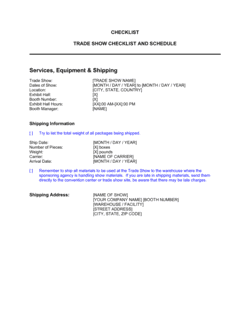
Shipping and freight details

Staffing and badge requirements

Marketing objectives and lead goals

Special requirements and accommodation notes

How to fill it out

  1. 1

    Enter company and contact details

    Fill in the exhibiting company's legal name, the primary contact responsible for show logistics, their direct phone, and a monitored email address.

    πŸ’‘ Use a shared team inbox (e.g., events@yourcompany.com) rather than a personal address so coverage continues during move-in week.

  2. 2

    Confirm show details and booth assignment

    Enter the official show name, venue, city, and all relevant dates β€” including move-in and move-out. Add your booth number and exact dimensions as shown on the show floor plan.

    πŸ’‘ Download the official show floor plan and screenshot your booth location β€” attach it to the completed form for reference during planning.

  3. 3

    List all AV and technology needs

    Itemize every screen, device, and system you plan to use at the booth. Note whether each item is rented from the show, brought by your team, or sourced through an EAC.

    πŸ’‘ Check the show services manual for AV rental pricing before deciding β€” show rentals are often cheaper than shipping large monitors.

  4. 4

    Calculate and order electrical service

    Add up the wattage of every device running at the booth and convert to amps. Order at least 20% more capacity than your calculated total to handle startup surges.

    πŸ’‘ Submit your electrical order before the advance discount deadline β€” late orders typically cost 30–50% more and may not be fulfilled until after move-in begins.

  5. 5

    Complete shipping and freight information

    Record carrier names, tracking numbers, piece counts, and weights. Confirm whether you are shipping to the advance warehouse or direct-to-show, and note the applicable deadline for each.

    πŸ’‘ Advance warehouse shipping is almost always cheaper than direct β€” schedule delivery 5–7 business days before the warehouse deadline to absorb any carrier delays.

  6. 6

    Submit badge requests for all staff

    List every team member attending by full name and title. Flag any VIP or speaker badge requests that require separate handling.

    πŸ’‘ Cross-reference the show's complimentary badge allotment against your staff count before submitting β€” knowing your overage cost upfront prevents budget surprises.

  7. 7

    Define objectives and special requirements

    Enter your primary show objective, numeric lead target, and any out-of-standard requests such as hanging signs, custom flooring, or accessibility accommodations.

    πŸ’‘ Route hanging sign and rigging requests to the venue immediately after completing the form β€” approval timelines of 8–12 weeks are common and non-negotiable.

Frequently asked questions

What is a trade show exhibit questionnaire?

A trade show exhibit questionnaire is a structured intake form used to capture all logistical, technical, and marketing details needed before an exhibitor sets up at a trade show or industry event. It covers booth dimensions, AV and electrical requirements, shipping information, staffing headcount, and business objectives in a single document, giving event coordinators and exhibit houses a complete brief to work from.

Who fills out the trade show exhibit questionnaire?

The questionnaire is typically completed by the marketing manager, event coordinator, or operations lead responsible for the exhibit. Exhibit houses and trade show management companies also send this form to their clients at the start of each event engagement to gather specifications before designing or building a booth.

When should the questionnaire be completed?

Complete it 6–12 weeks before the show opens. Most show contractors set advance order deadlines β€” especially for electrical, AV, and hanging signs β€” 8–10 weeks before move-in. Filling out the questionnaire early ensures you capture all requirements in time to meet those cutoff dates.

What is drayage and why does it appear on the form?

Drayage is the fee charged by the official show general contractor to transport your freight from the loading dock to your booth and back at the end of the show. It is billed by weight and is one of the most commonly underestimated trade show costs. Recording shipment weights on the questionnaire lets you estimate and budget drayage fees in advance.

Can the same form be reused for multiple shows?

The template structure can be reused for every show, but each instance must be completed fresh. Booth numbers, show dates, freight deadlines, electrical requirements, and badge allotments differ by event. Reusing a filled-out form from a prior show without updating it is a common source of errors β€” always treat each show as a new form submission.

What happens if I miss the advance warehouse shipping deadline?

If freight misses the advance warehouse window, it must be shipped direct-to-show, which typically costs 20–40% more in drayage fees and offers less flexibility on delivery timing. In some cases, show contractors cannot guarantee that direct shipments arriving close to move-in will reach your booth before the show opens.

Do I need a separate form for each show vendor?

The questionnaire is your internal planning document and master brief. From it, you generate separate order forms for each show vendor β€” the general contractor's electrical form, the AV rental order, the badge registration portal, and your freight carrier's bill of lading. Keeping one complete questionnaire on file means you have all the source data in one place when filling out those individual vendor forms.

What is a certificate of insurance and does the questionnaire include it?

A certificate of insurance (COI) proves your company carries the minimum liability coverage required by the show venue. The questionnaire includes a field to note whether your COI has been submitted and to record the submission date. Most shows require a COI on file before your booth is permitted on the floor β€” missing this can result in being barred from move-in.

How this compares to alternatives

vs Trade Show Evaluation Report

The exhibit questionnaire is completed before the show to plan logistics and set objectives. The evaluation report is completed after the show to measure results against those objectives β€” lead count, cost per lead, and ROI. Both documents work as a pair: the questionnaire sets the baseline; the evaluation measures against it.

vs Event Planning Checklist

An event planning checklist is a broad task list covering all aspects of organizing or attending an event β€” venue, catering, speakers, and marketing. The exhibit questionnaire is a focused intake form capturing the specific technical and logistical specs for a single booth setup. Use the checklist to manage the overall event timeline and the questionnaire to brief exhibit vendors.

vs Exhibitor Services Order Form

An exhibitor services order form is a vendor-specific document submitted to the show's general contractor to order electrical, furniture, cleaning, and AV services. The questionnaire is your internal planning document that feeds those order forms. Complete the questionnaire first, then use its data to fill out each vendor's official order form accurately.

vs Trade Show Budget Template

A trade show budget template tracks all projected and actual costs β€” booth space, shipping, drayage, staffing, and marketing materials. The exhibit questionnaire captures the operational specifications that drive those cost estimates. Fill out the questionnaire first to identify all requirements, then use those details to build an accurate budget.

Industry-specific considerations

Technology / SaaS

Heavy AV and demo-station requirements, lead retrieval integration with CRM, and custom booth configurations for product launch announcements at flagship industry events.

Manufacturing

Large footprint island booths with heavy equipment displays, significant electrical load for machinery demonstrations, and union-labor jurisdiction considerations at major trade venues.

Healthcare / MedTech

Regulatory-compliant product demonstration setups, badge-controlled access areas for private clinical discussions, and COI requirements that exceed standard venue minimums.

Retail / Consumer Goods

High-visual inline or corner booths with product display shelving, sampling stations, and point-of-sale demo equipment requiring careful electrical and AV planning.

Template vs pro β€” what fits your needs?

PathBest forCostTime
Use the templateMarketing managers, event coordinators, and small business owners planning any trade show exhibitFree15–30 minutes per show
Template + professional reviewCompanies exhibiting at 5+ shows per year who want a standardized intake process reviewed by an events agency$200–$500 for an event management consultant review1–2 days
Custom draftedLarge enterprises with dedicated exhibit programs requiring custom fields, CRM integration, and multi-event workflows$1,000–$3,000 for a custom exhibit management system or agency buildout2–4 weeks

Glossary

Drayage
The fee charged by the official show contractor to move freight from the loading dock to your booth space and back β€” one of the most commonly underestimated trade show costs.
Booth footprint
The exact floor dimensions of your assigned exhibit space, typically expressed in feet or meters (e.g., 10Γ—10, 10Γ—20, 20Γ—20).
Inline booth
A standard booth configuration with neighboring exhibitors on two or three sides, open only to the aisle in front.
Island booth
A freestanding exhibit space accessible from all four sides, typically requiring a larger footprint of 20Γ—20 feet or more.
EAC (Exhibitor Appointed Contractor)
A third-party vendor β€” such as a custom booth builder or AV company β€” hired directly by the exhibitor rather than through the official show general contractor.
Move-in / move-out
The scheduled periods before and after the show during which exhibitors install and dismantle their booths.
Lead retrieval
The system β€” typically a badge scanner or app β€” used to capture contact information from visitors who stop at your booth.
Show services manual
The official exhibitor kit distributed by the show organizer containing deadlines, vendor contact lists, and order forms for electrical, AV, furniture, and cleaning services.
Union labor jurisdiction
Trade show venues in certain cities require that specific installation and dismantle tasks be performed by union labor, affecting both cost and scheduling.
Certificate of insurance (COI)
A document proving your company carries the minimum liability coverage required by the show venue or organizer before you are permitted to exhibit.

Part of your Business Operating System

This document is one of 3,000+ business & legal templates included in Business in a Box.

  • Fill-in-the-blanks β€” ready in minutes
  • 100% customizable Word document
  • Compatible with all office suites
  • Export to PDF and share electronically

Create your document in 3 simple steps.

From template to signed document β€” all inside one Business Operating System.
1
Download or open template

Access over 3,000+ business and legal templates for any business task, project or initiative.

2
Edit and fill in the blanks with AI

Customize your ready-made business document template and save it in the cloud.

3
Save, Share, Send, Sign

Share your files and folders with your team. Create a space of seamless collaboration.

Save time, save money, and create top-quality documents.

β˜…β˜…β˜…β˜…β˜…

"Fantastic value! I'm not sure how I'd do without it. It's worth its weight in gold and paid back for itself many times."

Managing Director Β· Mall Farm
Robert Whalley
Managing Director, Mall Farm Proprietary Limited
β˜…β˜…β˜…β˜…β˜…

"I have been using Business in a Box for years. It has been the most useful source of templates I have encountered. I recommend it to anyone."

Business Owner Β· 4+ years
Dr Michael John Freestone
Business Owner
β˜…β˜…β˜…β˜…β˜…

"It has been a life saver so many times I have lost count. Business in a Box has saved me so much time and as you know, time is money."

Owner Β· Upstate Web
David G. Moore Jr.
Owner, Upstate Web

Run your business with a system β€” not scattered tools

Stop downloading documents. Start operating with clarity. Business in a Box gives you the Business Operating System used by over 250,000 companies worldwide to structure, run, and grow their business.

Free Forever PlanΒ Β·Β No credit card required