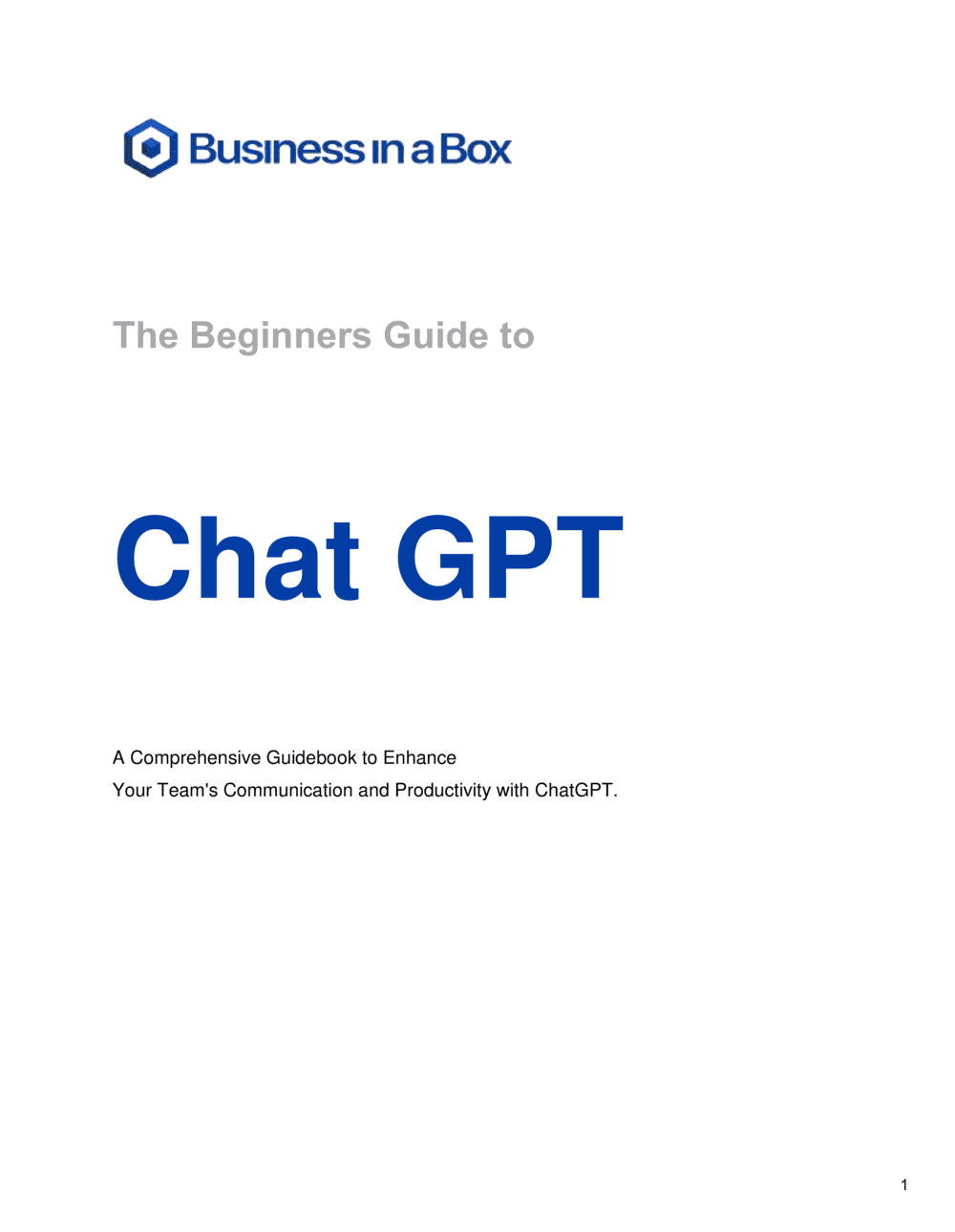
The Beginners Guide To Chat GPT

Free to read β€’ Save or share with one click

FreeThe Beginners Guide To Chat GPT Template

At a glance

What it is
The Beginner's Guide to ChatGPT is a structured Word document that walks employees, teams, or clients through what ChatGPT is, how it works, and how to use it productively in a business context. This free Word download covers account setup, prompt writing, practical use cases, known limitations, and responsible-use guidelines β€” all in a format you can brand, edit online, and distribute as a PDF or internal training resource.
When you need it
Use it when onboarding staff to AI tools for the first time, rolling out a company-wide ChatGPT adoption initiative, or creating a reference guide for clients and customers who are new to AI-assisted workflows.
What's inside
An introduction to large language models in plain English, step-by-step account and interface setup, a prompting framework with worked examples, a catalog of business use cases by function, a section on accuracy limitations and hallucinations, and a responsible-use policy checklist.

What is a Beginner's Guide to ChatGPT?

A Beginner's Guide to ChatGPT is a structured instructional document that introduces business users β€” employees, clients, or workshop participants β€” to ChatGPT and the practical skills needed to use it effectively at work. It covers what large language models are in plain English, how to set up and navigate the ChatGPT interface, how to write prompts that produce useful outputs, which business tasks the tool handles well, and where it falls short. Unlike a generic online tutorial, a customized business guide embeds your organization's data-handling rules, role-specific use cases, and hands-on exercises so that readers can apply what they learn immediately.

Why You Need This Document

Without a structured guide, AI tool adoption inside an organization is inconsistent at best and risky at worst. Employees who learn ChatGPT on their own routinely paste confidential client data into a public interface, accept hallucinated facts at face value, and write one-line prompts that produce unusable output β€” then conclude the tool is not worth using. A well-constructed guide closes all three gaps before they become habits. It sets realistic expectations about what ChatGPT can and cannot do, establishes clear data-handling boundaries, and builds prompt-writing fluency through practice exercises. Organizations that onboard employees with a formal guide see faster adoption, fewer data incidents, and measurably better output quality compared to teams left to figure it out independently. This template gives you a ready-to-customize starting point so you can run a professional AI onboarding program in hours, not weeks.

Which variant fits your situation?

If your situation is…Use this template
Formal company-wide AI tool rollout with compliance requirementsAI Acceptable Use Policy
Training employees on writing better prompts for specific tasksChatGPT Prompt Library
Onboarding new hires to all software tools, including AIEmployee Onboarding Checklist
Documenting internal AI workflows as repeatable SOPsStandard Operating Procedure (SOP)
Creating a broader digital tools guide for the whole teamTechnology Use Policy
Delivering a structured AI training session or workshopTraining Plan Template
Evaluating AI tools against each other before adopting oneSoftware Evaluation Report

Common mistakes to avoid

❌ Skipping the limitations section to avoid discouraging readers

Why it matters: Employees who discover hallucinations or data gaps without warning lose confidence in the tool and stop using it. Realistic expectations at the start build durable adoption.

Fix: Include a dedicated limitations section early in the guide, before the use cases. Frame it as 'how to get reliable results' rather than 'what ChatGPT can't do.'

❌ Using only generic prompts as examples

Why it matters: Generic prompts like 'write a report' do not teach readers how prompting actually works for their specific tasks, so they copy the examples and get mediocre outputs.

Fix: Replace every generic example with one drawn from a real workflow in your industry or team β€” the more specific, the faster readers can adapt it.

❌ No responsible-use or data-handling section

Why it matters: Without clear guidance, employees routinely paste confidential client data, internal financials, or PII into a public AI interface β€” creating real compliance and security exposure.

Fix: Add a one-page responsible-use section early in the guide, before the exercises, with explicit examples of what should and should not be entered.

❌ Publishing the guide without a review date

Why it matters: ChatGPT's interface, model versions, pricing, and capabilities change several times per year. A guide with no review date becomes dangerously outdated within months and misleads new users.

Fix: Add a 'last reviewed' date on the cover page and schedule a quarterly review in your team calendar as a standing task.

The 8 key sections, explained

Introduction: what ChatGPT is and how it works

Account setup and interface walkthrough

Prompt writing fundamentals

Business use cases by function

Limitations and known failure modes

Responsible and safe use guidelines

Practical exercises and worked examples

Advanced techniques and next steps

How to fill it out

  1. 1

    Customize the introduction for your audience

    Replace the generic opener with a sentence that addresses your specific reader β€” employee, client, or workshop participant. State the goal of the guide (e.g., 'By the end of this guide you will be able to use ChatGPT to draft professional emails and summarize meeting notes in under five minutes').

    πŸ’‘ A specific outcome statement in the first paragraph doubles completion rates compared to a vague 'this guide will help you learn AI.'

  2. 2

    Add your organization's account and plan details

    Replace the placeholder plan information with your company's actual setup β€” which model employees have access to, any approved integrations, and where to find login credentials.

    πŸ’‘ If your company uses ChatGPT Team or Enterprise, note the admin console location so employees know where to report issues.

  3. 3

    Populate the use cases section with role-specific examples

    For each business function relevant to your team, write at least one example prompt using a real scenario from your industry. Generic prompts ('write a report') are less useful than specific ones ('summarize last quarter's NPS survey results in three bullet points for the sales team').

    πŸ’‘ Pull examples from tasks your team already completes manually β€” the closer the example is to their daily work, the faster adoption happens.

  4. 4

    Insert your data-handling and responsible-use rules

    Replace the placeholder guidelines with your company's actual policy β€” which data categories are prohibited, whether enterprise data privacy is enabled, and how outputs should be labeled before sharing externally.

    πŸ’‘ If your company has a formal AI acceptable-use policy, link to it directly from this section rather than summarizing it β€” avoid version-control problems from two documents saying slightly different things.

  5. 5

    Build out the exercises with real prompts

    Write three to five exercises using actual tasks from your team's workflow. Each exercise should include the starting prompt, the expected output format, and one specific improvement technique to try.

    πŸ’‘ Run through each exercise yourself before distributing the guide β€” output that looks good in theory sometimes falls flat with the real model version your team will use.

  6. 6

    Set a knowledge cutoff date and review schedule

    Add the current ChatGPT knowledge cutoff date and your guide's own publication date. Note when you will next review the guide β€” AI tools change quickly and a guide that references outdated features erodes credibility.

    πŸ’‘ Schedule a quarterly 30-minute review of the guide in your calendar now. Six months from publication, at least one section will need updating.

Frequently asked questions

What is a beginner's guide to ChatGPT used for in a business context?

A beginner's guide to ChatGPT is used to onboard employees, clients, or teams to AI-assisted workflows in a structured, consistent way. It covers what ChatGPT is, how to write effective prompts, which business tasks it handles well, and what limitations to watch for. Organizations use it to accelerate adoption, reduce misuse, and ensure everyone starts from the same baseline understanding rather than learning ad hoc.

Do I need technical knowledge to use or customize this guide?

No technical background is required. The guide is written in plain English and covers the tool from the perspective of a business user, not a developer. Customizing the template requires only editing the example prompts and use cases to reflect your team's actual work β€” no coding or AI expertise is needed to make it immediately useful.

What is the difference between ChatGPT Free and ChatGPT Plus?

ChatGPT Free provides access to GPT-3.5 with usage limits and no guaranteed availability during peak periods. ChatGPT Plus costs $20 per month and provides access to GPT-4o, faster response times, priority access, and additional features including image generation and file analysis. For professional or business use, Plus is the practical minimum β€” the output quality difference for complex writing and reasoning tasks is significant.

What should employees never enter into ChatGPT?

Employees should not enter personally identifiable information about clients, patients, or staff; confidential contracts or legal documents; unreleased financial data; proprietary source code; or trade secrets. Unless your company has enabled ChatGPT Enterprise with data privacy controls, inputs to the standard interface may be used to improve future models. Your guide's responsible-use section should spell out your organization's specific prohibitions clearly.

What is a hallucination in ChatGPT and how do I avoid it?

A hallucination is when ChatGPT generates text that sounds confident and plausible but is factually wrong or entirely invented β€” including fake citations, incorrect statistics, or non-existent case law. To reduce hallucinations, ask ChatGPT to state its confidence level, instruct it to say 'I don't know' when uncertain, and always verify factual claims against authoritative sources before using the output professionally.

How do I write a better ChatGPT prompt?

Effective prompts include five elements: a role assignment ('You are a senior copywriter'), a specific task ('rewrite this product description'), relevant context ('the audience is B2B procurement managers'), a format instruction ('use three short paragraphs'), and a tone or constraint ('avoid jargon, keep it under 200 words'). Starting with all five elements produces usable output on the first attempt far more often than a one-line instruction does.

Can I use ChatGPT output commercially?

OpenAI's terms of service allow users to use, publish, and commercialize outputs generated through the API and ChatGPT interface, subject to their usage policies. However, copyright in AI-generated content remains unsettled in most jurisdictions β€” courts and regulators have not yet established consistent rules. For marketing copy, client deliverables, or published content, treat AI output as a draft that a human meaningfully edits and reviews before use.

How often does this guide need to be updated?

Quarterly reviews are the practical minimum. OpenAI releases new model versions, changes pricing, adds features, and occasionally removes capabilities several times per year. A guide that references the wrong model name, outdated pricing, or a deprecated feature confuses new users and undermines the credibility of your AI adoption program. Set a standing calendar reminder to review the guide every 90 days.

Is there a difference between this guide and an AI acceptable-use policy?

Yes. A beginner's guide is an instructional document focused on how to use ChatGPT effectively β€” prompting, use cases, and best practices. An AI acceptable-use policy is a governance document that defines rules, prohibited behaviors, and consequences. Ideally you have both: the guide teaches the how; the policy sets the boundaries. This template includes a responsible-use section but is not a substitute for a formal policy.

How this compares to alternatives

vs AI Acceptable Use Policy

An AI acceptable-use policy is a governance document that defines rules, prohibited behaviors, and consequences for AI misuse β€” it tells employees what they cannot do. This guide tells employees what they can do and how to do it well. Both documents serve different purposes and work best when distributed together as part of an AI adoption program.

vs Standard Operating Procedure (SOP)

A standard operating procedure documents a specific repeatable workflow step by step β€” it assumes the tool is already understood. A beginner's guide teaches the tool itself before any workflow is defined. Once employees are comfortable with ChatGPT, SOPs are the right format for documenting specific AI-assisted processes like 'how we use ChatGPT to draft weekly status reports.'

vs Training Plan Template

A training plan is a logistics and curriculum document β€” it defines who gets trained, when, by whom, and how success is measured. A beginner's guide is the actual content delivered in that training. The two are complementary: the training plan organizes the program; this guide is what participants read and work through.

vs Employee Handbook

An employee handbook covers the full scope of company policies, culture, and procedures across HR, conduct, and operations. A beginner's guide to ChatGPT is a focused, single-tool reference document. The handbook is where your AI policy lives at a high level; this guide is the operational how-to that sits alongside it.

Industry-specific considerations

Professional Services

Used to train consultants, lawyers, and accountants on using ChatGPT for document drafting, research summarization, and client communication β€” with extra emphasis on confidentiality rules.

Marketing and Agencies

Guides creative and account teams on using ChatGPT for brief writing, copy drafts, social media scheduling, and campaign research without replacing human editorial judgment.

Education and Training

Used by trainers and L&D teams as a structured curriculum module for AI literacy programs, complete with exercises and assessments tailored to adult learners.

Technology / SaaS

Helps non-technical staff β€” sales, success, and support β€” use ChatGPT for customer communications and documentation without requiring engineering involvement.

Healthcare Administration

Covers HIPAA-compliant use boundaries explicitly, focusing ChatGPT adoption on administrative tasks like scheduling templates and internal communications rather than clinical data.

Retail and E-commerce

Trains merchandising, customer service, and marketing teams on using ChatGPT for product descriptions, response templates, and promotional copy at scale.

Template vs pro β€” what fits your needs?

PathBest forCostTime
Use the templateSmall business owners, team leads, and L&D professionals creating an internal AI onboarding guideFree2–4 hours to customize
Template + professional reviewOrganizations rolling out ChatGPT to 20+ employees who want a reviewed, policy-aligned guide$200–$800 for an AI consultant or L&D specialist review1–3 days
Custom draftedEnterprises with compliance requirements, regulated industries, or a formal AI governance program$2,000–$8,000 for a custom AI literacy curriculum2–6 weeks

Glossary

Large Language Model (LLM)
A type of AI trained on vast amounts of text to predict and generate human-like language β€” the technology underlying ChatGPT.
Prompt
The text input a user types into ChatGPT to instruct it what to produce β€” the quality of the prompt directly shapes the quality of the output.
Hallucination
When an AI model generates a confident-sounding response that is factually incorrect or entirely fabricated.
Token
The unit ChatGPT uses to measure text length β€” roughly 0.75 words per token. Context window limits are measured in tokens, not words or characters.
Context Window
The maximum amount of text ChatGPT can hold in a single conversation β€” once exceeded, earlier parts of the conversation are no longer considered.
System Prompt
An instruction given at the start of a conversation that sets ChatGPT's persona, tone, or constraints for all subsequent responses.
Temperature
A setting that controls how predictable or creative ChatGPT's responses are β€” lower values produce more consistent output; higher values produce more varied output.
GPT-4 / GPT-4o
The current flagship model versions from OpenAI, offering stronger reasoning, longer context windows, and multimodal capabilities compared to earlier versions.
Multimodal
The ability to process and generate multiple types of input and output β€” including text, images, and audio β€” within a single AI model.
Zero-shot prompting
Asking ChatGPT to perform a task without providing any examples, relying entirely on its training to interpret the instruction correctly.
Few-shot prompting
Providing one or more examples within the prompt so ChatGPT learns the desired format or style before generating its response.

Part of your Business Operating System

This document is one of 3,000+ business & legal templates included in Business in a Box.

  • Fill-in-the-blanks β€” ready in minutes
  • Compatible with all office suites
  • Export to PDF and share electronically

Create your document in 3 simple steps.

From template to signed document β€” all inside one Business Operating System.
1
Download or open template

Access over 3,000+ business and legal templates for any business task, project or initiative.

2
Edit and fill in the blanks with AI

Customize your ready-made business document template and save it in the cloud.

3
Save, Share, Send, Sign

Share your files and folders with your team. Create a space of seamless collaboration.

Save time, save money, and create top-quality documents.

β˜…β˜…β˜…β˜…β˜…

"Fantastic value! I'm not sure how I'd do without it. It's worth its weight in gold and paid back for itself many times."

Managing Director Β· Mall Farm
Robert Whalley
Managing Director, Mall Farm Proprietary Limited
β˜…β˜…β˜…β˜…β˜…

"I have been using Business in a Box for years. It has been the most useful source of templates I have encountered. I recommend it to anyone."

Business Owner Β· 4+ years
Dr Michael John Freestone
Business Owner
β˜…β˜…β˜…β˜…β˜…

"It has been a life saver so many times I have lost count. Business in a Box has saved me so much time and as you know, time is money."

Owner Β· Upstate Web
David G. Moore Jr.
Owner, Upstate Web

Run your business with a system β€” not scattered tools

Stop downloading documents. Start operating with clarity. Business in a Box gives you the Business Operating System used by over 250,000 companies worldwide to structure, run, and grow their business.

Free Forever PlanΒ Β·Β No credit card required