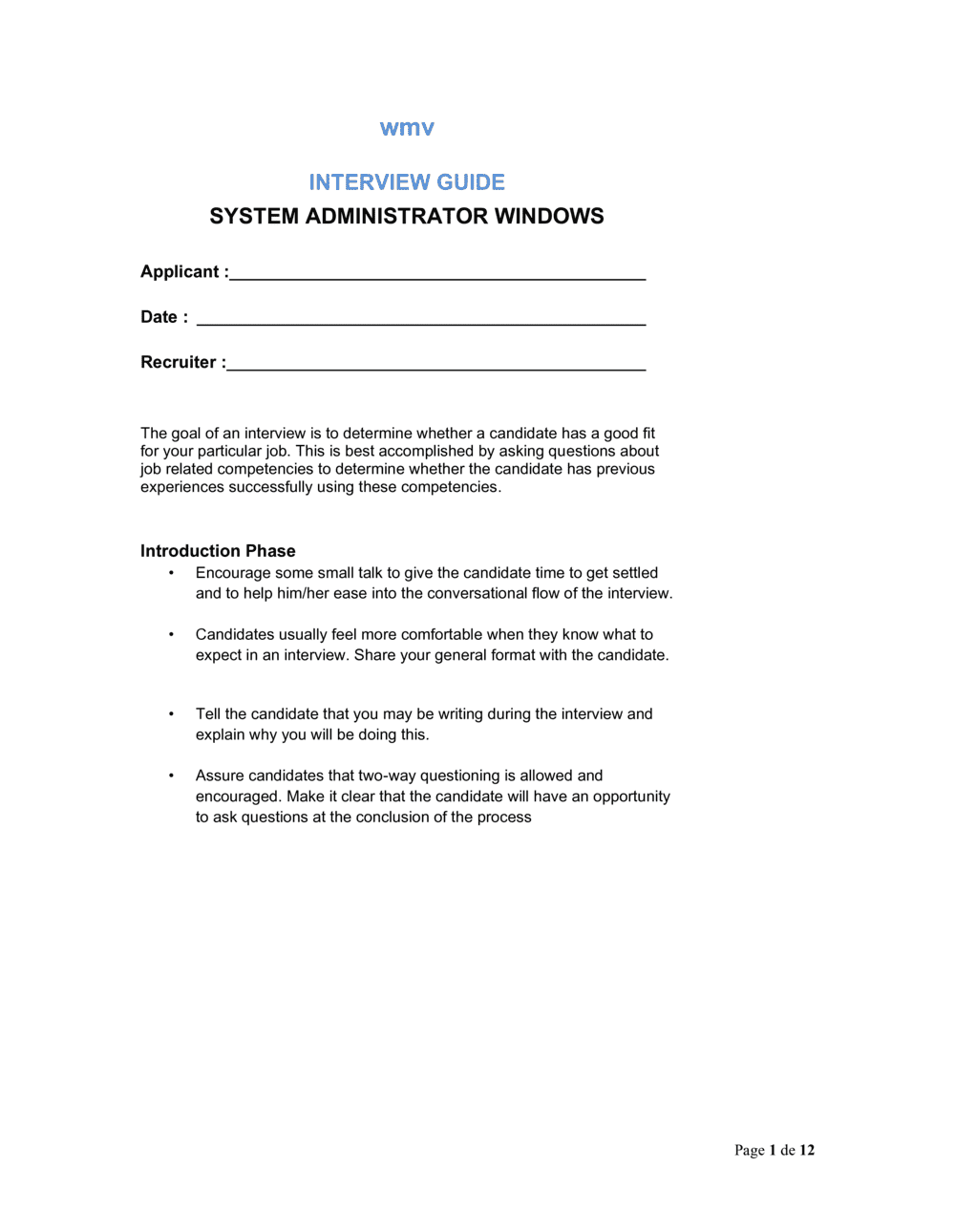
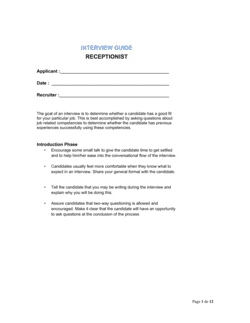
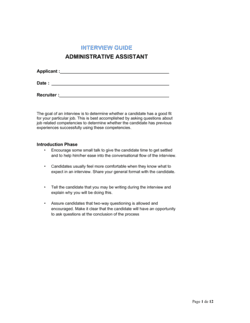
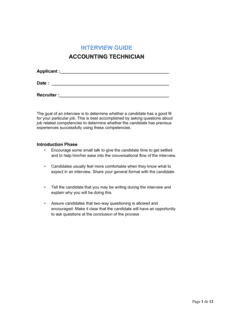
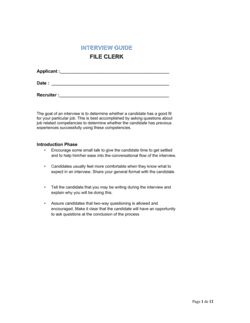
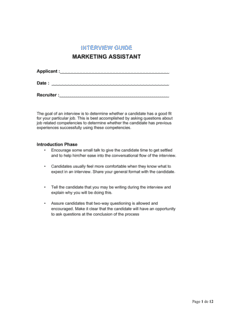
Interview Guide System Administrator Windows

Free to read β€’ Save or share with one click

FreeInterview Guide System Administrator Windows Template

At a glance

What it is
An Interview Guide for a Windows System Administrator is a structured document that gives hiring managers and HR professionals a consistent, repeatable framework for evaluating candidates for Windows-focused IT infrastructure roles. This free Word download covers technical competency questions, behavioral scenarios, scoring rubrics, and a candidate comparison summary β€” ready to edit online and export as PDF for panel interviews.
When you need it
Use it whenever you are hiring for a Windows SysAdmin, Windows Server Administrator, or IT Infrastructure Specialist role and need to assess candidates consistently across multiple interviewers or interview rounds. It is especially useful when the hiring panel includes non-technical stakeholders who need guided question prompts.
What's inside
Role overview and required competencies, structured technical questions covering Active Directory, Group Policy, PowerShell, and Windows Server, behavioral and situational questions tied to real on-the-job scenarios, a scoring rubric for each competency area, and a candidate comparison summary sheet for post-interview debrief.

What is an Interview Guide for a Windows System Administrator?

An Interview Guide for a Windows System Administrator is a structured operational document that gives hiring managers, IT leads, and HR professionals a repeatable, evidence-based framework for evaluating candidates for Windows-focused infrastructure roles. It combines a competency map tied to the specific Windows environment, a bank of technical and behavioral questions with expected-answer elements, a scored scripting assessment, and a candidate comparison matrix. Unlike a loose list of interview questions, a structured guide produces consistent scoring across multiple interviewers and rounds, making the final hiring decision based on documented evidence rather than gut feeling.

Why You Need This Document

Hiring a Windows System Administrator without a structured guide typically results in one of two failure modes: advancing a candidate who answers certification-exam questions fluently but has never managed Active Directory in production, or rejecting a strong practitioner because no interviewer thought to probe their PowerShell skills. Either outcome is costly β€” a Windows SysAdmin mis-hire takes three to six months to identify and typically another two to three months to replace, leaving your domain, patch cycle, and endpoint security unmanaged in the interim. A structured interview guide with anchored scoring eliminates evaluator inconsistency, ensures every critical competency is tested, and produces a documented decision trail that protects the business if the hiring choice is later questioned. This template gives you a production-ready starting point you can tailor to your exact server environment and team requirements in under an hour.

Which variant fits your situation?

If your situation is…Use this template
Hiring a senior Windows SysAdmin responsible for enterprise Active DirectoryInterview Guide System Administrator Windows (Senior)
Hiring a Linux or mixed-environment system administratorInterview Guide System Administrator Linux
Hiring a help-desk or tier-1 IT support technicianInterview Guide IT Support Specialist
Hiring a network administrator managing Cisco or Meraki infrastructureInterview Guide Network Administrator
Evaluating an existing employee for a SysAdmin promotionEmployee Performance Review IT
Hiring a cloud-focused administrator (Azure, M365)Interview Guide Cloud Administrator
Running a structured panel interview with multiple evaluatorsPanel Interview Scorecard Template

Common mistakes to avoid

❌ Skipping the scripting assessment for time

Why it matters: PowerShell automation is a core SysAdmin competency, not a bonus skill. Hiring a Windows SysAdmin who cannot script means every repetitive task stays manual β€” and scales with headcount, not automation.

Fix: Use a 15-minute take-home PowerShell task sent with the interview confirmation. It costs candidates 15 minutes and saves you months of diagnosing a mis-hire.

❌ Asking only theoretical technical questions

Why it matters: Certification-holders can answer 'what is Group Policy?' correctly without ever having designed a GPO hierarchy in production. Theory-only interviews routinely advance candidates who cannot perform on day one.

Fix: Pair every technical question with a follow-up: 'Describe a specific time you did this in a production environment and what the outcome was.' Score the follow-up, not the textbook answer.

❌ Using undefined scoring scales

Why it matters: When panelists score independently on a 1–5 scale with no anchors, inter-rater reliability is low enough to make the scores meaningless β€” you are averaging opinions, not evidence.

Fix: Add behavioral anchors to every score level for every competency before the interview begins. Anchored rubrics take 20 minutes to set up and dramatically improve panel agreement.

❌ Not aggregating scores before the debrief

Why it matters: If panelists enter the debrief without seeing each other's scores, the first person to speak sets an anchor that others adjust toward β€” a well-documented cognitive bias called anchoring effect.

Fix: Collect all score sheets and enter them into the comparison matrix before the debrief call. Show the aggregate scores first; let discussion happen second.

❌ Failing to tailor questions to your actual environment

Why it matters: Generic interview guides ask about features that may not exist in your stack. Candidates who ace generic questions may struggle with your specific version of Windows Server, your GPO design, or your backup tooling.

Fix: In step 1, document your actual server count, AD complexity, and tooling. Edit at least three technical questions to reference your real environment β€” this immediately separates candidates with relevant experience.

❌ Allowing hypothetical answers to behavioral questions

Why it matters: A candidate who answers 'I would escalate to my manager' instead of 'In my previous role at [COMPANY], I escalated because...' is providing zero predictive evidence about their actual behavior under pressure.

Fix: When a candidate answers hypothetically, redirect with: 'Can you give me a specific example from a past role where you faced that situation?' Score a non-example as a 1 or 2 on the behavioral rubric, not a 3.

The 8 key sections, explained

Role overview and competency map

Technical knowledge questions β€” Windows Server and AD

Scripting and automation assessment

Network services and infrastructure questions

Security and patch management questions

Behavioral and situational questions

Competency scoring rubric

Candidate comparison summary

How to fill it out

  1. 1

    Define the role and environment in the overview section

    Fill in the server count, domain user count, on-premises vs. hybrid status, and the key tools in your stack (WSUS, SCCM, Azure AD Connect). This grounds every question and scoring anchor in your actual environment.

    πŸ’‘ Share the completed role overview with every interviewer 24 hours before the interview so they score against your environment, not a generic SysAdmin benchmark.

  2. 2

    Select and sequence your technical questions

    Choose 6–8 technical questions from the bank, ordered from foundational (AD basics, DNS) to advanced (PowerShell scripting, disaster recovery). Remove questions that don't apply to your stack.

    πŸ’‘ Keep at least two questions about Active Directory regardless of role scope β€” it is the single most predictive technical area for Windows SysAdmin performance.

  3. 3

    Assign the scripting task and set the format

    Decide whether the scripting assessment is live (screen-share during the interview) or a 24-hour take-home task. Note the format in the guide so all candidates are evaluated on the same terms.

    πŸ’‘ A take-home task reduces interview-day pressure and produces more representative work β€” but set a 60-minute time cap in the instructions to prevent over-engineering.

  4. 4

    Customize behavioral questions to your team's pain points

    Replace or supplement generic behavioral questions with scenarios drawn from real incidents your team has faced β€” a domain controller failure, a ransomware response, or a migration cutover.

    πŸ’‘ Scenarios based on real events allow you to evaluate candidates against a known standard: what your best current admin actually did.

  5. 5

    Anchor the scoring rubric to your environment

    Edit the competency anchors so score level 3 ('meets expectations') maps to the minimum viable performance for your specific role. A score 3 in a 50-user SMB environment is different from a 3 in a 5,000-user enterprise.

    πŸ’‘ Print the rubric and give each panelist a copy before the interview starts. Panelists who read anchors in advance score 30–40% more consistently than those who see them for the first time during scoring.

  6. 6

    Conduct the interview and fill in scores immediately after

    Complete scores within 30 minutes of the interview ending, while recall is fresh. Write at least one specific quote or observed behavior in the notes field for each competency scored.

    πŸ’‘ Specific evidence in notes ('candidate named all five FSMO roles and described seizing vs. transferring') makes debrief conversations faster and hiring decisions more defensible.

  7. 7

    Aggregate scores and run the debrief

    Transfer all panelist scores to the candidate comparison matrix before the debrief meeting. Open the meeting by reviewing the aggregate data, then allow discussion β€” not the reverse.

    πŸ’‘ If panelist scores diverge by more than 2 points on the same competency, treat it as a signal to re-examine the question or the anchor, not just the candidate.

Frequently asked questions

What is an interview guide for a Windows System Administrator?

An interview guide for a Windows System Administrator is a structured document that gives interviewers a consistent set of technical, behavioral, and situational questions, a scoring rubric, and a candidate comparison summary specifically tailored to Windows infrastructure roles. It ensures that every candidate is evaluated against the same competencies β€” Active Directory, PowerShell, Windows Server, network services, and security β€” regardless of which interviewer conducts the session.

What technical areas should a Windows SysAdmin interview cover?

A complete interview should cover Active Directory administration (user management, GPO design, FSMO roles), Windows Server management (roles, features, performance monitoring), PowerShell scripting and automation, DNS and DHCP configuration and troubleshooting, patch management and update processes, and security incident response. The depth of questioning in each area should scale with the seniority of the role being filled.

How many interview questions should a SysAdmin interview guide include?

A 60-minute interview typically accommodates 6–8 technical questions and 3–4 behavioral questions, plus a 15-minute scripting task if conducted live. A 90-minute panel interview can cover up to 10 technical questions with probes. Prioritize depth over breadth β€” two well-probed technical questions reveal more than eight surface-level ones.

Should the scripting assessment be live or take-home?

Both formats are valid, but take-home tasks (delivered 24 hours before the interview and capped at 60 minutes) tend to produce more representative work because candidates are not under real-time observation pressure. Live screen-share scripting is useful for senior roles where problem-solving approach and narration matter as much as the final script. Whichever format you choose, apply it consistently to all candidates for the same role.

How do you score a Windows SysAdmin interview fairly across multiple interviewers?

Use a competency-based rubric with behavioral anchors for each score level (1–5), distribute the rubric to all panelists before the interview, have each panelist score independently immediately after the session, and aggregate scores in a comparison matrix before the debrief meeting. This sequence reduces anchoring bias and produces a documented, defensible hiring decision.

What behavioral questions should I ask a Windows SysAdmin candidate?

The most predictive behavioral areas for Windows SysAdmins are: handling a production outage with no runbook, managing competing IT priorities during a critical project, communicating a system failure to non-technical stakeholders, and onboarding or training a junior team member. For each, prompt candidates to use the STAR method β€” Situation, Task, Action, Result β€” and probe for specific outcomes and metrics where possible.

Can a non-technical HR manager use this interview guide?

Yes. The guide is designed so that HR and non-technical panelists can use it effectively by reading the expected-answer elements provided alongside each technical question. HR panelists should focus their scoring on behavioral and communication competencies, while a technical co-interviewer scores the Windows-specific sections. The comparison matrix consolidates both perspectives into a single recommendation.

How often should the interview guide be updated?

Review the guide whenever your Windows environment changes significantly β€” for example, migrating from on-premises AD to Azure AD Connect, adopting a new patch management platform, or upgrading Windows Server versions. At minimum, conduct an annual review to ensure questions reflect current best practices and your actual tooling rather than technologies you no longer use.

What is the difference between a Windows SysAdmin interview guide and a general IT interview guide?

A general IT interview guide covers broad technology areas β€” networking, security, hardware, help desk β€” without depth in any specific platform. A Windows SysAdmin interview guide focuses specifically on Active Directory, Windows Server roles, Group Policy, PowerShell, and Microsoft-stack services. For roles where Windows administration is the primary responsibility, a role-specific guide produces far more predictive signal than a general IT template.

How this compares to alternatives

vs Generic IT Interview Guide

A generic IT interview guide covers broad technology topics without depth in any specific platform or role. A Windows SysAdmin interview guide targets Active Directory, Windows Server, PowerShell, and Microsoft-stack services specifically. Use the generic guide for help-desk or tier-1 roles; use this guide whenever Windows infrastructure administration is the primary job function.

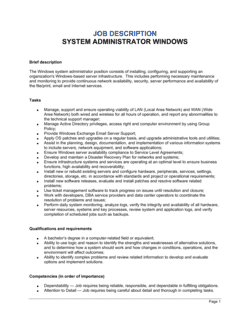
vs Job Description β€” Windows System Administrator

A job description defines the role's requirements and responsibilities for external candidates. An interview guide translates those requirements into evaluation criteria, scored questions, and a rubric. Both documents are needed: the job description attracts the right applicants; the interview guide determines which one to hire.

vs Employee Performance Review β€” IT

A performance review evaluates an existing employee's output against agreed objectives. An interview guide evaluates a candidate's potential before they are hired. The competency areas overlap significantly β€” using the same framework for both creates a consistent standard from hire to annual review.

vs Onboarding Checklist β€” IT Systems

An IT onboarding checklist covers the access, equipment, and orientation steps needed on day one and week one. An interview guide is used weeks or months earlier to select the candidate. After the hire decision is made, the onboarding checklist picks up where the interview guide leaves off.

Industry-specific considerations

Professional Services

Law firms, accounting firms, and consultancies rely heavily on Active Directory and file-share permissions management, making AD administration depth a critical evaluation area.

Healthcare

HIPAA-regulated environments require SysAdmins with documented experience in audit logging, access controls, and patch compliance on clinical workstations running Windows.

Manufacturing

OT/IT convergence means Windows SysAdmins must understand segmented network environments, WSUS for operational technology endpoints, and change windows that don't disrupt production lines.

Financial Services

Strict change-control requirements, SOX compliance logging, and stringent user access review processes make security and patch management questions especially high-stakes in this sector.

Template vs pro β€” what fits your needs?

PathBest forCostTime
Use the templateIT managers, HR teams, and small business owners hiring Windows SysAdmins without a dedicated talent-acquisition functionFree30–60 minutes to customize
Template + professional reviewOrganizations hiring senior or lead SysAdmins where a mis-hire carries significant infrastructure risk$200–$500 for a technical recruiter or IT consultant review1–2 days
Custom draftedEnterprise IT departments hiring multiple SysAdmins per year who need a fully validated, bias-audited interview framework integrated with an ATS$1,000–$5,000 for an industrial-organizational psychologist or specialist HR consulting firm2–6 weeks

Glossary

Active Directory (AD)
Microsoft's directory service for managing users, computers, and permissions across a Windows network domain.
Group Policy Object (GPO)
A set of configuration rules applied through Active Directory to control the environment of users and computers in a Windows domain.
PowerShell
Microsoft's command-line shell and scripting language used to automate Windows administration tasks such as user provisioning, log parsing, and patch management.
DNS (Domain Name System)
The protocol that translates human-readable domain names into IP addresses; a core service managed by Windows Server administrators.
DHCP (Dynamic Host Configuration Protocol)
A network service that automatically assigns IP addresses to devices on a network, commonly configured on Windows Server.
Behavioral Interview Question
A question that asks a candidate to describe how they handled a past situation, used to predict future performance based on actual experience.
Competency-Based Scoring Rubric
A defined scale (typically 1–5) with anchored descriptions for each score level, applied to each interview competency to reduce evaluator subjectivity.
STAR Method
A structured response framework β€” Situation, Task, Action, Result β€” that interviewers prompt candidates to follow when answering behavioral questions.
Windows Server Roles
Functional components installed on Windows Server, such as Active Directory Domain Services, DNS Server, File Services, and Remote Desktop Services.
Patch Management
The process of identifying, testing, and deploying software updates to operating systems and applications to maintain security and stability.
ITIL (Information Technology Infrastructure Library)
A framework of best practices for IT service management, covering incident, change, and problem management β€” commonly referenced in SysAdmin role requirements.

Part of your Business Operating System

This document is one of 3,000+ business & legal templates included in Business in a Box.

  • Fill-in-the-blanks β€” ready in minutes
  • Compatible with all office suites
  • Export to PDF and share electronically

Create your document in 3 simple steps.

From template to signed document β€” all inside one Business Operating System.
1
Download or open template

Access over 3,000+ business and legal templates for any business task, project or initiative.

2
Edit and fill in the blanks with AI

Customize your ready-made business document template and save it in the cloud.

3
Save, Share, Send, Sign

Share your files and folders with your team. Create a space of seamless collaboration.

Save time, save money, and create top-quality documents.

β˜…β˜…β˜…β˜…β˜…

"Fantastic value! I'm not sure how I'd do without it. It's worth its weight in gold and paid back for itself many times."

Managing Director Β· Mall Farm
Robert Whalley
Managing Director, Mall Farm Proprietary Limited
β˜…β˜…β˜…β˜…β˜…

"I have been using Business in a Box for years. It has been the most useful source of templates I have encountered. I recommend it to anyone."

Business Owner Β· 4+ years
Dr Michael John Freestone
Business Owner
β˜…β˜…β˜…β˜…β˜…

"It has been a life saver so many times I have lost count. Business in a Box has saved me so much time and as you know, time is money."

Owner Β· Upstate Web
David G. Moore Jr.
Owner, Upstate Web

Run your business with a system β€” not scattered tools

Stop downloading documents. Start operating with clarity. Business in a Box gives you the Business Operating System used by over 250,000 companies worldwide to structure, run, and grow their business.

Start freeΒ Β·Β No credit card required