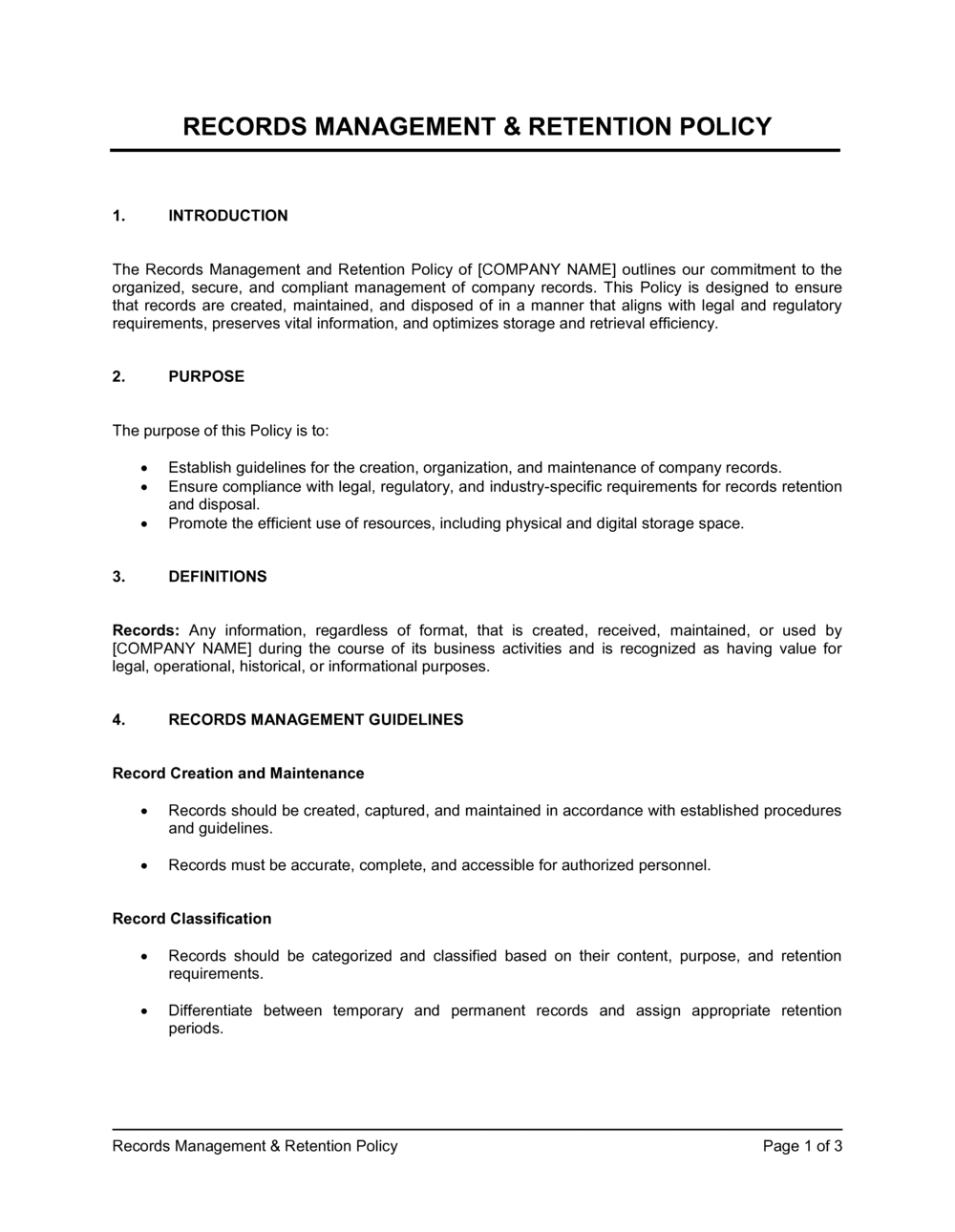
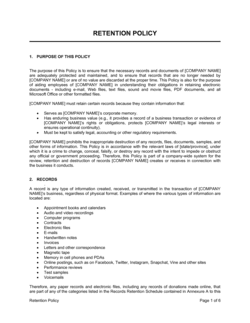
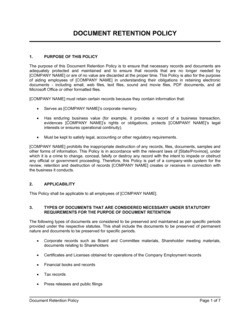
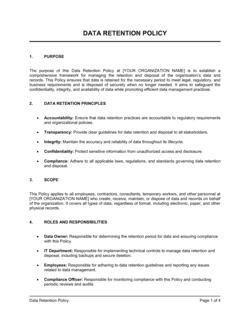
Records Management and Retention Policy Template

Free Word download β€’ Edit online β€’ Save & share with Drive β€’ Export to PDF

3 pagesβ€’20–25 min to fillβ€’Difficulty: Standard
Learn more ↓
FreeRecords Management and Retention Policy Template

At a glance

What it is
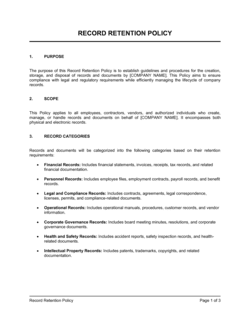
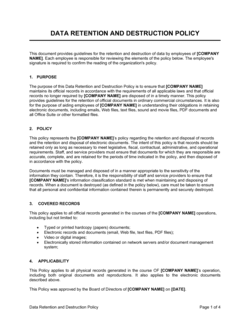
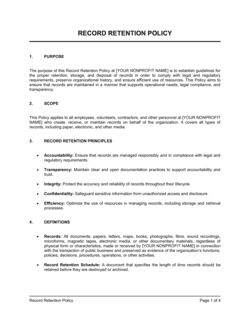
A Records Management and Retention Policy is a formal internal policy that defines how an organization creates, classifies, stores, retains, and destroys its business records β€” both physical and digital. This free Word download gives you a structured, editable template you can tailor to your industry's statutory retention requirements and export as PDF for staff distribution or auditor review.
When you need it
Use it when your organization needs to standardize how long different record types are kept, when responding to regulatory audits or litigation holds, or when onboarding document management software that requires a governing policy to back it up.
What's inside
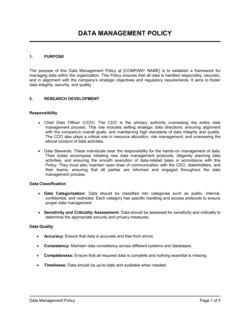
A purpose statement and scope definition, record classification categories, a retention schedule by record type, storage and access controls, litigation hold procedures, secure destruction methods, roles and responsibilities, and a compliance and review framework.

What is a Records Management and Retention Policy?

A Records Management and Retention Policy is a formal internal policy that defines how an organization creates, classifies, stores, retains, and destroys its business records across every format β€” paper documents, emails, cloud files, contracts, financial statements, HR files, and more. It establishes a retention schedule that specifies how long each category of record must be kept based on applicable legal, regulatory, and operational requirements, and it prescribes the approved procedures for secure disposition when that period expires. By putting these rules in writing and assigning clear ownership, the policy transforms records management from an ad hoc department habit into a governed, auditable organizational practice.

Why You Need This Document

Without a written records retention policy, organizations face two opposite but equally costly problems at the same time: retaining records far longer than required β€” expanding legal discovery exposure and storage costs β€” while simultaneously destroying records that regulators, auditors, or courts later demand. The IRS can assess penalties for missing tax records; employment tribunals have drawn adverse inferences from destroyed HR files; courts have sanctioned companies for deleting emails after litigation was reasonably foreseeable. A documented policy also provides the framework for issuing litigation holds before destruction happens, which is the single most effective way to avoid spoliation sanctions. This template gives you a structured, customizable starting point that covers every core element β€” retention schedule, access controls, destruction procedures, and review cadence β€” so you can formalize your records program in hours rather than weeks.

Which variant fits your situation?

If your situation is…Use this template
Policy focused specifically on digital and electronic recordsElectronic Records Management Policy
Governing employee personnel files and HR records onlyHR Records Retention Policy
Financial records schedule aligned to IRS and GAAP requirementsFinancial Records Retention Schedule
Short standalone schedule listing retention periods by record typeDocument Retention Schedule
Broader data governance covering privacy and data subject rightsData Governance Policy
Responding to active litigation requiring a formal hold noticeLitigation Hold Notice
Covering physical records storage, archiving, and off-site retrievalPhysical Records Archiving Procedure

Common mistakes to avoid

❌ Excluding electronic records from scope

Why it matters: Email, cloud files, and instant messages are legally discoverable records in litigation and are subject to the same retention obligations as paper. A policy that covers only physical files leaves the majority of your records ungoverned.

Fix: Explicitly list every digital system where records are created or stored β€” email servers, cloud drives, backup tapes, messaging platforms β€” in the scope section and confirm the retention schedule applies to all of them.

❌ Using a single retention period for all record types

Why it matters: A flat retention rule (e.g., 'keep everything for 7 years') either destroys records with longer statutory obligations or accumulates low-risk records indefinitely, increasing storage costs and discovery exposure.

Fix: Build a category-by-category retention schedule grounded in the specific statutory or regulatory requirement for each record type, and document the legal basis for each period.

❌ No documented litigation hold process

Why it matters: Courts have imposed sanctions β€” cost awards, adverse inference instructions, even default judgments β€” against organizations that destroyed relevant records after litigation was reasonably foreseeable, even accidentally.

Fix: Define a written litigation hold procedure with a named issuing authority, a standard notification template, and a formal lift process. Test it with a tabletop exercise before you need it for real.

❌ Assigning records management to everyone with no named owner

Why it matters: When everyone is responsible, no one prioritizes the policy review, the annual destruction run, or the litigation hold notification. Compliance gaps accumulate silently until an audit or lawsuit surfaces them.

Fix: Name a specific role β€” Records Manager, Compliance Officer, or equivalent β€” as the single accountable owner of the policy, the retention schedule, and the annual review cycle.

The 9 key sections, explained

Purpose and scope

Record classification categories

Retention schedule

Storage and access controls

Litigation hold procedures

Secure destruction procedures

Roles and responsibilities

Vital records protection

Policy review and compliance

How to fill it out

  1. 1

    Define your scope and record formats

    Identify every format in which your organization creates or receives records β€” paper, email, cloud files, instant messages, scanned documents, and database exports. List them explicitly in the purpose and scope section.

    πŸ’‘ If your organization uses a document management system (DMS) or cloud storage platform, name it in the scope so employees know the policy applies to those systems directly.

  2. 2

    Build your record classification categories

    Group your record types into six to eight logical categories. Use the template's default categories as a starting point and add or remove based on your industry. Each category will map to a row in your retention schedule.

    πŸ’‘ Run a quick inventory with department heads before finalizing categories β€” finance, HR, and legal teams almost always have record types that don't fit a generic list.

  3. 3

    Research applicable retention requirements

    Look up statutory minimum retention periods for each category in your jurisdiction. Key sources: IRS Publication 583 for tax records, FLSA and state labor laws for payroll, SEC rules for public companies, HIPAA for healthcare, and applicable state corporate codes for governance records.

    πŸ’‘ Where multiple laws apply to the same record, use the longest retention period β€” then note the legal basis in Schedule B so future reviewers understand the rationale.

  4. 4

    Complete the retention schedule (Schedule B)

    For each record series, enter the retention period, the legal or regulatory basis, the storage location during active retention, and the approved disposition method at the end of the period.

    πŸ’‘ Add a 'Permanent' row for corporate formation documents, board minutes, and audited financial statements β€” these are never destroyed and should be explicitly excluded from any purge process.

  5. 5

    Define storage locations and access permissions

    Map each record category to its primary storage system and specify which roles or departments are authorized to access it. Include how access is requested, approved, and revoked.

    πŸ’‘ If you use role-based access controls in your DMS or cloud platform, document the role names here so IT can configure permissions to match the policy.

  6. 6

    Document your litigation hold process

    Write out the step-by-step procedure: who can issue a hold, how custodians are notified (email template or written notice), how long the hold stays active, and who has authority to lift it.

    πŸ’‘ Attach a blank Litigation Hold Notice as an appendix so legal or HR can issue one immediately without drafting from scratch under pressure.

  7. 7

    Assign roles and named custodians

    Fill in the named role (or title) for the Records Manager and designate a custodian for each record category. For small organizations, one person may cover multiple categories β€” make it explicit rather than implied.

    πŸ’‘ Include a succession note: 'In the absence of the Records Manager, responsibilities transfer to [TITLE].' This prevents a single point of failure during leave or turnover.

  8. 8

    Set a review schedule and communicate the policy

    Enter the annual review date, the approving authority, and the distribution list. Publish the policy in your intranet or employee handbook and require staff acknowledgment at onboarding and on each update.

    πŸ’‘ Store a signed acknowledgment form for each employee alongside their personnel file β€” this creates a paper trail if a compliance dispute arises later.

Frequently asked questions

What is a records management and retention policy?

A records management and retention policy is a formal internal document that defines how an organization classifies, stores, retains, and destroys its business records β€” both physical and digital. It specifies how long each type of record must be kept (the retention schedule), who is responsible for managing each category, and the approved procedures for secure disposition at the end of the retention period.

Why does a business need a records retention policy?

Without a written policy, organizations face three concrete risks: destroying records that are legally required during an audit or lawsuit, retaining records indefinitely and expanding discovery exposure, and failing to demonstrate defensible destruction practices to regulators. A documented policy also reduces storage costs by enabling systematic purges of records that no longer need to be kept.

How long should business records be kept?

Retention periods vary by record type and jurisdiction. In the US, the IRS recommends keeping tax records for at least 3–7 years depending on the filing situation. Payroll records must typically be kept for 3–4 years under FLSA and IRS rules. Corporate formation documents and board minutes are generally kept permanently. The safest approach is to build a category-by-category schedule based on the specific law or regulation governing each record type.

What is the difference between a records retention policy and a data retention policy?

A records retention policy governs all business records β€” paper, email, contracts, financial documents, HR files β€” and is typically driven by legal and regulatory retention minimums. A data retention policy is usually narrower in scope and focuses on personal or sensitive data stored in digital systems, often driven by privacy laws like GDPR or CCPA that set maximum retention periods rather than minimums. Many organizations maintain both, with the data retention policy nested inside the broader records management framework.

What is a litigation hold and when should it be issued?

A litigation hold is a directive that suspends the normal destruction or deletion of records relevant to anticipated or active legal proceedings. It should be issued as soon as litigation is reasonably foreseeable β€” not just after a lawsuit is filed. The hold must be communicated in writing to all custodians of relevant records and remain in effect until the matter is fully resolved and the hold is formally lifted.

Who is responsible for records management in an organization?

Responsibility should be assigned to a named role β€” typically a Records Manager, Compliance Officer, or Operations Manager β€” who owns the policy, maintains the retention schedule, coordinates annual destruction runs, and issues litigation holds. Department heads are typically responsible for staff compliance within their teams, and all employees have a basic obligation to file records in designated systems and report suspected unauthorized destruction.

What counts as a business record?

A business record is any document, regardless of format, created or received in the course of conducting business. This includes contracts, invoices, emails, meeting minutes, financial statements, payroll records, HR files, regulatory filings, correspondence, and technical documentation. It also includes metadata associated with those records. Drafts, personal notes, and duplicate copies not used as the official record are typically excluded β€” but only if the policy explicitly defines them as non-records.

How should records be destroyed at the end of the retention period?

Paper records should be cross-cut shredded or incinerated by a certified vendor. Electronic records should be permanently deleted using a certified data erasure method β€” simple deletion or emptying the recycle bin is insufficient because copies persist on backups, cloud sync, and email archives. A destruction certificate or log entry should be created for each destruction event, documenting the date, method, record series destroyed, and the authorizing individual.

How often should a records retention policy be reviewed?

Annual review is standard practice. The policy should also be updated whenever a significant regulatory change occurs, when the organization enters a new industry or jurisdiction, or when a new records system is implemented. Retention periods set by the IRS, SEC, HIPAA, and state labor laws have all been amended in recent years, and a policy that is more than two years old should be cross-checked against current statutory requirements.

How this compares to alternatives

vs Data Governance Policy

A data governance policy covers the ownership, quality, and lifecycle of data assets across an organization β€” including personal data subject to privacy laws like GDPR and CCPA. A records retention policy is narrower: it focuses on how long specific record types must be kept and how they must be destroyed. Organizations in regulated industries typically need both, with the records policy governing statutory minimums and the data governance policy governing personal data maximums.

vs Information Security Policy

An information security policy governs how data is protected from unauthorized access, breach, and loss while it is being used or stored. A records retention policy governs how long that data is kept and how it is destroyed. The two are complementary: security policy controls access during the retention period; retention policy controls what happens at the end of it.

vs Document Control Procedure

A document control procedure governs version management, approval workflows, and distribution of active operational documents β€” such as SOPs, quality manuals, and work instructions. A records retention policy covers the broader universe of all business records across every department and function, and focuses on retention periods and disposition rather than version control.

vs Litigation Hold Notice

A litigation hold notice is a specific operational directive issued to named custodians when legal proceedings are anticipated, instructing them to suspend normal destruction of relevant records. A records retention policy is the governing framework that defines normal destruction procedures in the first place. The litigation hold overrides the policy for a defined scope and period; the policy resumes when the hold is lifted.

Industry-specific considerations

Financial services

SEC and FINRA rules impose specific electronic records retention periods of 3–6 years for broker-dealers, and supervisory review records must be preserved in non-rewritable, non-erasable format.

Healthcare

HIPAA requires covered entities to retain medical records for 6 years from creation or last effective date, and PHI disposal must follow specific technical safeguard standards.

Legal and professional services

Client files, engagement letters, and billing records are subject to bar association rules and malpractice statute-of-limitations periods, which vary by state and matter type.

Manufacturing

Product safety records, quality control documentation, and environmental compliance reports carry specific EPA and OSHA retention requirements ranging from 3 to 30 years depending on the hazard category.

Template vs pro β€” what fits your needs?

PathBest forCostTime
Use the templateSmall and mid-sized businesses formalizing records management for the first time or preparing for a routine internal auditFree3–6 hours to complete and customize
Template + professional reviewOrganizations in regulated industries (healthcare, financial services) or those with multi-state or international operations$300–$800 for a compliance consultant or legal review1–2 weeks
Custom draftedPublic companies, entities subject to SEC/FINRA recordkeeping rules, or organizations undergoing a merger, acquisition, or major regulatory investigation$2,000–$8,000+3–6 weeks

Glossary

Retention Schedule
A table or matrix specifying how long each category of business record must be kept before it may be legally destroyed.
Litigation Hold
A directive requiring the suspension of normal destruction or deletion of records relevant to anticipated or active legal proceedings.
Disposition
The final action taken on a record at the end of its retention period β€” either secure destruction or transfer to permanent archive.
Record Series
A group of records filed and used together as a unit because they relate to the same function, activity, or subject.
Vital Records
Records essential to the organization's continued operations in a disaster β€” such as incorporation documents, key contracts, and financial account details.
Defensible Destruction
The documented, policy-compliant deletion or physical destruction of records at the end of their retention period, creating an audit trail that demonstrates the destruction was authorized and routine.
Active Record
A record still being used in day-to-day business operations and therefore stored in accessible, primary storage.
Inactive Record
A record no longer needed for current operations but retained for legal, regulatory, or historical reasons in secondary or off-site storage.
Records Custodian
The designated individual or department responsible for maintaining, protecting, and disposing of a specific category of records.
Metadata
Descriptive data about a record β€” such as author, creation date, file format, and version β€” that is preserved alongside the record content for authenticity and searchability.

Part of your Business Operating System

This document is one of 3,000+ business & legal templates included in Business in a Box.

  • Fill-in-the-blanks β€” ready in minutes
  • 100% customizable Word document
  • Compatible with all office suites
  • Export to PDF and share electronically

Create your document in 3 simple steps.

From template to signed document β€” all inside one Business Operating System.
1
Download or open template

Access over 3,000+ business and legal templates for any business task, project or initiative.

2
Edit and fill in the blanks with AI

Customize your ready-made business document template and save it in the cloud.

3
Save, Share, Send, Sign

Share your files and folders with your team. Create a space of seamless collaboration.

Save time, save money, and create top-quality documents.

β˜…β˜…β˜…β˜…β˜…

"Fantastic value! I'm not sure how I'd do without it. It's worth its weight in gold and paid back for itself many times."

Managing Director Β· Mall Farm
Robert Whalley
Managing Director, Mall Farm Proprietary Limited
β˜…β˜…β˜…β˜…β˜…

"I have been using Business in a Box for years. It has been the most useful source of templates I have encountered. I recommend it to anyone."

Business Owner Β· 4+ years
Dr Michael John Freestone
Business Owner
β˜…β˜…β˜…β˜…β˜…

"It has been a life saver so many times I have lost count. Business in a Box has saved me so much time and as you know, time is money."

Owner Β· Upstate Web
David G. Moore Jr.
Owner, Upstate Web

Run your business with a system β€” not scattered tools

Stop downloading documents. Start operating with clarity. Business in a Box gives you the Business Operating System used by over 250,000 companies worldwide to structure, run, and grow their business.

Start freeΒ Β·Β No credit card required