How to Create a Staffing Plan

Free Word download β€’ Edit online β€’ Save & share with Drive β€’ Export to PDF

2 pagesβ€’20–25 min to fillβ€’Difficulty: Standard
Learn more ↓
FreeHow to Create a Staffing Plan Template

At a glance

What it is
A staffing plan is a structured operational document that maps current workforce capacity against projected business demands, identifies headcount gaps, and defines a hiring and retention roadmap for a defined planning period β€” typically 12 months. This free Word download gives HR managers and business leaders a ready-to-edit framework they can complete online and export as PDF for leadership or board review.
When you need it
Use it during annual budget cycles, before a product launch or expansion, when a department is consistently over or under capacity, or when leadership needs a clear view of hiring costs and timelines before approving headcount increases.
What's inside
Current workforce inventory, business objectives and demand drivers, headcount gap analysis, role-by-role hiring timeline, budget summary, retention and succession considerations, and an implementation roadmap with owners and milestones.

What is a Staffing Plan?

A staffing plan is a structured operational document that maps an organization's current workforce capacity against its projected business demands, identifies specific headcount and skill gaps, and defines a concrete roadmap for hiring, retention, and internal development over a defined planning period β€” most commonly 12 months. Unlike a simple headcount request or an org chart, a staffing plan connects every proposed hire to a measurable business objective, assigns a cost to each position, and sequences activity across the planning year so that recruiting, onboarding, and budget spend happen in a coordinated, defensible order.

Why You Need This Document

Without a written staffing plan, hiring decisions happen reactively β€” a vacancy appears, a manager escalates, and the business scrambles to fill a seat without fully evaluating whether the role is correctly defined, budgeted, or sequenced against other priorities. That scramble is expensive: the average cost to replace an employee runs 50–200% of their annual salary when you account for recruiting fees, onboarding time, and the productivity loss during ramp. A staffing plan eliminates the reactive cycle by forcing the organization to identify gaps before they become emergencies, budget for the true cost of each hire, and sequence activity so that managers are not simultaneously onboarding five new team members and expected to maintain output. For leadership and finance teams, it transforms headcount requests from wishlist items into funded, milestone-backed commitments β€” which is why organizations that plan formally fill roles faster, overspend their personnel budget less often, and retain key employees at higher rates than those that hire on instinct. This template gives you the structure to build that plan in a single working session.

Which variant fits your situation?

If your situation is…Use this template
Planning headcount across the entire organization for the next fiscal yearAnnual Staffing Plan
Filling a single department that is consistently over capacityDepartment Staffing Plan
Hiring for a defined project with a fixed end dateProject Staffing Plan
Planning for a seasonal surge in customer demandSeasonal Workforce Plan
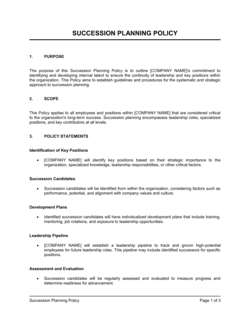
Mapping leadership succession and internal promotion pathwaysSuccession Planning Template
Tracking open roles, candidates, and offer status in real timeRecruitment Tracker
Documenting compensation bands for each role in the hiring planSalary Structure Template

Common mistakes to avoid

❌ Planning headcount without tying it to a business objective

Why it matters: Headcount requests that say 'we need two more people' with no link to revenue, capacity, or service levels are the first cuts in any budget review. Finance and leadership cannot evaluate the ROI of a seat.

Fix: For every role requested, write one sentence connecting it to a measurable business outcome β€” 'This hire enables the team to process X additional orders per month, supporting the Q3 revenue target.'

❌ Ignoring time-to-fill when setting target start dates

Why it matters: If your average time-to-fill is 45 days and you need someone in 30 days, the plan is already off before recruiting starts β€” and the downstream delivery commitments built on that start date will slip.

Fix: Pull your actual time-to-fill data by role level from the last 12 months and back-calculate the requisition open date from the target start date, not the other way around.

❌ Budgeting only for base salary

Why it matters: A $90,000 hire costs $108,000–$117,000 per year once benefits are added β€” before recruiting fees ($5,000–$25,000 for mid-level roles) and onboarding costs. Plans that skip these items blow their personnel budget in Q1.

Fix: Apply the company-standard benefits load percentage to every planned hire and add a per-hire recruiting and onboarding cost estimate to each row of the hiring plan table.

❌ Treating the plan as a one-time document rather than a living tool

Why it matters: A staffing plan built in January that is never reviewed becomes inaccurate within 60–90 days as attrition, budget changes, and business pivots accumulate β€” making it useless for decision-making by mid-year.

Fix: Schedule monthly 30-minute reviews with the hiring manager and finance partner to update actual vs. planned headcount, adjust priorities, and flag emerging gaps before they become urgent.

❌ Skipping retention and attrition risk analysis

Why it matters: A plan that adds five new hires but loses three experienced employees to attrition ends the year with a net gain of two β€” at far greater cost than retaining the three would have required.

Fix: Run a retention risk assessment alongside the gap analysis. Flag any role with a market compensation gap above 10%, tenure under 12 months, or no documented growth path, and budget a specific retention action for each.

❌ Building the plan in isolation from finance and department heads

Why it matters: A staffing plan drafted by HR alone and then handed to finance for approval typically triggers a complete revision β€” the cost assumptions don't match the financial model, and the demand drivers don't match what department heads actually told their VP.

Fix: Run a structured interview with each department head before drafting, share a draft budget with finance before finalizing, and present the plan as a joint deliverable rather than an HR document seeking approval.

The 9 key sections, explained

Executive summary

Business objectives and demand drivers

Current workforce inventory

Skills and capacity gap analysis

Hiring plan by role

Budget and total cost of workforce

Retention and attrition risk

Succession and internal mobility

Implementation roadmap

How to fill it out

  1. 1

    Define the planning period and scope

    Set the start and end dates of the plan β€” typically the fiscal year β€” and decide whether it covers a single department, multiple departments, or the entire organization.

    πŸ’‘ Align the planning period to your company's budget cycle so headcount approvals and financial approvals happen simultaneously.

  2. 2

    Pull a live headcount inventory

    Export a current employee list from your HRIS or payroll system. Record each person's title, FTE classification, department, tenure, and whether their role is filled, vacant, or at attrition risk.

    πŸ’‘ Cross-reference the HRIS export against your current org chart β€” discrepancies signal roles that were approved but never filled or people who have already given notice.

  3. 3

    Map business objectives to workforce demand

    Review your company's operating plan or OKRs for the period and translate each relevant goal into a workforce demand β€” how many hours, transactions, or outputs each objective requires and what that means in FTE terms.

    πŸ’‘ Interview department heads directly rather than working from last year's plan. Demand drivers shift significantly year over year and secondhand assumptions compound into major errors.

  4. 4

    Run the gap analysis

    Compare your current workforce inventory against the demand you've quantified. Calculate the shortfall in FTE, identify the specific skills missing, and decide for each gap whether the resolution is hire, upskill, or contract.

    πŸ’‘ Express gaps in hours of capacity, not just headcount β€” it makes the case to finance far more credibly than a number of open boxes on an org chart.

  5. 5

    Build the role-by-role hiring plan

    For each gap you've decided to fill externally, create a row in the hiring plan with job title, priority, target start date (accounting for your actual time-to-fill), location, FTE type, and recruiting owner.

    πŸ’‘ Rank roles as Critical, High, or Medium priority so that if budget is cut mid-year, the sequencing decision is already documented rather than made under pressure.

  6. 6

    Calculate the total cost of workforce

    For each planned hire, calculate base salary plus benefits load (typically 20–30%), recruiting cost, and onboarding cost. Sum by quarter to produce a phased personnel budget that aligns with your finance team's planning cadence.

    πŸ’‘ Ask your finance team for the company-standard benefits load percentage before you build the model β€” using a wrong figure invalidates the entire budget section.

  7. 7

    Add retention and succession content

    Identify your top three to five attrition risks by role, document the replacement cost, and write a specific retention action for each. Then name at least one internal successor for every critical single-point-of-dependency position.

    πŸ’‘ Retention actions that require budget β€” compensation adjustments, development stipends β€” should be included in the personnel cost section so they are approved alongside hiring spend.

  8. 8

    Build the implementation roadmap and assign owners

    Sequence all hiring, onboarding, and retention initiatives into a quarter-by-quarter timeline. Assign a named owner to every milestone and set a review cadence β€” monthly is standard for active hiring plans.

    πŸ’‘ Schedule a 90-day checkpoint after the plan is approved to compare actual hiring progress against the roadmap and adjust priorities before the gap compounds.

Frequently asked questions

What is a staffing plan?

A staffing plan is an operational document that maps your current workforce capacity against projected business demands, identifies headcount gaps, and defines a hiring, retention, and succession roadmap for a defined planning period β€” typically 12 months. It connects HR activity directly to business objectives so that hiring decisions are driven by strategy rather than reactive to problems that have already slowed the business down.

What should a staffing plan include?

A complete staffing plan includes a current workforce inventory, a business objectives and demand analysis, a skills and capacity gap assessment, a role-by-role hiring plan with target start dates and owners, a total cost of workforce budget, a retention and attrition risk section, a succession and internal mobility plan, and a quarter-by-quarter implementation roadmap. Plans that skip the budget and retention sections are rarely approved without revision.

Who is responsible for creating a staffing plan?

HR managers or HR business partners typically own the staffing planning process, but the most effective plans are built collaboratively. Department heads supply the demand drivers and role requirements; finance validates the cost assumptions and aligns the plan to the operating budget; and senior leadership approves the final headcount and budget. Treating it as an HR-only document is one of the most common reasons plans stall in approval.

How is a staffing plan different from an org chart?

An org chart shows the current reporting structure β€” who works where today. A staffing plan is a forward-looking document that shows where gaps exist, which roles need to be created or filled, on what timeline, and at what cost. The org chart is a snapshot of the present; the staffing plan is a roadmap for the future. Both are needed, but only the staffing plan drives hiring decisions.

How far ahead should a staffing plan look?

Twelve months is the standard planning horizon because it aligns with annual budgeting cycles. Fast-growing companies or those in heavy hiring phases often run a rolling 6-month update alongside the annual plan to keep start dates realistic. Workforce plans for large transformations β€” new office openings, acquisitions, or major product launches β€” sometimes extend to 24–36 months, though assumptions beyond 18 months carry significant uncertainty.

How do I calculate how many people I need to hire?

Start with the output or throughput your business objectives require β€” number of customers served, units produced, or revenue generated β€” and divide by the realistic capacity of one FTE in that role. Then subtract your current filled headcount and add projected attrition to get your net hiring need. This bottom-up method produces a defensible number; top-down percentage-of-revenue methods are faster but rarely survive budget scrutiny.

What is a reasonable time-to-fill for most roles?

Time-to-fill varies significantly by role complexity. Entry-level and administrative roles typically fill in 20–30 days. Mid-level professional roles average 30–50 days. Senior individual contributor and manager roles run 45–70 days. Director and above positions can take 60–120 days or longer. Using your own historical data is more accurate than industry benchmarks β€” pull actuals from your ATS for the last 12 months and build start-date targets backward from those numbers.

How often should a staffing plan be updated?

The formal plan should be revisited at least quarterly to compare actual hires against the plan, adjust priorities based on business changes, and update the cost forecast for finance. Monthly check-ins of 30 minutes between HR and hiring managers are standard during active hiring phases. A plan that is reviewed only at year-end is a historical record, not a planning tool.

Can a small business use a staffing plan?

Yes β€” and the smaller the business, the more consequential each hire is. A five-person company adding a sixth employee is increasing its personnel cost by 20% in a single decision. A simple one-page staffing plan that documents the business need, the role requirements, the budget impact, and the target start date brings discipline to hiring decisions that many small businesses make reactively and expensively.

How this compares to alternatives

vs Succession Planning Template

A succession plan focuses specifically on identifying and developing internal candidates for key leadership roles when incumbents leave or are promoted. A staffing plan covers the full workforce β€” all roles, all levels, external hiring, and budget β€” and typically references the succession plan as one input. Use the succession plan for leadership continuity and the staffing plan for overall workforce management.

vs Recruitment Plan

A recruitment plan details the tactics and timeline for filling specific open roles β€” job postings, sourcing channels, interview process, and offer strategy. A staffing plan determines which roles need to be filled and why before any recruiting activity begins. The staffing plan drives the recruitment plan; they are sequential, not interchangeable.

vs HR Strategic Plan

An HR strategic plan covers the full scope of HR function priorities β€” culture, compensation philosophy, learning and development, compliance, and systems β€” over a multi-year horizon. A staffing plan is a focused, near-term operational document addressing headcount gaps and hiring timelines. Most organizations need both, with the staffing plan sitting under the broader HR strategy.

vs Organizational Chart

An org chart is a static snapshot of the current reporting structure and filled roles. A staffing plan is a forward-looking roadmap showing what the structure needs to become, at what cost, and on what timeline. An org chart describes where you are; a staffing plan describes where you are going and how you will get there.

Industry-specific considerations

Technology / SaaS

Engineering and product headcount tied to sprint capacity and roadmap commitments, with ramp time modeled at 60–90 days before new engineers reach full velocity.

Healthcare

Credentialing and licensing timelines extend time-to-fill for clinical roles to 90–180 days, requiring staffing plans to open requisitions months ahead of the target start date.

Retail / Hospitality

Seasonal demand spikes drive the plan β€” peak hiring windows must be confirmed 60–90 days in advance to avoid understaffing during the highest-revenue periods of the year.

Professional Services

Billable utilization rate (target 65–75%) and project pipeline visibility drive headcount decisions; overstaffing erodes margin while understaffing forces unplanned contractor spend.

Template vs pro β€” what fits your needs?

PathBest forCostTime
Use the templateHR managers and business owners planning headcount for a single department or a company under 100 employeesFree4–8 hours
Template + professional reviewCompanies planning 20+ hires across multiple departments, or preparing a plan for board or investor review$500–$2,000 for an HR consultant or FP&A advisor review1–2 weeks
Custom draftedLarge organizations undergoing restructuring, rapid scaling, or M&A integration requiring workforce modeling at scale$3,000–$15,000 for a workforce planning consultant engagement3–6 weeks

Glossary

Headcount
The total number of filled and open employee positions at a given point in time, typically expressed as full-time equivalents (FTE).
Full-Time Equivalent (FTE)
A unit of measurement equal to one employee working a standard full-time schedule β€” used to normalize part-time and contractor hours for comparison.
Workforce Gap Analysis
A comparison between the skills and capacity you currently have and what you need to meet business objectives, identifying specific roles or competencies to hire or develop.
Attrition Rate
The percentage of employees who leave a role or organization in a given period, whether through resignation, retirement, or termination, used to project backfill hiring needs.
Time-to-Fill
The average number of calendar days from opening a job requisition to a candidate accepting an offer, used to build realistic hiring timelines.
Span of Control
The number of direct reports a single manager is responsible for β€” typically 5–10 for most functions β€” used to determine when a team needs a new manager layer.
Requisition
A formal internal request to open a new or backfill position, typically requiring budget owner approval before recruiting begins.
Succession Planning
The process of identifying and developing internal candidates to fill key leadership roles when incumbents leave or are promoted.
Skills Inventory
A documented record of the current competencies, certifications, and experience levels held by the existing workforce.
Ramp Time
The estimated number of weeks or months before a new hire reaches full productive capacity in their role.

Part of your Business Operating System

This document is one of 3,000+ business & legal templates included in Business in a Box.

  • Fill-in-the-blanks β€” ready in minutes
  • 100% customizable Word document
  • Compatible with all office suites
  • Export to PDF and share electronically

Create your document in 3 simple steps.

From template to signed document β€” all inside one Business Operating System.
1
Download or open template

Access over 3,000+ business and legal templates for any business task, project or initiative.

2
Edit and fill in the blanks with AI

Customize your ready-made business document template and save it in the cloud.

3
Save, Share, Send, Sign

Share your files and folders with your team. Create a space of seamless collaboration.

Save time, save money, and create top-quality documents.

β˜…β˜…β˜…β˜…β˜…

"Fantastic value! I'm not sure how I'd do without it. It's worth its weight in gold and paid back for itself many times."

Managing Director Β· Mall Farm
Robert Whalley
Managing Director, Mall Farm Proprietary Limited
β˜…β˜…β˜…β˜…β˜…

"I have been using Business in a Box for years. It has been the most useful source of templates I have encountered. I recommend it to anyone."

Business Owner Β· 4+ years
Dr Michael John Freestone
Business Owner
β˜…β˜…β˜…β˜…β˜…

"It has been a life saver so many times I have lost count. Business in a Box has saved me so much time and as you know, time is money."

Owner Β· Upstate Web
David G. Moore Jr.
Owner, Upstate Web

Run your business with a system β€” not scattered tools

Stop downloading documents. Start operating with clarity. Business in a Box gives you the Business Operating System used by over 250,000 companies worldwide to structure, run, and grow their business.

Start freeΒ Β·Β No credit card required