Employee Suggestion Form Template

Free Word download β€’ Edit online β€’ Save & share with Drive β€’ Export to PDF

2 pagesβ€’15–25 min to fillβ€’Difficulty: Standard
Learn more ↓
FreeEmployee Suggestion Form Template

At a glance

What it is
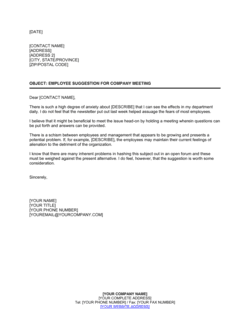
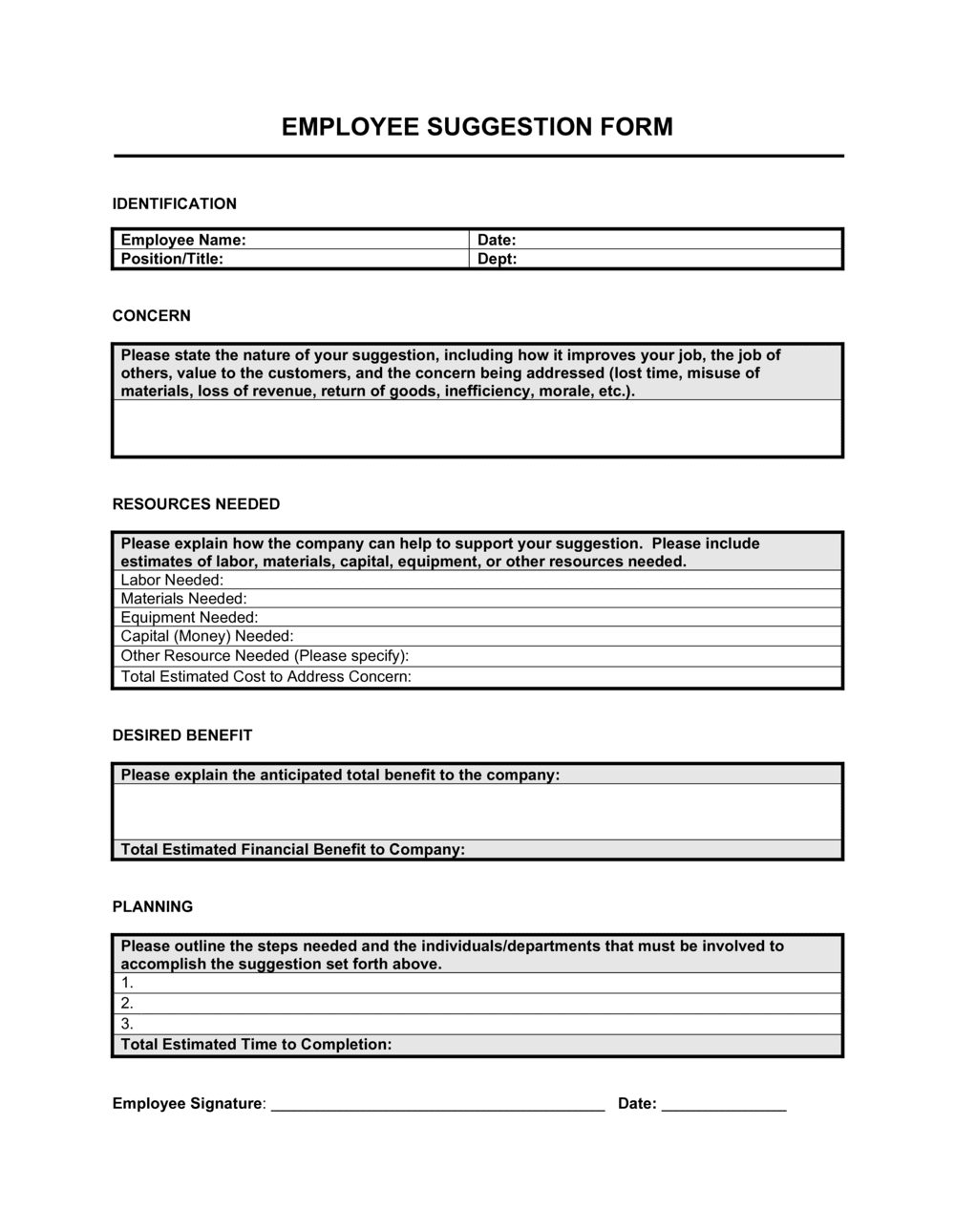
An Employee Suggestion Form is a structured document that gives staff a clear, consistent way to submit ideas for improving operations, products, services, or the workplace. This free Word download is editable online and exportable as PDF β€” ready to distribute digitally or print for a physical suggestion box in minutes.
When you need it
Use it whenever you want to systematically collect employee ideas β€” during a process improvement initiative, after a town hall, or as part of an ongoing open-door policy. It is especially useful when informal suggestions are being lost or going unreviewed.
What's inside
Submitter details, the suggestion description, the problem it addresses, the expected benefit, an estimated implementation effort rating, a priority or category field, space for supporting notes, and a routing section for the reviewer's decision and follow-up action.

What is an Employee Suggestion Form?

An Employee Suggestion Form is a structured document that gives staff members a consistent, low-barrier channel to submit ideas for improving processes, products, safety, or the workplace. It captures not just the idea itself, but the problem it addresses, the expected benefit, and the submitter's estimate of implementation effort β€” giving reviewers everything they need to evaluate and prioritize submissions without a follow-up conversation. The form also includes a reviewer decision section to close the loop with the employee after a decision has been made.

Why You Need This Document

Without a structured form, improvement ideas get raised verbally, forgotten in email threads, or never shared at all because employees are unsure where to direct them. Frontline staff often have the clearest view of process inefficiencies and customer friction points, but that insight goes unused when there is no defined channel to capture it. An employee suggestion form creates a documented record of every idea submitted, ensures each one reaches the right reviewer, and signals to staff that their input is taken seriously β€” which directly affects engagement and retention. This template gives you a ready-to-use form in minutes, with all the fields needed to run a credible, responsive suggestion program from day one.

Which variant fits your situation?

If your situation is…Use this template
Anonymous suggestions to encourage candid feedbackAnonymous Employee Suggestion Form
Collecting structured post-project team feedbackEmployee Feedback Form
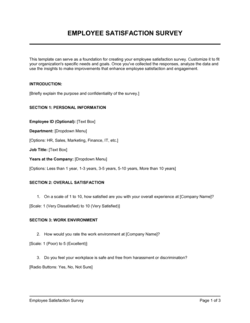
Formal annual performance and engagement surveyEmployee Satisfaction Survey
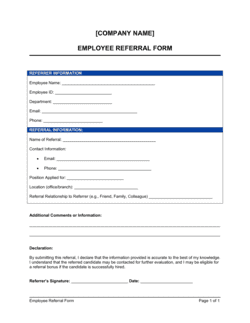
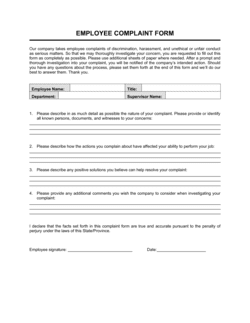
Documenting a formal employee grievance or complaintEmployee Complaint Form
Capturing ideas specifically for new product developmentProduct Feedback Form
Tracking and logging accepted suggestions through to implementationContinuous Improvement Log

Common mistakes to avoid

❌ No anonymous submission option

Why it matters: Employees hesitate to criticize existing processes, management decisions, or safety issues when their name is required. Programs without anonymity consistently receive fewer and less candid submissions.

Fix: Add an anonymous checkbox to the form and set up a process to receive and route anonymous submissions β€” a shared inbox or locked suggestion box that only the administrator accesses.

❌ No formal reviewer decision field

Why it matters: When suggestions disappear into a black hole, employees conclude their input is not valued and stop submitting. Engagement in the program drops measurably after the first unanswered cycle.

Fix: Build the reviewer decision section into the form itself and make completing it mandatory before closing a submission. Close the loop with the submitter in writing.

❌ Vague suggestion descriptions with no problem context

Why it matters: Reviewers cannot prioritize or act on ideas like 'improve communication' or 'fix the warehouse' β€” they require a scoping conversation before any decision can be made, slowing the entire process.

Fix: Include a mandatory problem statement field before the suggestion field. A two-field sequence β€” 'what is the current issue?' then 'what do you suggest?' β€” produces significantly more actionable submissions.

❌ Collecting suggestions with no defined review cadence

Why it matters: Without a scheduled review, forms accumulate unreviewed until someone has time. Employees who submitted three months ago and heard nothing become active detractors of the program.

Fix: Set a fixed review schedule β€” weekly for high-volume programs, bi-weekly for smaller teams β€” and communicate it to all employees when the form is distributed.

The 9 key fields, explained

Submitter Information

Submission Date and ID

Suggestion Category

Problem or Opportunity Statement

Suggestion Description

Expected Benefit

Estimated Implementation Effort

Supporting Information

Reviewer Decision and Action

How to fill it out

  1. 1

    Configure the header with your organization's details

    Add your company name, logo, and the name of the program or contact to whom completed forms should be submitted. Decide whether to allow anonymous submissions and mark the form accordingly.

    πŸ’‘ Adding a named contact β€” not just a generic inbox β€” increases submission rates because employees know a real person is reading their ideas.

  2. 2

    Set up your category list

    Replace or expand the default category checkboxes with the specific areas most relevant to your business β€” for example, 'supply chain,' 'IT systems,' or 'employee wellbeing.' Limit the list to six to eight options to keep it scannable.

    πŸ’‘ Categories that match your internal department structure make routing automatic and reduce the time reviewers spend deciding who owns an idea.

  3. 3

    Define your submission ID numbering format

    Choose a consistent format β€” SUG-2026-0001 is recommended β€” and either pre-print it on physical copies or instruct the administrator to assign it upon receipt of digital submissions.

    πŸ’‘ A four-digit sequence number (0001, 0002) avoids collisions even if your program receives hundreds of submissions per year.

  4. 4

    Distribute the form through your preferred channel

    Export as PDF for a physical suggestion box, share as an editable Word file for digital submission via email, or embed the fields in an intranet or HR platform form.

    πŸ’‘ Physical and digital channels together typically yield 20–30% more submissions than either channel alone, because different employees prefer different submission methods.

  5. 5

    Assign a reviewer and establish a review cadence

    Name the specific person or role responsible for reviewing each category of suggestion. Set a fixed review cycle β€” weekly or bi-weekly β€” and communicate that timeline to employees at submission.

    πŸ’‘ Committing to a response within 10 business days and stating that on the form sets expectations that prevent follow-up emails from flooding the reviewer.

  6. 6

    Complete the reviewer decision section and notify the submitter

    After review, fill in the disposition, reason, and next steps in the reviewer section. Send the completed form or a summary response to the employee, even if the idea is declined.

    πŸ’‘ A brief, specific decline reason β€” 'outside this year's budget cycle, will reconsider in Q1' β€” is far more motivating than silence and keeps employees engaged in the program.

Frequently asked questions

What is an employee suggestion form?

An employee suggestion form is a structured document that gives staff a defined way to submit ideas for improving operations, products, safety, or the workplace. It captures the suggestion, the problem it addresses, the expected benefit, and an effort estimate, then routes the completed form to a designated reviewer for a formal decision and follow-up.

Why should companies use a structured suggestion form instead of an open-door policy?

Open-door policies rely on employees feeling comfortable approaching managers directly, which many do not. A structured form removes the social barrier, ensures every submission includes the same key details, creates a documented record of ideas submitted and decisions made, and makes it possible to track which suggestions were implemented and what results they produced.

Should employee suggestion forms allow anonymous submissions?

Yes, in most organizations. Anonymity is especially important for suggestions that involve criticism of existing processes, management decisions, or safety concerns. Programs that allow anonymous submissions consistently receive more candid and higher-impact ideas. The trade-off is that you cannot follow up directly with the submitter, so the form must collect enough detail to stand on its own.

How quickly should managers respond to submitted suggestions?

A response within 10 business days is the standard expectation for most programs. Even a brief acknowledgment β€” 'received and under review' β€” is better than silence. Employees who wait longer than two weeks without any response are significantly less likely to submit again. Build the response commitment into your program guidelines and state the timeline on the form itself.

What happens if we receive more suggestions than we can act on?

Prioritize using the category, expected benefit, and implementation effort fields already on the form. Ideas with high benefit and low effort get reviewed first. For ideas that are valid but not immediately actionable, a 'deferred' disposition with a specific reason β€” budget cycle, competing priority, or further scoping needed β€” keeps employees informed without over-promising.

Can this form be used digitally, or is it designed for a physical suggestion box?

The Word template works for both. Export it as a PDF to print for a physical box, or distribute the editable file for digital submission via email, an intranet form, or an HR platform. Many organizations run both channels simultaneously because different employee groups prefer different submission methods, and dual channels typically generate more total submissions.

How is an employee suggestion form different from an employee satisfaction survey?

A suggestion form is idea-driven β€” the employee proposes a specific change and explains why it would help. A satisfaction survey is sentiment-driven β€” it measures how employees feel about their role, manager, or company. Both are useful, but they serve different purposes. Use a suggestion form when you want actionable proposals; use a satisfaction survey when you want to diagnose engagement or morale trends.

Do we need a formal suggestion program to use this form?

No. Small businesses and teams can use this form on an informal basis β€” distributing it during team meetings, leaving it in a shared folder, or sending it after a process change. The form provides structure even without a dedicated program. If submission volume grows, it is easy to formalize the review cadence and add a tracking log at that point.

How this compares to alternatives

vs Employee Satisfaction Survey

An employee satisfaction survey measures how staff feel about their roles, managers, and company culture through scaled or multiple-choice questions. An employee suggestion form captures specific, actionable proposals for improvement. Use a satisfaction survey to diagnose engagement trends and a suggestion form to collect ideas that can be evaluated and implemented.

vs Employee Complaint Form

A complaint form documents a specific grievance or policy violation that requires an HR investigation or formal response. A suggestion form captures improvement ideas that are forward-looking and voluntary. The two should be kept separate β€” routing a suggestion into a complaint process, or vice versa, creates confusion and discourages use of both.

vs Performance Review Form

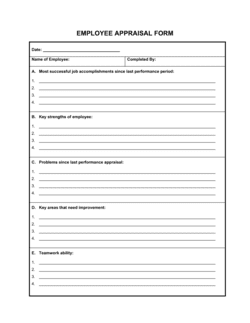
A performance review form evaluates an individual employee's results, behaviors, and development against defined goals. A suggestion form is idea-focused and process-oriented, not person-oriented. Some organizations include a suggestion prompt within a performance review, but a standalone form produces more and better ideas because it removes the evaluative context.

vs Meeting Agenda

A meeting agenda structures discussion topics for a scheduled team meeting and is time-bound. A suggestion form is an asynchronous channel that lets employees submit ideas at any time without requiring a meeting. Suggestion forms reach employees who are less vocal in group settings and capture ideas that arise between meetings.

Industry-specific considerations

Manufacturing

Frontline workers use the form to flag equipment inefficiencies, safety hazards, and material waste β€” suggestions that process engineers may not observe directly from the floor.

Healthcare

Clinical and administrative staff submit workflow improvements, patient experience ideas, and supply management suggestions that directly affect care quality and compliance.

Retail

Store associates submit merchandising layout ideas, customer service process improvements, and inventory handling suggestions that corporate teams rarely see from headquarters.

Professional Services

Consultants and analysts submit ideas for internal knowledge management, client communication templates, and billing or project tracking process improvements.

Template vs pro β€” what fits your needs?

PathBest forCostTime
Use the templateAny organization that wants a structured, consistent way to collect and route employee ideasFree10 minutes to customize and distribute
Template + professional reviewCompanies building a formal suggestion program with scoring criteria, escalation rules, or incentive structures$100–$500 (HR consultant or program design session)1–3 days
Custom draftedLarge enterprises integrating suggestion tracking into an HRIS, intranet, or continuous improvement platform$1,000–$5,000+ (platform configuration or custom development)2–6 weeks

Glossary

Suggestion Program
A formal organizational process for collecting, reviewing, and acting on employee ideas, typically with defined submission, review, and feedback stages.
Implementation Effort
An estimate of the time, cost, or resources required to act on a suggestion β€” commonly rated as low, medium, or high.
Expected Benefit
The anticipated positive outcome of implementing a suggestion, such as cost reduction, time savings, safety improvement, or higher customer satisfaction.
Routing
The process of directing a completed suggestion form to the appropriate person or department for review and decision.
Continuous Improvement
An ongoing organizational practice of identifying and implementing small, incremental changes to processes, products, or services over time.
Kaizen
A Japanese management philosophy focused on continuous, incremental improvement driven by input from all levels of an organization, including frontline staff.
Submission ID
A unique reference number assigned to each submitted suggestion, used to track its status through the review and implementation process.
Disposition
The reviewer's formal decision on a submitted suggestion β€” typically approved, deferred, declined, or referred to another department.
Anonymous Submission
A suggestion submitted without identifying the employee, used when organizations want to reduce hesitation and encourage more candid ideas.

Part of your Business Operating System

This document is one of 3,000+ business & legal templates included in Business in a Box.

  • Fill-in-the-blanks β€” ready in minutes
  • 100% customizable Word document
  • Compatible with all office suites
  • Export to PDF and share electronically

Create your document in 3 simple steps.

From template to signed document β€” all inside one Business Operating System.
1
Download or open template

Access over 3,000+ business and legal templates for any business task, project or initiative.

2
Edit and fill in the blanks with AI

Customize your ready-made business document template and save it in the cloud.

3
Save, Share, Send, Sign

Share your files and folders with your team. Create a space of seamless collaboration.

Save time, save money, and create top-quality documents.

β˜…β˜…β˜…β˜…β˜…

"Fantastic value! I'm not sure how I'd do without it. It's worth its weight in gold and paid back for itself many times."

Managing Director Β· Mall Farm
Robert Whalley
Managing Director, Mall Farm Proprietary Limited
β˜…β˜…β˜…β˜…β˜…

"I have been using Business in a Box for years. It has been the most useful source of templates I have encountered. I recommend it to anyone."

Business Owner Β· 4+ years
Dr Michael John Freestone
Business Owner
β˜…β˜…β˜…β˜…β˜…

"It has been a life saver so many times I have lost count. Business in a Box has saved me so much time and as you know, time is money."

Owner Β· Upstate Web
David G. Moore Jr.
Owner, Upstate Web

Run your business with a system β€” not scattered tools

Stop downloading documents. Start operating with clarity. Business in a Box gives you the Business Operating System used by over 250,000 companies worldwide to structure, run, and grow their business.

Start freeΒ Β·Β No credit card required