Employee Emergency Notification Form Template

Free Word download β€’ Edit online β€’ Save & share with Drive β€’ Export to PDF

1 pageβ€’15–20 min to fillβ€’Difficulty: Standard
Learn more ↓
FreeEmployee Emergency Notification Form Template

At a glance

What it is
An Employee Emergency Notification Form is a standardized HR record that captures the emergency contact details, medical alerts, and notification preferences each employee wants the employer to use in a workplace emergency. This free Word download gives you a structured, easy-to-edit form you can distribute to new hires at onboarding and update annually.
When you need it
Use it during onboarding for every new hire, and redistribute it annually so employees can update contact details, notify HR of new medical conditions, or change their designated emergency contact. It is also essential before any workplace event, offsite, or travel assignment where employee safety information may be needed quickly.
What's inside
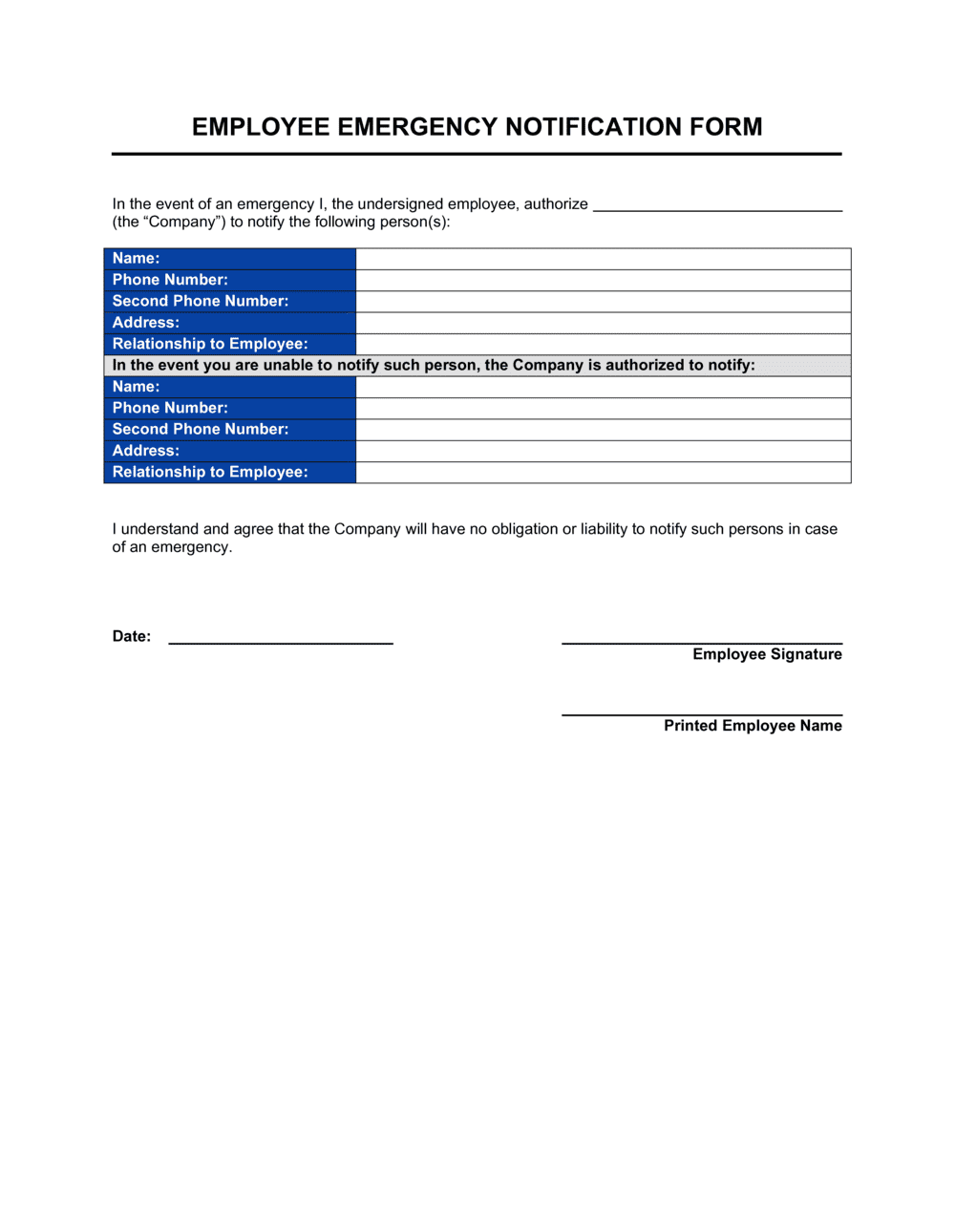
Employee identification details, primary and secondary emergency contact names and phone numbers, relationship to the employee, medical conditions or allergies relevant to emergency response, personal physician contact, preferred hospital, and the employee's acknowledgment signature line.

What is an Employee Emergency Notification Form?

An Employee Emergency Notification Form is a structured HR document that each employee completes to record who should be contacted, and what medically relevant information should be shared, if the employee is injured or incapacitated at work. It captures the names and phone numbers of primary and secondary emergency contacts, the employee's relationship to those contacts, any medical conditions or allergies relevant to first response, and the employee's preferred physician and hospital. Unlike a general employee information form, it is designed specifically for use by HR personnel, safety officers, and emergency responders in time-critical situations where the employee cannot speak for themselves.

Why You Need This Document

Without completed emergency notification forms on file, HR is left searching contact records, calling general work numbers that go unanswered, or waiting for coworkers to identify who the employee's family is β€” all while an injured person waits for treatment or their family waits for a call. The consequences are not just operational: in serious incidents, delays in notifying next of kin cause real harm and expose employers to reputational and legal risk. OSHA emergency action plan requirements and many state workplace safety regulations assume employers can contact employee families quickly; a missing or outdated form is a documented compliance gap. This template gives you a ready-to-use form you can distribute at onboarding, re-collect annually, and file securely so the right information is always where your safety team can find it.

Which variant fits your situation?

If your situation is…Use this template
Onboarding a new full-time or part-time employeeEmployee Emergency Notification Form
Capturing health, allergy, and physician details for field or remote staffEmployee Medical Information Form
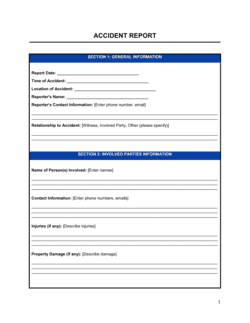
Documenting a workplace injury or incident after it occursAccident/Incident Report Form
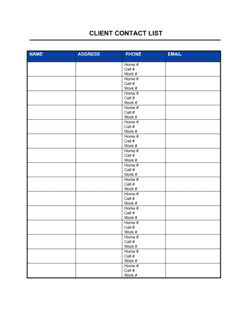
Recording all staff emergency details in a single team-level registerEmployee Contact List
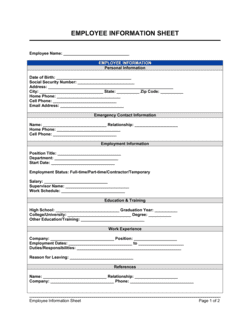
Collecting comprehensive personal and employment data at hireNew Employee Information Form
Documenting safety training completion for OSHA or regulatory complianceEmployee Training Record

Common mistakes to avoid

❌ Leaving the secondary contact blank

Why it matters: If the primary contact is unreachable, HR has no authorized person to notify and may face delays reaching the employee's family during a serious incident.

Fix: Make the secondary contact field required on your form and follow up with employees who submit incomplete forms before filing.

❌ Storing forms without a review date

Why it matters: Emergency contact information collected at hire can become stale within months β€” phone numbers change, relationships end, and contacts move.

Fix: Add an annual re-collection step to your HR calendar and mark each form with the date it was last verified by the employee.

❌ Filing unsigned or undated forms

Why it matters: An unsigned form has no confirmation that the employee reviewed it β€” HR cannot be confident the information is current or that the employee authorized its use.

Fix: Require a dated employee signature before the form is accepted into the HR file. Return unsigned forms to the employee for completion.

❌ Recording only a work phone number for emergency contacts

Why it matters: Work phone numbers are typically unreachable outside business hours, precisely when off-hours workplace incidents or after-hours emergencies occur.

Fix: Require at least one personal mobile or home number for every emergency contact listed on the form.

The 8 key fields, explained

Employee identification

Primary emergency contact name and relationship

Primary contact phone numbers

Secondary emergency contact

Known medical conditions and allergies

Personal physician contact

Preferred hospital or medical facility

Employee acknowledgment and date

How to fill it out

  1. 1

    Add your company name and form version date

    Enter your organization's name and the form's revision date in the header. This ensures employees and HR know they are using the current version.

    πŸ’‘ Include a version number (e.g., v2.1 β€” Jan 2026) so you can quickly identify outdated forms filed before a policy update.

  2. 2

    Enter employee identification details

    Have the employee fill in their legal name, employee ID, department, work location, and direct work phone number. Confirm these match payroll records.

    πŸ’‘ Pre-populate name and employee ID from your HRIS before distributing the form β€” it reduces errors and speeds up filing.

  3. 3

    Collect primary emergency contact information

    Record the full name, relationship, mobile number, and at least one additional phone number for the primary contact. Two working phone numbers are the minimum.

    πŸ’‘ Ask employees to confirm their primary contact is aware they are listed and that their number is current β€” stale numbers are the most common failure point.

  4. 4

    Record a secondary emergency contact

    Repeat the name, relationship, and phone number fields for a second contact. The secondary contact should be someone in a different household from the primary.

    πŸ’‘ A contact in the same household as the primary (e.g., both spouses at work) may be unreachable in the same emergency β€” encourage employees to list someone geographically separate.

  5. 5

    Document medical conditions, allergies, and medications

    Ask the employee to list any conditions, allergies, or medications relevant to emergency response, or to write 'None known' explicitly. Never leave this field blank.

    πŸ’‘ Remind employees that this information is stored securely and accessed only by authorized HR or safety personnel β€” some employees withhold it out of privacy concerns until reassured.

  6. 6

    Note physician and preferred hospital

    Record the employee's primary care physician name and phone number, and their preferred medical facility in case of transport.

    πŸ’‘ For employees who travel frequently or work across multiple sites, consider recording preferred hospitals near each location.

  7. 7

    Obtain the employee's dated signature

    Have the employee sign and date the completed form before filing. The date confirms when the information was last verified.

    πŸ’‘ Set a calendar reminder to redistribute the form annually β€” emergency contacts change due to divorce, death, or relocation more often than employees proactively update HR.

Frequently asked questions

What is an employee emergency notification form?

An employee emergency notification form is an HR document that records the contact details, medical alerts, and notification preferences each employee wants the employer to use in a workplace emergency. It ensures HR and safety personnel can reach the right person quickly and that first responders have access to relevant medical information when every minute counts.

When should employees complete this form?

Every new hire should complete the form on or before their first day as part of the standard onboarding packet. Existing employees should be asked to review and resubmit the form at least once per year, and immediately after any life change β€” marriage, divorce, relocation, or a new medical diagnosis β€” that affects the accuracy of the information.

Is an employee emergency contact form legally required?

No federal law in the United States mandates a specific emergency contact form, but OSHA regulations require employers to have a plan for contacting emergency services and notifying employees' families after a serious incident. Some state and local workplace safety regulations impose more specific documentation requirements. Collecting the form is considered a best practice in virtually every jurisdiction.

How should employers store emergency contact forms?

Store completed forms in a secure location accessible only to authorized HR and safety personnel β€” either a locked physical file or a password-protected HR system. In the US, any medical information on the form must be kept in a separate file from the general employee record under ADA requirements. Ensure designated safety officers know exactly where to find the forms in an emergency.

Can an employer share emergency contact information with coworkers?

Generally, no. Emergency contact details should be shared only with authorized HR personnel, safety officers, or emergency responders directly involved in the incident. Sharing them broadly β€” including posting a contact list on a shared drive β€” may violate employee privacy expectations and, where medical information is included, applicable privacy laws.

What medical information should the form collect?

The form should capture conditions or allergies that directly affect emergency response β€” severe allergies (including to medications like penicillin), conditions such as epilepsy, diabetes, or heart disease, and a list of current prescription medications. Employers should avoid collecting detailed medical histories; the purpose is to equip first responders with critical facts, not to build a comprehensive health record.

How often should emergency contact forms be updated?

At minimum, redistribute the form once per year and ask every employee to review, update if needed, and re-sign it. In practice, life changes happen faster than annual cycles β€” build a culture where employees know they can (and should) update their form at any time by submitting a new version to HR.

What happens if an employee refuses to provide emergency contact information?

Employers cannot legally compel employees to disclose emergency contacts in most jurisdictions, but they can make clear that the information is collected solely for the employee's own safety. Document the refusal in the employee file. If the employee later consents, process the form immediately. Some employers note on the form that failure to provide contacts means the employer will default to contacting next of kin as determined by applicable law.

How this compares to alternatives

vs New Employee Information Form

A new employee information form collects broad onboarding data β€” tax details, direct deposit, employment history, and personal information. An emergency notification form is narrowly focused on who to call and what medically relevant facts to share in a crisis. Both belong in the onboarding packet, but they serve different audiences: payroll vs. safety.

vs Employee Contact List

An employee contact list is an employer-maintained directory of staff work numbers and emails used for internal communication. An emergency notification form is employee-completed and records personal contacts and medical data for use when the employee themselves is incapacitated. The contact list helps you reach employees; the notification form helps employees' families reach them.

vs Accident/Incident Report Form

An accident or incident report documents what happened after an emergency or injury has occurred β€” time, location, witnesses, cause, and follow-up actions. An emergency notification form is completed in advance so that the information needed to respond to any incident is already on file. One is reactive; the other is proactive.

vs Employee Medical Information Form

An employee medical information form collects detailed health history, disability accommodations, and occupational health data β€” often used for workers' compensation or ADA compliance purposes. An emergency notification form captures only the minimum medical facts first responders need on the scene. Use the medical form for detailed health records and the notification form for emergency response readiness.

Industry-specific considerations

Construction and Trades

High physical risk environment means emergency contact records must be on-site and accessible to the site safety officer at all times, not just stored in a central HR office.

Healthcare

Employees working irregular shifts and on-call schedules make accurate, current mobile contact numbers especially critical for reaching family during off-hours incidents.

Retail and Hospitality

High staff turnover means forms need to be collected at every new hire and reviewed frequently, as contact information becomes stale faster than in lower-turnover industries.

Manufacturing

Machinery-related injury risk makes medical alert fields β€” allergies, blood type, current medications β€” particularly important for first responders arriving on the factory floor.

Template vs pro β€” what fits your needs?

PathBest forCostTime
Use the templateAny employer needing a standard, ready-to-distribute emergency contact form for new hires or annual re-collectionFree5 minutes to customize, 5 minutes per employee to complete
Template + professional reviewEmployers in regulated industries or states with specific workplace safety documentation requirements$100–$300 for an HR consultant or employment attorney review1–2 days
Custom draftedLarge enterprises integrating emergency data directly into an HRIS or building a multi-site safety management system$500–$2,000 for custom form design and system integration1–3 weeks

Glossary

Emergency Contact
A person designated by the employee to be notified by the employer when the employee is involved in a workplace emergency, injury, or medical event.
Primary Contact
The first person the employer calls in an emergency β€” typically a spouse, partner, or immediate family member.
Secondary Contact
A backup person to notify if the primary contact cannot be reached within a reasonable time.
Medical Alert
A documented condition β€” such as a severe allergy, diabetes, or epilepsy β€” that emergency responders need to know immediately to provide appropriate care.
Attending Physician
The employee's regular doctor, whose contact information can help first responders or hospital staff access relevant medical history quickly.
Preferred Hospital
The healthcare facility where the employee would prefer to be taken if transport is required, often based on insurance network or proximity to family.
HIPAA
The US Health Insurance Portability and Accountability Act, which governs the privacy and security of personal health information β€” relevant to how employers store and share medical data collected on this form.
Next of Kin
The employee's closest living relative, who may have legal authority to make medical decisions if the employee is incapacitated.
Onboarding Packet
The set of forms and documents a new employee completes before or on their first day, typically including tax forms, direct deposit authorization, and emergency contact information.

Part of your Business Operating System

This document is one of 3,000+ business & legal templates included in Business in a Box.

  • Fill-in-the-blanks β€” ready in minutes
  • 100% customizable Word document
  • Compatible with all office suites
  • Export to PDF and share electronically

Create your document in 3 simple steps.

From template to signed document β€” all inside one Business Operating System.
1
Download or open template

Access over 3,000+ business and legal templates for any business task, project or initiative.

2
Edit and fill in the blanks with AI

Customize your ready-made business document template and save it in the cloud.

3
Save, Share, Send, Sign

Share your files and folders with your team. Create a space of seamless collaboration.

Save time, save money, and create top-quality documents.

β˜…β˜…β˜…β˜…β˜…

"Fantastic value! I'm not sure how I'd do without it. It's worth its weight in gold and paid back for itself many times."

Managing Director Β· Mall Farm
Robert Whalley
Managing Director, Mall Farm Proprietary Limited
β˜…β˜…β˜…β˜…β˜…

"I have been using Business in a Box for years. It has been the most useful source of templates I have encountered. I recommend it to anyone."

Business Owner Β· 4+ years
Dr Michael John Freestone
Business Owner
β˜…β˜…β˜…β˜…β˜…

"It has been a life saver so many times I have lost count. Business in a Box has saved me so much time and as you know, time is money."

Owner Β· Upstate Web
David G. Moore Jr.
Owner, Upstate Web

Run your business with a system β€” not scattered tools

Stop downloading documents. Start operating with clarity. Business in a Box gives you the Business Operating System used by over 250,000 companies worldwide to structure, run, and grow their business.

Start freeΒ Β·Β No credit card required