Email Marketing Subject Lines Template

Free Word download β€’ Edit online β€’ Save & share with Drive β€’ Export to PDF

3 pagesβ€’25–30 min to fillβ€’Difficulty: Standardβ€’Signature requiredβ€’Legal review recommended
Learn more ↓
FreeEmail Marketing Subject Lines Template

At a glance

What it is
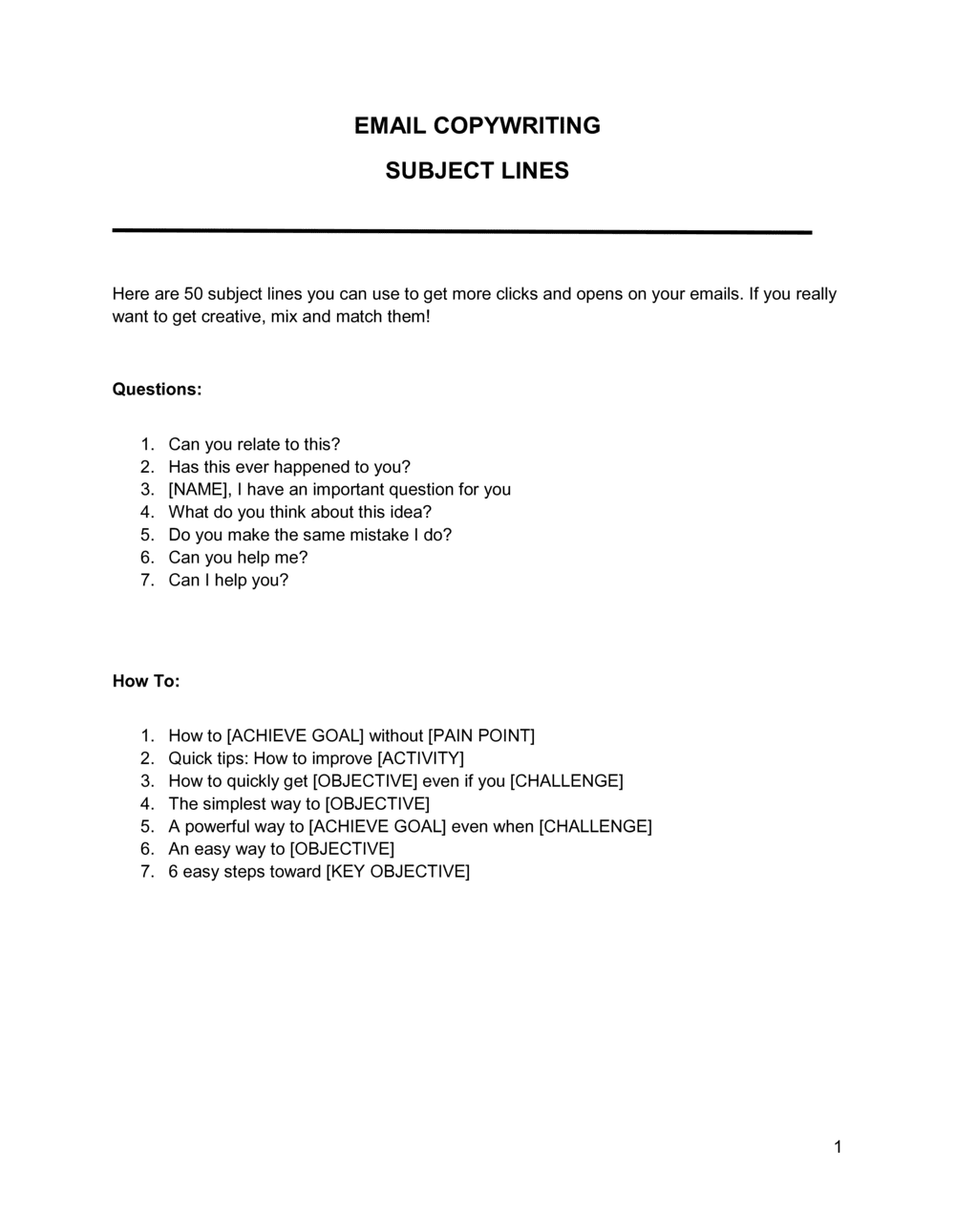
An Email Marketing Subject Lines template is a structured Word document containing categorized subject line formulas, proven copywriting frameworks, compliance checkpoints, and fill-in-the-blank examples for every major campaign type. This free Word download gives marketing teams and small business owners a reusable, editable reference that covers promotional, transactional, re-engagement, and newsletter campaigns in one place.
When you need it
Use it whenever you are planning an email campaign and need to move beyond generic phrasing β€” especially when launching a product, running a time-limited offer, reactivating a dormant list, or onboarding new subscribers. It is also the right tool when standardizing subject line conventions across a team or agency to ensure brand voice consistency and CAN-SPAM / CASL compliance.
What's inside
The template includes subject line formulas organized by campaign objective, character-count and preview-text guidelines, spam-trigger word lists to avoid, A/B testing frameworks, personalization and segmentation notes, compliance checkpoints for major anti-spam regulations, and blank fields for recording your own tested subject lines and open-rate benchmarks.

What is an Email Marketing Subject Lines Template?

An Email Marketing Subject Lines template is a structured reference document containing categorized subject line formulas, fill-in-the-blank frameworks, compliance checkpoints, and performance tracking fields for every major email campaign type. It translates the principles of high-converting email copywriting β€” specificity, honesty, relevance, and urgency β€” into a repeatable, team-ready workflow that any marketer can use without starting from a blank page. The document covers promotional campaigns, re-engagement sequences, welcome emails, newsletters, and post-purchase follow-ups, organized so writers select the formula that matches their campaign objective rather than guessing at phrasing.

Why You Need This Document

The subject line is the single variable that determines whether every other element of an email campaign β€” the copywriting, the design, the offer, the CTA β€” gets a chance to work. A weak or non-compliant subject line means the email is never opened, or worse, it is flagged as spam and damages your sender reputation for future sends. Without a standardized reference, teams default to the same three or four tired formulas, open rates plateau, and no one can identify why because there is no historical performance data to consult. This template solves all three problems simultaneously: it gives writers proven formulas to draw from, builds a compliance checkpoint into the drafting process, and creates a running record of what has worked for your specific audience. For businesses mailing Canadian or EU subscribers, the compliance documentation fields are not optional β€” they are the paper trail that separates a manageable regulatory inquiry from a material fine.

Which variant fits your situation?

If your situation is…Use this template
Running a time-sensitive promotional sale or flash dealPromotional Email Subject Lines
Re-engaging subscribers who have not opened in 90+ daysRe-Engagement Email Campaign Template
Welcoming new subscribers to an automated onboarding sequenceWelcome Email Series Template
Announcing a new product or feature launchProduct Launch Email Template
Sending a weekly or monthly newsletter to a general listNewsletter Email Template
Following up after a purchase or service deliveryPost-Purchase Follow-Up Email Template
Recovering abandoned shopping carts in e-commerceCart Abandonment Email Template

Common mistakes to avoid

❌ Leaving preview text blank

Why it matters: Most email clients auto-populate the preview with the first readable text in the email body β€” often an unsubscribe header or alt-text β€” which undercuts the subject line and reduces open rates by an estimated 10–15%.

Fix: Treat preview text as a required field in every campaign brief. Write it immediately after finalizing the subject line while the campaign message is still front of mind.

❌ Using perpetual urgency language

Why it matters: Subscribers who see 'Ends tonight' on every campaign within three to five sends stop believing it, and open rates on urgency-framed subjects decline 20–30% over a quarter of repeated use.

Fix: Reserve urgency framing for campaigns where the deadline is real and documented. Use benefit-led or curiosity-led formulas for standard campaigns.

❌ Testing two variables simultaneously in an A/B test

Why it matters: If you change both subject line length and personalization at once, a performance difference between variants is uninterpretable β€” you cannot attribute the outcome to either change.

Fix: Isolate one variable per test. Run four separate single-variable tests over four campaigns and you will have clear, actionable insight after each.

❌ Skipping the compliance checklist under deadline pressure

Why it matters: A deceptive or misleading subject line violates CAN-SPAM and CASL, exposing senders to fines of up to $50,000 per violation in the US and CAD $10 million per violation in Canada.

Fix: Build the compliance checklist into the campaign approval workflow as a mandatory sign-off step, not an optional final review.

❌ Mailing a personalization token to an unclean list

Why it matters: Sending 'Hi FNAME,' or 'Hey ,' to thousands of subscribers in a single campaign is a highly visible error that signals poor professionalism and can trigger unsubscribe spikes.

Fix: Run a data-quality check on the name field for every segment before enabling personalization. Replace missing values with a neutral fallback like 'there' before scheduling.

❌ Never logging performance data after campaigns send

Why it matters: Without historical open-rate records by formula type, teams repeat low-performing subject line approaches indefinitely and have no internal benchmark to justify or challenge new creative directions.

Fix: Assign one team member to complete the performance tracking fields within 48 hours of every send. Review the accumulated data quarterly to identify and retire underperforming formulas.

The 10 key clauses, explained

Campaign objective label

In plain language: Identifies which campaign type the subject line is written for β€” promotional, transactional, re-engagement, welcome, newsletter, or event β€” so team members select the right formula.

Sample language
Campaign Type: [PROMOTIONAL / TRANSACTIONAL / RE-ENGAGEMENT / WELCOME / NEWSLETTER / EVENT] | Objective: [SPECIFIC GOAL, e.g., 'drive purchases of [PRODUCT] before [DATE]']

Common mistake: Writing subject lines without labeling the campaign objective first, which leads to mismatched tone β€” urgency-driven language on a transactional email triggers unsubscribes.

Subject line formula and fill-in fields

In plain language: The core formula with [PLACEHOLDERS] for the variable elements β€” product name, benefit, deadline, or personalization token β€” that the user fills in for their specific campaign.

Sample language
[FIRST NAME], your [PRODUCT/OFFER] expires in [TIMEFRAME] | [NUMBER] ways to [ACHIEVE DESIRED OUTCOME] before [DATE] | Don't miss [EVENT/OFFER]: ends [DATE]

Common mistake: Copying a formula verbatim without replacing all placeholders, sending emails with literal bracketed text to live lists β€” a highly visible error that damages sender credibility.

Character count and preview text field

In plain language: Specifies the recommended character range for the subject line (typically 28–50 characters for mobile) and a paired preview text field to extend the message without repeating the subject.

Sample language
Subject line: [MAX 50 CHARACTERS] | Preview text: [40–130 CHARACTERS β€” continue the subject line's message or add a secondary hook, do not repeat the subject verbatim]

Common mistake: Leaving the preview text blank, which causes email clients to pull the first visible line of the email body β€” often an unsubscribe link or boilerplate header text.

Personalization and segmentation notes

In plain language: Documents which personalization tokens apply to this subject line variant and which list segment it targets, so the sending platform is configured correctly.

Sample language
Personalization: [FIRST NAME] token β€” required / optional | Segment: [ALL SUBSCRIBERS / PURCHASERS OF (PRODUCT) / INACTIVE 90+ DAYS / GEOGRAPHIC: (REGION)]

Common mistake: Applying a first-name personalization token to a cold or imported list where names are missing or formatted inconsistently, resulting in subjects that read 'Hey ,' or 'Hi FNAME.'

Spam compliance checklist

In plain language: A built-in checkpoint confirming the subject line does not contain deceptive claims, prohibited trigger words, or all-caps phrasing that violates CAN-SPAM, CASL, and GDPR requirements.

Sample language
Compliance check: [ ] Subject accurately represents email content | [ ] No deceptive or misleading phrasing | [ ] No prohibited spam trigger words (see Appendix A) | [ ] Unsubscribe link present in email body

Common mistake: Treating the compliance checklist as optional, skipping it under deadline pressure β€” then having a subject like 'FREE MONEY β€” ACT NOW' land in spam folders or trigger a regulatory complaint.

Urgency and scarcity framing

In plain language: Provides approved formulas for adding time pressure or limited-quantity framing to a subject line without making claims that cannot be substantiated β€” protecting against deceptive advertising liability.

Sample language
Offer ends [SPECIFIC DATE, e.g., Friday at midnight] | Only [NUMBER] spots / units remaining | Last chance: [OFFER NAME] closes [DATE]

Common mistake: Using perpetual countdown urgency β€” writing 'Ends tonight' on every campaign regardless of whether the offer actually ends. Subscribers learn to ignore it and open rates decline over 3–5 campaigns.

A/B test variant fields

In plain language: Side-by-side fields for recording two subject line variants β€” Version A and Version B β€” along with the test variable (length, tone, personalization, emoji use) and the segment size for each.

Sample language
Version A: [SUBJECT LINE A] | Version B: [SUBJECT LINE B] | Test variable: [LENGTH / PERSONALIZATION / QUESTION vs. STATEMENT / EMOJI] | Test segment: [X]% of list | Winner deployed to: remaining [Y]%

Common mistake: Testing two subject lines that differ in more than one variable at once β€” changing both length and personalization simultaneously makes it impossible to determine which change drove the result.

Performance tracking fields

In plain language: Blank fields for logging actual open rate, click-through rate, and unsubscribe rate after the campaign sends, building an internal benchmark database over time.

Sample language
Send date: [DATE] | List size: [N] | Open rate: [X]% | CTR: [X]% | Unsubscribes: [N] | Notes: [what worked, what to test next]

Common mistake: Not recording performance data in the template after each campaign, so the team has no historical benchmarks and repeats subject line approaches that have already underperformed.

Brand voice and tone guardrails

In plain language: A short reference block listing approved and prohibited tone descriptors, punctuation conventions, and emoji policy for the specific brand β€” ensuring subject lines are consistent across team members and campaigns.

Sample language
Brand voice: [e.g., direct, conversational, no exclamation marks] | Approved emoji: [LIST OR 'NONE'] | Prohibited words/phrases: [LIST] | Sentence case vs. Title Case: [SPECIFY]

Common mistake: Skipping the tone guardrails section for agency clients or multi-author teams, resulting in inconsistent voice across campaigns that erodes brand recognition over time.

Regulatory and consent documentation reference

In plain language: Points to the underlying consent records, opt-in confirmation, and unsubscribe mechanism documentation that a sender must maintain to demonstrate compliance with CAN-SPAM, CASL, and GDPR if audited.

Sample language
Consent basis: [EXPRESS OPT-IN / IMPLIED / TRANSACTIONAL] | Opt-in date recorded: [YES / NO] | Unsubscribe mechanism: [LINK LOCATION IN EMAIL] | Compliance record location: [FILE PATH / CRM FIELD]

Common mistake: Documenting subject line copy without linking it to the consent records for the list being mailed β€” regulators require both the message content and proof of consent to be producible together.

How to fill it out

  1. 1

    Set the campaign objective and label the section

    Before writing a single word, identify the campaign type and specific goal. Select the matching section of the template β€” promotional, re-engagement, newsletter, welcome, or event β€” and fill in the objective field.

    πŸ’‘ Locking in the objective first prevents tone drift. A re-engagement email should feel different from a promotional one β€” the template's sections enforce that discipline.

  2. 2

    Choose a formula and fill in all placeholders

    Select a subject line formula from the relevant section and replace every [PLACEHOLDER] with specific, accurate content. Read the completed line aloud to confirm it sounds natural and matches the email body.

    πŸ’‘ Run a find-all search for '[' in your document before saving β€” any remaining bracket is an unfilled placeholder.

  3. 3

    Check and fill the preview text field

    Write preview text that continues the subject line's thought or adds a secondary hook β€” do not repeat the subject verbatim. Aim for 90–110 characters to cover most mobile clients without truncation.

    πŸ’‘ Treat the subject line and preview text as a two-part headline. The subject creates curiosity; the preview text gives a reason to act on it.

  4. 4

    Apply personalization tokens and confirm segment targeting

    Add the first-name token if your list data is clean and consistently formatted. Document the exact segment this subject line targets in the segmentation field so your ESP is configured before scheduling.

    πŸ’‘ Test personalization tokens by sending a proof to five email addresses with different name formats β€” including one with a missing name β€” before deploying to the full list.

  5. 5

    Run the spam compliance checklist

    Work through each checkbox in the compliance section: accurate subject, no deceptive phrasing, no prohibited trigger words, unsubscribe link confirmed. Do not mark items complete until each is verified, not assumed.

    πŸ’‘ Paste the subject line into a free spam-word checker tool as a secondary check β€” filter logic updates frequently and your memory of banned phrases will lag.

  6. 6

    Create the A/B test variant and document the test variable

    Write a second version of the subject line that changes exactly one variable β€” length, tone, personalization, or question vs. statement β€” and record both variants in the A/B fields along with the test segment size.

    πŸ’‘ A 20% / 20% split with a 4-hour wait window is sufficient for lists above 5,000 before deploying the winner to the remaining 60%.

  7. 7

    Record post-send performance data

    After the campaign sends, return to the template and fill in the open rate, CTR, and unsubscribe count in the performance tracking fields. Add a one-line note on what the result suggests for future campaigns.

    πŸ’‘ After five to ten campaigns using the same template, sort your performance data by open rate β€” patterns in your highest-performing formulas will emerge and should inform your default approach.

  8. 8

    Archive the completed record for compliance documentation

    Save the fully completed template entry β€” including the subject line used, the list segment mailed, the consent basis, and the performance result β€” in a centralized file or CRM field for regulatory reference.

    πŸ’‘ CASL and GDPR enforcement actions frequently turn on whether the sender can produce records of consent and campaign content together. Keep them in the same folder.

Frequently asked questions

What makes a good email marketing subject line?

A good subject line is specific, honest about what is inside the email, and gives the reader a reason to open now rather than later. The most consistently high-performing formulas combine a clear benefit or curiosity hook with a concrete detail β€” a number, a deadline, or a personalization token. Subject lines under 50 characters perform better on mobile devices, which account for more than 60% of email opens across most industries. Vague or overly clever subject lines that obscure what the email contains tend to generate lower open rates and higher unsubscribe rates.

How long should an email subject line be?

Most email clients display between 30 and 60 characters of subject line text on desktop and 25–40 characters on mobile before truncating. The practical sweet spot for most campaigns is 28–50 characters, which fits cleanly in both environments. Subject lines above 60 characters are not inherently worse β€” they can perform well for highly engaged lists β€” but the critical information should front-load into the first 40 characters so the message is not cut off on smaller screens.

What are spam trigger words and how do I avoid them?

Spam trigger words are phrases that email spam filters associate with unsolicited or deceptive commercial email β€” common examples include 'FREE!!!', 'Act now', 'Guaranteed', 'No risk', and excessive exclamation marks or all-caps formatting. Using them reduces deliverability and inbox placement rates. The template includes a reference list of high-risk words in the compliance appendix. Running your subject line through a spam-word checker tool before scheduling adds a secondary layer of verification, since filter logic updates frequently.

How do I A/B test email subject lines effectively?

Effective A/B testing requires isolating exactly one variable per test β€” length, personalization, question vs. statement, or emoji use β€” and sending each variant to an equal, randomly selected segment of your list. For lists above 5,000, a 20/20 split with a four-hour performance window before deploying the winner to the remaining 60% is a standard setup. Below 5,000 subscribers, the statistical significance of most tests is too low to draw reliable conclusions. Accumulate results across four or five single-variable tests before changing your default approach.

Does my email subject line need to comply with CAN-SPAM?

Yes. CAN-SPAM requires that the subject line of any commercial email not be deceptive or misleading about the content of the message. It does not require a specific format or prohibit promotional language, but a subject that promises something the email does not deliver β€” such as 'Your order has shipped' for a purely promotional email β€” violates the law. Penalties run up to $50,120 per email in willful violation cases. The compliance checklist in this template walks through the key CAN-SPAM subject line requirements before each campaign send.

What is preview text and why does it matter for open rates?

Preview text is the short snippet displayed beside or below the subject line in most email clients before the message is opened. It typically shows 40–130 characters depending on the client and device. When left blank, email clients pull the first readable text from the email body β€” often an unsubscribe link or an image alt tag. Intentionally written preview text that extends the subject line's message can increase open rates by 10–20% compared to campaigns where it is left empty. The template includes a dedicated preview text field paired to every subject line entry.

How does GDPR affect my email subject lines?

GDPR does not regulate the specific content of subject lines, but it governs whether you have lawful grounds to send marketing email to EU residents at all. For most marketing use cases, this means documented express consent. If a regulatory authority investigates a complaint, they will request both the campaign content β€” including the subject line β€” and the underlying consent records together. The compliance reference section of this template prompts you to document the consent basis and record location alongside each campaign's subject line entry.

Can I use emojis in email subject lines?

Emojis are supported in subject lines by all major email clients and can increase open rates when used sparingly and contextually β€” a single relevant emoji at the start or end of a subject line is typically more effective than multiple. Overuse signals low-quality promotional email and can increase spam-filter risk on some platforms. The brand voice section of this template includes an emoji policy field where you specify approved characters, frequency limits, or a no-emoji rule for your brand before campaigns are written.

What open rate should I expect from my subject lines?

Average email open rates vary significantly by industry. B2B technology emails average 20–25%, retail and e-commerce average 15–20%, nonprofits average 25–30%, and general small business averages sit around 20–22% across most platforms. These benchmarks use different measurement methodologies post-Apple Mail Privacy Protection, which inflated reported open rates starting in 2021. The performance tracking fields in this template let you build your own internal benchmarks based on your actual list behavior, which are more actionable than industry averages.

How this compares to alternatives

vs Email Newsletter Template

An email newsletter template provides the full body layout, content blocks, and design structure for a recurring editorial send. The subject lines template is a companion reference that focuses exclusively on the first line the recipient sees β€” the opener that determines whether the newsletter body is read at all. Use both together for a complete newsletter production workflow.

vs Email Marketing Campaign Plan

An email marketing campaign plan covers the full strategic scope of a campaign β€” audience, goals, send schedule, content calendar, and KPIs. The subject lines template is a tactical execution tool for the copywriting stage within that plan. The campaign plan tells you what to send and when; the subject lines template tells you how to phrase it for maximum opens.

vs Content Marketing Plan

A content marketing plan maps out topic strategy, channel distribution, and editorial calendar for all content formats. Email subject lines are one narrow tactical output within that broader plan. If you are starting at the strategy level, begin with the content marketing plan; if you are at the execution stage of an email campaign, the subject lines template is the right tool.

vs Social Media Marketing Plan

A social media marketing plan governs post strategy, platform selection, and engagement tactics across social channels. While both documents involve crafting short, high-impact text, social captions and email subject lines follow different psychological and algorithmic rules. The subject lines template is built specifically around inbox behavior, open-rate mechanics, and email compliance requirements that have no direct equivalent in social media planning.

Industry-specific considerations

E-commerce and retail

Cart abandonment, flash sale urgency, and post-purchase sequences require distinct subject line formulas calibrated to purchase intent and recency of behavior.

SaaS and technology

Onboarding drip sequences, feature announcement emails, and trial-expiry nudges each demand subject lines that reference the user's specific product context rather than generic promotional phrasing.

Professional services

Thought leadership newsletters, client update emails, and event invitations require a more measured tone than retail campaigns, with subject lines that signal expertise rather than urgency.

Nonprofit and fundraising

Donation appeals, impact updates, and year-end giving campaigns depend on emotionally resonant subject lines tied to specific outcomes rather than product benefits or discounts.

Food and beverage

Seasonal promotions, loyalty-program updates, and new-menu announcements benefit from sensory and occasion-based subject line formulas tied to specific dates and limited-time offers.

Healthcare and wellness

Appointment reminders, wellness content, and patient education emails require subject lines that are reassuring and benefit-focused while strictly avoiding any language that could be construed as a medical claim.

Jurisdictional notes

United States

The CAN-SPAM Act requires that commercial email subject lines not be deceptive or misleading about the content of the message. Senders must also include a physical postal address and a functioning opt-out mechanism in every commercial email. Penalties for willful violations reach $50,120 per email. The FTC enforces CAN-SPAM and publishes updated guidance β€” senders in regulated industries such as financial services and healthcare face additional FTC and sector-specific overlay rules on promotional claims made in subject lines.

Canada

CASL is among the strictest anti-spam regimes in the world, requiring express or implied consent before sending any commercial electronic message to Canadian recipients. Subject lines must accurately describe the message content, and senders must clearly identify themselves in every email. CASL penalties reach CAD $1 million per violation for individuals and CAD $10 million for organizations. Quebec's Law 25 adds provincial data protection requirements that affect how subscriber data used for personalization tokens is collected and stored.

United Kingdom

The Privacy and Electronic Communications Regulations (PECR), alongside the UK GDPR post-Brexit, govern email marketing to UK recipients. PECR requires prior consent for most B2C marketing emails and prohibits misleading subject lines. The Information Commissioner's Office (ICO) enforces both regimes and has issued fines exceeding Β£500,000 for serious violations. Subject lines must not misrepresent the sender's identity or the nature of the message.

European Union

GDPR requires a lawful basis β€” typically express consent β€” for processing personal data used in email marketing, including name personalization tokens in subject lines. The ePrivacy Directive (currently being replaced by the ePrivacy Regulation) additionally requires opt-in consent for marketing emails to individuals in most member states. Subject lines must not be misleading under the EU Unfair Commercial Practices Directive. Member states enforce locally, and fines under GDPR can reach €20 million or 4% of global annual turnover, whichever is higher.

Template vs lawyer β€” what fits your deal?

PathBest forCostTime
Use the templateSmall business owners, in-house marketers, and agencies writing standard promotional and newsletter subject linesFree15–30 minutes per campaign
Template + legal reviewBusinesses mailing EU, Canadian, or UK audiences who need compliance sign-off on subject line and consent documentation practices$200–$500 for a legal or compliance review1–3 days
Custom draftedRegulated industries (healthcare, financial services) where subject line claims must meet sector-specific advertising standards or data protection requirements$500–$2,000+ for legal and compliance drafting1–2 weeks

Glossary

Open Rate
The percentage of delivered emails that were opened by recipients, used as the primary metric for subject line performance.
Preview Text
The short snippet of text displayed in the inbox alongside the subject line β€” typically 40–130 characters β€” that supplements the subject and influences open decisions.
CAN-SPAM Act
A US federal law governing commercial email that requires accurate subject lines, a physical address, and a functional unsubscribe mechanism in every marketing email.
CASL
Canada's Anti-Spam Legislation, which requires express or implied consent before sending commercial electronic messages and mandates clear sender identification.
A/B Testing
Sending two variations of a subject line to equal segments of your list to determine which generates a higher open rate before deploying the winner to the full list.
Spam Trigger Words
Words and phrases β€” such as 'FREE!!!', 'Act now', or 'Guaranteed' β€” that email spam filters flag as high-risk, reducing deliverability and inbox placement.
Deliverability
The ability of an email to reach the recipient's inbox rather than their spam or promotions folder, influenced by sender reputation, list hygiene, and subject line content.
Personalization Token
A dynamic placeholder β€” such as [FIRST NAME] or [COMPANY NAME] β€” that an email platform replaces with recipient-specific data at send time.
Send Time Optimization
The practice of scheduling emails for the time of day or day of the week when a specific audience is statistically most likely to open them.
List Segmentation
Dividing an email list into subgroups based on demographics, behavior, or purchase history so that subject lines and content can be tailored to each group.
GDPR
The EU General Data Protection Regulation, which governs how personal data β€” including email addresses β€” is collected, stored, and used for marketing purposes.

Part of your Business Operating System

This document is one of 3,000+ business & legal templates included in Business in a Box.

  • Fill-in-the-blanks β€” ready in minutes
  • 100% customizable Word document
  • Compatible with all office suites
  • Export to PDF and share electronically

Create your document in 3 simple steps.

From template to signed document β€” all inside one Business Operating System.
1
Download or open template

Access over 3,000+ business and legal templates for any business task, project or initiative.

2
Edit and fill in the blanks with AI

Customize your ready-made business document template and save it in the cloud.

3
Save, Share, Send, Sign

Share your files and folders with your team. Create a space of seamless collaboration.

Save time, save money, and create top-quality documents.

β˜…β˜…β˜…β˜…β˜…

"Fantastic value! I'm not sure how I'd do without it. It's worth its weight in gold and paid back for itself many times."

Managing Director Β· Mall Farm
Robert Whalley
Managing Director, Mall Farm Proprietary Limited
β˜…β˜…β˜…β˜…β˜…

"I have been using Business in a Box for years. It has been the most useful source of templates I have encountered. I recommend it to anyone."

Business Owner Β· 4+ years
Dr Michael John Freestone
Business Owner
β˜…β˜…β˜…β˜…β˜…

"It has been a life saver so many times I have lost count. Business in a Box has saved me so much time and as you know, time is money."

Owner Β· Upstate Web
David G. Moore Jr.
Owner, Upstate Web

Run your business with a system β€” not scattered tools

Stop downloading documents. Start operating with clarity. Business in a Box gives you the Business Operating System used by over 250,000 companies worldwide to structure, run, and grow their business.

Start freeΒ Β·Β No credit card required