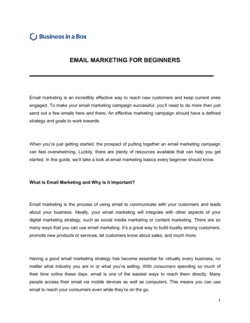
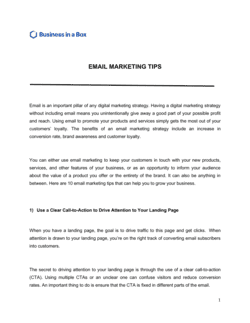
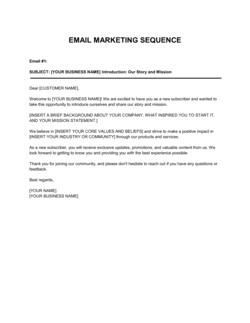
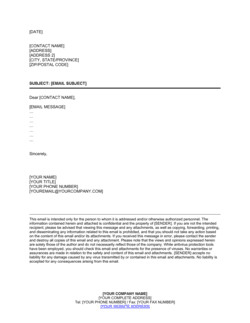
Email Copywriting 101 Template

Free to read β€’ Save or share with one click

FreeEmail Copywriting 101 Template

At a glance

What it is
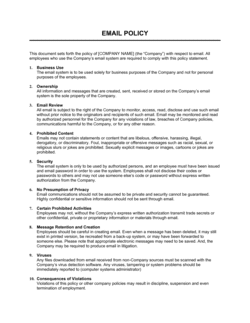
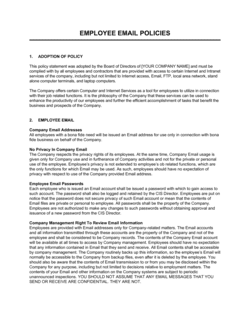
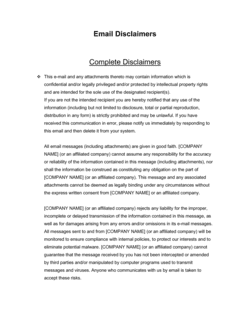
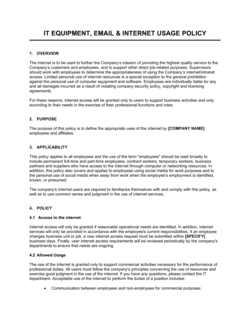
Email Copywriting 101 is a structured framework document that defines the rules, components, and compliance requirements governing how your business writes and sends marketing and commercial emails. This free Word download gives marketing teams, copywriters, and agencies a ready-to-edit standard that covers subject lines, body copy structure, calls to action, legal disclosures, unsubscribe mechanics, and brand voice β€” exportable as PDF for internal sign-off or client approval.
When you need it
Use it when onboarding a new copywriter or agency, when launching a formal email marketing program, or when your business needs a documented email communications standard to satisfy anti-spam compliance requirements or client contractual obligations.
What's inside
Subject line formulas and character limits, preheader text rules, body copy structure, call-to-action placement, sender identification and legal footer requirements, unsubscribe and consent mechanics, A/B testing protocols, and brand voice guidelines β€” all in a single editable document.

What is Email Copywriting 101?

Email Copywriting 101 is a structured standards document that defines the rules, components, and legal compliance requirements governing how a business or team writes and distributes commercial emails. It establishes enforceable guidelines for every element of an email β€” from the sender name and subject line through body copy hierarchy, call-to-action placement, consent mechanics, legal footer content, and unsubscribe processing β€” and creates a signed record that documented protocols were in place. Unlike a general marketing guide, this document is designed to be executed by the relevant parties, making it a binding internal policy or client deliverable rather than informal reference material.

Why You Need This Document

Without a documented and signed email copywriting standard, your business faces risk on two fronts simultaneously. First, inconsistent copy output β€” different tones, competing CTAs, missing footers β€” degrades brand credibility and suppresses campaign performance over every send. Second, the legal exposure is concrete: a single commercial email sent without a valid physical address, a functioning unsubscribe link, or proper consent documentation can constitute a CAN-SPAM, CASL, or GDPR violation carrying fines from $51,744 per email to €20 million per incident. Regulators do not require intent β€” technical non-compliance is sufficient for enforcement action. A signed Email Copywriting 101 document demonstrates that your organization had documented standards in place, assigns responsibility clearly, and gives freelancers, agencies, and in-house writers an unambiguous reference that removes guesswork from every campaign they produce.

Which variant fits your situation?

If your situation is…Use this template
Outbound cold prospecting to a purchased or scraped listCold Email Outreach Template
Welcome series for new subscribers or trial sign-upsWelcome Email Sequence Template
Promotional or sales campaign to an opted-in listPromotional Email Campaign Template
Transactional emails β€” receipts, confirmations, and alertsTransactional Email Template
Re-engagement campaign for lapsed subscribersWin-Back Email Campaign Template
Agency delivering email standards to a client under a retainerEmail Marketing Service Agreement
Internal training document for a new marketing hireMarketing Onboarding Guide

Common mistakes to avoid

❌ Using a no-reply sending address

Why it matters: No-reply addresses suppress replies that signal genuine engagement to inbox providers. Lower engagement scores reduce deliverability for the entire domain over time.

Fix: Use a monitored reply address β€” even a role address like hello@ or marketing@ β€” and route inbound replies to a shared inbox your team checks daily.

❌ Including multiple competing CTAs in one email

Why it matters: Each additional CTA reduces clicks on the primary action. Split attention across three buttons can cut total click-through rate by 30–50% compared to a single focused CTA.

Fix: Define one primary CTA per email. If secondary actions are necessary, present them as text links in the footer, not as equal-weight buttons.

❌ Processing unsubscribes outside the statutory window

Why it matters: CAN-SPAM requires unsubscribe processing within 10 business days; CASL requires it within 10 days. Sending to an opted-out address after the deadline is a violation that can trigger regulatory fines.

Fix: Configure your email platform to suppress unsubscribed contacts immediately and automatically. Manual batch processing is not a compliant workflow.

❌ Treating a pre-checked opt-in checkbox as valid consent

Why it matters: Under GDPR and CASL, consent must be a clear affirmative action by the recipient. Pre-checked boxes are explicitly invalid, exposing the sender to fines of up to €20 million or CAD $10 million.

Fix: Use an unchecked opt-in checkbox with specific consent language. Log the date, IP address, and exact consent wording shown at the time of subscription.

❌ Declaring an A/B test winner before 48 hours

Why it matters: Reading results after 2–4 hours captures a biased early-opener segment. The majority of opens arrive in the first 24–48 hours β€” early results rarely represent the full audience's behavior.

Fix: Set a minimum evaluation window of 48–72 hours in your testing protocol, and require 95% statistical confidence before promoting the winning variant to the remainder of the list.

❌ Omitting physical mailing address from the email footer

Why it matters: CAN-SPAM makes a valid physical postal address a legal requirement for every commercial email. Missing it makes every send technically non-compliant, regardless of content or opt-in status.

Fix: Add your registered physical address to your email platform's default footer template so it appears automatically on every send without manual input.

The 9 key clauses, explained

Sender identification and 'From' line standards

In plain language: Defines who the email must appear to come from β€” a real person name, brand name, or role β€” and prohibits misleading sender addresses.

Sample language
All commercial emails sent on behalf of [COMPANY NAME] shall display a 'From' name of [SENDER NAME / BRAND] and a verified sending address at [DOMAIN]. Deceptive or misleading 'From' lines are prohibited.

Common mistake: Using a no-reply address as the sender. This suppresses reply engagement, signals low trustworthiness to spam filters, and is interpreted negatively by recipients who want to respond.

Subject line and preheader requirements

In plain language: Sets maximum character counts, prohibits deceptive subject lines, and specifies how preheader text must complement rather than duplicate the subject line.

Sample language
Subject lines shall not exceed [60] characters. Preheader text shall be [85–100] characters and shall extend or complement the subject line without repeating it verbatim. Subject lines that misrepresent the email's content are prohibited under [APPLICABLE LAW].

Common mistake: Writing a subject line that teases content the email body does not deliver. This inflates open rates temporarily but destroys list trust and increases spam complaints over time.

Body copy structure and hierarchy

In plain language: Defines the required order of copy elements β€” hook, context, offer or information, CTA β€” and sets maximum word counts by email type.

Sample language
All promotional emails shall follow the structure: (1) Hook β€” [1–2 sentences], (2) Context or problem statement β€” [2–3 sentences], (3) Offer or key information β€” [3–5 sentences], (4) CTA β€” [1 sentence / button]. Total body copy shall not exceed [250] words for promotional messages.

Common mistake: Burying the CTA below 600 pixels β€” the average email fold on mobile β€” so the majority of readers never see the primary action without scrolling.

Call-to-action placement and language

In plain language: Specifies that each email contains exactly one primary CTA, states where it must appear, and defines the imperative-verb format required.

Sample language
Each email shall contain one primary CTA stated as an imperative verb phrase (e.g., 'Download the report', 'Start your free trial', 'Book a call'). The primary CTA shall appear above the fold and, where a second instance is used, at the close of the email body.

Common mistake: Including three or four CTAs in a single email. Multiple competing actions reduce click-through rates by splitting attention β€” research consistently shows a single focused CTA outperforms a list of options.

Physical mailing address and legal footer

In plain language: Requires that every commercial email include the sender's current physical mailing address and any legally mandated disclosures in the footer.

Sample language
Every commercial email sent by [COMPANY NAME] shall include in the footer: the company's registered physical address ([ADDRESS]), the jurisdiction of incorporation ([JURISDICTION]), and an unsubscribe link. Promotional emails shall also include: [ADDITIONAL REQUIRED DISCLOSURES].

Common mistake: Using a P.O. box as the physical address in jurisdictions that require a street address. CAN-SPAM accepts a P.O. box; CASL and some EU member state interpretations require a full civic address.

Unsubscribe and consent mechanics

In plain language: Defines how unsubscribe requests must be processed β€” the maximum response time, the method, and the prohibition on requiring additional steps beyond a single click.

Sample language
Every commercial email shall include a clearly labeled unsubscribe link. Unsubscribe requests shall be honored within [10] business days. Recipients shall not be required to log in, pay a fee, or provide any information beyond their email address to opt out.

Common mistake: Processing unsubscribes in batch once a month instead of within the statutory window. CAN-SPAM requires processing within 10 business days; CASL requires it within 10 days; GDPR expects prompt action.

Consent and list acquisition standards

In plain language: Defines what constitutes valid consent to receive commercial email β€” express opt-in, implied consent, and the record-keeping requirements for each.

Sample language
Express consent shall be obtained via a clear affirmative action by [RECIPIENT] at the point of subscription. Consent records shall be retained for a minimum of [3] years and shall include: date, IP address, form URL, and consent language presented. Purchased or scraped lists shall not be used for commercial email campaigns.

Common mistake: Treating a pre-ticked opt-in checkbox as valid consent. Under GDPR and CASL, consent must be a clear affirmative action β€” pre-checked boxes are explicitly invalid.

Brand voice and tone standards

In plain language: Documents the required tone, vocabulary restrictions, and reading-level target to ensure copy consistency across all senders and campaigns.

Sample language
All email copy for [COMPANY NAME] shall be written at a [GRADE LEVEL, e.g., Grade 8] reading level. Tone shall be [DESCRIPTOR, e.g., conversational, direct, and professional]. The following terms are prohibited: [LIST]. Contractions [are / are not] permitted. Emojis in subject lines [are / are not] permitted.

Common mistake: Leaving tone guidance out of the document entirely. Without a documented standard, each writer defaults to their own style β€” creating inconsistency that degrades brand recognition over repeated sends.

A/B testing and performance reporting obligations

In plain language: Sets the minimum test cadence, required sample sizes, and the metrics that must be tracked and reported after each campaign.

Sample language
All promotional email campaigns shall include an A/B test of at least one variable (subject line, CTA, or send time) with a minimum segment size of [500] recipients per variant. Results shall be reported within [5] business days of send, including: open rate, CTR, conversion rate, unsubscribe rate, and spam complaint rate.

Common mistake: Declaring a winner after 2 hours instead of waiting for statistical significance. Most email clients deliver 80% of opens within 24 hours β€” read results after 48–72 hours for a valid sample.

How to fill it out

  1. 1

    Insert company and sender details

    Replace all [COMPANY NAME], [DOMAIN], and [SENDER NAME] placeholders with your verified legal entity name, sending domain, and the default 'From' name your email platform will use.

    πŸ’‘ Your sending domain should match your website domain. A mismatch β€” e.g., sending from a subdomain not aligned to your brand β€” increases spam filter rejections.

  2. 2

    Set your jurisdiction-specific compliance references

    Identify the primary laws governing your email program β€” CAN-SPAM for US recipients, CASL for Canadian recipients, GDPR for EU recipients β€” and insert the correct statutory references in the consent and unsubscribe clauses.

    πŸ’‘ If you send to recipients in more than one jurisdiction, apply the strictest standard across all clauses. CASL's opt-in requirement is stricter than CAN-SPAM's opt-out model.

  3. 3

    Define your subject line and preheader character limits

    Set character counts appropriate to your primary audience's most common email client. Gmail and Outlook typically display 60 characters of subject line on desktop; mobile clients show 30–40.

    πŸ’‘ Test subject line display across your three most common client/device combinations before locking in the character limit in this document.

  4. 4

    Document your brand voice and restricted vocabulary

    Write a 3–5 sentence description of your brand tone, a list of approved descriptors, and a short list of prohibited words or phrases specific to your industry or audience.

    πŸ’‘ Include at least three example sentences that demonstrate the correct tone β€” abstract descriptors like 'friendly but professional' mean different things to different writers.

  5. 5

    Complete the consent and list management standards

    Define what constitutes valid consent for your specific use case, specify how consent records are stored, and state the prohibition on purchased or scraped lists explicitly.

    πŸ’‘ If you use a third-party email platform like Klaviyo or HubSpot, confirm that it logs consent date, IP address, and form source automatically β€” and reference the platform in this clause.

  6. 6

    Set A/B test minimums and reporting deadlines

    Enter the minimum segment size per variant (typically 500–1,000 for meaningful results) and the reporting window. Align these with your platform's reporting cycle.

    πŸ’‘ Require at least 95% statistical confidence before declaring a test winner. Most email platforms display this metric natively.

  7. 7

    Obtain sign-off from the appropriate stakeholders

    Route the completed document to your marketing lead, legal or compliance contact, and β€” if this is a client-facing deliverable β€” your client's authorized signatory for review and signature.

    πŸ’‘ If the document governs a contractor or agency relationship, treat signature as a prerequisite to campaign launch β€” not an optional administrative step.

  8. 8

    Schedule an annual review date

    Insert a document review date 12 months from execution. Email compliance law changes regularly β€” GDPR guidance is updated frequently, and state-level laws (Virginia, Colorado, Texas) continue to expand.

    πŸ’‘ Assign a named owner responsible for triggering the annual review. Documents without an owner rarely get updated.

Frequently asked questions

What is an Email Copywriting 101 document?

An Email Copywriting 101 document is a structured framework that defines the standards, rules, and compliance requirements governing how a business or team writes and sends commercial emails. It covers subject line formulas, body copy hierarchy, CTA placement, legal footer requirements, consent mechanics, and brand voice guidelines in a single signed-off reference document. It functions both as an internal style guide and as a compliance record demonstrating adherence to anti-spam regulations.

Why does an email copywriting guide need to be signed?

When the document governs a contractor, freelancer, or agency relationship, signature creates a binding acknowledgment that the party has read, understood, and agreed to follow the standards. This matters for compliance purposes β€” if a campaign violates CAN-SPAM or GDPR, a signed standards document demonstrates the sender had documented protocols in place and that any violation was a breach of internal policy rather than organizational negligence.

What laws govern commercial email in the United States?

The CAN-SPAM Act of 2003 is the primary federal law. It requires accurate sender identification, a non-deceptive subject line, a valid physical postal address, and a functioning opt-out mechanism honored within 10 business days. CAN-SPAM applies to commercial messages and uses an opt-out model β€” recipients do not need to opt in before you can email them, but they must be able to opt out easily. Some states, including California under the CCPA, layer additional requirements on top.

What is the difference between CAN-SPAM, CASL, and GDPR for email?

CAN-SPAM (US) uses an opt-out model β€” you can email commercial recipients without prior consent as long as you provide a clear unsubscribe option. CASL (Canada) uses an opt-in model β€” you must have express or implied consent before sending commercial electronic messages. GDPR (EU) uses the strictest opt-in model β€” consent must be freely given, specific, informed, and unambiguous, with a clear affirmative action required. If you send to recipients in multiple jurisdictions, applying GDPR's standard to all sends is the safest baseline.

How long should a marketing email body be?

For promotional emails, 100–250 words is the standard effective range. Shorter emails β€” under 75 words β€” can work well for time-sensitive offers or single-action CTAs. Longer emails above 400 words are appropriate for newsletters or educational content where the recipient has specifically opted in for depth. Mobile reading environments, where over 60% of email is now opened, strongly favor brevity.

What makes a subject line effective?

Effective subject lines are specific, not clever β€” they tell the reader exactly what benefit or information is inside. Keeping length to 40–60 characters ensures full display on most email clients. Using the recipient's first name increases open rates in most B2C contexts. Avoiding spam trigger words (free, guaranteed, act now, limited time) reduces the risk of pre-inbox filtering. Testing at least two subject line variants on every campaign is the fastest way to improve open rates systematically.

How many CTAs should a marketing email contain?

One primary CTA per email produces the highest click-through rates in most use cases. Research across multiple industries consistently shows that adding a second or third CTA reduces total clicks on the primary action by 30–50%. If a secondary action is needed β€” such as a social share or a secondary resource link β€” present it as a plain text link in the footer, not as an equal-weight button competing with the primary CTA.

Can I buy an email list and use it for a marketing campaign?

Under CASL and GDPR, sending commercial emails to a purchased list without prior consent from those recipients is a violation that can result in significant fines. Under CAN-SPAM, it is technically legal if you include a valid opt-out mechanism, but purchased lists consistently produce high spam complaint rates that damage sender reputation and deliverability for your entire sending domain. Most email service providers prohibit the practice entirely in their terms of service.

How this compares to alternatives

vs Email Marketing Plan

An email marketing plan defines campaign goals, audience segments, send cadence, and channel budget allocation. An Email Copywriting 101 document governs how every email is written β€” the rules, standards, and compliance requirements that apply at the copy level. The plan tells you what to send and when; this document tells you how to write it.

vs Content Marketing Plan

A content marketing plan governs the full range of content types β€” blog, video, social, and email β€” at a strategic level. An Email Copywriting 101 document is narrowly focused on email copy standards, legal compliance, and campaign mechanics. Use the content marketing plan for channel strategy decisions; use this document to govern execution at the copy level.

vs Brand Style Guide

A brand style guide defines visual identity, logo usage, color palette, typography, and broad tone-of-voice principles. An Email Copywriting 101 document applies those voice principles specifically to email β€” adding character limits, structural rules, CTA standards, and anti-spam compliance requirements that a general style guide does not cover.

vs Social Media Policy

A social media policy governs what employees and representatives may post on public social channels, focusing on brand safety and personal use boundaries. An Email Copywriting 101 document governs outbound commercial email communications, including legal compliance obligations that do not apply to organic social content.

Industry-specific considerations

SaaS and technology

Onboarding sequences, trial-to-paid conversion emails, and feature announcement campaigns require precise CTA hierarchy and strict compliance with GDPR for EU user bases.

E-commerce and retail

Promotional cadence, cart abandonment sequences, and post-purchase flows demand clear brand voice standards and CAN-SPAM-compliant footers on every transactional and promotional send.

Professional services

Thought-leadership newsletters, client nurture sequences, and proposal follow-ups require a documented tone standard to maintain credibility across multiple writers and practice areas.

Digital marketing agencies

Client deliverables require a signed email standards document at campaign launch to define approval workflows, compliance responsibilities, and performance reporting obligations.

Jurisdictional notes

United States

The CAN-SPAM Act governs all commercial email and uses an opt-out model β€” senders do not need prior consent but must include a valid physical postal address and honor unsubscribe requests within 10 business days. The FTC enforces CAN-SPAM with fines up to $51,744 per violation. California's CCPA adds data subject rights for California residents, including the right to know what personal data is used for email targeting.

Canada

CASL is one of the world's strictest anti-spam laws and requires express or implied consent before sending any commercial electronic message. Implied consent applies to existing business relationships and expires after 2 years. Express consent has no expiry but must be obtained through a clear affirmative action. Fines reach CAD $1 million for individuals and CAD $10 million for businesses per violation. A compliance record showing consent date, source, and consent language is a legal requirement.

United Kingdom

Post-Brexit, the UK applies the UK GDPR and the Privacy and Electronic Communications Regulations (PECR). PECR requires opt-in consent for marketing emails to individuals and soft opt-in for existing customers. The ICO (Information Commissioner's Office) enforces both regimes and has issued fines exceeding Β£500,000 for serious violations. All marketing emails must identify the sender and provide a clear opt-out.

European Union

GDPR requires freely given, specific, informed, and unambiguous consent for marketing emails. Pre-ticked boxes and bundled consent are explicitly prohibited. The ePrivacy Directive (implemented nationally across member states) adds specific rules for electronic marketing. Fines under GDPR reach €20 million or 4% of global annual turnover, whichever is higher. Senders must retain consent records and provide recipients with access, rectification, and erasure rights on request.

Template vs lawyer β€” what fits your deal?

PathBest forCostTime
Use the templateSmall businesses and in-house teams building a first documented email standards frameworkFree1–2 hours to complete and circulate for sign-off
Template + legal reviewAgencies managing email for clients in multiple jurisdictions, or businesses with EU or Canadian subscriber lists$300–$800 for a marketing compliance lawyer review2–5 business days
Custom draftedEnterprise senders with regulated-industry audiences (financial services, healthcare, pharma) or cross-border programs covering 5+ jurisdictions$1,500–$5,000+ for a specialist communications lawyer1–3 weeks

Glossary

Subject Line
The first line of text a recipient sees in their inbox β€” typically 40–60 characters β€” that determines whether the email is opened or ignored.
Preheader Text
A short snippet of 85–100 characters displayed after the subject line in most email clients, used to extend the subject line's hook or add context.
Call to Action (CTA)
A specific instruction directing the reader to take one defined next step β€” click, reply, download, or purchase β€” stated as an imperative verb phrase.
CAN-SPAM Act
A US federal law requiring commercial emails to include accurate sender identification, a physical mailing address, and a functioning unsubscribe mechanism.
CASL
Canada's Anti-Spam Legislation, which requires express or implied consent before sending commercial electronic messages and imposes fines up to CAD $10 million per violation.
GDPR
The EU General Data Protection Regulation, which requires explicit opt-in consent for marketing emails and grants recipients the right to access, correct, or delete their data.
Open Rate
The percentage of delivered emails that were opened by recipients, used as a primary measure of subject line effectiveness.
Click-Through Rate (CTR)
The percentage of email recipients who clicked at least one link in the message, measuring body copy and CTA effectiveness.
Sender Reputation
A score assigned by internet service providers based on bounce rates, spam complaints, and engagement β€” directly affecting inbox deliverability.
Unsubscribe Mechanism
A clearly labeled link or reply instruction that allows any recipient to opt out of future commercial emails, legally required in all major jurisdictions.
A/B Test
A controlled experiment in which two versions of an email element β€” subject line, CTA, or send time β€” are sent to equal audience segments to determine which performs better.

Part of your Business Operating System

This document is one of 3,000+ business & legal templates included in Business in a Box.

  • Fill-in-the-blanks β€” ready in minutes
  • Compatible with all office suites
  • Export to PDF and share electronically

Create your document in 3 simple steps.

From template to signed document β€” all inside one Business Operating System.
1
Download or open template

Access over 3,000+ business and legal templates for any business task, project or initiative.

2
Edit and fill in the blanks with AI

Customize your ready-made business document template and save it in the cloud.

3
Save, Share, Send, Sign

Share your files and folders with your team. Create a space of seamless collaboration.

Save time, save money, and create top-quality documents.

β˜…β˜…β˜…β˜…β˜…

"Fantastic value! I'm not sure how I'd do without it. It's worth its weight in gold and paid back for itself many times."

Managing Director Β· Mall Farm
Robert Whalley
Managing Director, Mall Farm Proprietary Limited
β˜…β˜…β˜…β˜…β˜…

"I have been using Business in a Box for years. It has been the most useful source of templates I have encountered. I recommend it to anyone."

Business Owner Β· 4+ years
Dr Michael John Freestone
Business Owner
β˜…β˜…β˜…β˜…β˜…

"It has been a life saver so many times I have lost count. Business in a Box has saved me so much time and as you know, time is money."

Owner Β· Upstate Web
David G. Moore Jr.
Owner, Upstate Web

Run your business with a system β€” not scattered tools

Stop downloading documents. Start operating with clarity. Business in a Box gives you the Business Operating System used by over 250,000 companies worldwide to structure, run, and grow their business.

Free Forever PlanΒ Β·Β No credit card required