Checklist Emergency Procedures

Free download β€’ Use as a template β€’ Print or share

1 pageβ€’15–25 min to useβ€’Difficulty: Standard
Learn more ↓
FreeChecklist Emergency Procedures Template

At a glance

What it is
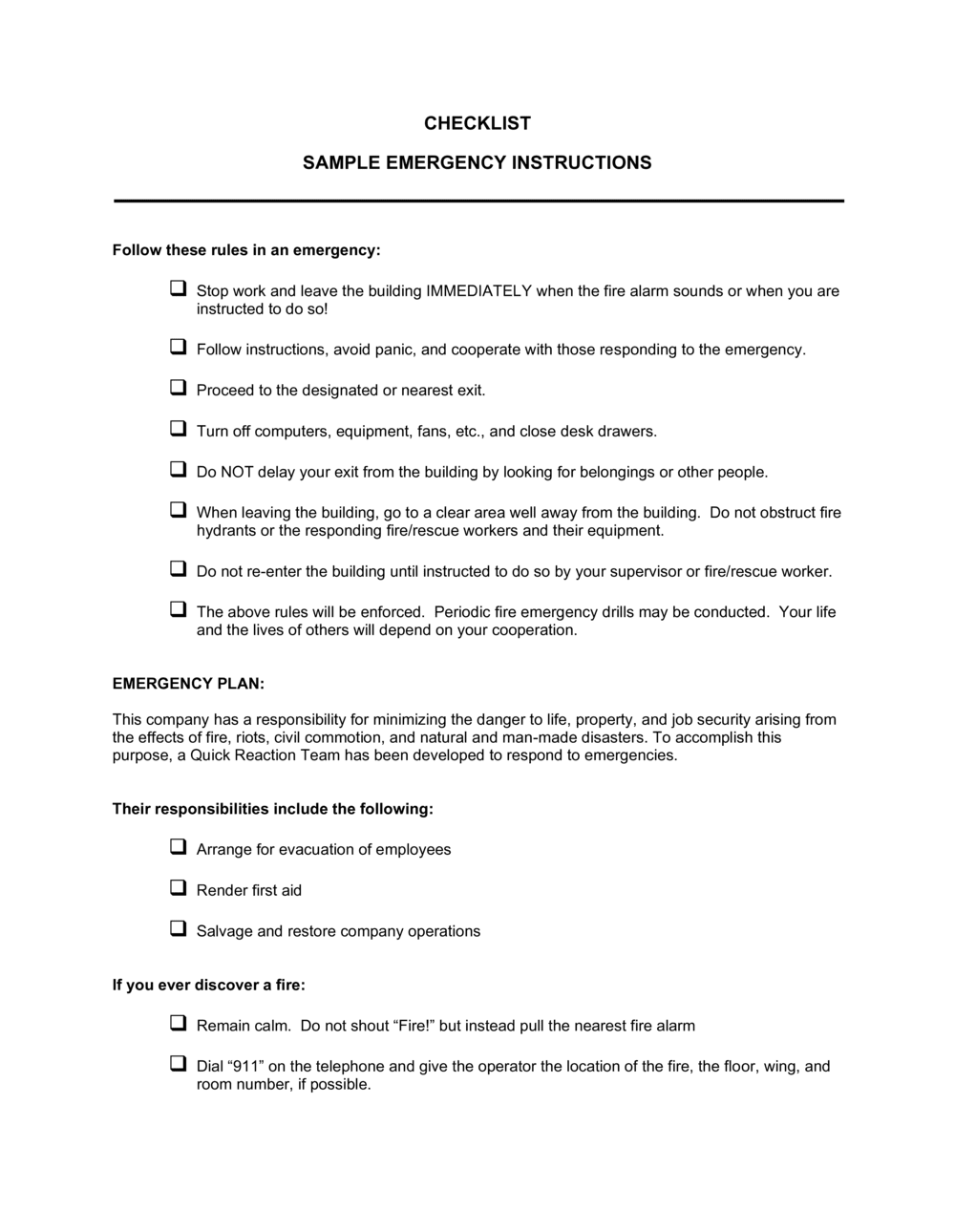
An Emergency Procedures Checklist is a structured form that documents the step-by-step actions employees and managers must take during a workplace emergency β€” fire, medical incident, natural disaster, or security threat. This free Word download gives you a ready-to-edit checklist you can customize to your facility, print for posting, and export as PDF for digital distribution.
When you need it
Use it when setting up a new office or facility, updating an existing emergency plan after a drill or incident, or when a regulatory body, insurer, or landlord requires documented emergency procedures on-site.
What's inside
Emergency contact numbers, defined roles and responsibilities, evacuation routes, step-by-step response actions for common emergency types, assembly point details, equipment locations, and a sign-off block confirming staff have reviewed the procedures.

What is a Checklist Emergency Procedures?

A Checklist Emergency Procedures is a structured operational form that documents the specific, numbered steps all employees must follow during a workplace emergency β€” including fire, medical incidents, severe weather, and security threats. It records assigned roles, emergency contact numbers, evacuation routes, equipment locations, and a staff acknowledgment block in a single at-a-glance document. Unlike a broad safety policy, it is designed to be read and acted on in seconds, under pressure, by any employee in the building.

Why You Need This Document

Without a documented emergency procedures checklist, employees default to improvisation during high-stress events β€” and improvisation costs time when time is the only resource that matters. Verbal instructions are forgotten; informal arrangements fall apart when the one person who knows the plan is absent. OSHA's Emergency Action Plan standard requires most employers with more than 10 employees to maintain written procedures, and commercial leases and liability insurers routinely require documented evidence of an on-site plan. A completed, posted, and signed checklist satisfies those requirements and gives every employee β€” from a first-day hire to a long-tenured manager β€” an identical, reliable reference the moment an alarm sounds. This template gives you a fully structured starting point you can tailor to your facility in under an hour.

Which variant fits your situation?

If your situation is…Use this template
General office or commercial workspace emergency planEmergency Procedures Checklist
Documenting response to a specific fire or evacuation scenarioFire Evacuation Plan
Tracking all workplace safety incidents after they occurIncident Report Form
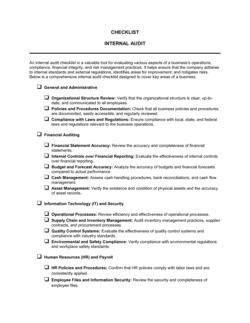
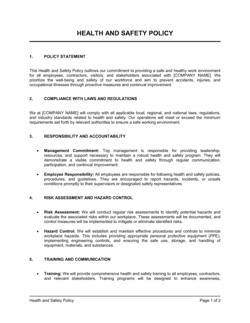
Comprehensive written safety program covering all hazardsHealth and Safety Policy
Running a scheduled emergency drill with pass/fail observationsEmergency Drill Evaluation Form
Communicating emergency status updates to staff and stakeholdersEmergency Communication Plan

Common mistakes to avoid

❌ No backup named for each emergency role

Why it matters: If the primary coordinator or floor warden is out sick or on vacation during an incident, there is no designated person to step in β€” creating confusion exactly when clarity is most needed.

Fix: Name at least one backup for every assigned role and include their direct contact number alongside the primary designee.
❌ Generic procedures not tailored to the specific building

Why it matters: A checklist that says 'use the nearest exit' without naming actual exits or assembly points gives employees nothing actionable to follow during a real emergency.

Fix: Walk the facility and replace every generic reference with specific stairwell names, room numbers, and landmark-based assembly point descriptions.

❌ Outdated contact numbers and personnel

Why it matters: Calling a disconnected number or a former employee's mobile during an emergency wastes critical seconds and creates panic.

Fix: Schedule an annual review of all contact numbers, role assignments, and equipment locations β€” calendar it as a recurring task and update the checklist version date each time.

❌ Treating fire evacuation and active-threat lockdown as the same procedure

Why it matters: Evacuating during an active security threat moves employees toward danger; sheltering during a fire keeps them in it. Using one procedure for both scenarios puts lives at risk.

Fix: Write separate, clearly labeled sections for each emergency type. Train staff on how to identify which procedure applies before they need to use it.

The 9 key fields, explained

Facility and Contact Information

Emergency Services Numbers

Assigned Roles and Responsibilities

Evacuation Routes and Assembly Point

Fire Emergency Steps

Medical Emergency Steps

Severe Weather or Shelter-in-Place Steps

Equipment Locations

Staff Acknowledgment Sign-Off

How to fill it out

  1. 1

    Enter facility and coordinator details

    Fill in the building name, full address, and the name and direct phone number of the primary emergency coordinator and at least one backup.

    πŸ’‘ Post the completed header section at every exit and near every phone on the premises β€” not just in a binder.

  2. 2

    List all emergency service and site-specific contacts

    Add 911 plus direct numbers for building security, gas and electric utilities, and any on-site or contracted safety services.

    πŸ’‘ Verify each number is current at least once per year β€” utility emergency lines and security providers change more often than expected.

  3. 3

    Assign and document roles

    Name the emergency coordinator, at least one floor warden per level, and a trained first-aid responder. Record a backup for each role.

    πŸ’‘ Choose floor wardens who are usually present during core hours β€” remote workers or frequent travelers make unreliable wardens.

  4. 4

    Map and document evacuation routes

    Walk each floor and identify the primary and secondary exit paths. Write them out as numbered steps and note the assembly point with a landmark description.

    πŸ’‘ Physically walk the routes yourself β€” written directions that seem clear at a desk can be confusing in a real building.

  5. 5

    Write step-by-step procedures for each emergency type

    Create a numbered action list for fire, medical emergency, and severe weather or shelter-in-place. Keep each list to 5–8 steps.

    πŸ’‘ Use plain language and short sentences β€” procedures must be readable under stress by someone who has never seen the form before.

  6. 6

    Document all equipment locations in text

    List the exact location of every fire extinguisher, first-aid kit, AED, utility shutoff, and emergency exit in the equipment field.

    πŸ’‘ Include a floor or room number plus a landmark (e.g., 'beside the kitchen door on Floor 3') rather than a vague description like 'near the hallway'.

  7. 7

    Collect staff sign-offs and file copies

    Have every employee sign and date the acknowledgment block during onboarding and after any update to the checklist. Retain copies in HR files.

    πŸ’‘ Store a digital copy in a cloud folder accessible from outside the office β€” a physical-only copy is useless if the building is inaccessible.

Frequently asked questions

What is an emergency procedures checklist?

An emergency procedures checklist is a structured form that documents the specific steps employees must take during a workplace emergency β€” fire, medical incident, severe weather, or security threat. It identifies responsible roles, lists emergency contacts, maps evacuation routes, and records equipment locations so staff can respond quickly and consistently without having to improvise under pressure.

Is an emergency procedures checklist required by law?

OSHA's Emergency Action Plan standard (29 CFR 1910.38) requires most US employers with more than 10 employees to maintain a written emergency action plan covering fire and other emergencies. Many state-level occupational health regulations, building codes, and commercial lease agreements impose similar requirements. Even where not legally mandated, documented emergency procedures are typically required by liability insurers and are considered standard duty-of-care practice.

How often should the emergency procedures checklist be updated?

Review and update the checklist at minimum once per year, after any change to the facility layout or staff, after any emergency drill that identifies gaps, and following any real incident. OSHA also requires a review whenever the plan changes and whenever a new employee is hired who is covered by the plan.

Who should be trained on the emergency procedures checklist?

Every employee who works at the facility should be trained on the relevant procedures before they begin work and after any update to the document. Floor wardens, emergency coordinators, and first-aid responders need additional role-specific training covering their assigned responsibilities and the equipment they are expected to operate.

What is the difference between an emergency procedures checklist and an emergency action plan?

An emergency action plan is the broader written program β€” often a multi-page policy document covering regulatory compliance, training requirements, communication protocols, and program administration. An emergency procedures checklist is the at-a-glance operational tool derived from that plan: a short, actionable form that employees reference during an actual event. The two documents complement each other and should be consistent in every detail.

Where should the emergency procedures checklist be posted?

Post it at every exit, near every phone, in break rooms, and at reception. A digital copy should be stored in a shared drive accessible from outside the building. Floor wardens and the emergency coordinator should keep personal copies. The goal is that any employee, in any part of the building, can access the checklist within 30 seconds.

How many emergency types should the checklist cover?

At minimum, cover fire and evacuation, medical emergency, and severe weather or shelter-in-place. Facilities with specific hazards β€” chemical storage, high-voltage equipment, or high-traffic public areas β€” should add procedures for those scenarios. Limit each procedure to 5–8 numbered steps so staff can follow them under stress without reading a paragraph of text.

Does the checklist need to be signed by employees?

A sign-off block is not legally required in every jurisdiction, but it is strongly recommended. A dated signature confirms the employee received training on the procedures, creating a record that protects the employer in the event of an OSHA inspection, workers' compensation claim, or liability dispute following an incident.

How this compares to alternatives

vs Emergency Action Plan

An emergency action plan is a comprehensive policy document covering regulatory compliance, training schedules, and program administration β€” typically 5–15 pages. The emergency procedures checklist is the short, at-a-glance form derived from that plan and used during an actual event. Both are needed; the checklist is what employees reach for when an alarm sounds.

vs Incident Report Form

An incident report form is completed after an event to document what happened, who was involved, and what actions were taken. The emergency procedures checklist is a before-the-event tool that tells employees what to do during the emergency itself. One is proactive, the other is a post-incident record.

vs Health and Safety Policy

A health and safety policy defines the organization's overall commitment to workplace safety, assigns general responsibilities, and outlines compliance obligations. The emergency procedures checklist is a narrow operational tool covering only emergency response steps. The policy sets the framework; the checklist provides the real-time instructions.

vs Fire Evacuation Plan

A fire evacuation plan focuses exclusively on fire response β€” alarms, routes, wardens, and fire service coordination. The emergency procedures checklist covers fire as one section alongside medical emergencies, severe weather, and lockdown scenarios. Use a standalone fire evacuation plan when your insurer or building manager specifically requires that format.

Industry-specific considerations

Office and Professional Services

Multi-floor evacuation coordination, visitor management during emergencies, and after-hours procedures for employees working alone.

Retail

High customer foot traffic requires customer-inclusive evacuation procedures, public address system steps, and cash-handling security protocols during incidents.

Manufacturing

Chemical spill and hazmat response steps, equipment shutdown sequences, and PPE requirements integrated into the checklist fields.

Healthcare

Patient mobility and non-ambulatory evacuation procedures, medical gas shutoff locations, and HIPAA-compliant communication steps during incidents.

Template vs pro β€” what fits your needs?

PathBest forCostTime
Use the templateSmall to mid-sized businesses creating or updating standard workplace emergency proceduresFree30–60 minutes
Template + professional reviewFacilities with hazardous materials, complex multi-floor layouts, or specific regulatory requirements$200–$500 (safety consultant review)2–5 days
Custom draftedHigh-risk industries such as manufacturing, healthcare, or chemical processing with OSHA-mandated emergency programs$1,000–$3,000+ (certified safety professional engagement)1–3 weeks

Glossary

Emergency Action Plan (EAP)
A written document required by OSHA for most workplaces that outlines procedures employees must follow during emergencies.
Assembly Point
A designated outdoor or safe location where employees gather after evacuating a building so headcounts can be taken.
Warden / Floor Warden
An employee assigned responsibility for directing others to exits and confirming a floor or area is clear during an evacuation.
Evacuation Route
A mapped, unobstructed path from a work area to an exit and then to the assembly point.
Shelter-in-Place
A procedure requiring employees to remain inside the building in a designated safe room, typically used for chemical spills, severe weather, or active security threats.
Muster Roll
A list of all employees and visitors used to verify that every person is accounted for after an evacuation.
First Responder Contact
The direct phone numbers for fire, police, ambulance, and building security services relevant to the facility's location.
AED (Automated External Defibrillator)
A portable device that delivers an electric shock to restore normal heart rhythm β€” its location must be documented in emergency procedures.
Lockdown Procedure
A security protocol directing employees to secure doors, stay away from windows, and shelter in place in response to an active threat on or near the premises.

Part of your Business Operating System

This document is one of 3,000+ business & legal templates included in Business in a Box.

  • Fill-in-the-blanks β€” ready in minutes
  • 100% customizable Word document
  • Compatible with all office suites
  • Export to PDF and share electronically

Create your document in 3 simple steps.

From template to signed document β€” all inside one Business Operating System.
1
Download or open template

Access over 3,000+ business and legal templates for any business task, project or initiative.

2
Edit and fill in the blanks with AI

Customize your ready-made business document template and save it in the cloud.

3
Save, Share, Send, Sign

Share your files and folders with your team. Create a space of seamless collaboration.

Save time, save money, and create top-quality documents.

β˜…β˜…β˜…β˜…β˜…

"Fantastic value! I'm not sure how I'd do without it. It's worth its weight in gold and paid back for itself many times."

Managing Director Β· Mall Farm
Robert Whalley
Managing Director, Mall Farm Proprietary Limited
β˜…β˜…β˜…β˜…β˜…

"I have been using Business in a Box for years. It has been the most useful source of templates I have encountered. I recommend it to anyone."

Business Owner Β· 4+ years
Dr Michael John Freestone
Business Owner
β˜…β˜…β˜…β˜…β˜…

"It has been a life saver so many times I have lost count. Business in a Box has saved me so much time and as you know, time is money."

Owner Β· Upstate Web
David G. Moore Jr.
Owner, Upstate Web

Run your business with a system β€” not scattered tools

Stop downloading documents. Start operating with clarity. Business in a Box gives you the Business Operating System used by over 250,000 companies worldwide to structure, run, and grow their business.

Start freeΒ Β·Β No credit card required