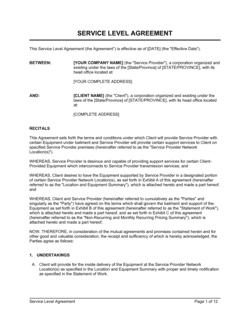
Business Process Mapping

Free to read β€’ Save or share with one click

FreeBusiness Process Mapping Template

At a glance

What it is
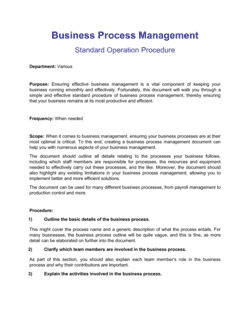
A Business Process Mapping document is a formal record that captures, in structured written and visual form, the sequential steps, decision points, assigned roles, inputs, outputs, and governance rules of a defined business process. This free Word download gives you a ready-to-edit framework you can tailor to any department, export as PDF, and use as an enforceable reference in contracts, service agreements, or compliance audits.
When you need it
Use it when formalizing a repeatable workflow for onboarding, procurement, approvals, or service delivery β€” especially when multiple parties, vendors, or departments must follow the same steps with defined accountability. It is also required when a regulatory body, auditor, or contracting party asks for documented proof of process controls.
What's inside
Process scope and objectives, defined roles and responsibilities (RACI), step-by-step workflow with decision logic, inputs and outputs at each stage, performance metrics, exception-handling procedures, version control, and approval and signature blocks for all accountable parties.

What is a Business Process Mapping document?

A Business Process Mapping document is a formal, signed record that captures every step, decision point, role, input, output, and exception-handling rule of a defined business process in structured written and visual form. It functions as the authoritative governance document for how a repeatable workflow must be performed β€” assigning clear accountability through a RACI matrix, setting measurable performance criteria, and recording version history so that all parties are always working from the same approved procedure. When incorporated into a contract or service agreement, it creates enforceable obligations that go beyond informal verbal instructions or undocumented tribal knowledge.

Why You Need This Document

Without a formally documented and signed process map, accountability gaps compound into operational failures: steps are performed differently by different people, handoffs between departments stall because no one knows who owns the next action, and auditors cannot verify that controls exist. In regulated industries β€” financial services, healthcare, manufacturing, and technology β€” the absence of documented process controls is itself a compliance violation that attracts fines, delayed certifications, and failed audits. When a vendor or outsourcing partner is involved, an undocumented process means you have no enforceable standard to hold them to when quality or timing falls short. This template gives you a structured, signature-ready starting point that works equally well as an internal governance document and as a binding schedule attached to a commercial agreement β€” eliminating ambiguity before it becomes a dispute.

Which variant fits your situation?

If your situation is…Use this template
Mapping a high-level end-to-end business process for executive reviewBusiness Process Map (Summary Level)
Documenting a detailed step-by-step operational procedure for front-line staffStandard Operating Procedure (SOP)
Capturing swim-lane workflows across multiple departments or rolesCross-Functional Process Map
Analyzing a process to identify waste and inefficiency for Lean or Six SigmaValue Stream Map
Mapping data flows for GDPR, HIPAA, or privacy compliance purposesData Flow Diagram
Documenting an IT service or software deployment workflowIT Process Flow Template
Outlining procurement or vendor approval steps with sign-off requirementsProcurement Process Map

Common mistakes to avoid

❌ Mapping the ideal process instead of the actual process

Why it matters: A map of how the process should work β€” rather than how it does work β€” creates a gap between documentation and reality that auditors flag immediately and that frontline staff simply ignore.

Fix: Conduct structured interviews or observation sessions with the people who actually perform each step before drafting. Document the as-is state first, then design the to-be state as a separate document.

❌ Assigning accountability to a department instead of a named role

Why it matters: Departmental accountability means that when a step fails, everyone assumes someone else is responsible β€” resulting in no follow-up and repeat failures at the same point in the process.

Fix: Assign every step to a specific job title. If a role does not yet exist, flag it as a gap and assign a temporary owner by name until the role is filled.

❌ Omitting exception-handling procedures

Why it matters: Processes without documented exceptions generate inconsistent responses β€” two employees handling the same edge case in opposite ways, creating compliance exposure and customer experience failures.

Fix: Review at least three months of incident logs, tickets, or escalation emails to identify the most frequent exceptions, then document a specific response for each.

❌ No version control or change log

Why it matters: Teams operating from different versions of the same process map introduce errors, audit discrepancies, and contractual non-compliance that are difficult to trace back to their source.

Fix: Assign a version number and effective date to every published version, maintain a change log in the document footer, and store all superseded versions in a clearly labeled archive.

❌ Skipping the sign-off block

Why it matters: An unsigned process map has no formal authority β€” staff can claim they were unaware, management cannot enforce adherence, and auditors treat it as an informal working document rather than a control.

Fix: Route every process map through the process owner, department head, and any relevant compliance reviewer before the effective date, and collect wet or electronic signatures.

❌ Never reviewing or updating the map after initial publication

Why it matters: A process map that is 18 months old in a changing business environment is almost certainly inaccurate β€” and an inaccurate map actively misleads staff and auditors.

Fix: Build a mandatory review date into the document (typically 12 months from the effective date or immediately following any system change, reorganization, or regulatory update affecting the process).

The 10 key clauses, explained

Process identification and scope

In plain language: Names the process being mapped, defines its start and end triggers, and explicitly states what is and is not included in scope.

Sample language
Process Name: [PROCESS NAME]. Scope: This map covers the workflow from [START TRIGGER] through [END CONDITION]. Out of scope: [EXCLUDED ACTIVITIES OR SYSTEMS].

Common mistake: Defining scope so broadly that the map covers five sub-processes at once β€” the resulting document is unreadable and impossible to audit or enforce.

Objectives and success criteria

In plain language: States the measurable goals the process is designed to achieve and the KPIs used to determine whether it is performing correctly.

Sample language
Objective: [PROCESS OBJECTIVE]. Success criteria: [KPI 1] target of [VALUE] measured [FREQUENCY]; [KPI 2] target of [VALUE] measured [FREQUENCY].

Common mistake: Listing aspirational goals like 'improve efficiency' without attaching a measurable target β€” making it impossible to determine whether the process is working or needs revision.

Roles and responsibilities (RACI)

In plain language: Assigns every process step to a specific role β€” identifying who performs the step, who is accountable for its outcome, and who must be consulted or informed.

Sample language
Role: [ROLE TITLE]. Responsible for: [STEP(S)]. Accountable to: [MANAGER OR GOVERNANCE BODY]. Consulted: [ROLE(S)]. Informed: [ROLE(S)].

Common mistake: Assigning a step to a department rather than a named role or position β€” creating shared accountability that in practice means no accountability.

Step-by-step workflow

In plain language: Documents each step in the process in sequential order, with the action required, the role performing it, and the expected output at completion.

Sample language
Step [#]: [ACTION DESCRIPTION]. Performed by: [ROLE]. Input: [DOCUMENT OR DATA]. Output: [DELIVERABLE OR RECORD]. Completion criterion: [CONDITION].

Common mistake: Writing steps at such a high level that two people following the same map would perform the step differently β€” defeating the purpose of standardization.

Decision logic and branching conditions

In plain language: Defines every decision point in the workflow β€” the condition evaluated, the possible outcomes, and the path taken for each.

Sample language
Decision Gate [#]: [CONDITION EVALUATED]. If [OUTCOME A]: proceed to Step [X]. If [OUTCOME B]: proceed to Step [Y]. If [OUTCOME C]: escalate to [ROLE] within [TIMEFRAME].

Common mistake: Omitting decision gates entirely and drawing a straight-line flow β€” real processes have conditions, and omitting them means exceptions are handled inconsistently.

Inputs and outputs

In plain language: Specifies what information, documents, or materials are required to begin each step and what is produced or recorded upon completion.

Sample language
Inputs for Step [#]: [DOCUMENT / DATA / SYSTEM RECORD]. Outputs: [DELIVERABLE]. Stored in: [SYSTEM OR LOCATION]. Retention period: [DURATION].

Common mistake: Listing outputs without specifying where they are stored or who has access β€” creating gaps during audits when reviewers cannot locate the records.

Exception-handling procedures

In plain language: Documents the approved response for each identified failure mode, edge case, or out-of-tolerance condition in the process.

Sample language
Exception: [CONDITION]. Responsible role: [ROLE]. Required action: [STEP]. Escalation path if unresolved within [TIMEFRAME]: [ESCALATION CONTACT / COMMITTEE].

Common mistake: Including a single generic exception clause ('escalate to management') instead of defining specific exceptions by type β€” resulting in ad hoc responses that vary by person and incident.

Performance monitoring and review cycle

In plain language: Sets the schedule and method for measuring process KPIs, reviewing outputs, and triggering a formal process update when performance falls outside targets.

Sample language
KPIs reviewed [FREQUENCY] by [ROLE]. Review meeting: [SCHEDULE]. Trigger for process revision: [KPI] falls below [THRESHOLD] for [CONSECUTIVE PERIODS]. Revision owner: [ROLE].

Common mistake: Documenting a review cycle but not assigning ownership β€” the review never happens and the process map becomes outdated within six months.

Version control and change log

In plain language: Records the document version number, the date of each revision, the nature of the change, and the name of the person who authorized it.

Sample language
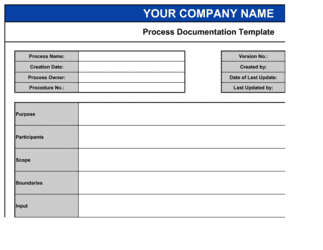
Version: [X.X]. Effective date: [DATE]. Change summary: [DESCRIPTION OF REVISION]. Revised by: [NAME / ROLE]. Approved by: [APPROVER NAME / ROLE].

Common mistake: Maintaining multiple copies of the map in different folders with no version number β€” teams end up following different versions of the process simultaneously.

Approval and sign-off block

In plain language: Captures the signatures of the process owner, department head, and any compliance or legal reviewer, confirming the document has been reviewed and formally adopted.

Sample language
Process Owner: [NAME / TITLE] β€” Signature: ___ Date: [DATE]. Department Head: [NAME / TITLE] β€” Signature: ___ Date: [DATE]. Compliance Reviewer: [NAME / TITLE] β€” Signature: ___ Date: [DATE].

Common mistake: Treating the sign-off block as optional because 'everyone already agreed verbally' β€” without a signed document, there is no enforceable record that any party accepted the defined process.

How to fill it out

  1. 1

    Define the process scope and trigger events

    Write the process name and identify the exact start trigger (e.g., 'customer submits a purchase order') and the end condition (e.g., 'payment received and order closed in the system'). Explicitly list what is out of scope.

    πŸ’‘ If you cannot state the start and end in one sentence each, the scope is too broad β€” split it into two separate process maps.

  2. 2

    List all roles involved and draft the RACI

    Enumerate every role β€” internal and external β€” that touches the process. For each role, assign R, A, C, or I for each major step. Confirm that every step has exactly one Accountable owner.

    πŸ’‘ If two roles are both marked Accountable for the same step, the process will stall at that point under real conditions β€” resolve the conflict before publishing.

  3. 3

    Document each step with action, input, and output

    Write each step as a specific action verb phrase (e.g., 'Finance reviews invoice against PO'). Record the input required, the role performing the step, and the output or record produced.

    πŸ’‘ Test each step by asking whether a new hire could perform it correctly without verbal instruction β€” if not, add detail.

  4. 4

    Add decision gates and branching logic

    Identify every point in the workflow where a condition determines the next step. Document the condition, list all possible outcomes (typically two to four), and map each outcome to the correct next step or escalation path.

    πŸ’‘ Walk through the map with someone from operations who has never seen it β€” they will surface decision points you assumed were obvious.

  5. 5

    Document exception-handling procedures

    List the most common failure modes β€” late inputs, system errors, rejected approvals β€” and write a specific response for each. Assign a responsible role and a resolution timeframe.

    πŸ’‘ Pull your top five exceptions from the last six months of incident or help-desk logs rather than guessing β€” real data produces far more useful procedures.

  6. 6

    Set KPIs and the review cycle

    Define two to four measurable KPIs for the process (e.g., average cycle time, error rate, on-time completion percentage). Set targets, measurement frequency, and the threshold that triggers a formal revision.

    πŸ’‘ Tie at least one KPI to a time measure and one to a quality measure β€” processes optimized only for speed often degrade in accuracy.

  7. 7

    Complete version control and obtain signatures

    Assign the document a version number (start at 1.0), enter the effective date, and route to the process owner, department head, and any required compliance reviewer for signature.

    πŸ’‘ Store the signed document in a single, access-controlled location and immediately archive any previous versions with a clear 'superseded' label.

  8. 8

    Communicate and train before the effective date

    Share the finalized map with all roles listed in the RACI at least five business days before the effective date. Schedule a brief walkthrough for any step with a new or changed procedure.

    πŸ’‘ A signed process map that no one has read is no more effective than no document at all β€” build a confirmation step into the launch checklist.

Frequently asked questions

What is a business process map?

A business process map is a structured document β€” combining written descriptions and visual flow diagrams β€” that records every step, decision point, role, input, and output in a defined business activity. It serves as the authoritative reference for how a process should be performed, who is accountable for each step, and what constitutes a successful outcome. Organizations use process maps to standardize operations, train staff, satisfy audits, and support system implementations.

What is the difference between a process map and a standard operating procedure?

A process map focuses on the flow of a process β€” the sequence of steps, decision branches, and handoff points between roles, often presented visually as a flowchart or swimlane diagram. A standard operating procedure (SOP) is a text-heavy document that provides granular, step-by-step instructions for performing a single task within a process. Process maps show the big picture; SOPs provide the detail for individual steps. Most organizations use both β€” the map for navigation, the SOP for execution.

Who should sign a business process mapping document?

At minimum, the process owner and the relevant department head should sign. For processes with compliance, legal, or financial implications, add the appropriate compliance officer, legal counsel, or CFO to the sign-off block. For processes governed by a third-party contract or service agreement, the counterparty may also need to acknowledge the documented procedure. Unsigned process maps carry no formal authority and are difficult to enforce.

How detailed should a business process map be?

The appropriate level of detail depends on the audience and the consequence of deviation. A high-level map for executive review might have five to ten steps. An operational map used by frontline staff should have enough detail that a new employee could follow it without verbal coaching β€” typically 10 to 25 steps for most business processes. Maps used for regulatory compliance or ISO certification audits require the greatest specificity, including inputs, outputs, decision criteria, and exception paths.

Is a business process mapping document legally binding?

A process map can be incorporated by reference into a legally binding contract β€” such as a service agreement, outsourcing contract, or franchise agreement β€” making adherence to the documented process a contractual obligation. On its own, a signed process map is generally enforceable as an internal governance document and can be used in employment, compliance, and regulatory proceedings as evidence of agreed procedures. Whether it rises to the level of a binding contract depends on the language used and the jurisdiction. Consider having a lawyer review process maps that will be attached to commercial agreements.

How often should a business process map be updated?

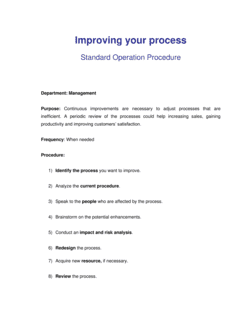
A formal review should occur at least annually. Outside the scheduled review, update the map immediately whenever a relevant system changes, a role or department is restructured, a regulatory requirement shifts, or an audit finding reveals the documented process no longer matches actual operations. Each update should increment the version number, be logged in the change record, and go through the sign-off process before the new version takes effect.

What notation or format should I use for a business process map?

BPMN 2.0 (Business Process Model and Notation) is the international standard for formal process diagrams and is required for some regulatory and ISO submissions. For most business purposes, a swimlane flowchart using standard shapes β€” rectangles for steps, diamonds for decisions, arrows for flow β€” is universally readable and sufficient. The Business in a Box Word template uses a structured written format with an accompanying flow diagram that works for audits, contracts, and operational reference without requiring specialized diagramming software.

Can I attach a business process map to a vendor or outsourcing contract?

Yes β€” and it is good practice to do so when the vendor is performing a process that must meet specific standards, timelines, or compliance requirements. Attaching the map as a schedule or exhibit to the contract makes adherence to the documented steps a contractual obligation. Ensure both parties sign the map (or the schedule cover page) and that the contract includes a mechanism for updating the map when the process changes without requiring a full contract amendment.

What is a RACI matrix and why does it belong in a process map?

A RACI matrix is a responsibility assignment tool that classifies every role involved in a process as Responsible (performs the step), Accountable (owns the outcome), Consulted (provides input before the step), or Informed (notified after the step). Including it in a process map eliminates ambiguity about ownership β€” the single most common cause of process failures at handoff points. Every step in the map should have exactly one Accountable role; having two creates a shared-accountability gap that guarantees the step will be mishandled during high-pressure situations.

How this compares to alternatives

vs Standard Operating Procedure (SOP)

A standard operating procedure provides granular, text-based instructions for executing a single task β€” it is the detailed script for one step. A business process map shows the entire workflow across multiple roles and steps, including decision logic and handoff points. Use the process map to design and govern the end-to-end flow; use the SOP to give frontline staff the precise actions for each step within that flow.

vs Project Plan

A project plan documents the tasks, milestones, timeline, and resources for a one-time initiative with a defined end date. A business process map documents a repeatable, ongoing operational workflow with no fixed end date. Process maps govern how routine work is done every day; project plans govern how a specific change or deliverable gets built.

vs Service Level Agreement (SLA)

A service level agreement defines the performance standards β€” uptime, response time, quality thresholds β€” that a service provider must meet. A business process map documents how the service is delivered step by step. An SLA sets the what; a process map documents the how. Attaching a process map to an SLA as a schedule strengthens enforceability by specifying the delivery method alongside the performance standard.

vs Workflow Automation Specification

A workflow automation specification translates a process map into technical requirements for a software implementation β€” it is the engineering handoff document. A business process map is the governance document that defines what the process must do and who is accountable; the automation spec defines how software replicates it. The process map must exist and be signed off before an automation spec is written.

Industry-specific considerations

Financial services

Anti-money laundering (AML) controls, loan origination workflows, and trade settlement procedures all require formally documented and signed process maps for regulatory examination by the FCA, SEC, or OSFI.

Healthcare

Patient intake, medication administration, and claims processing workflows must be documented to HIPAA standards and reviewed during Joint Commission or CMS audits.

Manufacturing

ISO 9001 certification requires documented control of production and quality processes, including version-controlled maps with defined inputs, outputs, and responsible roles at each step.

Technology / SaaS

SOC 2 Type II audits require documented evidence of change management, incident response, and access provisioning processes β€” signed process maps are primary audit artifacts.

Professional services

Consulting and outsourcing firms attach process maps to managed-service contracts to define service delivery standards, escalation paths, and performance obligations for each engagement.

Government and public sector

Procurement, grants management, and citizen-service delivery processes must be formally documented and signed to meet public accountability standards and freedom-of-information obligations.

Jurisdictional notes

United States

Process maps used as exhibits in commercial contracts are governed by the contract's choice-of-law clause. In heavily regulated sectors β€” financial services (SEC, FINRA), healthcare (HIPAA, CMS), and food production (FDA) β€” documented and signed process controls are a compliance requirement, not merely good practice. California, New York, and Texas courts have used process documentation as evidence in breach-of-contract and employment disputes.

Canada

Federally regulated industries in Canada (banking, telecoms, transportation) require documented process controls reviewed by OSFI, CRTC, or Transport Canada respectively. In Quebec, process documents incorporated into commercial contracts must meet French-language requirements under the Charter of the French Language if the counterparty is a Quebec-based entity. Provincial privacy legislation (PIPEDA successor laws and Quebec Law 25) increasingly requires documented personal-data handling processes.

United Kingdom

The UK Financial Conduct Authority (FCA) requires FCA-regulated firms to maintain documented operational processes as part of their Systems and Controls (SYSC) obligations. ISO 9001 certification β€” widely required in UK government procurement β€” mandates version-controlled, signed process documentation. Post-Brexit, UK GDPR requires data processing activities to be documented and, where applicable, covered by a signed data processing agreement referencing the relevant process map.

European Union

GDPR Article 30 requires controllers and processors to maintain a Record of Processing Activities (ROPA), which in practice requires documented process maps for any workflow involving personal data. The EU AI Act (effective 2026) mandates documented risk and control processes for high-risk AI systems. ISO 9001 and ISO 27001 certification, required for many EU public procurement contracts, both mandate formally signed and version-controlled process documentation.

Template vs lawyer β€” what fits your deal?

PathBest forCostTime
Use the templateInternal operational documentation, audit preparation, ISO or SOC 2 readiness for standard business processesFree2–4 hours per process
Template + legal reviewProcess maps attached to vendor contracts, outsourcing agreements, or regulatory submissions$300–$800 for a legal or compliance review1–3 days
Custom draftedHighly regulated industries (finance, healthcare, pharma), cross-border outsourcing with multi-jurisdiction compliance obligations, or litigation-sensitive process documentation$1,500–$5,000+1–3 weeks

Glossary

Process Map
A visual and written representation of the sequential steps, decision points, and roles involved in completing a defined business activity.
RACI Matrix
A responsibility assignment chart identifying who is Responsible, Accountable, Consulted, and Informed for each step in a process.
Swimlane Diagram
A process map format that organizes steps into horizontal or vertical lanes, each representing a different role, team, or system.
Current State (As-Is)
The documented version of how a process actually operates today, before any improvement or redesign is applied.
Future State (To-Be)
The designed version of a process showing how it should operate after improvements, automation, or restructuring are implemented.
Decision Gate
A point in a process flow where a yes/no or multi-option condition determines which path the process follows next.
KPI (Key Performance Indicator)
A measurable value used to evaluate whether a process is achieving its defined objectives within acceptable thresholds.
Exception Handling
The documented procedure for managing scenarios where a process step fails, a condition is not met, or an input is outside normal parameters.
Version Control
A system for tracking changes to a document over time, recording who made each change, when, and what was altered.
Process Owner
The individual or role formally accountable for the performance, compliance, and ongoing maintenance of a defined process.
Handoff Point
A step in the process where responsibility for an activity transfers from one role or system to another.

Part of your Business Operating System

This document is one of 3,000+ business & legal templates included in Business in a Box.

  • Fill-in-the-blanks β€” ready in minutes
  • Compatible with all office suites
  • Export to PDF and share electronically

Create your document in 3 simple steps.

From template to signed document β€” all inside one Business Operating System.
1
Download or open template

Access over 3,000+ business and legal templates for any business task, project or initiative.

2
Edit and fill in the blanks with AI

Customize your ready-made business document template and save it in the cloud.

3
Save, Share, Send, Sign

Share your files and folders with your team. Create a space of seamless collaboration.

Save time, save money, and create top-quality documents.

β˜…β˜…β˜…β˜…β˜…

"Fantastic value! I'm not sure how I'd do without it. It's worth its weight in gold and paid back for itself many times."

Managing Director Β· Mall Farm
Robert Whalley
Managing Director, Mall Farm Proprietary Limited
β˜…β˜…β˜…β˜…β˜…

"I have been using Business in a Box for years. It has been the most useful source of templates I have encountered. I recommend it to anyone."

Business Owner Β· 4+ years
Dr Michael John Freestone
Business Owner
β˜…β˜…β˜…β˜…β˜…

"It has been a life saver so many times I have lost count. Business in a Box has saved me so much time and as you know, time is money."

Owner Β· Upstate Web
David G. Moore Jr.
Owner, Upstate Web

Run your business with a system β€” not scattered tools

Stop downloading documents. Start operating with clarity. Business in a Box gives you the Business Operating System used by over 250,000 companies worldwide to structure, run, and grow their business.

Start freeΒ Β·Β No credit card required