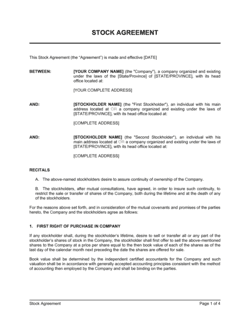
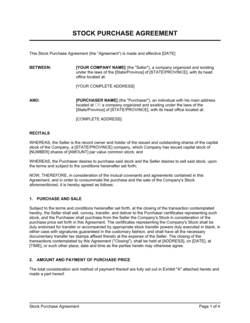
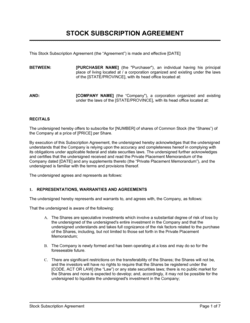
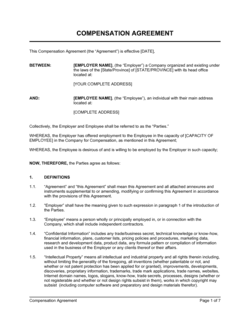
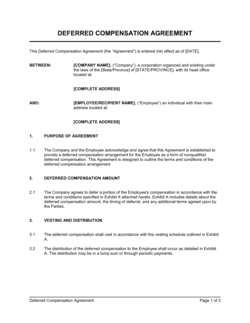
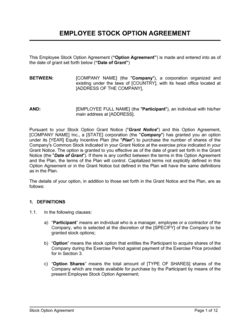
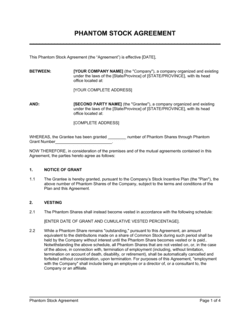
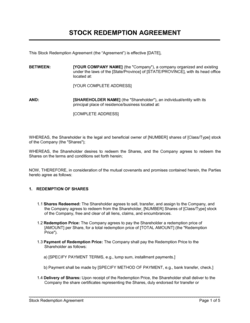
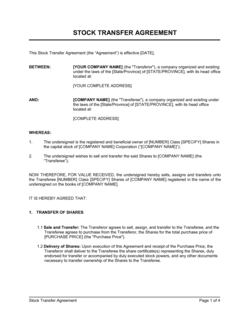
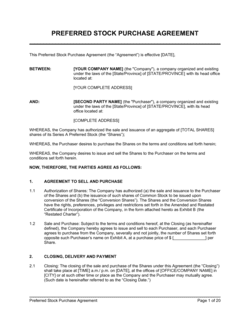
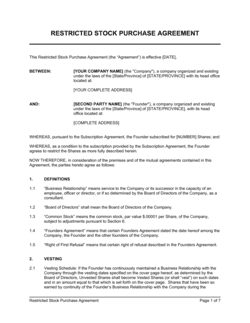
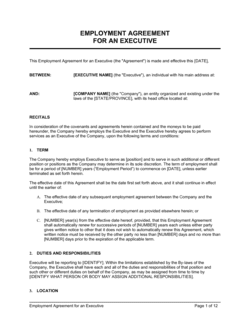
Stock Compensation Agreement Template

Free Word download • Edit online • Save & share with Drive • Export to PDF

4 pages25–35 min to fillDifficulty: ComplexSignature requiredLegal review recommended
Learn more ↓
FreeStock Compensation Agreement Template

At a glance

What it is
A Stock Compensation Agreement is a legally binding contract between a company and an employee, director, or consultant that governs the grant of equity — stock options, restricted stock units, or outright share awards — as part of total compensation. This free Word download gives you a structured, attorney-style starting point covering grant terms, vesting schedules, exercise mechanics, and tax treatment that you can edit online and export as PDF.
When you need it
Use it when granting equity to any person in connection with their service to the company — at hiring, as a retention incentive, or as part of a formal equity compensation plan. It should be executed before or on the date of the grant, never retroactively.
What's inside
Grant details including number of shares, grant date, and grant price; a vesting schedule with cliff and acceleration provisions; exercise mechanics and post-termination windows; tax treatment and Section 83(b) election guidance; representations, transfer restrictions, and governing law.

What is a Stock Compensation Agreement?

A Stock Compensation Agreement is a legally binding contract between a company and a recipient — typically an employee, director, or consultant — that governs the grant of equity as part of total compensation. It specifies the type of award (stock option, restricted stock, or restricted stock unit), the number of shares, the grant date and exercise price, the vesting schedule, the conditions for exercise or forfeiture, and the tax treatment that applies. Unlike a general employment agreement, a stock compensation agreement is a standalone securities document subject to its own regulatory framework under the Internal Revenue Code, the Securities Act of 1933, and equivalent rules in non-US jurisdictions. Properly drafted and executed, it protects both the company's cap table integrity and the recipient's ability to realize the intended economic benefit of the award.

Why You Need This Document

Without a signed stock compensation agreement, an equity grant exists only as an informal promise — unenforceable, undocumented, and invisible to the regulators and acquirers who will scrutinize your cap table at every subsequent financing or exit. The practical consequences of skipping it are severe: disputes over vesting commencement dates regularly cost employees tens of thousands of dollars in forfeited equity; missing an 83(b) election window cannot be undone and can result in a tax bill that exceeds the value of the shares themselves; and undocumented grants are routinely treated as material legal deficiencies in M&A due diligence, delaying or repricing transactions at the worst possible moment. A properly executed stock compensation agreement, issued before or on the grant date and authorized by board resolution, eliminates these risks for the cost of a single careful review.

Which variant fits your situation?

If your situation is…Use this template
Granting employees the right to buy shares at a fixed price in the futureStock Option Agreement (ISO / NSO)
Granting shares that vest over time and are forfeited if the employee leaves earlyRestricted Stock Agreement
Awarding units that convert to shares upon vesting with no exercise requiredRestricted Stock Unit (RSU) Agreement
Compensating advisors or consultants with equity for services renderedEquity Compensation Agreement (Consultant)
Establishing the overall framework governing all future equity awardsEmployee Stock Option Plan (ESOP)
Granting equity with performance-based vesting tied to revenue or EBITDA targetsPerformance Share Unit Agreement
Offering employees the right to purchase shares at a discount through payrollEmployee Stock Purchase Plan (ESPP)

Common mistakes to avoid

❌ Granting ISOs to non-employees

Why it matters: ISO tax treatment is available only to W-2 employees. Options granted to consultants, advisors, or independent contractors automatically become NSOs — if the agreement labels them ISOs, the recipient may make tax-planning decisions based on incorrect assumptions and face unexpected ordinary income tax at exercise.

Fix: Confirm W-2 employee status before designating any award as an ISO. For all non-employee service providers, use an NSO agreement from the outset and disclose the tax treatment explicitly.

❌ Setting the exercise price below fair market value without a 409A

Why it matters: Options with a below-market exercise price trigger immediate income inclusion and a 20% excise tax penalty under IRC Section 409A — regardless of whether the recipient ever exercises the option.

Fix: Obtain a 409A valuation from an independent appraiser before every new grant cycle, and set the exercise price at or above the appraised fair market value. Never set the price based on the last funding round alone.

❌ Missing the 30-day Section 83(b) election window

Why it matters: A recipient who misses the 30-day filing deadline must pay ordinary income tax on the full fair market value of restricted shares at each vesting date — which can be dramatically higher than the value at grant for a fast-growing company.

Fix: Include a pre-completed 83(b) election form as an exhibit to every restricted stock agreement, provide written instructions for filing, and follow up with the recipient within the first two weeks after signing.

❌ No board resolution authorizing the grant

Why it matters: A stock compensation agreement executed without prior board approval may be voidable. In a due diligence review for an acquisition or financing, unapproved grants create a material legal deficiency that can delay or kill the transaction.

Fix: Pass a board resolution or unanimous written consent approving each grant — or a grant from a pre-authorized pool — before the agreement is signed. Reference the resolution date in the agreement itself.

❌ Identical post-termination windows for all separation types

Why it matters: Using a single 90-day post-termination window for all scenarios means death and disability are treated the same as voluntary resignation — surviving family members or disabled employees are left with an unworkable exercise window, and ISO rules impose their own maximums regardless.

Fix: Draft separate post-termination exercise provisions for each separation scenario: voluntary resignation (90 days), termination without cause (90 days to 1 year), death (12 months), disability (12 months), and termination for cause (immediate forfeiture).

❌ Transfer restrictions that omit pledging as collateral

Why it matters: An employee who pledges shares to secure a personal loan can trigger an unintended change of control, a securities compliance issue, or circumvent the company's right of first refusal — none of which are addressed by a transfer restriction that covers only outright sales.

Fix: Define 'Transfer' in the agreement to explicitly include pledging, hypothecation, encumbrance, and any other disposition — not just sale or assignment — and require written company consent for all such transactions.

The 10 key clauses, explained

Grant details

In plain language: Identifies the type of equity granted, the number of shares or units, the grant date, and the exercise price or purchase price where applicable.

Sample language
The Company hereby grants to [EMPLOYEE NAME] an option to purchase [NUMBER] shares of the Company's Common Stock at an exercise price of $[PRICE] per share, effective as of [GRANT DATE].

Common mistake: Omitting the type of award (ISO, NSO, restricted stock, or RSU) — this single omission determines the entire tax treatment and which regulatory rules apply, and courts cannot infer it from context.

Vesting schedule and cliff

In plain language: Sets out the timeline over which the recipient earns rights to the equity, including any initial cliff period and the monthly or quarterly vesting cadence thereafter.

Sample language
The Option shall vest as follows: 25% of the shares shall vest on the one-year anniversary of the Vesting Commencement Date, and the remaining 75% shall vest in equal monthly installments over the following 36 months, subject to Grantee's continuous service.

Common mistake: Not specifying the vesting commencement date separately from the grant date — if they differ, leaving only a grant date creates ambiguity that typically resolves in the employee's favor.

Exercise mechanics and payment methods

In plain language: Describes how and when the holder may exercise vested options, the acceptable payment methods (cash, cashless exercise, net exercise), and any blackout periods.

Sample language
Grantee may exercise vested Options by delivering written notice to the Company accompanied by payment of the aggregate exercise price in cash, certified check, or through a broker-assisted cashless exercise arrangement approved by the Company.

Common mistake: Permitting only cash payment at exercise without specifying an alternative — this makes options effectively worthless for employees who cannot front the cash, creating retention and tax problems at liquidity.

Post-termination exercise window

In plain language: States how long a departing employee retains the right to exercise vested options after their last day, with separate windows for voluntary resignation, termination without cause, death, disability, and termination for cause.

Sample language
Upon termination other than for Cause, Grantee may exercise vested Options within [90] days of the Termination Date. Upon termination for Cause, all unexercised Options shall terminate immediately upon the Termination Date.

Common mistake: Using a single 90-day window for all termination scenarios — ISOs automatically convert to NSOs if not exercised within 90 days of leaving, but death, disability, and cause terminations each carry different tax and legal consequences that require separate treatment.

Acceleration provisions

In plain language: Defines the events — change of control, IPO, involuntary termination following an acquisition — that trigger immediate vesting of some or all unvested shares.

Sample language
In the event of a Change of Control, [50%] of Grantee's then-unvested shares shall accelerate and become fully vested immediately prior to the closing of such transaction, provided Grantee remains in continuous service through such date.

Common mistake: Granting full single-trigger acceleration (all unvested shares vest on change of control alone) without board approval — this can make the company less attractive to acquirers and is frequently renegotiated, creating friction at the worst possible moment.

Tax treatment and 83(b) election

In plain language: Describes the applicable tax treatment for the award type and, for restricted stock, notifies the recipient of the 30-day window to file a Section 83(b) election with the IRS.

Sample language
Grantee acknowledges that the Company has advised Grantee to consult a tax advisor regarding the tax consequences of this Award. With respect to any restricted stock grant, Grantee may file a Section 83(b) election with the IRS within 30 days of the Grant Date. The Company assumes no liability for any tax consequences.

Common mistake: Failing to inform restricted stock recipients of the 83(b) election window — a missed 30-day deadline cannot be extended and can result in the employee paying ordinary income tax on a much higher value at vesting rather than the lower value at grant.

Transfer restrictions and right of first refusal

In plain language: Prohibits the recipient from selling, pledging, or otherwise transferring shares without company consent, and grants the company the right to purchase shares before any third-party sale.

Sample language
Grantee may not Transfer any shares without the prior written consent of the Company. Prior to any proposed Transfer, Grantee shall deliver written notice to the Company, which shall have [30] days to exercise its Right of First Refusal at the price stated in such notice.

Common mistake: Not defining 'Transfer' broadly enough to cover pledging as collateral — employees who pledge shares to secure personal loans can inadvertently trigger a control or securities compliance issue the ROFR was designed to prevent.

Representations and compliance

In plain language: Records the recipient's acknowledgment that they are receiving the equity for investment purposes, are accredited or otherwise exempt from securities registration, and understand the illiquid nature of private company shares.

Sample language
Grantee represents that Grantee is acquiring the shares for Grantee's own account for investment purposes only, and not with a view to resale or distribution. Grantee acknowledges that the shares have not been registered under the Securities Act of 1933.

Common mistake: Skipping the accredited investor or exemption acknowledgment for non-employee recipients such as consultants — issuing unregistered securities to non-accredited investors without a valid exemption is a federal securities violation.

Termination and forfeiture

In plain language: States which unvested shares are forfeited upon departure and the conditions under which the company may repurchase vested shares at cost or fair market value.

Sample language
Upon termination of Grantee's service for any reason, all unvested shares shall be automatically forfeited and transferred back to the Company for no consideration. The Company shall have the right to repurchase vested shares at Fair Market Value for [180] days following termination.

Common mistake: Setting the repurchase price for forfeited unvested shares at fair market value rather than zero or original cost — unvested shares that were never earned should not carry a repurchase obligation at current value.

Governing law and dispute resolution

In plain language: Specifies the jurisdiction whose law governs the agreement and how disputes are resolved — typically arbitration for employment-adjacent disputes or the courts of the company's state of incorporation.

Sample language
This Agreement shall be governed by and construed in accordance with the laws of the State of [DELAWARE / STATE], without regard to its conflict-of-law principles. Any dispute shall be resolved by binding arbitration administered by [AAA / JAMS] in [CITY, STATE].

Common mistake: Choosing the company's state of incorporation (often Delaware) as governing law without considering that employment law in the employee's work state may override it — California courts routinely apply California law regardless of a Delaware choice-of-law clause.

How to fill it out

  1. 1

    Identify the parties and award type

    Enter the company's full legal name, state of incorporation, and the recipient's full legal name and role. Specify whether the award is an ISO, NSO, restricted stock grant, or RSU, as this determines every tax and compliance consequence downstream.

    💡 ISOs are available only to employees — if the recipient is a consultant, director, or advisor, the award must be an NSO regardless of how it is labeled.

  2. 2

    Complete the 409A valuation before setting the exercise price

    For any option grant in a private company, obtain a current 409A valuation from an independent appraiser before setting the exercise price. The exercise price must equal fair market value on the grant date for ISOs to qualify for tax benefits and to comply with IRC Section 409A for NSOs.

    💡 A 409A valuation is typically valid for 12 months or until a material event (funding round, acquisition letter of intent) — use the most recent report and confirm it has not expired.

  3. 3

    Set the vesting commencement date and schedule

    Enter the vesting commencement date (which may precede the grant date if crediting prior service), the cliff period (typically 12 months), and the subsequent monthly or quarterly vesting cadence. Confirm the total vesting period and number of shares match the cap table entry exactly.

    💡 Document the vesting commencement date in the agreement and in your cap table software simultaneously — discrepancies between the two are a leading source of disputes at liquidity events.

  4. 4

    Define acceleration triggers precisely

    Specify whether acceleration is single-trigger (change of control alone) or double-trigger (change of control plus involuntary termination within a defined window). Set the percentage of unvested shares that accelerate and whether acceleration applies to all award types under the plan.

    💡 Double-trigger acceleration is strongly preferred by acquirers and institutional investors — single-trigger acceleration should require explicit board approval and documentation.

  5. 5

    Complete the post-termination exercise windows

    Set separate exercise windows for voluntary resignation (90 days is standard), termination without cause (90 days to 1 year), death (12 months), disability (12 months), and termination for cause (immediate expiration). Confirm that ISO windows do not exceed 90 days for employees or 12 months for disability.

    💡 Some companies are extending post-termination windows to 5–10 years for NSOs to reduce the 'golden handcuffs' problem — this is a board-level decision that should be reflected uniformly across all grants.

  6. 6

    Include the 83(b) election notice for restricted stock

    For any restricted stock grant (not options or RSUs), include a prominently placed notice informing the recipient of the 30-day window to file a Section 83(b) election and the consequences of not filing. Attach a completed election form as an exhibit.

    💡 Provide the recipient a pre-completed 83(b) election form and instructions for mailing to the IRS — the company cannot file on the recipient's behalf, but can dramatically reduce the risk of a missed deadline by making it easy.

  7. 7

    Execute before the grant date

    Both parties must sign the agreement on or before the grant date. Backdating option grants to a lower fair market value date is a securities violation. Use Business in a Box eSign to timestamp execution and store the fully-executed copy alongside the cap table record.

    💡 Board approval of each grant (via board resolution or unanimous written consent) should be obtained before execution — the agreement should reference the authorizing resolution by date.

  8. 8

    File required notices and update the cap table

    After execution, update your cap table to reflect the new grant, issue any required securities law notices (e.g., Rule 701 disclosure for private companies exceeding the annual threshold), and confirm the grant is recorded in your equity management platform.

    💡 Rule 701 under the Securities Act requires additional financial disclosure to recipients when aggregate equity grants in any 12-month period exceed $10 million — track running totals against this threshold in your cap table software.

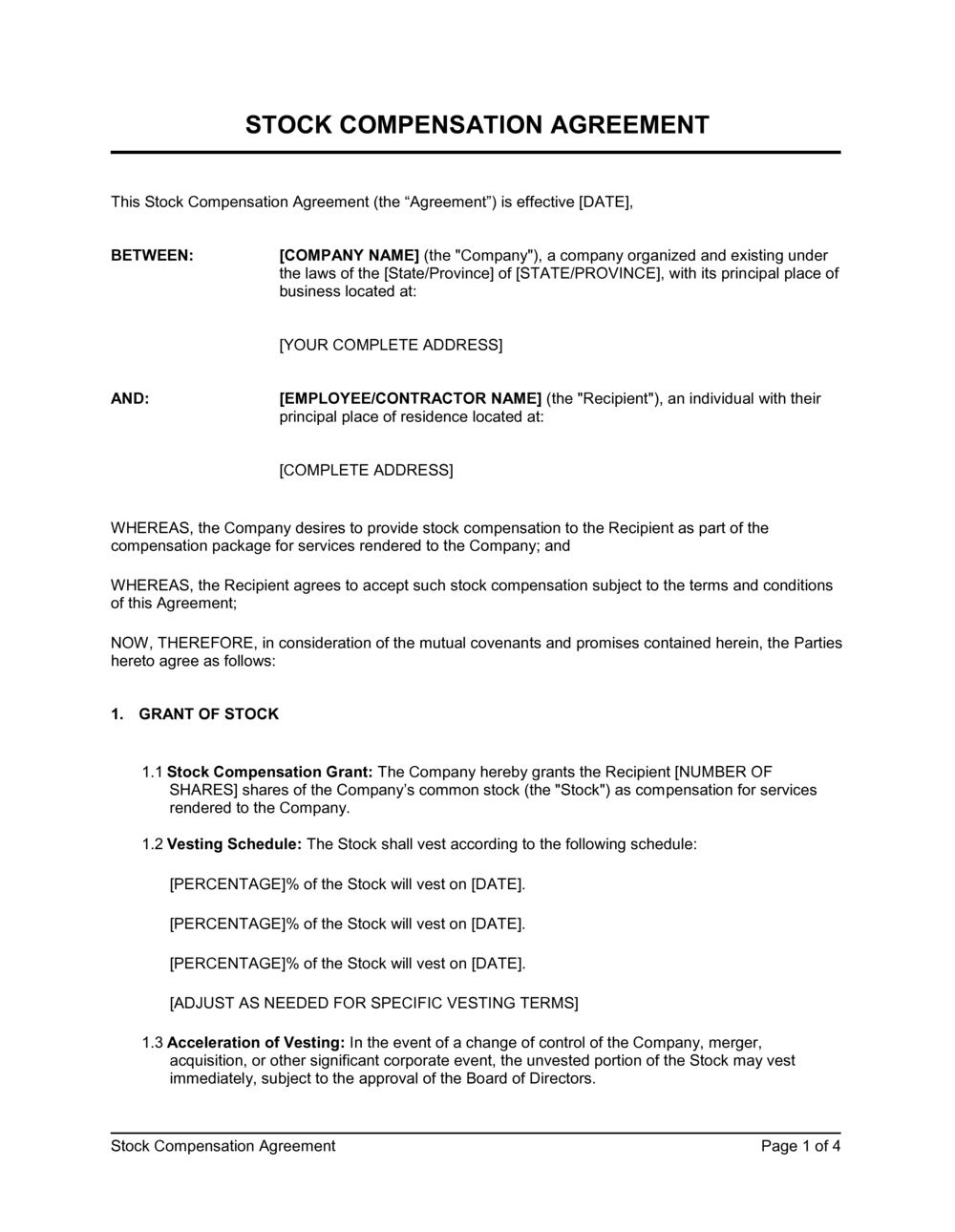
Frequently asked questions

What is a stock compensation agreement?

A stock compensation agreement is a legally binding contract between a company and a recipient — typically an employee, director, or consultant — that governs the grant of equity as part of compensation. It sets out the award type (stock option, restricted stock, or RSU), the number of shares, the grant date, vesting schedule, exercise mechanics, and the tax and transfer rules that apply. Without a signed agreement, the grant has no enforceable terms and the company's cap table is exposed to dispute.

What is the difference between an ISO and an NSO?

An Incentive Stock Option (ISO) qualifies for preferential tax treatment under IRC Section 422 — the recipient pays no ordinary income tax at exercise (though AMT may apply) and is taxed at long-term capital gains rates if the holding period requirements are met. A Non-Qualified Stock Option (NSO) is taxed as ordinary income at exercise on the spread between the exercise price and fair market value. ISOs are available only to W-2 employees; NSOs can be granted to anyone providing services to the company. Most private companies grant a mix of both.

What vesting schedule should I use for employee equity?

The market standard for employee equity is a 4-year vesting schedule with a 1-year cliff — meaning no shares vest until 12 months of continuous service, after which 25% vests at once, and the remaining 75% vests monthly over the following 36 months. Shorter schedules (2–3 years) are used for senior executives or consultants engaged for defined projects. Performance-based vesting tied to revenue or EBITDA milestones is common for sales leaders and C-suite grants.

What is a 409A valuation and why does it matter?

A 409A valuation is an independent appraisal of a private company's common stock fair market value, required by IRC Section 409A as the basis for setting a legally defensible option exercise price. Setting the exercise price below the appraised value triggers a 20% excise tax penalty and immediate income inclusion for the recipient — regardless of whether they ever exercise the option. For private companies, a 409A should be obtained before every new grant cycle and updated after any material event such as a new funding round.

Do I need a lawyer to create a stock compensation agreement?

For straightforward grants to employees under an existing equity plan, a high-quality template reviewed by counsel is typically sufficient. Legal review is strongly recommended for any grant to a non-employee, cross-border grant, executive grant with enhanced acceleration or severance, or any situation where the company is approaching a Rule 701 disclosure threshold. Securities violations in equity compensation carry personal liability — the cost of a 1–2 hour attorney review ($300–$600) is modest relative to the exposure.

What is a Section 83(b) election and when should it be filed?

A Section 83(b) election is a US tax filing that allows a recipient of restricted stock to pay income tax on the current fair market value of the shares at grant rather than at each vesting date. It must be filed with the IRS within 30 days of the grant date — the deadline cannot be extended for any reason. For fast-growing companies, filing the election can save the recipient tens of thousands of dollars in taxes if the share value increases significantly before vesting is complete.

What happens to unvested shares when an employee leaves?

Unvested shares are typically forfeited automatically upon termination of service and returned to the company's equity pool for no consideration. Vested options that have not been exercised must generally be exercised within the post-termination exercise window stated in the agreement — commonly 90 days for voluntary resignation — or they expire. For cause terminations, most agreements specify that all unexercised options (vested and unvested) expire immediately upon the termination date.

What is the difference between a stock option and a restricted stock unit (RSU)?

A stock option gives the holder the right to purchase shares at a fixed exercise price at some point in the future — the recipient must pay cash to acquire the shares. An RSU is a promise to deliver shares upon vesting with no purchase price required; the recipient receives shares (or their cash equivalent) automatically when the vesting conditions are satisfied. RSUs are simpler for recipients but create ordinary income tax liability at vesting equal to the full fair market value of the shares delivered.

What is acceleration and when should it apply?

Acceleration is a provision that causes unvested shares to vest immediately upon a defined trigger event. Single-trigger acceleration vests shares upon a change of control alone; double-trigger acceleration requires both a change of control and an involuntary termination within a defined window (typically 12–24 months after closing). Double-trigger is the market standard for most employees because it preserves acquirer retention incentives. Single-trigger is generally reserved for founders and is often negotiated out by acquirers before closing.

How this compares to alternatives

vs Employment Contract

An employment contract governs the overall terms of the working relationship — salary, duties, termination, and non-compete obligations. A stock compensation agreement is a separate, standalone document that governs only the equity component of total compensation. Both are typically executed at onboarding, but the equity agreement is governed by separate securities and tax rules that require their own treatment. Combining them into a single document is a common drafting error that creates ambiguity in both sets of obligations.

vs Employee Stock Option Plan (ESOP)

An ESOP is the master plan document adopted by the board that establishes the overall equity pool, eligibility, grant procedures, and plan-level rules. A stock compensation agreement is an individual award document issued to a specific recipient under the ESOP. The plan governs; the individual agreement supplements it for each grant. You need both — the agreement without an underlying plan may lack the securities law exemptions the plan provides.

vs Shareholder Agreement

A shareholder agreement governs the rights and obligations of all shareholders as between each other and the company — voting rights, drag-along and tag-along rights, and board representation. A stock compensation agreement governs only the issuance and vesting of equity to a service provider. Recipients who receive shares through a compensation agreement typically become bound by the shareholder agreement upon share issuance, which should be cross-referenced explicitly.

vs Restricted Stock Purchase Agreement

A restricted stock purchase agreement is used when a founder or early employee purchases shares at a nominal price subject to a vesting schedule and company repurchase right — it involves an actual cash purchase, however small. A stock compensation agreement for restricted stock awards grants shares outright for services with no purchase price, making the 83(b) election mechanics and tax treatment different. The choice between the two structures has significant tax consequences at both grant and vesting.

Industry-specific considerations

Technology / SaaS

Equity is the primary retention and recruitment tool; ISO grants with 4-year cliff vesting are standard, and double-trigger acceleration provisions are heavily scrutinized in acquisition due diligence.

Financial Services

Deferred stock awards and restricted stock units are common for regulated employees subject to clawback and deferral requirements under Dodd-Frank and equivalent UK/EU rules.

Healthcare / Life Sciences

Equity plans often include milestone-based vesting tied to FDA approval stages or clinical trial results, with longer vesting horizons reflecting extended development timelines.

Professional Services

Equity grants to partners and senior professionals typically use profit-interest units in partnership structures rather than stock options, requiring different tax treatment and agreement forms.

Manufacturing

Performance share units tied to EBITDA or revenue per employee targets are common for operational leaders, with vesting tied to 3-year plan cycles rather than time-based schedules.

Retail / E-commerce

RSUs are preferred over options for hourly and frontline management employees because they retain value even in flat or declining stock environments, reducing the retention failure that occurs when options go underwater.

Jurisdictional notes

United States

IRC Sections 409A and 422 govern the tax treatment of stock options; 409A violations carry a 20% excise tax plus interest penalties on the recipient. ISOs require exercise prices at or above fair market value and are subject to the $100,000 annual ISO limit. California imposes additional securities compliance requirements under Corporations Code Section 25102(o), and California courts may apply California law to California-based employees regardless of a Delaware choice-of-law clause — particularly affecting non-compete and transfer restrictions.

Canada

Employee stock options are subject to a deduction equal to half the employment benefit under Section 110(1)(d) of the Income Tax Act, provided the shares are not preferred shares and the exercise price is at or above fair market value at grant — approximating capital gains treatment. Bill C-30 (2021) introduced a $200,000 annual cap on options qualifying for the deduction at Canadian-controlled private corporations above certain thresholds. Quebec residents face additional provincial tax considerations and French-language requirements for employment-related documents.

United Kingdom

Enterprise Management Incentives (EMI) options offer the most tax-advantaged equity structure for qualifying UK companies with assets under £30 million — recipients pay capital gains tax rather than income tax on exercise gains, subject to HMRC approval. Unapproved options trigger income tax and National Insurance Contributions (NICs) at exercise on the spread. Post-Brexit, EU passport rights no longer apply, and companies must ensure HMRC registration and annual reporting obligations are met or face loss of tax-advantaged status.

European Union

Equity compensation tax treatment varies significantly by member state — France offers qualified free share plans (actions gratuites) with favorable CGT treatment; Germany taxes option benefits as employment income at exercise; the Netherlands imposes wage tax at vesting for RSUs. The EU Directive on Transparent and Predictable Working Conditions requires that equity forming part of remuneration be disclosed in writing. GDPR applies to personal data processed in connection with equity plan administration, requiring a lawful basis and data processing notice for all EU-based recipients.

Template vs lawyer — what fits your deal?

PathBest forCostTime
Use the templateStandard employee equity grants under an existing board-approved option plan at companies with a current 409A valuationFree30–45 minutes per grant
Template + legal reviewFirst equity grants at a new company, grants to non-employees, executive grants with acceleration, or companies approaching Rule 701 thresholds$300–$800 for a securities or employment attorney review2–5 business days
Custom draftedComplex multi-instrument plans, cross-border grants to international employees, C-suite grants with negotiated severance and acceleration, or pre-IPO equity restructuring$2,000–$8,000+2–4 weeks

Glossary

Grant Date
The date on which the company formally awards the equity, establishing the starting point for vesting and setting the fair market value for tax purposes.
Vesting Schedule
The timeline over which the recipient earns the right to own or exercise granted shares — commonly a 4-year schedule with a 1-year cliff.
Cliff Vesting
A vesting structure in which no shares vest until a defined period (typically 12 months) has passed, after which a lump sum vests at once.
Exercise Price (Strike Price)
The fixed price per share at which the holder of a stock option may purchase the underlying shares, set at fair market value on the grant date for ISOs.
ISO (Incentive Stock Option)
A type of US employee stock option that qualifies for preferential tax treatment under IRC Section 422, available only to employees and subject to annual limits.
NSO (Non-Qualified Stock Option)
A stock option that does not qualify for ISO tax treatment; the spread at exercise is taxed as ordinary income and is available to employees, directors, and consultants.
Section 83(b) Election
A US tax election filed within 30 days of receiving restricted stock that allows the recipient to pay income tax on the current fair market value rather than the higher future value at vesting.
Acceleration
A provision that causes unvested shares to vest immediately upon a defined trigger event, such as a change of control or termination without cause.
Post-Termination Exercise Window
The period following an employee's departure during which they may still exercise vested options before those rights expire — typically 90 days for voluntary resignation.
409A Valuation
An independent appraisal of a private company's common stock fair market value required under IRC Section 409A to set a legally defensible exercise price for stock options.
Right of First Refusal (ROFR)
A contractual right giving the company the option to purchase shares from an employee before the employee sells them to a third party.
Repurchase Right
The company's contractual right to buy back unvested or vested shares at cost or fair market value upon the employee's departure or other triggering event.

Part of your Business Operating System

This document is one of 3,000+ business & legal templates included in Business in a Box.

  • Fill-in-the-blanks — ready in minutes
  • 100% customizable Word document
  • Compatible with all office suites
  • Export to PDF and share electronically

Create your document in 3 simple steps.

From template to signed document — all inside one Business Operating System.
1
Download or open template

Access over 3,000+ business and legal templates for any business task, project or initiative.

2
Edit and fill in the blanks with AI

Customize your ready-made business document template and save it in the cloud.

3
Save, Share, Send, Sign

Share your files and folders with your team. Create a space of seamless collaboration.

Save time, save money, and create top-quality documents.

★★★★★

"Fantastic value! I'm not sure how I'd do without it. It's worth its weight in gold and paid back for itself many times."

Managing Director · Mall Farm
Robert Whalley
Managing Director, Mall Farm Proprietary Limited
★★★★★

"I have been using Business in a Box for years. It has been the most useful source of templates I have encountered. I recommend it to anyone."

Business Owner · 4+ years
Dr Michael John Freestone
Business Owner
★★★★★

"It has been a life saver so many times I have lost count. Business in a Box has saved me so much time and as you know, time is money."

Owner · Upstate Web
David G. Moore Jr.
Owner, Upstate Web

Run your business with a system — not scattered tools

Stop downloading documents. Start operating with clarity. Business in a Box gives you the Business Operating System used by over 250,000 companies worldwide to structure, run, and grow their business.

Start free · No credit card required