1
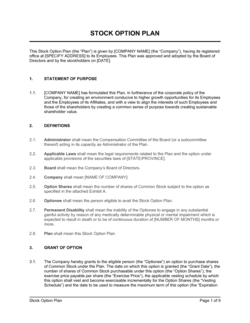
Confirm board approval and plan adoption
Before issuing any grant agreement, verify that the board has formally adopted an equity incentive plan and authorized the specific grant by resolution. The agreement must reference the plan by its exact name and adoption date.
💡 Most state corporation laws require board approval for each option grant, not just the plan. Keep a copy of the board resolution with the signed agreement in your equity records.
2
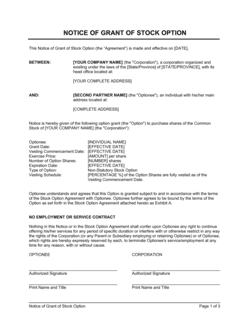
Enter the optionee's legal name and employee details
Use the employee's full legal name as it appears on government-issued ID. Include their title, department, and the grant date — which is the date the board approved the grant, not the date of signature.
💡 The grant date governs the 409A valuation that must support the exercise price. Using a retroactive grant date without a contemporaneous valuation is a Section 409A violation.
3
Set the option type, share count, and exercise price
Designate the option as ISO or NSO based on the recipient's eligibility and the grant amount relative to the $100,000 ISO limit. Enter the number of shares and the per-share exercise price equal to the 409A FMV on the grant date.
💡 For grants to employees who own more than 10% of company stock, the ISO exercise price must be at least 110% of FMV and the term cannot exceed 5 years.
4
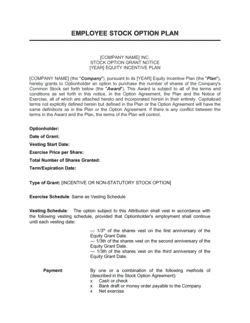
Define the vesting commencement date and schedule
Set the vesting commencement date — often the employee's hire date, which may differ from the grant date — and confirm the vesting schedule matches your standard plan (typically 4-year with 1-year cliff, 1/48th monthly thereafter).
💡 Document any deviation from the standard vesting schedule in the grant agreement itself and in the board resolution. Non-standard schedules require explicit board approval.
5
Specify post-termination exercise windows
Enter the exercise window for each termination scenario: voluntary resignation, involuntary termination without cause, termination for cause, death, and disability. Confirm ISO windows comply with IRS timing rules.
💡 Consider extending post-termination exercise windows beyond 90 days for senior employees — but document in the agreement that doing so converts ISO treatment to NSO treatment for exercises occurring after day 90.
6
Configure the change-of-control acceleration provision
Choose single-trigger, double-trigger, or no acceleration based on the employee's seniority. For most employees, double-trigger acceleration (change of control plus involuntary termination) is the market standard and least disruptive to acquirers.
💡 Consult your lead investor or M&A counsel before granting single-trigger acceleration to anyone other than co-founders. It can reduce deal value in a sale process.
7
Attach the plan document and have both parties sign
Attach or provide a copy of the equity incentive plan referenced in the agreement. Both the authorized company signatory (typically CEO or CFO) and the optionee must sign before or on the grant date.
💡 Use a digital signature platform with timestamped audit trails. For ISO compliance, the grant date must be established before signature — not by signature.
8
Update the cap table and file with your equity management platform
Record the grant in your cap table immediately — share count, exercise price, vesting commencement date, and option type. File signed copies in the employee's personnel record and your corporate document system.
💡 Platforms like Carta or Pulley automate 409A triggers, vesting calculations, and exercise notices. Manual cap tables with stock option complexity are an audit and litigation risk.