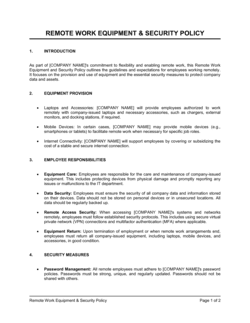
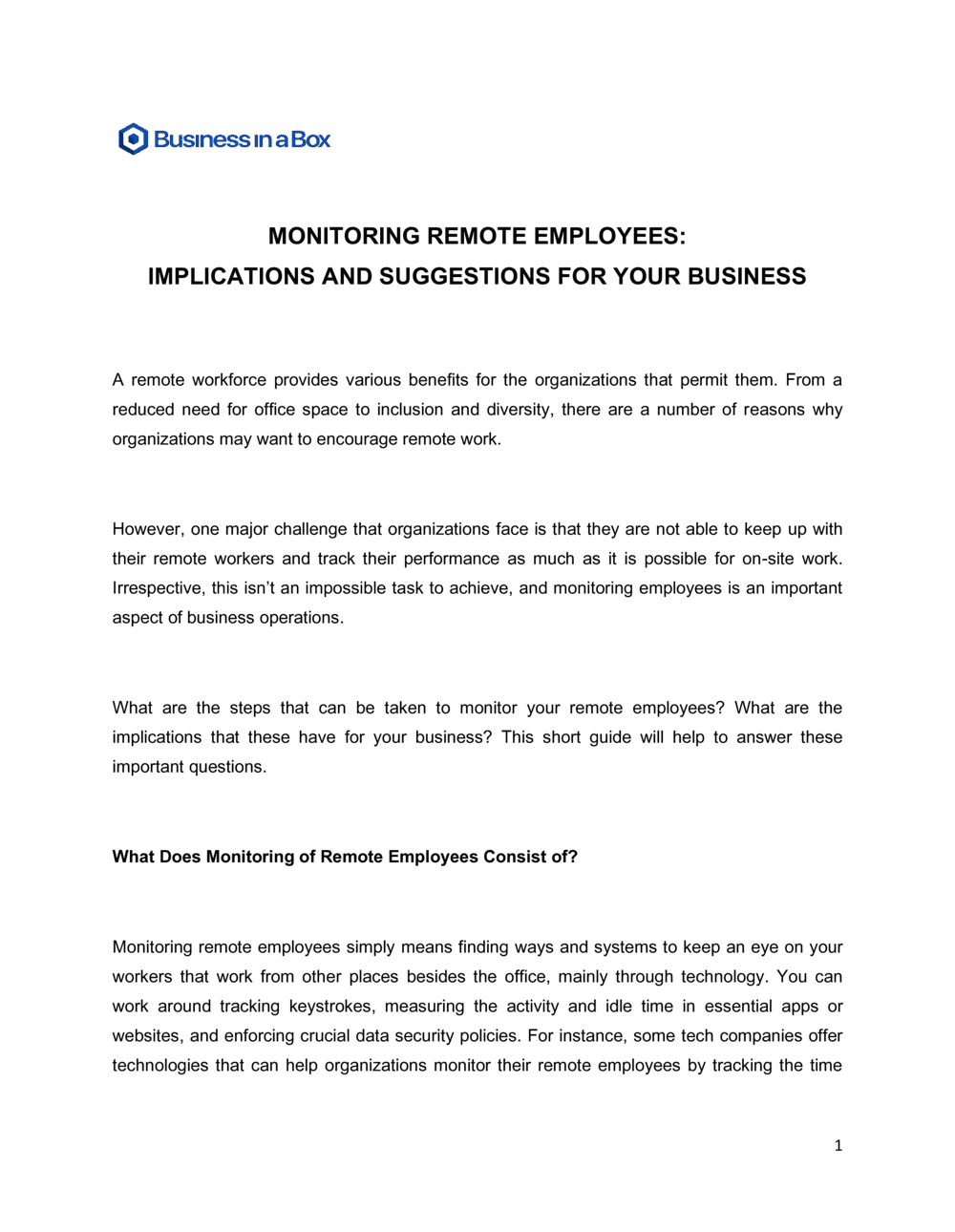
Monitoring Remote Employees Implications and Suggestions For Your Business Template

Free Word download • Edit online • Save & share with Drive • Export to PDF

3 pages20–25 min to fillDifficulty: Standard
Learn more ↓
FreeMonitoring Remote Employees Implications and Suggestions For Your Business Template

At a glance

What it is
A Monitoring Remote Employees Implications and Suggestions document is an operational policy guide that outlines how a business tracks remote worker activity, what tools and methods are permissible, the legal considerations involved, and the recommended practices for maintaining productivity and trust. This free Word download gives you a ready-to-edit framework you can adapt to your company's size and remote work model, then share with HR, managers, and employees as a transparent policy reference.
When you need it
Use it when transitioning a team to remote or hybrid work, when introducing new monitoring tools, or when existing informal practices need to be formalized to address legal exposure, employee complaints, or productivity concerns. It is also the right document to have before an HR audit or when onboarding employees in multiple jurisdictions with differing privacy rules.
What's inside
The document covers the business rationale for monitoring, a review of permissible and impermissible monitoring methods, legal implications by employment category, disclosure and consent requirements, recommended technology tools, manager guidelines, employee rights and recourse, and an implementation roadmap for rolling out a compliant monitoring program.

What is a Monitoring Remote Employees Implications and Suggestions Document?

A Monitoring Remote Employees Implications and Suggestions document is an operational policy guide that defines how a business lawfully observes and measures the activity of its remote workforce. It outlines the specific tools and methods the company uses, the legal constraints that govern their use, the disclosure and consent obligations the employer must meet, and the best practices that keep a monitoring program productive rather than punitive. Unlike a simple IT policy or employee handbook section, this document addresses the full lifecycle of a remote monitoring program — from the business rationale through tool selection, manager training, employee rights, and data retention — in a single coherent reference that HR, legal, and operations teams can act on.

Why You Need This Document

Remote work has made it easy to deploy monitoring software and equally easy to deploy it badly. Without a written policy, companies face four simultaneous risks: employees in privacy-protected jurisdictions file complaints when they discover undisclosed monitoring; managers use productivity data inconsistently across teams, creating discrimination exposure; monitoring data collected without a retention schedule becomes a liability in employment disputes; and the absence of any recourse mechanism turns every performance conversation into a legal confrontation. A documented monitoring policy eliminates these gaps by making the rules transparent before tools go live — which is the single most effective way to reduce both legal risk and employee turnover. This template gives you the structure to move from informal practices to a defensible, trust-preserving program in a matter of hours, not weeks.

Which variant fits your situation?

If your situation is…Use this template
Deploying time-tracking software for hourly remote workersRemote Employee Time Tracking Policy
Establishing device and internet usage rules for remote staffAcceptable Use Policy
Addressing productivity measurement for a fully distributed teamRemote Work Policy
Handling data security and access controls for remote employeesIT Security Policy
Documenting employee rights and obligations in writing at hireRemote Work Employment Agreement
Communicating monitoring practices within a broader employee handbookEmployee Handbook
Creating a performance review framework for remote teamsEmployee Performance Review

Common mistakes to avoid

❌ Deploying tools before disclosing the policy

Why it matters: Collecting monitoring data before employees are informed violates consent requirements in the EU, Canada, and several US states, and creates immediate legal exposure regardless of what the contract says.

Fix: Finalize and distribute the policy, collect signed acknowledgments, and only then activate monitoring software — no exceptions for trial deployments.

❌ Using the same policy for employees and contractors

Why it matters: Independent contractors retain greater privacy rights than employees in most jurisdictions, and monitoring them the same way may strengthen a worker misclassification claim.

Fix: Create a separate monitoring addendum for contractors that limits data collection to project deliverables and excludes activity-level surveillance.

❌ Enabling continuous keystroke logging or webcam monitoring

Why it matters: These methods are banned or heavily restricted in the EU, Quebec, and several US states, and courts in other jurisdictions have found them disproportionate even where not explicitly banned.

Fix: Replace continuous surveillance methods with output-based metrics — tasks completed, response time, project milestone achievement — that measure results rather than activity.

❌ Retaining monitoring data with no defined deletion schedule

Why it matters: Indefinite retention violates data minimization principles under GDPR and PIPEDA and creates expanded discovery liability if an employee brings an employment claim.

Fix: Set a specific retention period in the policy (6–12 months is typical) and implement an automated deletion or archival process tied to that schedule.

❌ No employee recourse mechanism

Why it matters: A policy with no appeal process signals that monitoring data is being used as a final judgment rather than one input among many, driving turnover and exposing the company to wrongful termination claims.

Fix: Add a formal dispute step: any performance action based primarily on monitoring data must be preceded by a documented conversation and give the employee 5 business days to respond.

❌ Ignoring BYOD devices in the monitoring scope definition

Why it matters: Installing monitoring software on a personal device without clear disclosure and consent creates privacy tort exposure and, in some jurisdictions, criminal liability under wiretapping statutes.

Fix: Either exclude personal devices from monitoring entirely or require employees who use personal devices for work to enroll in a mobile device management (MDM) profile with a separate, explicit consent form.

The 9 key sections, explained

Purpose and scope

Business rationale for monitoring

Permissible monitoring methods

Legal implications and jurisdiction notes

Disclosure and informed consent requirements

Manager guidelines and responsibilities

Employee rights and recourse

Data retention and security

Implementation roadmap

How to fill it out

  1. 1

    Define the scope of employees covered

    Identify which employee categories — full-time remote, hybrid, contractors, part-time — fall under this policy. Exclude employees explicitly not covered, such as on-site-only staff.

    💡 Contractors may be subject to different monitoring rules than employees in your jurisdiction — flag them separately rather than grouping them with W-2 or salaried staff.

  2. 2

    Identify the specific monitoring tools and data collected

    List each tool by name, what data it collects (time logs, app usage, screenshots, VPN access), on which device types it runs, and whether collection is continuous or periodic.

    💡 Audit the default settings of each tool before drafting this section — many tools collect more data than the basic tier suggests, and your policy must reflect actual practice.

  3. 3

    Document the legal requirements for each work location

    Research the privacy and employment laws applicable in each state or country where remote employees work. Note any notice, consent, or data-handling requirements specific to those jurisdictions.

    💡 If you have employees in the EU, California, or Quebec, those jurisdictions impose the strictest requirements — use them as your baseline and the whole policy will meet a higher standard everywhere.

  4. 4

    Draft the disclosure and consent acknowledgment

    Write a standalone one-page acknowledgment form that summarizes what is monitored, why, and for how long. Have employees sign it before their first remote workday or before new tools go live.

    💡 Plain language outperforms legal boilerplate here — employees who understand what they are signing are less likely to claim later they were not informed.

  5. 5

    Set manager access rules and data-use limits

    Define who can access monitoring reports, at what frequency, and for what purposes. Explicitly state what managers cannot do with the data — public shaming, sharing outside the management chain, or using it as the sole basis for termination.

    💡 A one-paragraph 'what this data is not for' section does more to build trust than two pages of technical permission controls.

  6. 6

    Establish data retention and deletion schedules

    Set a specific retention period (e.g., 6 months) and name the system where data is stored, who controls access, and the deletion trigger.

    💡 Calendar a recurring deletion task in your IT ticketing system — written policies without operational enforcement create compliance gaps that surface in audits.

  7. 7

    Communicate the policy before deploying tools

    Send the finalized policy to all affected employees with at least 5–10 business days' notice before monitoring software goes live. Hold a Q&A session for managers and employees.

    💡 Rollout timing matters: announcing monitoring during a period of layoffs or restructuring will amplify distrust. Choose a neutral moment in the business cycle.

  8. 8

    Schedule a 90-day post-launch review

    After the first 90 days of operation, review whether the monitoring data is being used as intended, whether the tools are functioning correctly, and whether employees have raised concerns.

    💡 Ask managers to log every instance they used monitoring data in a performance conversation — this tells you whether the policy is working or being ignored.

Frequently asked questions

Can employers legally monitor remote employees?

Yes, employers generally have the legal right to monitor employees on company-owned devices and networks during work hours, provided they disclose the monitoring in advance and comply with applicable privacy laws. The specific rules vary significantly by jurisdiction — the EU's GDPR, Canada's PIPEDA, and California's CCPA impose stricter notice and consent requirements than many other US states. Monitoring personal devices or capturing personal communications without consent crosses the line in most jurisdictions regardless of what an employment contract says.

What monitoring methods are considered too intrusive?

Continuous keystroke logging, webcam activation without the employee's knowledge, and recording personal communications are widely considered disproportionate and are restricted or banned in the EU, Quebec, and several US states. Courts in other jurisdictions have found these methods unreasonable even where no explicit ban exists. Output-based metrics — tasks completed, project milestones, response times — are consistently more defensible and better for morale than activity-surveillance methods.

Can I monitor employees on their personal devices?

Only with explicit, separate consent and typically only through a mobile device management (MDM) profile that the employee controls and can remove. Installing employer monitoring software on a personally owned device without clear disclosure may constitute an invasion of privacy or violate wiretapping statutes in several jurisdictions. The safest approach is to exclude personal devices from monitoring and provide company devices to employees who handle sensitive data.

How long should I retain monitoring data?

Six to twelve months is the most common retention window for general productivity monitoring data. Under GDPR and PIPEDA, data must not be retained longer than necessary for the stated purpose. Retaining data indefinitely increases discovery liability in employment disputes and may itself constitute a privacy violation. Set a specific retention period in your policy and implement an automated deletion trigger tied to that schedule.

Should contractors be covered by the same monitoring policy as employees?

No. Independent contractors retain greater privacy rights than employees in most jurisdictions, and applying employee-level monitoring to contractors can strengthen a worker misclassification claim. Monitor contractors only for deliverable quality and project milestone completion, not activity-level behavior. Create a separate, shorter monitoring addendum for contractor engagements that reflects this narrower scope.

What is the best way to monitor remote employee productivity without damaging trust?

Output-based measurement consistently outperforms activity surveillance for both legal defensibility and employee satisfaction. Define clear deliverables, response-time expectations, and project milestones, then use project management tools to track completion rather than keystrokes or screenshots. Transparent policies, manager training on how to interpret data fairly, and a formal recourse mechanism for disputed data are the structural elements that keep a monitoring program from becoming a trust problem.

Does this document need to be reviewed by a lawyer?

For most small to mid-sized businesses with domestic employees in a single state or province, a well-completed template reviewed by an HR professional is typically sufficient. Engage an employment lawyer when you have employees in the EU, Quebec, or California; when you plan to use continuous activity monitoring; when contractors and employees are mixed in the same team; or when an employee has already raised a privacy complaint. A one-hour legal review ($200–$400) is worthwhile before any new monitoring software goes live.

How often should the remote monitoring policy be updated?

Review the policy whenever you deploy a new monitoring tool, hire employees in a new jurisdiction, or receive a legal update affecting applicable privacy or employment law in your operating locations. An annual review aligned to your HR policy calendar is the minimum standard. Privacy law in this area is evolving rapidly — a policy written in 2022 may already be out of date for employees located in states that have passed new consumer or employee privacy statutes since then.

How this compares to alternatives

vs Remote Work Policy

A remote work policy establishes the general terms under which employees work from home — eligibility, equipment, hours, and communication expectations. A monitoring policy specifically addresses what the employer tracks, how, with what tools, and under what legal and ethical constraints. The remote work policy sets the relationship; the monitoring policy governs the oversight dimension of it.

vs Acceptable Use Policy

An acceptable use policy governs what employees may do with company technology — permitted websites, software, and data handling rules. A monitoring policy describes how the company observes compliance with those rules. The AUP sets the rules; the monitoring policy explains how violations are detected. Both documents should cross-reference each other.

vs Employee Handbook

An employee handbook is a comprehensive reference covering all HR policies, benefits, conduct standards, and procedures. A monitoring policy is a standalone, more detailed document focused exclusively on surveillance practices. For legal enforceability and clarity of consent, monitoring practices should be documented separately even when they are also summarized in the handbook.

vs Employee Performance Review

A performance review assesses overall employee contribution against goals and competencies. A monitoring policy governs the data-collection practices that may feed into that review. Using monitoring data in a performance review without a documented policy linking the two — and without the employee's prior awareness — creates a procedural fairness problem and potential legal exposure.

Industry-specific considerations

Technology / SaaS

Source code access logs, cloud environment activity, and VPN usage are standard monitoring points given the data sensitivity and IP exposure in distributed engineering teams.

Financial Services

Regulatory requirements under FINRA, SEC, and FCA mandate communications monitoring and audit trails for remote advisors, traders, and compliance staff.

Healthcare

HIPAA requires audit logs of who accessed patient records and when, making access-level monitoring a compliance requirement rather than an optional practice for remote clinical and administrative staff.

Professional Services

Billable hours accuracy and client data confidentiality drive monitoring needs, with time-tracking and document-access logs being the most defensible methods for remote consultants and accountants.

Template vs pro — what fits your needs?

PathBest forCostTime
Use the templateSmall to mid-sized businesses with domestic employees in a single jurisdiction using standard time-tracking or project management toolsFree2–4 hours to customize and distribute
Template + professional reviewCompanies with employees in the EU, California, or Quebec, or those deploying activity-level monitoring software beyond basic time tracking$200–$600 for an HR consultant or employment lawyer review3–5 business days
Custom draftedEnterprises with employees across multiple countries, regulated industries with mandatory audit requirements, or organizations that have received employee privacy complaints$1,000–$3,500 for a custom policy drafted by an employment lawyer1–3 weeks

Glossary

Employee Monitoring
The use of technology or processes by an employer to observe, record, or measure an employee's work activities, communications, or computer usage during work hours.
Acceptable Use Policy (AUP)
A written policy specifying what employees may and may not do with company-owned devices, networks, and software.
Keystroke Logging
Software that records every key pressed on a computer keyboard, used to track employee activity but considered highly intrusive in most employment contexts.
Screen Capture Monitoring
Periodic or continuous screenshots of an employee's computer screen taken by monitoring software to verify work activity.
Time Tracking
Recording the hours an employee works, including start and end times and breaks, using software, apps, or manual logs.
Informed Consent
A process by which an employee is clearly notified of what monitoring will occur and acknowledges this in writing before monitoring begins.
Data Minimization
The principle of collecting only the employee data necessary for the stated monitoring purpose and retaining it no longer than needed.
Productivity Metrics
Quantifiable measures of work output — such as tasks completed, response times, or hours logged — used to evaluate remote employee performance.
Bring Your Own Device (BYOD)
A policy allowing employees to use personal devices for work, which creates complex boundaries for what an employer may legally monitor.
Right to Privacy
An employee's legally and ethically recognized interest in keeping personal communications and activities free from employer surveillance, even during work hours.
Surveillance Creep
The gradual expansion of monitoring scope beyond its original purpose, often eroding employee trust and increasing legal exposure over time.

Part of your Business Operating System

This document is one of 3,000+ business & legal templates included in Business in a Box.

  • Fill-in-the-blanks — ready in minutes
  • 100% customizable Word document
  • Compatible with all office suites
  • Export to PDF and share electronically

Create your document in 3 simple steps.

From template to signed document — all inside one Business Operating System.
1
Download or open template

Access over 3,000+ business and legal templates for any business task, project or initiative.

2
Edit and fill in the blanks with AI

Customize your ready-made business document template and save it in the cloud.

3
Save, Share, Send, Sign

Share your files and folders with your team. Create a space of seamless collaboration.

Save time, save money, and create top-quality documents.

★★★★★

"Fantastic value! I'm not sure how I'd do without it. It's worth its weight in gold and paid back for itself many times."

Managing Director · Mall Farm
Robert Whalley
Managing Director, Mall Farm Proprietary Limited
★★★★★

"I have been using Business in a Box for years. It has been the most useful source of templates I have encountered. I recommend it to anyone."

Business Owner · 4+ years
Dr Michael John Freestone
Business Owner
★★★★★

"It has been a life saver so many times I have lost count. Business in a Box has saved me so much time and as you know, time is money."

Owner · Upstate Web
David G. Moore Jr.
Owner, Upstate Web

Run your business with a system — not scattered tools

Stop downloading documents. Start operating with clarity. Business in a Box gives you the Business Operating System used by over 250,000 companies worldwide to structure, run, and grow their business.

Free Forever Plan · No credit card required