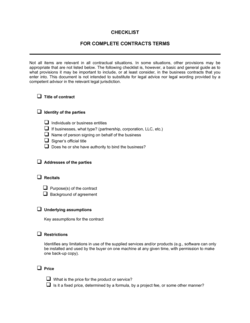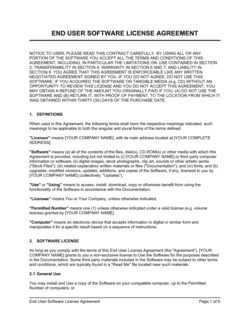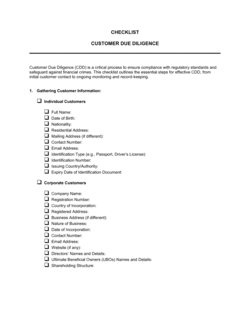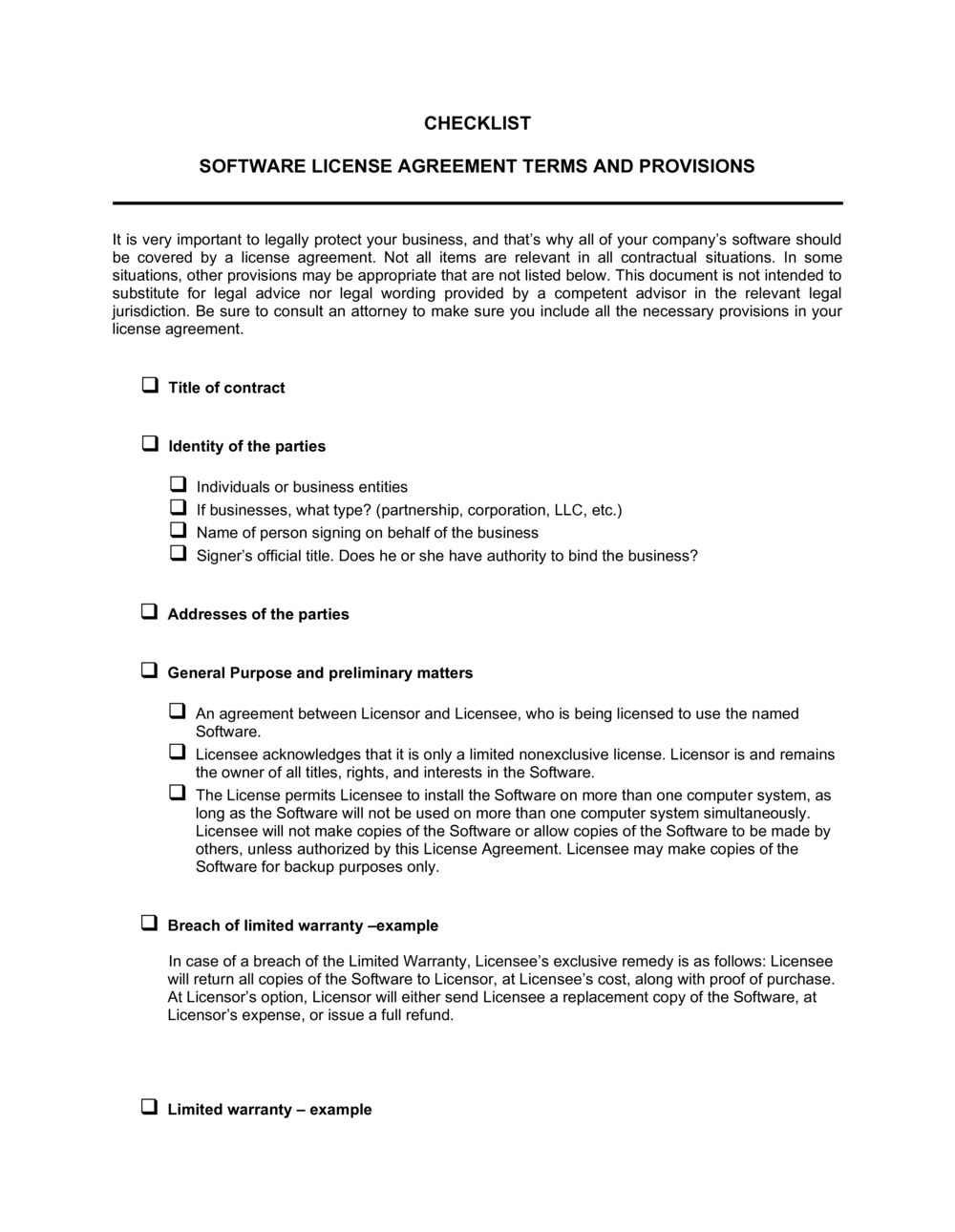
Checklist Software License Agreement Provisions

Free download β€’ Use as a template β€’ Print or share

4 pagesβ€’20–30 min to useβ€’Difficulty: Standard
Learn more ↓
FreeChecklist Software License Agreement Provisions Template

At a glance

What it is
A Checklist Software License Agreement Provisions template is a structured Word form that helps buyers, vendors, and legal reviewers systematically verify that every critical clause is present and complete in a software license agreement. It is a free download you can edit online and use as a repeatable review tool before executing any software licensing deal.
When you need it
Use it whenever your organization is about to sign a software license β€” whether a perpetual enterprise license, a SaaS subscription, or an OEM agreement β€” to confirm that no material provision has been omitted or left ambiguous before execution.
What's inside
The checklist covers license scope and grant, IP ownership, permitted users and usage restrictions, fees and payment terms, warranty and liability limits, data handling, audit rights, termination conditions, and governing law β€” organized as a line-by-line review form with a status column for each provision.

What is a Checklist Software License Agreement Provisions?

A Checklist Software License Agreement Provisions template is a structured review form that guides buyers, vendors, and operations teams through every material clause a software license agreement should contain β€” from license scope and IP ownership to liability limits, audit rights, and data handling. It converts a complex legal document review into a line-by-line verification exercise, with a status field for each provision so reviewers can confirm what is present, flag what is absent, and identify what needs clarification before any agreement is signed.

Why You Need This Document

Signing a software license without a systematic review is one of the most common and costly procurement mistakes organizations make. Auto-renewal clauses with 30-day cancellation windows lock businesses into another year of fees they did not intend to pay. Missing data-return provisions mean organizations lose access to their own records when a vendor relationship ends. Absent IP assignment language allows vendors to claim ownership of integrations the licensee built and paid for. Incomplete liability caps leave mission-critical systems effectively uninsured against vendor failures. This checklist surfaces every one of these gaps before execution β€” when you still have negotiating leverage β€” rather than after, when the contract is binding and the risk is already live.

Which variant fits your situation?

If your situation is…Use this template
Reviewing a SaaS subscription agreementSaaS Subscription Agreement Checklist
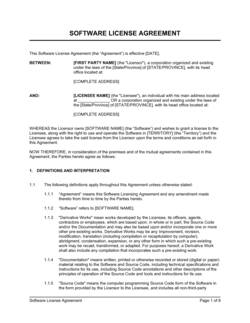
Drafting or reviewing the full software license agreement itselfSoftware License Agreement
Auditing compliance with an existing license post-executionSoftware License Compliance Audit Checklist
Evaluating an OEM or reseller software arrangementOEM Software License Agreement
Reviewing terms for open-source software used commerciallyOpen Source License Compliance Checklist
Managing multiple vendor software agreements in one registerSoftware Asset Management Register

Common mistakes to avoid

❌ Reviewing a summary instead of the full agreement

Why it matters: Material provisions β€” audit rights, auto-renewal windows, liability caps β€” are often buried in schedules or exhibits that do not appear in a vendor-supplied summary.

Fix: Always request and review the complete agreement package including all attached schedules, order forms, and incorporated policies before completing the checklist.
❌ Skipping the auto-renewal and notice-period fields

Why it matters: Cancellation windows of 30–60 days before the renewal date are standard in enterprise software agreements. Missing the window locks the organization into another full term.

Fix: Record the renewal date and required notice period in the checklist and immediately create a calendar reminder 90 days before the renewal deadline.

❌ Ignoring the data-return and deletion clause at termination

Why it matters: Vendors typically delete licensee data 30–90 days after termination. Organizations that miss the return window lose access to their own records permanently.

Fix: Note the exact data-return window in the termination field and assign a named owner responsible for initiating the export before the agreement ends.

❌ Accepting blanket warranty disclaimers without a performance warranty

Why it matters: A full disclaimer of implied warranties with no express performance warranty leaves the licensee with no contractual remedy if the software fails to perform at delivery.

Fix: Flag any agreement that includes a full warranty disclaimer with no corresponding express warranty, and negotiate at minimum a 90-day fitness-for-purpose warranty before signing.

The 10 key fields, explained

License type and scope

Permitted and prohibited uses

IP ownership and assignment

Fees, payment terms, and true-up

Warranty provisions

Limitation of liability and indemnification

Data handling and confidentiality

Termination conditions

Audit rights

Governing law and dispute resolution

How to fill it out

  1. 1

    Gather the full software license agreement

    Obtain the complete executed or proposed license document, including all schedules, exhibits, and any incorporated policies such as an AUP or DPA. Do not review a summary or redline only.

    πŸ’‘ Ask the vendor to provide a clean consolidated version that includes all amendments β€” vendors sometimes issue material changes in order forms rather than the main agreement.

  2. 2

    Work through each checklist field in order

    Review the agreement section by section against each checklist field. Mark each item as Present, Absent, or Needs Clarification in the status column. Do not skip items because they seem unlikely to apply.

    πŸ’‘ Fields left blank on the checklist are findings, not omissions β€” blank means the provision is missing from the agreement.

  3. 3

    Record the exact clause reference for each confirmed provision

    In the notes column, write the section number and a short summary of what the clause says. This creates an audit trail and makes renegotiation faster.

    πŸ’‘ Cross-reference the clause reference against the actual agreement text to catch provisions that are referenced but defined elsewhere in a schedule.

  4. 4

    Flag missing or one-sided provisions for negotiation

    Highlight every item marked Absent or Needs Clarification and group them by priority β€” deal-breakers, material risks, and minor preferences. Bring the flagged list to the negotiation.

    πŸ’‘ Limit your initial negotiation ask to the top three to five material issues β€” raising every flag at once typically slows the process and reduces credibility.

  5. 5

    Confirm data and privacy compliance requirements

    Check the data handling field against your organization's regulatory obligations β€” GDPR, HIPAA, CCPA, or SOC 2 requirements. Confirm a DPA is in place if personal data is processed.

    πŸ’‘ If the vendor cannot provide a signed DPA within 10 business days, escalate before signing the main agreement β€” not after.

  6. 6

    Archive the completed checklist with the executed agreement

    Save the completed checklist alongside the signed license in your contract management system or shared drive. Include the date of review and the name of the reviewer.

    πŸ’‘ Set a calendar reminder for 90 days before the auto-renewal date and attach the checklist to that reminder so you can review current terms in time to negotiate or cancel.

Frequently asked questions

What is a software license agreement provisions checklist?

A software license agreement provisions checklist is a structured review form that lists every material clause a software license should contain β€” license scope, IP ownership, fees, warranties, liability limits, data handling, and termination β€” and provides a status column to confirm whether each provision is present, absent, or needs clarification in the agreement under review. It is used by buyers and vendors to reduce the risk of signing a license with material gaps.

When should I use this checklist?

Use it before signing any software license agreement, whether you are the buyer reviewing a vendor's standard terms or a vendor confirming your own template is complete. It is also useful when renewing an existing agreement, onboarding a new software tool without a dedicated legal team, or auditing a software portfolio for compliance gaps.

What is the difference between a perpetual and a subscription license?

A perpetual license grants the right to use a specific version of the software indefinitely after a one-time payment. A subscription license grants access for a defined period β€” typically one year β€” and terminates automatically if not renewed. Subscription licenses often include updates and support; perpetual licenses may require separate maintenance fees for ongoing updates.

What should a software license's limitation of liability cover?

The limitation should state a clear cap β€” typically 12 months of fees paid β€” specify which categories of damages are excluded (consequential, indirect, and lost profits are standard exclusions), and carve out IP indemnification and confidentiality breaches from the cap. Accepting a liability cap lower than 12 months' fees for mission-critical software is a material risk.

Why do software licenses include audit rights?

Audit rights allow the licensor to verify that the licensee is using the software within the licensed quantity and scope. Vendors use audits to identify under-licensing and collect true-up fees. Licensees should negotiate a minimum 30-day advance notice requirement, a limit of one audit per calendar year, and a threshold β€” typically 5–10% underpayment β€” before the licensee bears the cost of the audit.

What is a true-up in a software license agreement?

A true-up is a contractual mechanism that adjusts fees when actual usage exceeds the licensed quantity at a defined review period β€” typically annually. For example, if you license 100 named users and have 115 active users at year-end, the true-up invoices you for the additional 15 at the contracted per-user rate. Reviewing true-up frequency and pricing in the checklist prevents unexpected year-end invoices.

What data handling provisions should a software license include?

At minimum: confirmation of data residency (the country or region where data is stored), a Data Processing Agreement if personal data is processed, disclosure of sub-processors, the vendor's security certification (SOC 2, ISO 27001), data-return and deletion timelines on termination, and breach notification obligations. For EU personal data, a DPA incorporating Standard Contractual Clauses is required by GDPR.

How do I handle auto-renewal clauses in a software license?

Record the auto-renewal date and the required notice period to cancel in the checklist immediately after review. Set a calendar reminder 90 days before the renewal date. At that point, confirm whether you want to renew, renegotiate, or cancel β€” vendors are far more flexible before auto-renewal than after. Failing to act within the notice window typically locks you into another full term at the existing rate.

How this compares to alternatives

vs Software License Agreement

A Software License Agreement is the binding contract that governs the licensing relationship. This checklist is a review tool used before or during negotiation to confirm the agreement is complete. You need both β€” the checklist identifies what to negotiate; the agreement records the final terms.

vs Due Diligence Checklist

A due diligence checklist covers the full scope of a business or acquisition review β€” financials, legal, HR, operations, and IP. This checklist is narrowly focused on software licensing provisions only. Use the due diligence checklist for M&A; use this one specifically for software procurement.

vs SaaS Subscription Agreement

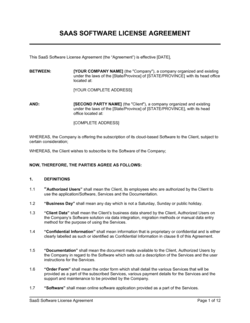
A SaaS Subscription Agreement is the contract used for cloud-delivered software billed on a recurring basis. This checklist can be applied to SaaS agreements but also covers perpetual licenses and on-premise software. The SaaS agreement is the document; the checklist is the review tool.

vs Vendor Contract Review Checklist

A vendor contract review checklist covers general procurement terms β€” price, delivery, warranties, and dispute resolution β€” across any vendor category. This checklist is specifically scoped to software licensing provisions such as license grant, IP ownership, audit rights, and data handling, which general vendor checklists rarely address in sufficient depth.

Industry-specific considerations

Technology / SaaS

SaaS vendors use the checklist to confirm their standard subscription agreement covers API usage rights, uptime SLAs, and data processing obligations before deploying to enterprise customers.

Financial Services

Banks and fintechs apply the checklist to verify that vendor agreements meet regulatory data residency, audit rights, and business continuity requirements imposed by their regulators.

Healthcare

Healthcare organizations use the checklist to confirm HIPAA Business Associate Agreement requirements are addressed alongside the standard license provisions before onboarding clinical software.

Professional Services

Law firms and consulting practices use the checklist when procuring practice management or document automation software, focusing on confidentiality and data handling given client privilege obligations.

Template vs pro β€” what fits your needs?

PathBest forCostTime
Use the templateBusinesses reviewing standard software license agreements for tools under $50K annuallyFree30–60 minutes per agreement
Template + professional reviewEnterprise agreements above $50K, mission-critical systems, or agreements involving personal data under GDPR or HIPAA$300–$800 for a one-hour attorney review1–3 business days
Custom draftedOEM arrangements, complex multi-jurisdiction licensing, or embedding third-party software in your own product$1,500–$5,000+1–3 weeks

Glossary

License Grant
The clause that specifies exactly what rights the licensee receives β€” to use, copy, modify, or distribute the software β€” and under what conditions.
Perpetual License
A software license that grants the right to use the software indefinitely, typically for a one-time upfront fee.
Subscription License
A time-limited license that must be renewed periodically, commonly monthly or annually, and terminates automatically if not renewed.
Named User
A licensing model that restricts use to a specific list of identified individuals rather than any employee in the organization.
Concurrent Users
A licensing model that limits how many users may access the software at the same time, regardless of the total number of people with accounts.
Indemnification
A contractual obligation for one party to compensate the other for specified losses β€” in software licenses, typically covering IP infringement claims.
Limitation of Liability
A clause capping the maximum financial exposure of either party, usually expressed as a multiple of fees paid in the prior 12 months.
Audit Rights
A provision allowing the licensor to inspect the licensee's systems or records to verify compliance with the license terms.
Escrow
An arrangement where the software's source code is held by a neutral third party and released to the licensee if the vendor ceases operations or fails to maintain the product.
Acceptable Use Policy (AUP)
A separate document incorporated by reference into a software license that defines prohibited uses of the software.

Part of your Business Operating System

This document is one of 3,000+ business & legal templates included in Business in a Box.

  • Fill-in-the-blanks β€” ready in minutes
  • 100% customizable Word document
  • Compatible with all office suites
  • Export to PDF and share electronically

Create your document in 3 simple steps.

From template to signed document β€” all inside one Business Operating System.
1
Download or open template

Access over 3,000+ business and legal templates for any business task, project or initiative.

2
Edit and fill in the blanks with AI

Customize your ready-made business document template and save it in the cloud.

3
Save, Share, Send, Sign

Share your files and folders with your team. Create a space of seamless collaboration.

Save time, save money, and create top-quality documents.

β˜…β˜…β˜…β˜…β˜…

"Fantastic value! I'm not sure how I'd do without it. It's worth its weight in gold and paid back for itself many times."

Managing Director Β· Mall Farm
Robert Whalley
Managing Director, Mall Farm Proprietary Limited
β˜…β˜…β˜…β˜…β˜…

"I have been using Business in a Box for years. It has been the most useful source of templates I have encountered. I recommend it to anyone."

Business Owner Β· 4+ years
Dr Michael John Freestone
Business Owner
β˜…β˜…β˜…β˜…β˜…

"It has been a life saver so many times I have lost count. Business in a Box has saved me so much time and as you know, time is money."

Owner Β· Upstate Web
David G. Moore Jr.
Owner, Upstate Web

Run your business with a system β€” not scattered tools

Stop downloading documents. Start operating with clarity. Business in a Box gives you the Business Operating System used by over 250,000 companies worldwide to structure, run, and grow their business.

Start freeΒ Β·Β No credit card required