- Telecommuting
- A work arrangement in which an employee performs their regular job duties from a location other than the employer's premises, typically the employee's home.
- Approved Remote Work Location
- The specific address or addresses where the employee is authorized to work remotely, as agreed in writing with the employer.
- Core Hours
- Designated times during which a remote employee must be available and responsive, regardless of the flexibility in their broader schedule.
- BYOD (Bring Your Own Device)
- A policy allowing employees to use personal computers, phones, or tablets for work, subject to security requirements set by the employer.
- Expense Reimbursement
- Employer repayment to the employee for reasonable, pre-approved costs incurred in setting up or maintaining a remote work environment — such as internet or office supplies.
- Data Security Protocol
- Specific technical and behavioral requirements — such as VPN use, screen locks, and encrypted drives — that a remote employee must follow to protect company information.
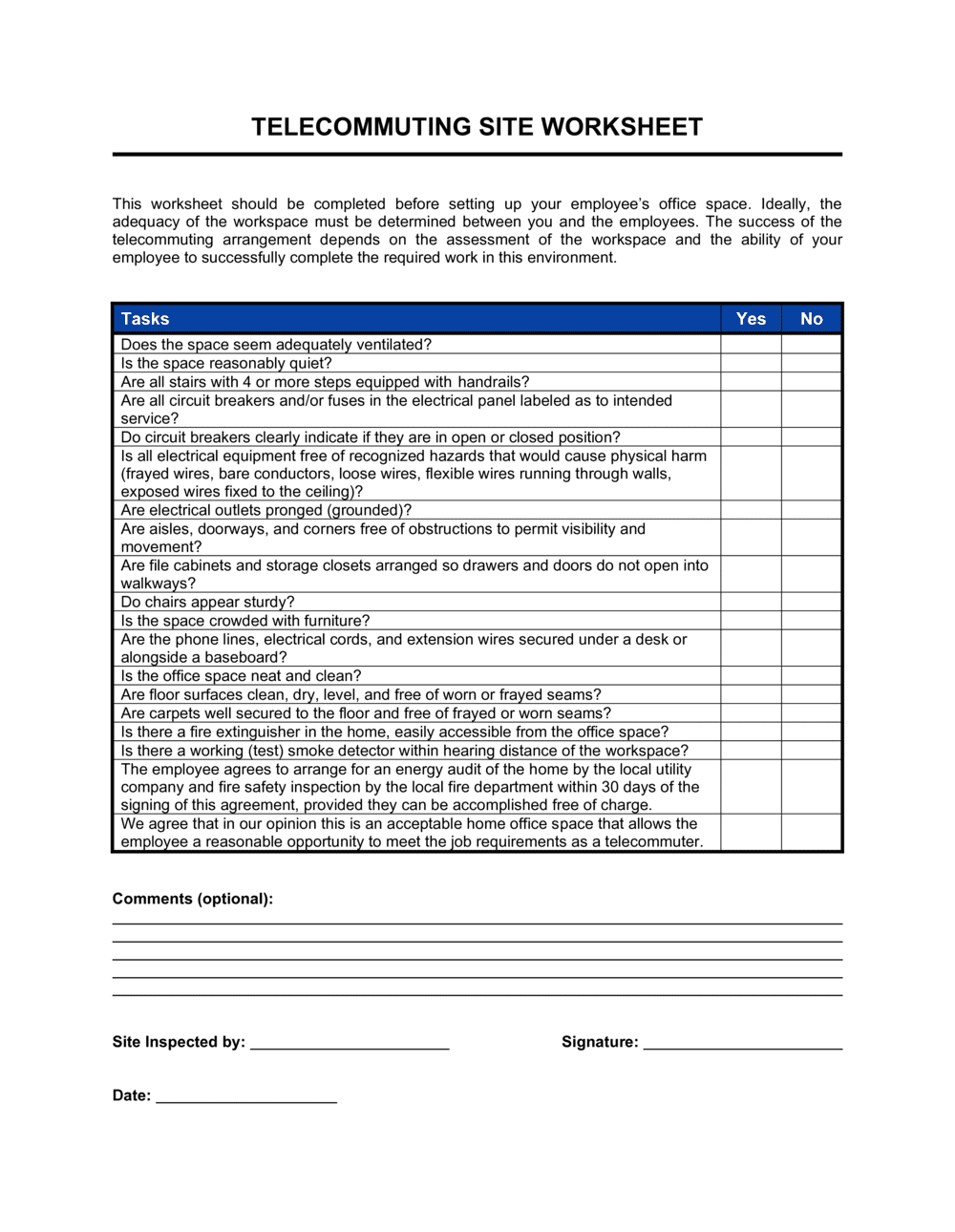
- Ergonomic Self-Certification
- A written acknowledgment by the employee that their home workspace meets basic health and safety standards, reducing the employer's occupational health liability.
- Right to Revoke
- An employer's contractual right to terminate or modify a remote work arrangement with defined notice, typically without cause, returning the employee to on-site work.
- Productivity Metrics
- Agreed, measurable outputs — such as deliverables, response times, or KPIs — used to assess whether a remote employee is meeting performance expectations.
- At-Home Workspace Standards
- Minimum physical requirements for the employee's remote workspace — dedicated space, adequate lighting, reliable internet speed — specified by the employer as a condition of approval.