Video Conferencing
Video Calls Built Into Your Work Platform.
Business in a Box gives you HD video conferencing built into the same platform where your team manages tasks, projects, and communication — so meetings connect directly to work, action items never get lost, and you never pay for another video app again.
14-day money-back guarantee · Replaces Zoom, Google Meet & Microsoft Teams
The Problem
Meetings in One Tool. Notes in Another. Action Items in a Third. Nothing Connects.
Your team jumps on a Zoom call, takes notes in a Google Doc, assigns action items in Slack, and tracks progress in yet another app. By the time the meeting ends, half the decisions are already lost and nobody knows who owns what.
Standalone video conferencing tools solve the "meeting" problem — but create a bigger one. Meeting data lives in one silo, tasks in another, and chat in a third. You end up with meetings disconnected from the work they produce and action items nobody follows up on.
What Video Conferencing Can Do
Every Meeting Need. One Connected Platform.
Business in a Box embeds video conferencing directly into your operating system — not as a bolt-on, but as a core part of how teams communicate, decide, and act.
Crystal Clear Meetings
HD Video & Audio Calls
Start high-definition video and audio calls with one click. Crisp video, clear audio, and reliable connections — whether you are meeting one-on-one or with your entire company. No downloads, no plugins, no waiting rooms.
Visual Collaboration
Screen Sharing
Share your screen, a specific window, or a browser tab instantly during any call. Present documents, walk through designs, demo products, or troubleshoot issues together — no separate screen sharing tool required.
Never Miss a Detail
Meeting Recording
Record any meeting with one click. Recordings are stored and linked to the project or task they belong to — so team members who missed the call can catch up, and important decisions are preserved forever.
Automated Summaries
AI Meeting Notes
AI captures meeting notes, key decisions, and action items automatically. No more scribbling during calls or forgetting what was discussed. Notes sync directly to tasks and projects so nothing falls through the cracks.
Seamless Workflow
One-Click from Any Task
Start a video call directly from any task, project, or chat thread. Context travels with you — the meeting is already linked to the work it relates to, so notes and action items land exactly where they belong.
Flexible Meetings
Group & 1-on-1 Calls
Run team stand-ups, all-hands meetings, client presentations, or private one-on-ones. Scale from two people to your entire organization — same tool, same experience, no per-user call limits.
Unified Communication
Connected to Chat & Tasks
Video calls live alongside chat, tasks, and documents in one platform. Jump from a chat message to a video call and back. Meeting outcomes flow into task assignments automatically — no copy-pasting between apps.
Instant Access
No Downloads Required
Join or start a call directly from your browser. No desktop app to install, no plugins to update, no compatibility issues. Works on any device with a browser — laptop, tablet, or phone.

A Day with Business in a Box
What Video Conferencing Looks Like When It Is Built Into Your Operating System
No separate app. No meeting links to hunt down. Video calls live where work already happens.
Built For
Who Uses Video Conferencing in Business in a Box
Whether you are running remote stand-ups or presenting to clients, video conferencing works for every role in the organization.
Distributed Work
Remote Teams
Stay connected across time zones with HD video calls that live inside your work platform. No more juggling Zoom links and separate chat apps — your meetings, tasks, and communication are all in one place.
Team Leadership
Managers
Run team meetings, one-on-ones, and stand-ups with built-in notes and action items. AI captures decisions and creates tasks automatically — so follow-ups happen without you chasing anyone.
Client-Facing
Sales & Client-Facing
Present to clients with professional HD video, screen sharing, and meeting recordings. Every call is linked to the client project, so proposals, decisions, and next steps are never lost.
People Operations
HR & Recruiting
Conduct interviews, onboarding sessions, and team check-ins with built-in video. Record sessions for review, share meeting notes with hiring panels, and keep candidate communication in one system.
Leadership
Executives
Run board meetings, all-hands, and leadership syncs with full recording and AI summaries. Get a clear record of every strategic decision without relying on someone to take notes manually.
Learning & Development
Training & Onboarding
Deliver training sessions, product demos, and onboarding walkthroughs with screen sharing and recording. New hires can replay sessions anytime — no need to repeat yourself.
Replace Your Video Conferencing Stack
One Integrated Platform. Not 5 Disconnected Apps.
Standalone video tools give you calls. Business in a Box gives you calls connected to the work that matters.
Stop paying for standalone video apps that live outside your workflow. Start meeting inside the system where work actually happens.
How We Compare
Business in a Box vs. Standalone Video Conferencing
Standalone tools give you video calls. Business in a Box gives you video calls connected to the rest of your business.
| Feature | Business in a Box | Zoom | Google Meet | Microsoft Teams |
|---|---|---|---|---|
| HD video & audio calls | ✓ | ✓ | ✓ | ✓ |
| Screen sharing | ✓ | ✓ | ✓ | ✓ |
| Meeting recording | ✓ | ∼ | ∼ | ∼ |
| AI meeting notes & summaries | ✓ | ∼ | × | ∼ |
| Built-in task management | ✓ | × | × | ∼ |
| Built-in project management | ✓ | × | × | × |
| Team chat integrated | ✓ | ∼ | ∼ | ✓ |
| HR & employee management | ✓ | × | × | × |
| Document management & templates | ✓ | × | × | × |
| No download required | ✓ | × | ✓ | × |
| Free forever plan | ✓ | ∼ | ∼ | × |
∼ = limited or requires paid plan
What You Get
What Video Conferencing Delivers Out of the Box
Video Conferencing Templates
Templates Built for Meetings & Video Conferencing
Access professionally drafted templates for meeting agendas, minutes, remote meeting guidelines, and action item tracking — included with your Business Box.
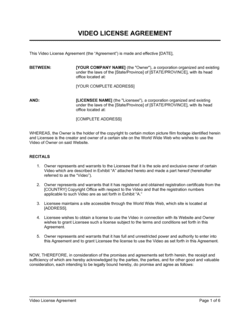
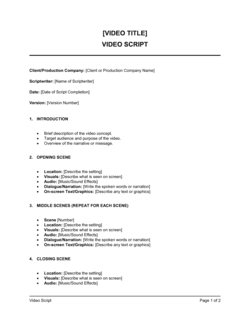
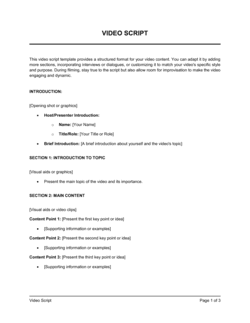
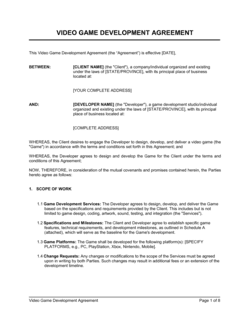
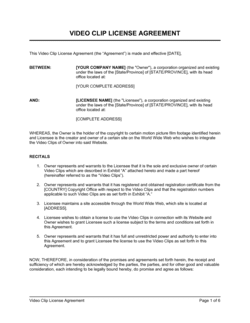
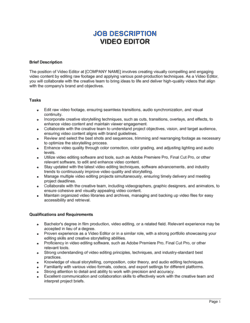
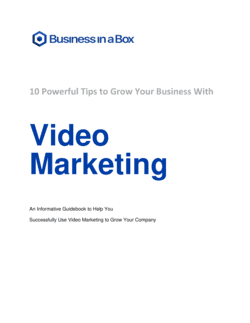
Each template is designed to help you move faster while giving your business more structure and consistency.
Browse All 3,000+ TemplatesPart of the Platform
Video Conferencing Is Just One Part of the Operating System
Business in a Box connects video conferencing to everything else your business needs to run.
Tasks & Projects
Plan, assign, and track tasks with video calls built in.
Docs & Knowledge
Organize policies, procedures, and business documents in one place.
Chat & Messaging
Communicate with your team and jump into calls without switching apps.
Dashboard
See meeting activity, project progress, and team performance in one view.
HR & People
Manage employees, conduct interviews, and run onboarding sessions.
Ratings & Reviews
Rated Highly by Businesses Worldwide
What Businesses Say
Trusted by 250,000+ Businesses Worldwide
“Fantastic value… paid back for itself many times over. The templates and tools save us hours every week.”
— Verified Capterra Review
“The most useful source of templates I have ever encountered. Professional and thorough. We use it for everything from meeting agendas to HR documents.”
— Verified G2 Review
“It has saved me so much time. I use it for everything from contracts to running team meetings. Having it all in one place is a game changer.”
— Verified GetApp Review
Enterprise-Ready Security
Built for Trust, Security, and Compliance
Your data is protected by enterprise-grade infrastructure and compliance standards.


Questions
Frequently Asked Questions


Stop Juggling Meeting Apps. Start Meeting Where You Work.
HD video calls, screen sharing, AI meeting notes, and recording — all inside one Business Operating System. Replace standalone video conferencing tools forever.
14-day money-back guarantee · Set up in minutes · Cancel anytime