Leave & Time Off
Vacation Management Without the Spreadsheets or Back-and-Forth
Employees request time off in seconds. Managers approve in one click. Balances update automatically. Schedules and timesheets sync without anyone touching a spreadsheet.
The Problem
Managing Vacation in Spreadsheets Is a Liability
When leave requests come through email, balances live in a spreadsheet, and approvals are tracked in someone's inbox, things fall through the cracks. Employees take time off with wrong balances. Teams go understaffed during critical periods. Payroll gets the wrong accruals.
Business in a Box replaces your leave spreadsheet, email approval chain, and separate HR tool with one connected vacation management system — where requests, approvals, balances, and calendar sync all happen automatically.
Vacation Management Features
From Request to Approval to Calendar — Automatically
Every step of the leave management process is connected, so nothing falls through the cracks between request, approval, and scheduling.
Employee Self-Service
One-Tap Leave Requests
Employees submit vacation requests from web or mobile with their current balance visible. No email, no forms, no waiting for someone to check a spreadsheet.
Manager Workflow
One-Click Approvals
Managers receive a notification, see team coverage at the time of the request, and approve or decline in one click — with a note if needed.
Auto-Sync
Schedule & Timesheet Sync
Approved leave auto-populates the team schedule and timesheet — no manual entry, no missed updates, no payroll surprises.
Balance Tracking
Accrual & Balance Management
Configure accrual rules by policy type, tenure, or role. Balances update in real time as leave is approved and accruals run on schedule.
Policy Enforcement
Blackout Dates & Coverage Rules
Set blackout dates for critical periods and minimum coverage rules by team. Requests that violate policies are flagged or blocked automatically.
Compliance
Leave Compliance Reporting
Track FMLA, PTO, sick leave, and statutory holidays separately. Generate compliance reports for audits, payroll, and leave liability accounting.

A Day in the Life
What Frictionless Vacation Management Looks Like
From the moment an employee submits a request to the moment payroll closes, everything is handled without manual intervention.
Use Cases
For Any Team That Can't Afford Leave Management Chaos
Whether you have 10 employees or 500, unmanaged vacation creates real costs — in coverage gaps, payroll errors, and employee frustration.
SMBs
Small and Mid-Size Businesses
Replace the spreadsheet and email chain with an automated system that scales as you hire — without adding HR headcount.
Shift-Based
Manufacturing & Shift Operations
Enforce minimum coverage rules and blackout periods so you never approve leave that leaves a shift understaffed.
Professional Services
Agencies & Consulting Firms
Manage PTO for project-based teams where time off needs to be coordinated across client engagements and delivery timelines.
Multi-Jurisdiction
Multi-Country Teams
Configure separate leave policies for different countries, regions, and statutory requirements — all managed from one platform.
Connected to Your OS
Leave Data That Flows Into Every System That Needs It
Approved vacation doesn't just update one calendar. It flows through scheduling, timesheets, payroll, and HR records automatically.
Team Scheduling
Approved leave appears on the team schedule instantly so managers can plan coverage without a separate calendar tool.
Timesheets & Payroll
Leave entries auto-populate timesheets and flag for payroll — so leave pay, balances, and accruals are always accurate.
HR Records
All leave requests, approvals, and balance history are part of the employee's HR record — available for compliance and audits.
Workforce Planning
Leave trends and forward-looking requests feed into capacity planning so you know when your team will be at reduced strength.
HR Compliance
Statutory leave tracking, FMLA documentation, and leave liability reports are generated automatically from the same data.
Ready-to-Use Templates
Set Up Leave Management in Minutes
Pre-built leave policies, request forms, and compliance report templates so your system is ready to use from day one.
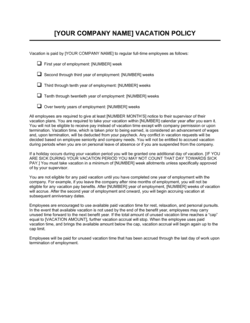
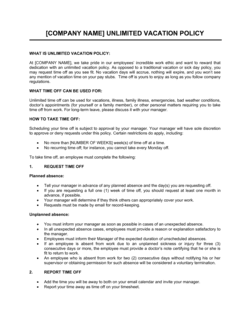
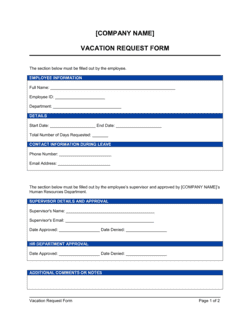
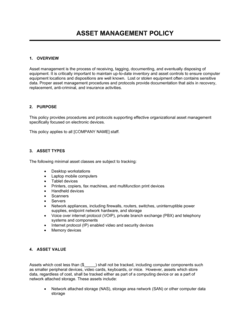
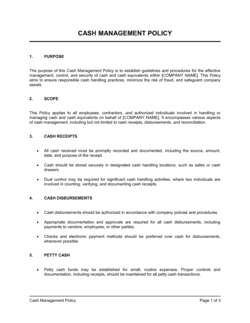
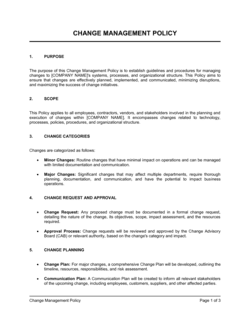
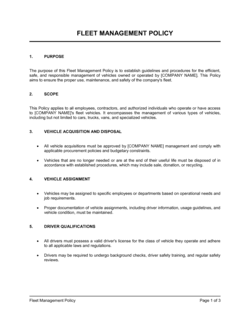
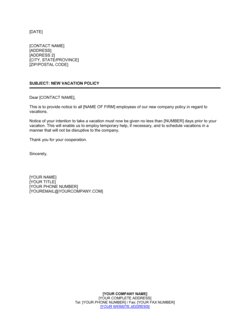
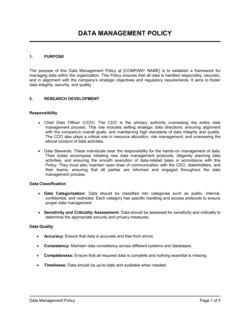
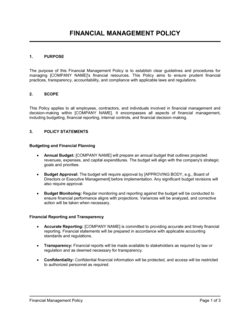
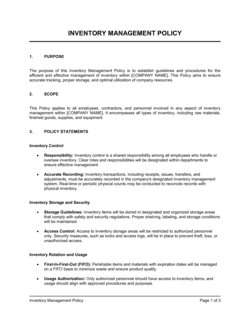
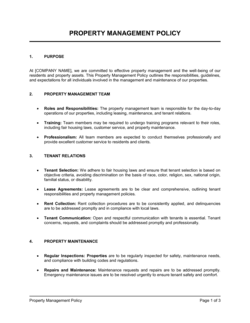
Each template is designed to help you move faster while giving your business more structure and consistency.
Browse All 3,000+ TemplatesPart of the Platform
Vacation Management Is Just One Part ofthe Operating System
Business in a Box connects vacation management to everything else your business needs to run.
Tasks & Projects
Plan, assign, and track tasks with full project management.
Docs & Knowledge
Organize policies, procedures, and business documents in one place.
Chat & Calls
Communicate with your team without switching apps.
Dashboard
See all data, project progress, and team performance in one view.
HR & People
Manage employees, attendance, and payroll-ready timesheets.
Ratings & Reviews
Rated Highly by Businesses Worldwide
What Businesses Say
Trusted by 250,000+ Businesses Worldwide
“We used to manage 80 employees' vacation in a Google Sheet. It was always wrong and always causing arguments. Switching took one afternoon and we haven't had a balance dispute since.”
Nina Castillo — HR Manager, Ridgeline Services
“The blackout date feature alone saved us during our busiest month. No one could request time off without it being flagged, and we stayed fully staffed through the whole period.”
Bryan Holt — Operations Director, Titan Manufacturing
“Payroll used to take three extra hours every cycle just to reconcile leave. Now it's automatic. My team actually leaves on time on payroll Friday.”
Joanne Watkins — Payroll Manager, Cornerstone Group
Enterprise-Ready Security
Built for Trust, Security, and Compliance
Your data is protected by enterprise-grade infrastructure and compliance standards.


Questions
Frequently Asked Questions


Replace Your Leave Spreadsheet With Something That Actually Works.
Automated requests, instant approvals, real-time balances, and payroll sync — all connected in one platform.
14-day money-back guarantee · Set up in minutes · Cancel anytime