Team Task Management
Task Management Software Built for the Whole Team
Business in a Box gives your team a single place to assign, track, and complete tasks — with clear ownership, real deadlines, and the visibility managers need to keep work moving without micromanaging.
The Problem
Tasks Get Lost When Your Team Has No System
Email threads, Slack messages, and sticky notes are not a task management system. When work is scattered across multiple channels and tools, things fall through the cracks, deadlines get missed, and managers spend more time chasing updates than driving outcomes.
Team task management software brings all of your team's work into one visible, organized system — with clear owners, due dates, and priorities so nothing gets lost and everyone knows what's expected of them.
Task Management Features
Everything Your Team Needs to Stay on Task
Business in a Box provides powerful task management built for teams — with assignment, prioritization, tracking, and reporting all in one connected platform.
Task Assignment
Clear Task Ownership
Every task has one owner, a due date, and a priority level — so there's no ambiguity about who's responsible for what.
Task Views
List, Board & Calendar Views
Switch between list, Kanban board, and calendar views to see your team's work in the format that makes the most sense.
Dependencies
Task Dependencies & Blockers
Link related tasks, set dependencies, and get automatic alerts when a blocker is preventing downstream work from starting.
Notifications
Deadline Reminders & Alerts
Automated reminders notify assignees before tasks are due — and alert managers when deadlines are at risk.
Reporting
Team Workload & Progress Reports
See who's overloaded and who has capacity. Track completion rates, average task duration, and team velocity over time.
AI Assistance
AI Task Prioritization
AI suggests daily priorities based on deadlines, dependencies, and recent activity — so your team always knows what to work on next.

Tasks in Action
What Team Task Management Looks Like in Business in a Box
From morning to end of day, Business in a Box keeps your team's work visible, organized, and moving — without the overhead of constant check-ins.
Who Uses It
Built for Every Team That Needs Work to Get Done
Business in a Box task management works for any team — from operations and marketing to HR and client services — wherever work needs to be organized and tracked.
Operations Teams
Run Daily Operations Without Chaos
Track every operational task, process, and follow-up in one system — with clear ownership and real-time progress visibility.
Marketing Teams
Manage Campaigns and Content Workflows
Assign content tasks, track campaign milestones, and keep creative workflows moving with deadline visibility and approval steps.
HR Teams
Coordinate Hiring and Onboarding Tasks
Track every step of recruiting, onboarding, and offboarding with tasks assigned to the right team members at the right time.
Client Services
Deliver Client Work on Time, Every Time
Keep client deliverables organized with dedicated project task boards, deadline alerts, and progress reports for every account.
Connected to Your Business
Tasks That Connect to Documents, Time, and People
In Business in a Box, tasks don't live in isolation. They connect to the documents, time logs, and HR records that give them full context.
Tasks Link to Documents
Attach contracts, SOPs, or briefs directly to the task that needs them — no more hunting through folders for the right file.
Tasks Connect to Time Logs
Team members log time directly against tasks, giving managers accurate data on hours spent versus estimated.
Tasks Link to Employee Records
Task completion and workload data feeds into performance reviews and HR reports automatically.
Tasks Power Reporting
All task data — completions, delays, workload — aggregates into team and project performance dashboards in real time.
AI Uses Task Context
The AI reads your task history to prioritize work, suggest reassignments, and flag risks before they become problems.
Task Templates
Start Faster with Ready-Made Task Templates
Business in a Box includes project and task templates for common business workflows — so your team can start organized and stay that way.
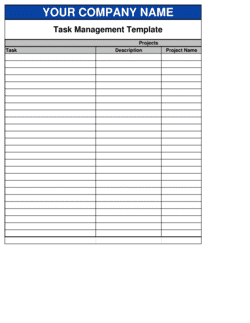
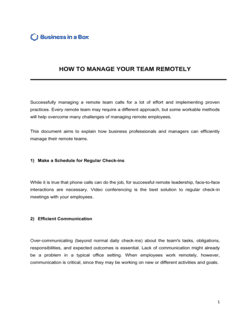
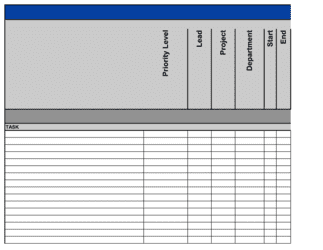
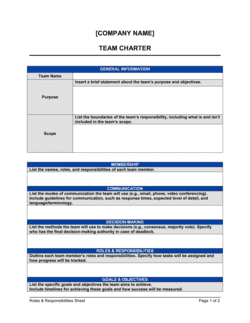
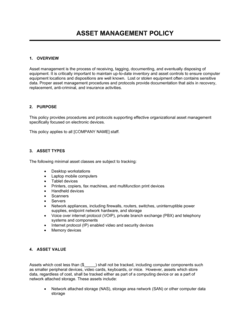
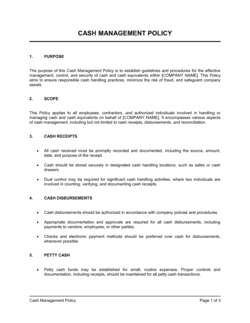
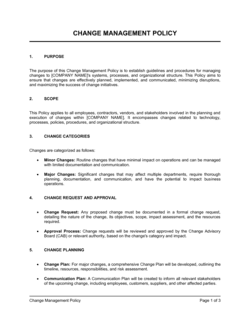
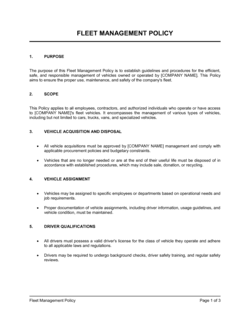
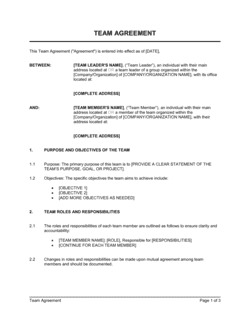
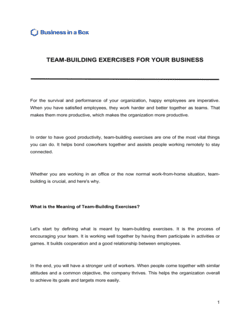
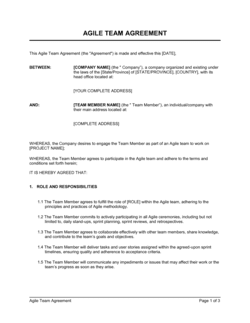
Each template is designed to help you move faster while giving your business more structure and consistency.
Browse All 3,000+ TemplatesPart of the Platform
Team Task Management Software Is Just One Part ofthe Operating System
Business in a Box connects team task management software to everything else your business needs to run.
Tasks & Projects
Plan, assign, and track tasks with full project management.
Docs & Knowledge
Organize policies, procedures, and business documents in one place.
Chat & Calls
Communicate with your team without switching apps.
Dashboard
See all data, project progress, and team performance in one view.
HR & People
Manage employees, attendance, and payroll-ready timesheets.
Ratings & Reviews
Rated Highly by Businesses Worldwide
What Businesses Say
Trusted by 250,000+ Businesses Worldwide
“Before Business in a Box, tasks were tracked in spreadsheets and Slack. Now everyone knows exactly what they own and when it's due. Missed deadlines have dropped by 80%.”
Kevin M. — Operations Manager, Logistics Company
“The task views are perfect — I use Kanban for my team boards and the list view for my personal tasks. Having everything in one place with real ownership has changed how we work.”
Amanda J. — Project Manager, Digital Agency
“The AI priority suggestions are surprisingly accurate. My team starts every day knowing exactly what to focus on without me having to hold a meeting about it.”
Carlos V. — Team Lead, SaaS Company
Enterprise-Ready Security
Built for Trust, Security, and Compliance
Your data is protected by enterprise-grade infrastructure and compliance standards.


Questions
Frequently Asked Questions


Give Your Team the Task System They Actually Need
Stop losing work in chat threads and email. Give every task a clear owner, deadline, and home — and give your managers the visibility to lead without micromanaging.
14-day money-back guarantee · Set up in minutes · Cancel anytime