Team Communication
Team Chat Software That Stays Connected to Your Work
Business in a Box replaces Slack with organized, context-aware team chat built directly into your operating system. Every message is linked to a task, project, or department — so nothing gets lost.
The Problem
Slack Is a Black Hole for Business Communication
Team chat tools like Slack promised to replace email. Instead, they created a second inbox — full of noise, off-topic threads, and messages disconnected from actual work. You can't find decisions, context is lost the moment a conversation ends, and your team is toggling between chat and every other tool just to get things done.
Business in a Box embeds team chat directly into your OS. Messages live alongside the tasks, projects, and documents they belong to — so your team always has context, and communication actually moves work forward.
Built-In Team Chat
Chat That Works the Way Your Team Actually Works
Every channel, thread, and message in Business in a Box is connected to the rest of your OS — so conversations have context, decisions are findable, and your team stays aligned without the noise.
Context-Aware Messaging
Chat Linked to Tasks & Projects
Start a conversation directly from a task, project, or document. Messages are stored with the work they reference so context is never lost.
Organized Channels
Structured Channels by Team & Topic
Create channels for departments, projects, or topics. Keep communication organized without letting every conversation become a free-for-all.
Smart Mentions
Direct Mentions That Demand Attention
Mention teammates directly to cut through channel noise. Get notified only when something actually requires your input.
Pinned Messages
Pin Decisions and Key Messages
Pin important messages, decisions, or links so they're always findable — no more scrolling back through weeks of conversation.
File Sharing
Share Files Without Leaving Chat
Attach documents, images, and files directly in chat. Everything is stored in your OS and linked to the relevant project or task.
Notification Control
You Control Your Notifications
Set quiet hours, mute channels, and choose exactly when and how you're notified — so your team can do deep work without constant interruption.

A Day With Business in a Box
What Team Chat Looks Like When It's Part of Your OS
From morning standups to end-of-day wrap-ups, here's how Business in a Box keeps your team communicating without the chaos.
Who It's For
Team Chat for Every Kind of Business
Whether you're running a remote team, a growing agency, or a distributed company, Business in a Box replaces standalone chat tools with communication that's connected to your work.
Remote Teams
Keep Remote Teams Aligned Without the Noise
Replace async chaos with structured channels and context-linked messages. Remote teams stay connected without living in Slack all day.
Agencies
Client Work Chat Without the Sprawl
Give each client or project its own channel. Keep client work conversations connected to deliverables, deadlines, and files.
SMBs
One Platform Instead of a SaaS Stack
Stop paying for Slack, project tools, and docs separately. Business in a Box gives growing companies everything in one place.
Department Leads
Manage Team Communication by Department
Create department-specific channels, pin key updates, and ensure your team always has the context they need to execute.
Connected to Your OS
Chat Is Just One Part of Your Business Operating System
Team chat in Business in a Box isn't a standalone app bolted on — it's woven into every module so communication and work happen in the same place.
Tasks
Start a chat thread from any task. Keep task-related discussion linked to the work — not buried in a channel.
Projects
Every project has its own chat space. Team members see messages, files, and progress without switching tools.
Docs & Notes
Share and discuss documents directly in chat. Files are linked to the relevant project and searchable from anywhere.
Video Calls
Jump from a chat thread to a live video call in one click — no Zoom links, no scheduling overhead.
Dashboards
Surface team activity and communication metrics on your reporting dashboard — so leaders have visibility without micromanaging.
Ready-to-Use Templates
Start With Proven Communication Templates
Business in a Box includes pre-built templates for team communication, meeting notes, project updates, and more — so your team is productive from day one.
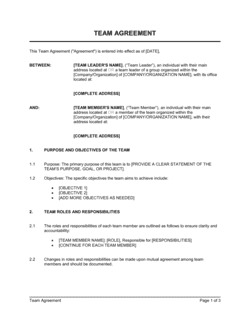
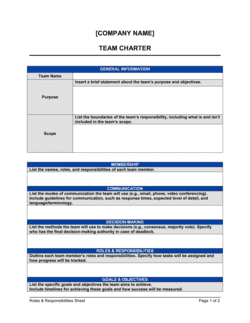
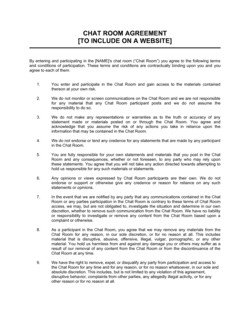
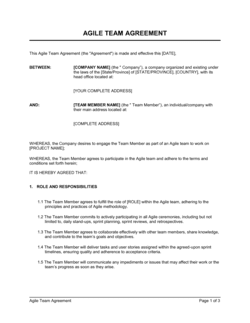
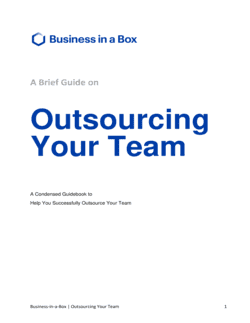
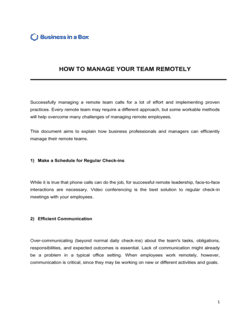
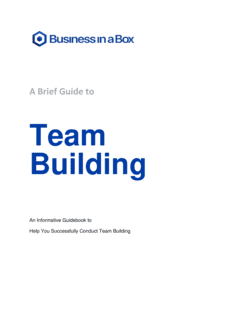
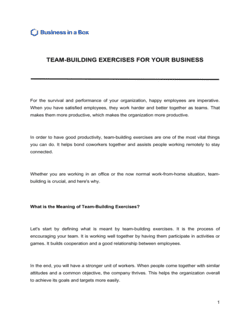
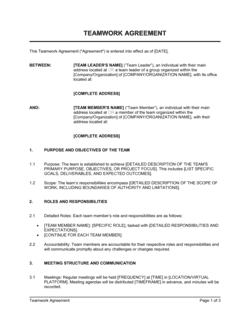


Each template is designed to help you move faster while giving your business more structure and consistency.
Browse All 3,000+ TemplatesPart of the Platform
Team Chat Software Is Just One Part ofthe Operating System
Business in a Box connects team chat software to everything else your business needs to run.
Tasks & Projects
Plan, assign, and track tasks with full project management.
Docs & Knowledge
Organize policies, procedures, and business documents in one place.
Chat & Calls
Communicate with your team without switching apps.
Dashboard
See all data, project progress, and team performance in one view.
HR & People
Manage employees, attendance, and payroll-ready timesheets.
Ratings & Reviews
Rated Highly by Businesses Worldwide
What Businesses Say
Trusted by 250,000+ Businesses Worldwide
“We replaced Slack entirely. Having chat linked directly to tasks means nothing falls through the cracks — everyone always has context.”
Jordan Mercer — Operations Director, Mercer & Co.
“The noise is gone. Our team actually communicates now instead of drowning in notifications. It changed how we work.”
Priya Kapoor — CEO, Kapoor Digital Agency
“I can find any decision, any conversation from months ago in seconds. That alone saved us from two major project mistakes.”
Marcus Webb — Project Manager, Webb Consulting
Enterprise-Ready Security
Built for Trust, Security, and Compliance
Your data is protected by enterprise-grade infrastructure and compliance standards.


Questions
Frequently Asked Questions


Replace Slack With Chat That's Connected to Your Work
Business in a Box gives your team organized, context-aware messaging — built into the same platform where you manage tasks, projects, and everything else.
14-day money-back guarantee · Set up in minutes · Cancel anytime