Task Templates
Never Start a Project From a Blank Slate Again
Recurring projects shouldn't require reinventing the task list every time. Business in a Box gives you 3,000+ professional task list templates for onboarding, project delivery, operations, compliance, and more — ready to assign and run in minutes.
The Problem
Rebuilding the Same Task Lists Over and Over Is a Hidden Time Tax
Every time a new hire starts, someone recreates the onboarding checklist. Every time a project kicks off, a manager rewrites the same task structure. Every time a process runs, someone tries to remember the steps. This repetition costs your business hours every week — and introduces inconsistency every time.
Business in a Box task templates let you build a task structure once, save it, and deploy it instantly every time the same process runs. New hire onboarding, client kickoffs, product launches, IT setups — every repeatable workflow gets a reusable template that keeps your execution consistent and fast.
Template Features
Task Templates That Launch With One Click
Business in a Box task templates are live templates — not just documents. Apply a template to any project, workflow, or team and get a fully structured, assignable task list instantly.
Reusability
One-Click Template Deployment
Apply any saved task template to a new project or workflow with a single click. All tasks, subtasks, dependencies, and descriptions are created instantly — ready to assign.
Customization
Fully Customizable Templates
Start from a Business in a Box library template or build your own from scratch. Edit tasks, add subtasks, set dependencies, and save your version for future use.
Structure
Subtasks and Dependencies
Task templates support full hierarchy — tasks, subtasks, and dependencies — so the template reflects your actual workflow sequence, not just a flat list.
Assignment
Role-Based Task Assignment
Assign tasks in templates to roles rather than individuals. When the template is deployed, tasks automatically route to the right person based on current role assignments.
Scheduling
Relative Due Dates
Set due dates in templates as relative offsets — 'Day 3', 'Week 2' — so when the template launches, all deadlines calculate automatically from the project start date.
Library
3,000+ Pre-Built Templates
Access a growing library of professionally structured task templates across every business function — from new hire onboarding to product launch to compliance review.

A Day in the Life
Task Templates Powering Consistent Execution Every Day
When every recurring process has a template, your team executes consistently — whether it's their first time or their fiftieth.
Use Cases
Task Templates for Every Recurring Business Process
Any process that happens more than once deserves a template. Here's how teams across your business use task templates to run faster and more consistently.
HR & People
Employee Onboarding & Offboarding
Standardize every onboarding experience with a task template that assigns IT setup, document submission, and training completion tasks automatically on day one.
Client Services
Client Project Kickoffs
Apply a consistent kickoff task structure to every new client engagement. Every project starts with the same quality baseline — regardless of who's leading it.
Finance & Ops
Recurring Financial Processes
Month-end close, quarterly reporting, and budget reviews all follow the same steps. Task templates ensure nothing is missed and the right people are accountable.
Compliance
Compliance and Audit Workflows
Run annual compliance reviews, policy updates, and risk assessments from structured task templates that ensure regulatory requirements are followed every time.
Business OS Connections
Templates That Launch Live Workflows Across Your OS
Task templates in Business in a Box don't just create a to-do list — they launch connected workflows across your entire business operating system.
Projects
Apply task templates directly to new projects. The entire project structure — tasks, subtasks, deadlines, and assignees — is created automatically from the template.
HR & Onboarding
Onboarding task templates connect to employee records. Task completion is tracked against the new hire's profile for HR reporting and compliance.
Document Templates
Task templates can include linked document templates. When a task is opened, the related document template is pre-attached and ready to complete.
Team Management
Role-based task assignment in templates connects to your team directory. As roles change, template assignments update automatically.
Notifications & Reminders
When a template is deployed, all notification and reminder settings activate automatically — so the right people are alerted at the right time without manual setup.
Popular Task Templates
3,000+ Task Templates Ready to Deploy
Browse our library of professionally structured task templates across every business function — or build your own and add it to your company library.
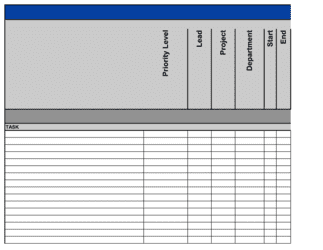
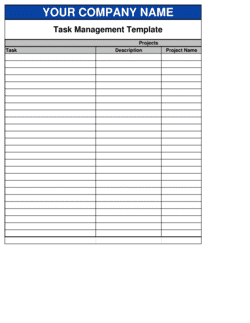
Each template is designed to help you move faster while giving your business more structure and consistency.
Browse All 3,000+ TemplatesPart of the Platform
Task Templates Is Just One Part ofthe Operating System
Business in a Box connects task templates to everything else your business needs to run.
Tasks & Projects
Plan, assign, and track tasks with full project management.
Docs & Knowledge
Organize policies, procedures, and business documents in one place.
Chat & Calls
Communicate with your team without switching apps.
Dashboard
See all data, project progress, and team performance in one view.
HR & People
Manage employees, attendance, and payroll-ready timesheets.
Ratings & Reviews
Rated Highly by Businesses Worldwide
What Businesses Say
Trusted by 250,000+ Businesses Worldwide
“We built templates for every recurring process in our business. Now when something needs to happen, we apply the template and start working immediately. No setup, no guessing.”
Yuki Tanaka — Director of Operations, Formulate Agency
“Our onboarding used to be inconsistent and stressful for new hires. With a task template that auto-assigns to the right people, it's now one of our most praised processes.”
Chloe Bergman — Head of People, SkyBridge Logistics
“The relative due dates feature is a game-changer. We set a project start date and every task deadline calculates automatically. It saves us at least 30 minutes per project kickoff.”
Aaron Jacobs — Project Lead, Summit Consulting
Enterprise-Ready Security
Built for Trust, Security, and Compliance
Your data is protected by enterprise-grade infrastructure and compliance standards.


Questions
Frequently Asked Questions


Build Once. Run Consistently. Every Time.
Stop rebuilding the same task structures from scratch. Business in a Box gives you 3,000+ task templates and the tools to build your own — ready to deploy on any project, any time.
14-day money-back guarantee · Set up in minutes · Cancel anytime