Collaborative Knowledge
Shared Notes for Teams — Collaborate, Link, and Build Knowledge Together
Business in a Box gives your team shared notes with real-time collaboration — create together, link notes to tasks and projects, and build a shared knowledge base that everyone can find and use.
The Problem
Shared Docs Work Until They Don't — and Then You've Lost Everything
Teams try to share knowledge through Google Docs, Notion pages, and Confluence wikis — and they work until they don't. Docs get out of date. Nobody knows which version is current. The person who created the document leaves and the knowledge goes dark. Collaboration becomes a mess of comments, tracked changes, and 'can you send me the latest version?'
Business in a Box gives your team shared notes that are genuinely collaborative — real-time co-editing, full version history, and automatic linking to the tasks and projects the notes belong to. Your knowledge stays alive, current, and connected to the work that creates it.
Real-Time Shared Notes
Notes Your Whole Team Can Build, Edit, and Find Together
Business in a Box shared notes support real-time co-editing, version history, context linking, and full-text search — so your team's collective knowledge is always current and always accessible.
Real-Time Collaboration
Co-Edit Notes Live With Your Team
Multiple team members edit the same note simultaneously with live cursors and instant sync. No version conflicts, no 'I'll send you the latest copy' — just seamless collaboration.
Contextual Linking
Link Every Note to Where It Belongs
Connect notes to projects, tasks, meetings, or team members. Any note is one click away from the work it documents — context is always right there.
Version History
Every Change Is Tracked and Reversible
Full revision history shows who changed what and when. Restore any previous version with one click — nothing is ever permanently overwritten or lost.
Note Organization
Organize by Project, Team, or Topic
Organize shared notes into folders by project, department, or topic. Keep knowledge structured so anyone can find what they need without asking around.
Smart Search
Find Any Shared Note in Seconds
Full-text search across all shared notes, including inside attachments and embedded content. No matter how old the note, it's findable by keyword.
Activity Feed
See What Changed and When
A note activity feed shows every update, comment, and contributor. Stay current on shared documents without needing to check them manually.

A Day With Business in a Box
What Shared Notes Look Like When Everyone Can Find Them
From collaborating on a project plan to finding a policy document a new hire needs, here's how Business in a Box makes shared notes work the way teams actually need them to.
Who It's For
Shared Notes for Every Team That Creates Knowledge Together
Whether you're co-writing a proposal, running a workshop, or documenting processes, Business in a Box gives your team shared notes that are always current and always connected.
Content & Creative Teams
Collaborate on Creative Briefs and Drafts
Creative teams co-write briefs, drafts, and feedback documents in real time — with full history and linking to the client project.
Engineering Teams
Technical Documentation Built Collaboratively
Engineering teams co-create architecture docs, technical specs, and runbooks — linked to the relevant codebase tasks and tracked for every change.
Strategy Teams
Collaborative Strategic Planning
Strategy and leadership teams use shared notes to co-build plans, capture workshop outputs, and maintain living strategy documents everyone can access.
Training & Onboarding
Build Onboarding Materials as a Team
HR and managers collaboratively build and maintain onboarding notes and training materials — always current, always linked to the relevant role and process.
Connected to Your OS
Shared Notes Woven Into Every Module
Shared notes in Business in a Box connect to projects, tasks, meetings, and your wiki — so every piece of knowledge is anchored to the work that created it.
Projects
Link shared notes to projects and access all related documentation from the project view — no hunting through folders.
Tasks
Convert note sections into tasks directly. Link notes to existing tasks so the context for any piece of work is always accessible.
Wiki
Promote a shared note to the company wiki with one click. Turn collaboration into permanent, searchable knowledge.
Video Calls
Use shared notes as live meeting notes during a video call. All collaborators see and edit the same document in real time during the meeting.
Team Chat
Share a note link in any chat channel. Team members click through to the full collaborative note without leaving the platform.
Ready-to-Use Templates
Collaborative Note Templates to Start With
Business in a Box includes shared templates for project planning, workshops, retrospectives, and team documentation — ready to use and collaborate on from day one.
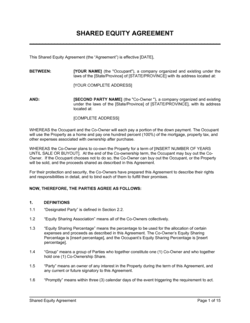

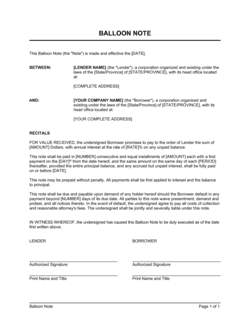
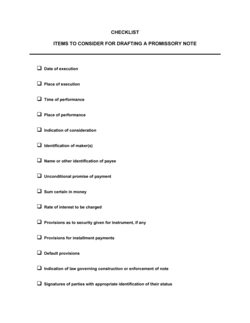
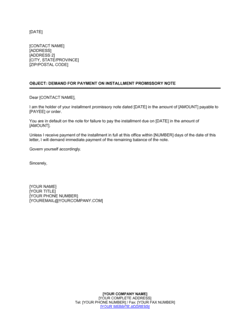
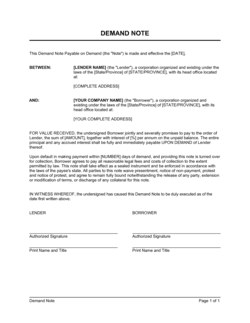
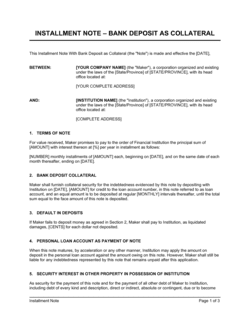
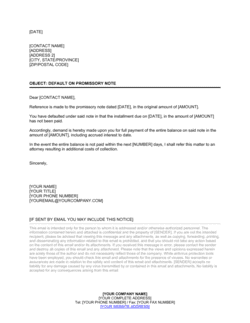
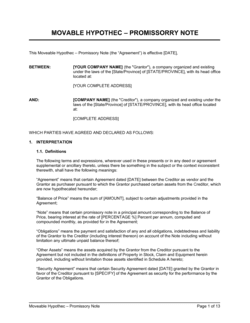
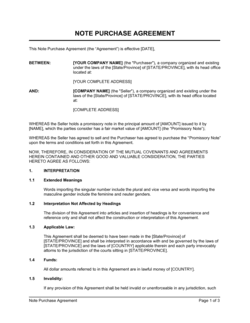
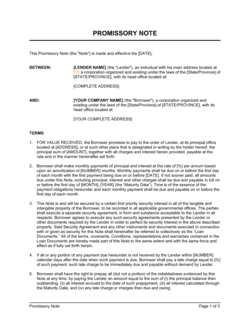
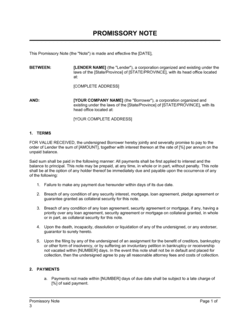
Each template is designed to help you move faster while giving your business more structure and consistency.
Browse All 3,000+ TemplatesPart of the Platform
Shared Notes for Teams Is Just One Part ofthe Operating System
Business in a Box connects shared notes for teams to everything else your business needs to run.
Tasks & Projects
Plan, assign, and track tasks with full project management.
Docs & Knowledge
Organize policies, procedures, and business documents in one place.
Chat & Calls
Communicate with your team without switching apps.
Dashboard
See all data, project progress, and team performance in one view.
HR & People
Manage employees, attendance, and payroll-ready timesheets.
Ratings & Reviews
Rated Highly by Businesses Worldwide
What Businesses Say
Trusted by 250,000+ Businesses Worldwide
“We stopped emailing Google Docs back and forth. Everyone works in the same shared note, in real time — and it's linked to the project so nothing gets lost. It sounds simple but it changed how we work.”
Ben Okoro — Head of Delivery, Okoro Agency
“The version history alone has saved us three times. Someone accidentally deleted a critical section and we restored it in thirty seconds. That peace of mind is worth everything.”
Nadia Volkov — Product Manager, Volkov Digital
“Our strategy documents used to go stale the moment we finished the workshop. Now they're living shared notes linked to execution tasks. Strategy and delivery are finally connected.”
Samuel Park — CEO, Park Consulting
Enterprise-Ready Security
Built for Trust, Security, and Compliance
Your data is protected by enterprise-grade infrastructure and compliance standards.


Questions
Frequently Asked Questions


Give Your Team Notes They Can Actually Work In Together
Business in a Box gives your team real-time shared notes — linked to projects, connected to work, and always findable — so your collective knowledge never gets lost.
14-day money-back guarantee · Set up in minutes · Cancel anytime