Screen Sharing
Share Your Screen. Collaborate in Real Time. Never Leave Your OS.
Review work, walk through documents, train new hires, and troubleshoot together — all with one-click screen sharing built directly into Business in a Box. No Zoom tabs, no extra installs.
The Problem
Too Many Tools Just to Show Someone Your Screen
A simple screen share shouldn't require opening a separate app, sending a link, waiting for someone to join, and then switching back to whatever you were looking at. Yet that's the reality for most teams — a five-minute context share turns into a fifteen-minute setup ordeal across three different tools.
Worse, when screen sharing lives in a separate platform, nothing from the session connects back to your work. Feedback gets lost, follow-up tasks never get created, and the whole collaboration might as well have never happened. You're back to emailing screenshots and hoping people remember what was decided.
How It Works
One-Click Screen Sharing Inside Your Business OS
Business in a Box puts screen sharing inside every video call, task, and project — so you can go from typing a comment to showing your screen in one click.
Instant Share
One-Click Screen Sharing From Anywhere
Start sharing your screen from any video call, task thread, or project without installing plugins or sending external links. Works in-browser for every participant.
Remote Control
Hand Over Control to a Teammate
Grant remote control so a colleague can take over your screen during training, troubleshooting, or pair work sessions — no extra tools required.
Session Recording
Record and Save Every Session
Capture screen sharing sessions as recordings linked directly to the relevant task or project. Teammates who missed the call can watch it in full context.
Document Review
Review Documents Live With Your Team
Pull up proposals, designs, spreadsheets, or reports and walk through them together in real time. Annotate, comment, and assign follow-up tasks without leaving the session.
Training Mode
Run Onboarding Sessions That Actually Stick
Walk new hires through your systems live. Record the session, attach it to the onboarding task, and let employees rewatch it as many times as they need.
Multi-Screen
Choose What to Share — Tab, Window, or Full Screen
Share exactly what you want — a single browser tab, one application window, or your entire desktop. Keep the rest of your screen private during sensitive sessions.

A Day in the Life
Screen Sharing Woven Into Your Actual Workday
From design reviews to client demos, screen sharing inside Business in a Box removes every friction point between 'let me show you' and actually showing you.
Use Cases
Who Uses Screen Sharing in Business in a Box
Any team that needs to show, review, train, or troubleshoot together benefits from screen sharing that's built into their workflow — not bolted on.
Creative Teams
Review Designs and Creative Work Live
Walk through mockups, copy, and creative assets together in real time. Annotate feedback on-screen and assign revision tasks before the call ends.
HR & Onboarding
Train New Hires With Recorded Walkthroughs
Show new employees exactly how your systems work. Record sessions, attach them to onboarding tasks, and let hires rewatch any time.
Sales
Run Live Client Demos From Your OS
Present proposals, walk through the platform, and address questions live — all without leaving the deal thread or sending external meeting links.
Engineering
Debug and Pair Program Together
Share code, reproduce bugs live, and hand over remote control for pair programming sessions — all inside the development task thread.
Connected OS
Screen Sharing That Connects to Your Entire Workflow
Screen sharing in Business in a Box isn't a standalone feature — it's wired into video calls, tasks, projects, and file storage so every session produces real outputs.
Video Calls
Screen sharing launches directly inside any video call. One interface, one tool, zero context switching.
Task Management
Create tasks from items discussed during a screen share session without ending the call or switching windows.
File Storage
Session recordings are stored in your project file library and linked to the relevant task automatically.
Internal Messaging
Start a screen share directly from any message thread when text isn't enough to explain something.
HR & Onboarding
Training session recordings attach to onboarding checklists so new hires have a library of walkthroughs from day one.
Ready-to-Use Templates
Templates for Every Collaboration Session
Pre-built agendas and follow-up frameworks for design reviews, training sessions, client demos, and team retrospectives.
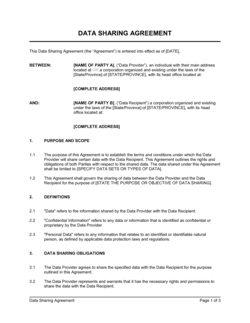

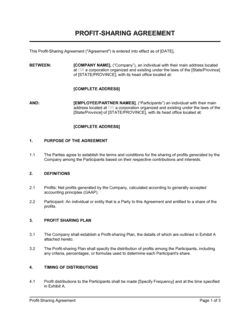
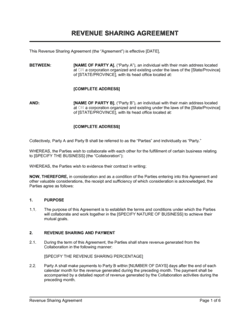
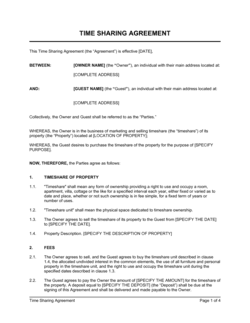
Each template is designed to help you move faster while giving your business more structure and consistency.
Browse All 3,000+ TemplatesPart of the Platform
Screen Sharing Is Just One Part ofthe Operating System
Business in a Box connects screen sharing to everything else your business needs to run.
Tasks & Projects
Plan, assign, and track tasks with full project management.
Docs & Knowledge
Organize policies, procedures, and business documents in one place.
Chat & Calls
Communicate with your team without switching apps.
Dashboard
See all data, project progress, and team performance in one view.
HR & People
Manage employees, attendance, and payroll-ready timesheets.
Ratings & Reviews
Rated Highly by Businesses Worldwide
What Businesses Say
Trusted by 250,000+ Businesses Worldwide
“We used to bounce between Zoom and our project tool for every review. Now it's one click and we're sharing a screen inside the task itself. The recorded sessions have become our training library.”
Priya Nair — Creative Director, Apex Studio
“Client demos used to require a whole setup ritual. Now I share my screen from inside the deal record, run the demo, and create follow-up tasks before the call ends. Our close rate went up.”
Jordan Mercer — VP of Sales, Fieldstone Solutions
“The remote control feature alone was worth the switch. Our senior engineers can take over a junior dev's screen and fix issues live without installing anything extra.”
Tomás Rivera — CTO, NovaBuild Technologies
Enterprise-Ready Security
Built for Trust, Security, and Compliance
Your data is protected by enterprise-grade infrastructure and compliance standards.


Questions
Frequently Asked Questions


Stop Switching Tools Just to Show Your Screen
Screen sharing that lives inside your work — connected to tasks, projects, and recordings — so every collaboration session actually moves things forward.
14-day money-back guarantee · Set up in minutes · Cancel anytime