Project Planning
Plan the Work. Execute the Plan. Keep Both in the Same Place.
Business in a Box combines project planning and execution in one system — timelines, milestones, task breakdowns, and team assignments all live in the same place the work gets done. Plans that stay connected to reality, not buried in a static doc.
The Problem
Plans That Live in Documents Are Dead the Moment They're Written
Most project plans are built in a slide deck, a spreadsheet, or a separate planning tool — then never updated again. The moment execution starts, the plan and the reality diverge. Managers are working from a document that stopped being accurate on day two.
Business in a Box connects planning and execution in one place. Milestones set in the plan appear in the project. Tasks created in the plan are the same tasks the team executes. When things change — and they always do — the plan updates with reality automatically.
How It Works
Project Planning and Execution in One Connected System
From the first planning session to the final deliverable, Business in a Box keeps the plan and the work in sync — automatically.
Timelines
Visual Project Timelines
Build project timelines visually — drag and drop phases, milestones, and deadlines onto a Gantt-style view that the whole team can see and work from.
Milestones
Milestone Planning
Define key milestones and connect them to the tasks that feed them. When tasks are completed, milestone progress updates automatically.
Task Breakdown
Work Breakdown Structure
Break projects into phases, workstreams, and individual tasks — with nested subtasks, dependencies, and estimated effort attached to each one.
Assignments
Team Assignment & Capacity Planning
Assign tasks to team members during planning — and see capacity indicators so you don't overload any one person before the project starts.
Dependencies
Task Dependencies
Link tasks that can't start until others are complete. The timeline reflects these dependencies — and adjusts automatically when something shifts.
Templates
Reusable Project Templates
Save any project structure as a template. New projects spin up from proven frameworks in minutes — not from blank pages every time.

A Day in the Life
From Kickoff to Closeout — Plans That Stay Connected to Reality
Business in a Box makes project planning an ongoing activity — not a one-time document — by keeping the plan connected to execution at every step.
Who Uses This
For Everyone Who Plans and Executes Projects
Project planning in Business in a Box works for software teams, agencies, operations teams, and any business that runs work through projects.
Project Management
Project Managers
Build comprehensive project plans in the same tool the team uses to execute — no more plan-to-execution translation layer.
Leadership
Business Owners & Executives
Approve projects with confidence — plans are structured, assignments are clear, and progress is visible from day one.
Operations
Operations Teams
Run operational projects — office moves, system rollouts, process changes — with the same planning tools as product and tech teams.
Marketing
Marketing & Creative Teams
Plan campaigns, launches, and creative productions with timelines and task assignments — connected to execution from the start.
Connected to Your OS
Project Plans Connected to Every Execution Layer
Business in a Box makes the project plan the single source of truth — connected to the tasks, calendar, team, and progress tracking that drive execution.
Task Management
Tasks created in the project plan become the actual work items the team executes — same record, same system.
Calendar
Project milestones and deadlines appear on the shared team calendar automatically — no manual calendar updates.
Progress Tracking
As tasks are completed, project progress updates in real time — the plan always reflects current reality.
Team & HR
Team capacity and availability are visible during planning — so assignments are realistic before the project starts.
Document Storage
Project briefs, requirements, and assets are stored and linked to the project plan — always accessible in context.
Ready-to-Use Templates
Project Templates That Skip the Blank Page
Business in a Box includes ready-to-use project plan templates for software launches, marketing campaigns, hiring, operations, and more.
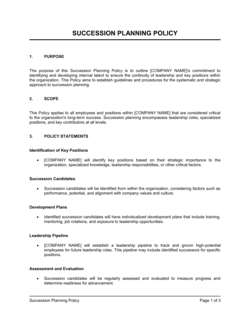

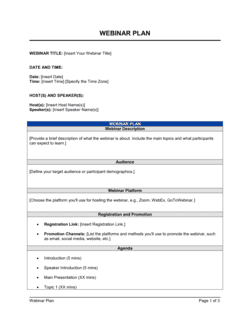
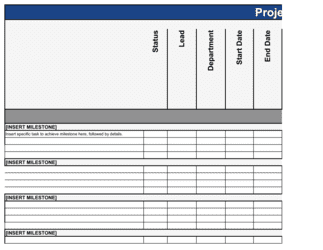

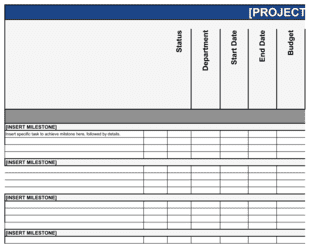
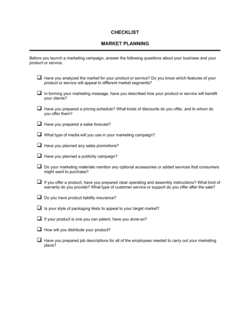
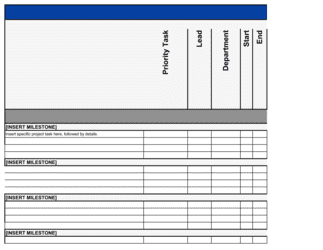
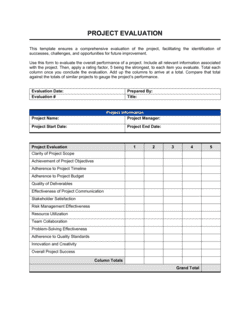
Each template is designed to help you move faster while giving your business more structure and consistency.
Browse All 3,000+ TemplatesPart of the Platform
Project Planning Is Just One Part ofthe Operating System
Business in a Box connects project planning to everything else your business needs to run.
Tasks & Projects
Plan, assign, and track tasks with full project management.
Docs & Knowledge
Organize policies, procedures, and business documents in one place.
Chat & Calls
Communicate with your team without switching apps.
Dashboard
See all data, project progress, and team performance in one view.
HR & People
Manage employees, attendance, and payroll-ready timesheets.
Ratings & Reviews
Rated Highly by Businesses Worldwide
What Businesses Say
Trusted by 250,000+ Businesses Worldwide
“The moment we stopped planning in spreadsheets and started planning in Business in a Box, we saw the difference. The plan stays live — it changes with the project, not against it.”
Ryan B. — Head of Delivery, Software Agency
“Templates are a game-changer. We run the same type of client project 20 times a year. Now we start from the same structure every time, not from scratch.”
Julie N. — Project Director, Management Consulting
“I can see capacity during planning now. Before, we'd overload the team on paper and only find out in week two. Now we know before the project even starts.”
Omar K. — VP of Engineering, Mid-Market SaaS
Enterprise-Ready Security
Built for Trust, Security, and Compliance
Your data is protected by enterprise-grade infrastructure and compliance standards.


Questions
Frequently Asked Questions


Build a Plan That Stays Connected to the Work
Business in a Box unifies project planning and execution in one system — so your plans are never outdated, your team is never out of the loop, and your projects actually land.
14-day money-back guarantee · Set up in minutes · Cancel anytime