Progress Tracking
Know Where Everything Stands — Without Asking Anyone
Business in a Box gives managers and teams live visibility into progress across tasks, projects, goals, and performance — all in one place. Real-time dashboards, visual timelines, and status rollups mean you never need to send a 'quick update' request again.
The Problem
Progress Updates Shouldn't Require a Meeting
Most teams spend more time reporting progress than making it. Status updates are requested, written, compiled, and summarized — in emails, Slack messages, weekly standups, and slide decks. It's duplicated work, and none of it is real-time.
Business in a Box eliminates the reporting layer by making progress visible automatically. As work gets done, progress updates itself. Managers see it. Stakeholders see it. The whole team sees it — without anyone lifting a finger to write a status update.
How It Works
Progress That Updates Itself — As Work Gets Done
Every task completed, milestone hit, and goal checked in automatically updates the dashboards, timelines, and rollups your team and leadership rely on.
Visibility
Real-Time Progress Dashboards
See live completion rates, work-in-progress counts, and health status across every project and team — updated automatically as tasks are completed.
Timelines
Visual Project Timelines
View project progress on a Gantt-style timeline — see what's done, what's in progress, and what's ahead, relative to the original plan.
Goals
Goal & OKR Progress Tracking
Connect goals and OKRs to the tasks and projects that drive them. As work is completed, goal progress updates automatically.
Performance
Team Performance Metrics
Track task completion rates, on-time delivery, and throughput by team or individual — surfacing where performance is strong and where it needs support.
Rollups
Portfolio & Program Rollups
Roll up progress across multiple projects into a single view. Executives and program managers see the big picture without drilling into every detail.
Alerts
Progress Risk Alerts
When a project is tracking behind or a goal is at risk of being missed, you get an alert — with enough lead time to course-correct.

A Day in the Life
From First Login to End of Day — Always in the Picture
Business in a Box makes progress visible at every level — so every role gets the view they need without extra work from anyone.
Who Uses This
For Every Role That Needs to Know How Work Is Going
Progress tracking in Business in a Box serves every level of the org — from individual contributors checking their own work to executives reviewing the portfolio.
Leadership
Executives & Founders
Get a live view of progress across every project and goal — without status meetings. The portfolio dashboard tells you everything.
Project Management
Project & Program Managers
See real-time progress on every project you own — with timeline views, completion rates, and at-risk alerts built in.
Strategy
Strategy & OKR Owners
Connect goals to actual work and watch progress update automatically as tasks are completed. No more manual goal tracking.
Individual Contributors
Team Members
See your own completion rate and contribution to the team's goals — without needing to write a single status update.
Connected to Your OS
Progress That Flows Automatically From the Work
Business in a Box doesn't ask you to track progress separately — it derives it from the work being done across every connected module.
Task Management
Task completions flow directly into project completion rates and dashboard metrics — automatically.
Project Management
Milestone completions and phase progress update the project timeline and rollup views in real time.
Goals & OKRs
Goal progress is calculated from linked tasks and milestones — no manual check-ins required.
Team Performance
Individual and team completion data feeds performance dashboards — available for managers and HR reviews.
Reporting & Analytics
All progress data is available in the reporting module — export summaries, trends, and velocity charts on demand.
Ready-to-Use Templates
Progress Tracking Templates That Start Working Immediately
Business in a Box includes dashboard templates, OKR trackers, sprint review frameworks, and project health reports — configured and ready to use.
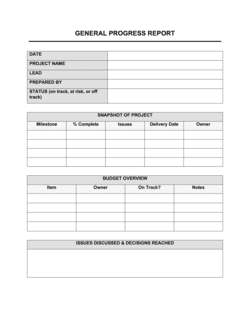
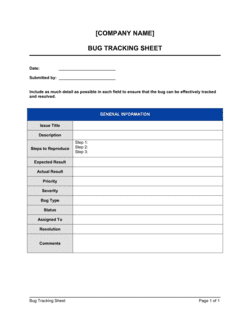
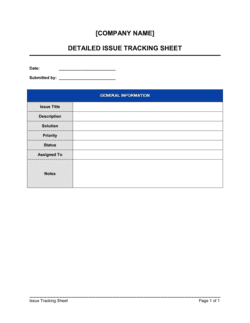
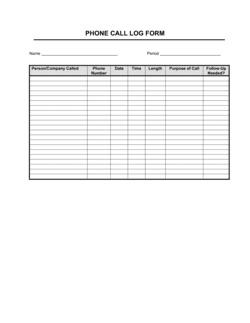
Each template is designed to help you move faster while giving your business more structure and consistency.
Browse All 3,000+ TemplatesPart of the Platform
Progress Tracking Is Just One Part ofthe Operating System
Business in a Box connects progress tracking to everything else your business needs to run.
Tasks & Projects
Plan, assign, and track tasks with full project management.
Docs & Knowledge
Organize policies, procedures, and business documents in one place.
Chat & Calls
Communicate with your team without switching apps.
Dashboard
See all data, project progress, and team performance in one view.
HR & People
Manage employees, attendance, and payroll-ready timesheets.
Ratings & Reviews
Rated Highly by Businesses Worldwide
What Businesses Say
Trusted by 250,000+ Businesses Worldwide
“We eliminated our weekly status meeting. The dashboard tells leadership everything they need to know about where projects stand — in real time, not 5 days late.”
Sandra M. — VP of Operations, B2B Technology Company
“Our OKRs used to be a quarterly exercise nobody took seriously because the data wasn't live. Now progress updates as tasks are done. It's completely changed how seriously the team takes goals.”
James L. — CEO, Growth-Stage SaaS
“The portfolio rollup is my favorite feature. I have 12 active projects and I can see the health of all of them in 30 seconds. That's not something I've had in any other tool.”
Patricia O. — Program Director, Professional Services
Enterprise-Ready Security
Built for Trust, Security, and Compliance
Your data is protected by enterprise-grade infrastructure and compliance standards.


Questions
Frequently Asked Questions


Stop Asking for Updates. Start Seeing Progress.
Business in a Box gives every team a live view of where work stands — automatically, without status meetings or manual reporting.
14-day money-back guarantee · Set up in minutes · Cancel anytime