Performance Intelligence
Measure Productivity With Data, Not Gut Feelings
Know exactly how productive your team is — by person, project, and time period. Track tasks completed, time invested, and output per role so you can make decisions based on facts, not assumptions.
The Problem
Productivity Conversations Without Data Are Just Opinions
When someone seems busy but isn't producing results, or when a high performer is quietly burning out, managers without data can't act. Performance conversations become uncomfortable guessing games instead of constructive coaching sessions.
Business in a Box gives every manager a factual baseline — tasks completed, time spent, velocity trends, and workload balance — so every productivity conversation starts with shared reality, not competing perceptions.
Productivity Features
Every Metric That Actually Measures Output
Not vanity metrics. These are the numbers that tell you whether work is getting done, who's thriving, and where the bottlenecks live.
Output Measurement
Tasks Completed per Person
See how many tasks each team member completed in any time period — broken down by project, type, or priority level.
Velocity Tracking
Productivity Trends Over Time
Compare this week to last week, this quarter to last quarter. Spot when productivity dips and correlate it to events, workload changes, or team shifts.
Time Allocation
Time Spent by Project & Priority
Understand what percentage of each person's time is going to high-priority work versus administrative tasks or reactive requests.
Workload Balance
Capacity & Workload Dashboard
See who's overloaded and who has capacity. Rebalance assignments before burnout happens or deadlines get missed.
Team Benchmarks
Team & Role Benchmarking
Compare productivity across similar roles to identify performance gaps, set realistic targets, and recognize high performers with actual evidence.
Reporting
Scheduled Productivity Reports
Automatically send weekly or monthly productivity summaries to managers, directors, or executives — no manual compilation needed.

A Day in the Life
What Managing Productivity With Data Looks Like
From morning dashboards to quarterly reviews, here's how data-driven productivity management changes every conversation.
Use Cases
For Any Team That Needs to Know If Work Is Getting Done
From engineering to customer success, every team benefits from replacing productivity opinions with productivity data.
Engineering
Dev Teams & Sprints
Track story points completed, PR velocity, and individual output across sprints to run better retrospectives and set accurate capacity targets.
Customer Success
Support & Success Teams
Measure tickets resolved, response times, and case load per rep to balance queues and spot when someone needs coaching or support.
Content & Creative
Marketing & Creative Teams
Track deliverables completed per person, time per asset type, and output velocity to staff projects accurately and meet campaign deadlines.
Leadership
Executives & HR Leaders
Get a company-wide view of productivity health — by department, role, and individual — to make informed decisions about hiring, restructuring, and investment.
Connected to Your OS
Productivity Data That Powers Every HR and Management Decision
Productivity metrics don't exist in a vacuum. They connect to performance reviews, compensation, scheduling, and team planning.
Employee Evaluations
Pull actual productivity metrics into performance reviews — completed tasks, velocity trends, and workload data replace subjective impressions.
Time & Attendance
Combine hours worked with tasks completed to calculate real output per hour — the truest measure of productivity.
Scheduling & Capacity
Use productivity data to set realistic schedules and spot when someone's workload is unsustainable before they burn out.
Goal Tracking
Link individual productivity metrics to OKRs and team goals so everyone can see how daily output connects to quarterly targets.
HR & People Management
Productivity history informs promotion decisions, compensation reviews, and performance improvement plans with objective evidence.
Ready-to-Use Templates
Start Measuring Productivity Today
Pre-built dashboards, report templates, and benchmark frameworks get your productivity tracking running from day one.
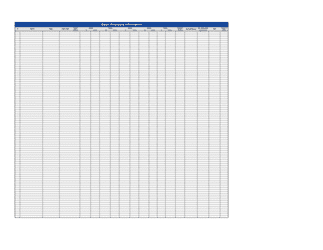
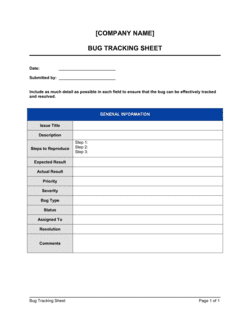
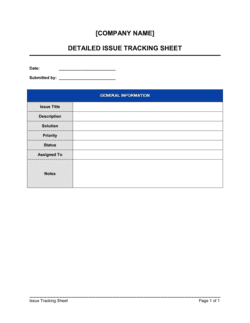
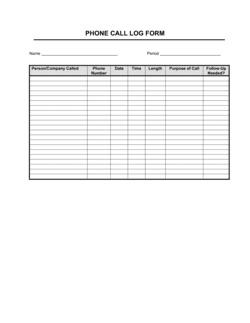
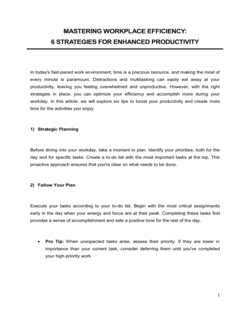
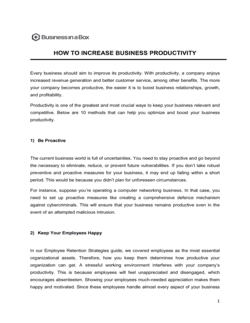
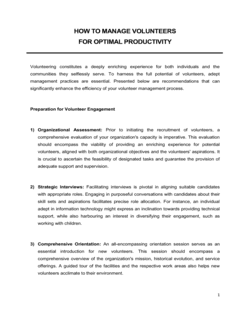
Each template is designed to help you move faster while giving your business more structure and consistency.
Browse All 3,000+ TemplatesPart of the Platform
Productivity Tracking Is Just One Part ofthe Operating System
Business in a Box connects productivity tracking to everything else your business needs to run.
Tasks & Projects
Plan, assign, and track tasks with full project management.
Docs & Knowledge
Organize policies, procedures, and business documents in one place.
Chat & Calls
Communicate with your team without switching apps.
Dashboard
See all data, project progress, and team performance in one view.
HR & People
Manage employees, attendance, and payroll-ready timesheets.
Ratings & Reviews
Rated Highly by Businesses Worldwide
What Businesses Say
Trusted by 250,000+ Businesses Worldwide
“We finally had the data to have a real conversation with an underperforming employee instead of talking around the issue. It changed the whole dynamic of the review.”
Lauren Chastain — VP of People, Nexfield Inc.
“I found out our team was spending 40% of their time on reactive requests. That insight alone was worth the entire platform — we restructured our workflow and reclaimed the week.”
Tom Biggs — Director of Engineering, Loopframe
“The workload balance dashboard stopped two burnouts before they happened. I could see the overload building and moved things around before anyone hit a wall.”
Dana Park — Team Lead, Stellar Customer Success
Enterprise-Ready Security
Built for Trust, Security, and Compliance
Your data is protected by enterprise-grade infrastructure and compliance standards.


Questions
Frequently Asked Questions


Replace Productivity Opinions With Productivity Data.
Measure what your team actually produces — tasks, time, velocity, and workload balance — so every management decision is backed by facts.
14-day money-back guarantee · Set up in minutes · Cancel anytime