Real-Time Productivity Dashboard
Know Exactly How Productive Your Team Is — Right Now
Stop guessing and stop pulling reports manually. Business in a Box gives you a live productivity dashboard that shows task completion, team output, time allocation, and workload balance — updated in real time as work happens.
The Problem
You Can't Improve What You Can't See
Most business leaders have no reliable way to measure team productivity. Output tracking is manual, reporting is delayed, and by the time you notice a performance issue, it's already impacted results. Gut feeling isn't a management strategy.
Business in a Box captures every task, every completion, and every hour worked — then surfaces it in a clean, real-time dashboard that lets you spot trends, catch problems early, and make data-backed decisions about your team.
Dashboard Capabilities
Every Productivity Metric, One Live Dashboard
Business in a Box tracks output as it happens and presents it in a dashboard designed for managers who need answers, not raw data.
Live Data
Real-Time Output Tracking
See task completions, progress updates, and team activity as they happen — not in yesterday's report.
Workload
Workload Distribution View
Instantly see who has too much, who has capacity, and where you need to rebalance before it becomes a problem.
Time
Time Allocation Analytics
Understand how time is being spent across projects, clients, and task types — at the individual and team level.
Completion
Task Completion Rates
Track daily, weekly, and monthly completion rates by person, team, or project. Spot trends before they become issues.
Goals
Goal & KPI Progress
Set productivity targets and watch live progress toward them. Everyone knows the goal and can see how close they are.
AI Insights
AI Productivity Summaries
AI automatically generates plain-English summaries of team performance, highlighting wins, risks, and recommendations.

A Manager's Day With the Dashboard
Real Productivity Visibility, All Day Long
From morning check-in to afternoon review, here's how the Business in a Box productivity dashboard fits into your management routine.
Who It's Built For
Built for Anyone Who Needs Accountability and Clarity
Whether you lead a small team or manage cross-functional output, the productivity dashboard gives you the data to lead with confidence.
Management
Team Managers
Get instant clarity on who's performing, who's stuck, and where the team needs support — without chasing status updates.
Leadership
CEOs & Business Owners
See business-wide output data rolled up into an executive view. Make resourcing and growth decisions backed by real numbers.
Performance
Operations Leads
Optimize workflows and resource allocation using live data on where time is going and where output is strongest.
Accountability
Remote Team Leads
Maintain visibility and accountability across distributed teams without micromanaging — the data speaks for itself.
Connected OS
Your Dashboard Pulls Data From the Entire Operating System
The productivity dashboard isn't a standalone report. It pulls live data from tasks, schedules, projects, HR, and time tracking — giving you the most complete picture available.
Task completions feed the dashboard in real time
Every task update, completion, or status change is instantly reflected in productivity metrics.
Schedule data shows planned versus actual capacity
Compare what was planned against what was delivered — automatically, without a spreadsheet.
Time tracking connects to project and task costs
Understand not just how long things take, but whether the time investment is proportional to the output.
AI surfaces patterns you would otherwise miss
Automated analysis highlights productivity trends, bottlenecks, and improvement opportunities across your data.
Reports are always current — no manual compilation
Executive reports, team summaries, and project health scores update automatically from live data.
Ready-to-Use Templates
Start Tracking Productivity With Proven Frameworks
Use pre-built templates to set up productivity tracking, performance goals, and reporting processes quickly.
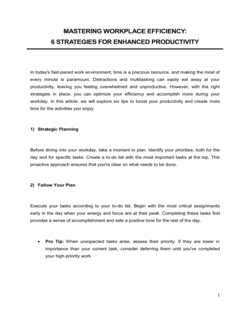
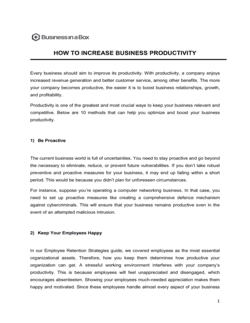
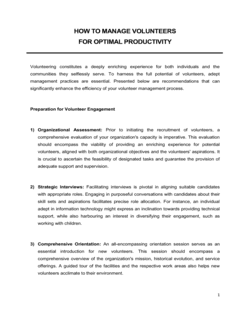
Each template is designed to help you move faster while giving your business more structure and consistency.
Browse All 3,000+ TemplatesPart of the Platform
Productivity Dashboard Is Just One Part ofthe Operating System
Business in a Box connects productivity dashboard to everything else your business needs to run.
Tasks & Projects
Plan, assign, and track tasks with full project management.
Docs & Knowledge
Organize policies, procedures, and business documents in one place.
Chat & Calls
Communicate with your team without switching apps.
Dashboard
See all data, project progress, and team performance in one view.
HR & People
Manage employees, attendance, and payroll-ready timesheets.
Ratings & Reviews
Rated Highly by Businesses Worldwide
What Businesses Say
Trusted by 250,000+ Businesses Worldwide
“I used to spend two hours on Fridays compiling a team productivity report. Now it's on my screen the moment I open the platform. The time savings alone paid for the subscription.”
Tom B. — Operations Manager, E-commerce Brand
“The workload distribution view changed how I manage. I can instantly see when someone's overloaded and fix it before they burn out or miss a deadline.”
Leila N. — Team Lead, Software Studio
“Having AI summarize our team's productivity each week has made our leadership meetings sharper. We spend time on decisions, not on digging through data.”
Chris V. — CEO, Marketing Agency
Enterprise-Ready Security
Built for Trust, Security, and Compliance
Your data is protected by enterprise-grade infrastructure and compliance standards.


Questions
Frequently Asked Questions


See Your Team's Real Productivity — Live
Stop relying on gut feel and delayed reports. Get a real-time productivity dashboard that shows you exactly what your team is delivering.
14-day money-back guarantee · Set up in minutes · Cancel anytime