Team Knowledge
A Notes App for Teams That Connects Your Knowledge to Your Work
Business in a Box gives your team a shared, searchable notes app where meeting notes, project notes, and knowledge are captured in context — linked to tasks, projects, and the people they belong to.
The Problem
Your Team's Knowledge Is Scattered Across Apps No One Can Search
Teams take notes in Notion, Confluence, Google Docs, individual notebooks, email threads, and Slack messages — and then can't find any of it when they actually need it. Meeting decisions get buried. Project context disappears when someone leaves. Onboarding a new hire means hunting through five tools to find information that may or may not still be accurate.
Business in a Box gives your team one shared notes workspace — searchable, organized by project and context, and connected directly to the tasks and work the notes are about. Nothing gets lost. Everything has a home. And your team's knowledge actually compounds over time instead of evaporating.
Shared Team Notes
Notes That Live With the Work They Belong To
Business in a Box notes are connected to projects, tasks, and teammates — not floating in a folder somewhere. Every note is searchable, shareable, and always in context.
Structured Notes
Rich Notes With Headers, Lists, and Media
Create rich notes with text formatting, bullet lists, checklists, code blocks, images, and file embeds. Everything your team needs to capture and communicate clearly.
Work-Linked Notes
Link Notes to Tasks, Projects, and Meetings
Every note can be linked to a specific task, project, or meeting. Open a project and see all related notes in one place — no hunting required.
Collaborative Editing
Multiple People. One Note. No Conflicts.
Multiple team members can edit the same note simultaneously. Changes sync in real time — no version conflicts, no 'who has the latest copy' questions.
Full-Text Search
Find Any Note in Seconds
Every note is indexed and fully searchable. Search by keyword, project, date, or author — and find any piece of information your team has ever captured.
Access Control
Control Who Can See and Edit Each Note
Set visibility at the note or folder level. Keep sensitive meeting notes private, share project notes team-wide, or make knowledge base articles company-accessible.
Version History
Full Revision History on Every Note
See every change ever made to a note, who made it, and when. Restore any previous version with one click — nothing is ever permanently lost.

A Day With Business in a Box
What Team Notes Look Like When They're Connected to Your Work
From morning standup notes to a knowledge article written after a client call, here's how Business in a Box turns your team's notes into a lasting asset.
Who It's For
Team Notes for Every Kind of Work
Whether you're capturing meeting outcomes, building a knowledge base, or documenting processes, Business in a Box gives your team notes that are actually useful.
Remote Teams
The Async Record-Keeper Your Remote Team Needs
Remote teams use Business in a Box notes to capture decisions, share context, and build knowledge — so async work doesn't mean lost information.
Agencies
Client Meeting Notes in Your Project Context
Agencies capture client call notes linked directly to the client project — so every team member has full context without attending every meeting.
Managers
One-on-One and Team Meeting Notes That Don't Disappear
Managers keep one-on-one notes, team meeting summaries, and performance observations in a structured, searchable format — not in a personal notebook.
Engineering Teams
Technical Notes and Decisions Where the Code Lives
Engineering teams document technical decisions, architecture notes, and debugging processes in notes linked to the relevant project or task.
Connected to Your OS
Notes Connected to Every Part of Your Business
Notes in Business in a Box aren't a standalone app — they're woven into projects, tasks, meetings, and HR so knowledge lives where the work happens.
Projects
Every project has a linked notes space. Open any project and see all related notes, decisions, and documentation in one view.
Tasks
Link notes to individual tasks. Team members get full context on any piece of work without asking anyone to explain the background.
Video Calls
Take meeting notes during a video call inside Business in a Box. Notes are auto-linked to the project or task the meeting was called from.
Team Chat
Share a note directly to a team chat channel. Link from chat to the full note so context is always accessible without copying content.
Wiki & Knowledge Base
Promote notes to your company wiki or knowledge base in one click. Turn a meeting note into a permanent process document without rewriting it.
Ready-to-Use Templates
Start Taking Better Notes With Proven Templates
Business in a Box includes pre-built note templates for meetings, project planning, retrospectives, one-on-ones, and more — so your team captures the right information every time.

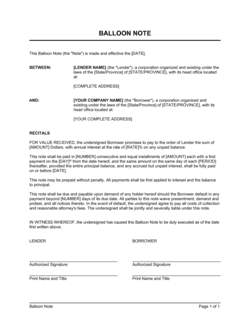
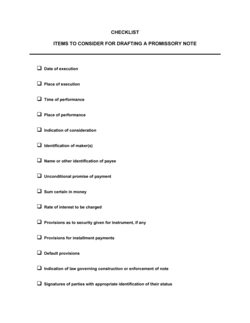
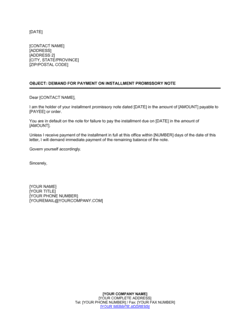
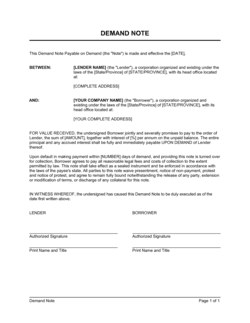
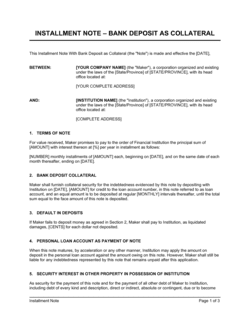
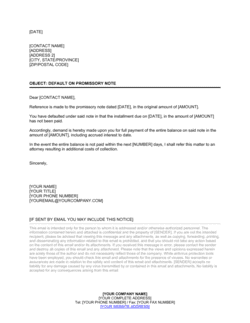
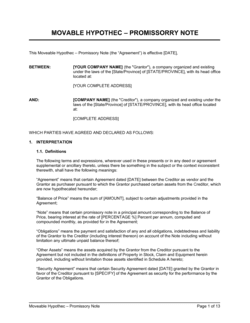
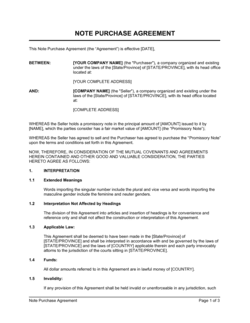
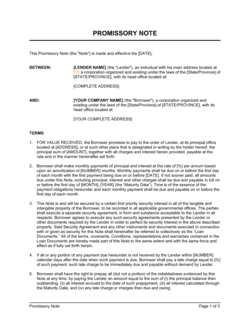
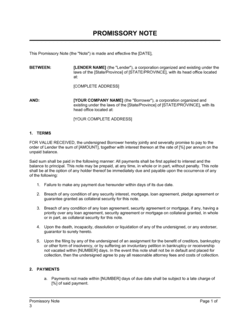
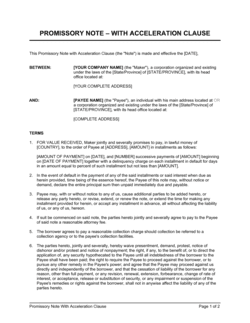
Each template is designed to help you move faster while giving your business more structure and consistency.
Browse All 3,000+ TemplatesPart of the Platform
Notes App for Teams Is Just One Part ofthe Operating System
Business in a Box connects notes app for teams to everything else your business needs to run.
Tasks & Projects
Plan, assign, and track tasks with full project management.
Docs & Knowledge
Organize policies, procedures, and business documents in one place.
Chat & Calls
Communicate with your team without switching apps.
Dashboard
See all data, project progress, and team performance in one view.
HR & People
Manage employees, attendance, and payroll-ready timesheets.
Ratings & Reviews
Rated Highly by Businesses Worldwide
What Businesses Say
Trusted by 250,000+ Businesses Worldwide
“We replaced Notion. Having notes live inside the same platform as our tasks and projects changed everything. Context is always there — we never have to explain the backstory.”
Arjun Mehta — CTO, Mehta Digital
“Meeting notes used to disappear into personal docs. Now they're linked to the project and searchable by the whole team. We make better decisions because we actually remember what we decided.”
Chloe Fontaine — Head of Product, Fontaine Labs
“I can onboard a new hire and hand them a link to the project notes. They get six months of context in an hour. That's been transformative for our team velocity.”
Emmanuel Torres — Engineering Manager, Torres Systems
Enterprise-Ready Security
Built for Trust, Security, and Compliance
Your data is protected by enterprise-grade infrastructure and compliance standards.


Questions
Frequently Asked Questions


Stop Losing Your Team's Knowledge to Scattered Apps
Business in a Box gives your team a shared, searchable notes workspace — connected to projects, tasks, and meetings — where knowledge actually compounds over time.
14-day money-back guarantee · Set up in minutes · Cancel anytime