Time & Attendance
A Digital Time Clock Your Whole Team Will Actually Use
Replace punch cards and manual logs with a cloud time clock that works on any device. Employees clock in and out in seconds — timesheets generate automatically and exceptions get flagged before payroll.
The Problem
Physical Punch Clocks and Manual Logs Are Costing You Money
Buddy punching, forgotten clock-outs, and manually transcribed timesheets introduce errors into every payroll cycle. Your managers spend hours every week chasing missing punches and reconciling spreadsheets instead of leading their teams.
Business in a Box replaces your punch clock, time log, and timesheet tool with one connected system — so attendance data flows directly into payroll, scheduling, and HR records without anyone touching a spreadsheet.
Time Clock Features
Everything You Need to Track Time — Nothing You Don't
From one-tap mobile clock-in to automatic overtime alerts, every feature is built to eliminate the manual work between punching in and getting paid correctly.
Any Device
Clock In From Anywhere
Web, mobile, or shared kiosk — employees clock in and out from whatever device is in front of them, with GPS location captured automatically.
Auto-Generated
Instant Timesheets
Every punch automatically populates a timesheet. By the end of the pay period, timesheets are complete — managers just review and approve.
Proactive Alerts
Exception Flagging
Missed punches, early departures, and overtime thresholds are flagged in real time so you catch problems before they become payroll errors.
Location Verified
GPS & Geofencing
Confirm employees are on-site when they clock in. Set geofences around job sites and get alerted when someone clocks in outside the approved zone.
Fraud Prevention
Face ID & PIN Verification
Optional biometric and PIN verification prevents buddy punching and ensures the right person is clocking in — not their co-worker doing them a favor.
Connected Data
Payroll & HR Sync
Approved timesheets flow directly into payroll processing and HR records — no re-entry, no CSV exports, no reconciliation headaches.

A Day in the Life
What a Smooth Time-Tracking Day Looks Like
From first punch to payroll approval, here's how Business in a Box keeps time data accurate without anyone chasing it down.
Use Cases
Built for Teams That Can't Afford Payroll Errors
Whether you're running a warehouse, a clinic, a restaurant, or a remote dev team, accurate time data is non-negotiable.
Operations
Warehouses & Distribution
Track shift workers across multiple locations with kiosk clock-in, geofencing, and automatic overtime alerts before costs spiral.
Hospitality
Restaurants & Retail
Manage high-turnover hourly staff with simple mobile clock-in, tip tracking integration, and break compliance built into every shift.
Healthcare
Clinics & Care Facilities
Maintain accurate records for compliance-heavy environments where every hour must be documented and auditable on demand.
Remote Teams
Distributed & Remote Staff
Give remote employees a simple clock-in flow and give managers real-time visibility into who's working, on what, and for how long.
Connected to Your OS
Time Data That Talks to Every Part of Your Business
Clock-in data doesn't live in a silo. It connects to scheduling, payroll, HR records, and project tracking automatically.
Scheduling
Attendance actuals feed back into scheduling so next week's shifts are built on real data, not guesses.
Payroll Processing
Approved timesheets push directly to payroll — no exports, no re-entry, no rounding errors.
HR Records
Every punch and exception is part of the employee record, available for compliance reporting and performance reviews.
Productivity Tracking
Combine time-clock data with task completion to get a full picture of what each hour of labor actually produced.
Project Management
Time logged against shifts can be linked to specific projects, clients, or cost centers for accurate job costing.
Ready-to-Use Templates
Start Tracking Time Today With Pre-Built Templates
Don't build your time-tracking setup from scratch. Our templates give you a running start with policies, forms, and reports already configured.
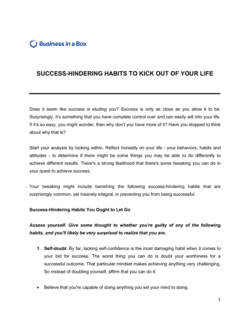
Each template is designed to help you move faster while giving your business more structure and consistency.
Browse All 3,000+ TemplatesPart of the Platform
Clock-In Clock-Out Is Just One Part ofthe Operating System
Business in a Box connects clock-in clock-out to everything else your business needs to run.
Tasks & Projects
Plan, assign, and track tasks with full project management.
Docs & Knowledge
Organize policies, procedures, and business documents in one place.
Chat & Calls
Communicate with your team without switching apps.
Dashboard
See all data, project progress, and team performance in one view.
HR & People
Manage employees, attendance, and payroll-ready timesheets.
Ratings & Reviews
Rated Highly by Businesses Worldwide
What Businesses Say
Trusted by 250,000+ Businesses Worldwide
“We used to spend three hours every Friday reconciling punch cards before payroll. Now timesheets are basically done by themselves — I just click approve.”
Derek Thornton — Operations Manager, Clearfield Logistics
“Buddy punching was a real problem at our restaurant. Since we turned on PIN verification, our labor costs dropped noticeably within the first month.”
Sofia Reyes — Owner, Coastal Table Group
“Having GPS clock-in for our field crews means I always know who's on-site. It's saved us from billing disputes with clients more than once.”
James Okafor — Project Director, Verified Business
Enterprise-Ready Security
Built for Trust, Security, and Compliance
Your data is protected by enterprise-grade infrastructure and compliance standards.


Questions
Frequently Asked Questions


Ditch the Punch Clock. Get Accurate Time Data Automatically.
Set up your digital time clock in minutes. Your team clocks in from any device — timesheets build themselves and payroll gets the right numbers every time.
14-day money-back guarantee · Set up in minutes · Cancel anytime