Team Visibility
Real-Time Activity Tracking Across Every Project and Person
Stop asking 'what's everyone working on?' and start knowing. Business in a Box surfaces task progress, recent activity, and time spent across your entire team — all in one live feed.
The Problem
Without Activity Visibility, You're Managing in the Dark
When work is scattered across email threads, chat messages, and separate project tools, managers have no reliable way to know what's actually happening. You find out about blockers in stand-ups — or worse, when a deadline is missed.
Business in a Box gives you a unified activity feed that shows what every team member is working on, what they've completed, and where things are stuck — without requiring anyone to send a status update.
Activity Tracking Features
A Live View of Everything Your Team Is Doing
From individual task logs to project-wide activity feeds, every feature is designed to give you signal — not noise.
Live Feed
Real-Time Activity Stream
See every task started, completed, commented on, or updated across all projects — filtered by person, team, or project in one scroll.
Time Insight
Time Spent per Task
Automatic time tracking shows exactly how long each task took — no manual logging required. Spot where time is going and where estimates are off.
Per-Person View
Individual Activity Logs
Click any team member to see their full activity log — tasks in progress, completed today, and time logged — without scheduling a check-in.
Project Level
Project Progress Snapshots
Each project shows a live snapshot of completion percentage, recent activity, open tasks, and who's actively working on it right now.
Smart Alerts
Inactivity & Blocker Detection
Tasks that haven't moved in a configurable window are flagged automatically. Catch stalled work before it becomes a missed deadline.
Reporting
Exportable Activity Reports
Generate weekly activity summaries by person, project, or team — ready to share with leadership, clients, or use in performance reviews.

A Day in the Life
Visibility Without Micromanaging — All Day Long
Here's what a full day of managed visibility looks like when activity tracking is built into how your team works.
Use Cases
Visibility That Scales With Your Team
Whether you're managing five people or five hundred, knowing what's actually happening is the job.
Remote Teams
Distributed & Async Teams
See what remote team members are working on across time zones without requiring synchronous updates or daily check-in calls.
Client Services
Agencies & Client Work
Show clients exactly what your team did this week with exportable activity reports that build trust and justify retainer fees.
Development
Engineering Teams
Track sprint activity, time per ticket, and individual output to run tighter retrospectives and more accurate capacity planning.
Leadership
Executives & Directors
Get a portfolio-level view of team activity across all departments without needing to ask anyone for a status update.
Connected to Your OS
Activity Data That Feeds the Rest of Your Business
Activity tracking isn't isolated. It enriches your HR records, project reporting, payroll, and performance reviews automatically.
Project Management
Activity logs live alongside tasks — every update, comment, and status change is part of the project record, not a separate tool.
Time Tracking
Time spent on tasks feeds directly into timesheets and payroll — no duplicate entry between your time tracker and task manager.
Performance Reviews
Pull actual activity data into employee evaluations instead of relying on memory or self-reported accomplishments.
Team Management
See workload distribution across your team and reassign tasks before anyone gets overwhelmed or underutilized.
Client Reporting
Activity data becomes client-facing progress reports with one click — no reformatting, no copy-paste from three different tools.
Ready-to-Use Templates
Hit the Ground Running With Pre-Built Activity Workflows
Start tracking team activity from day one with templates designed for common team structures and reporting needs.
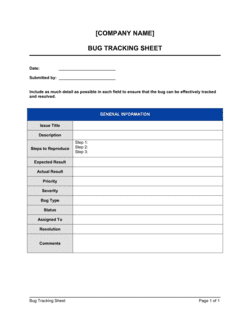
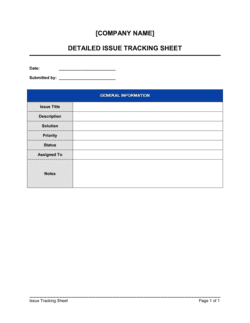
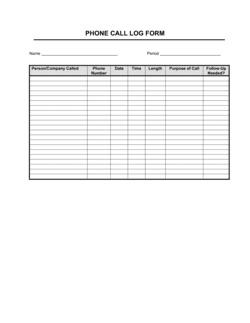
Each template is designed to help you move faster while giving your business more structure and consistency.
Browse All 3,000+ TemplatesPart of the Platform
Activity Tracking Is Just One Part ofthe Operating System
Business in a Box connects activity tracking to everything else your business needs to run.
Tasks & Projects
Plan, assign, and track tasks with full project management.
Docs & Knowledge
Organize policies, procedures, and business documents in one place.
Chat & Calls
Communicate with your team without switching apps.
Dashboard
See all data, project progress, and team performance in one view.
HR & People
Manage employees, attendance, and payroll-ready timesheets.
Ratings & Reviews
Rated Highly by Businesses Worldwide
What Businesses Say
Trusted by 250,000+ Businesses Worldwide
“I used to start every Monday by pinging six people asking what they worked on Friday. Now I open the dashboard and I already know. It's changed how I manage completely.”
Priya Nair — Engineering Manager, Stackfield Technologies
“Our clients love the weekly activity reports. It used to take an hour to put together — now it's two clicks. We've actually won renewals because of how transparent we look.”
Marcus Webb — Account Director, Ember Creative Agency
“The inactivity alerts are underrated. We caught a stalled project three days early because the system flagged it. That's a missed deadline we avoided without even knowing we were at risk.”
Anita Flores — COO, Brightside Operations
Enterprise-Ready Security
Built for Trust, Security, and Compliance
Your data is protected by enterprise-grade infrastructure and compliance standards.


Questions
Frequently Asked Questions


Stop Guessing. Start Seeing What Your Team Is Actually Doing.
Get real-time activity visibility across every project and person — without stand-ups, status emails, or micromanaging.
14-day money-back guarantee · Set up in minutes · Cancel anytime