Issue Management
Log It. Assign It. Resolve It. Keep Work Moving.
Business in a Box gives your team a structured place to log issues, bugs, and blockers — assign them to owners, track resolution progress, and connect them to the projects they affect. No more issues falling through the cracks because they lived in a chat message.
The Problem
Issues Don't Get Resolved — They Get Lost
Most teams manage issues in Slack threads, sticky notes, or a shared doc that nobody maintains. There's no single owner, no resolution status, and no connection to the work being blocked. Issues get raised, acknowledged, and then forgotten until they resurface — worse than before.
Business in a Box gives every issue a structure: a title, a description, an owner, a priority, a status, and a link to the project or task it affects. Issues get logged properly, escalated when needed, and closed when resolved — with a full history you can actually learn from.
How It Works
A Proper Issue Tracker Built Into Your Business OS
Business in a Box brings structured issue management inside the same system you use for projects, tasks, and communication — so nothing gets lost in translation.
Logging
Structured Issue Logging
Log any issue with a title, description, type (bug, blocker, feedback), priority, and attachment. Every issue is a proper record — not a chat message.
Ownership
Issue Assignment & Ownership
Every issue is assigned to a specific owner with a clear responsibility to resolve it. No more assuming someone else is on it.
Workflow
Status Tracking & Resolution Workflow
Move issues through a structured workflow: Open → In Progress → Resolved → Closed. Everyone sees the status. Nothing sits in limbo.
Context
Linked to Projects & Tasks
Issues are linked directly to the project or task they affect. Blockers surface in the project view — so context is never lost.
Priority
Priority Levels & Escalation
Tag issues as Low, Medium, High, or Critical. High-priority issues trigger escalation alerts so the right people respond fast.
History
Issue History & Resolution Log
Every closed issue retains a full history — what it was, who resolved it, how, and when. Build institutional knowledge instead of repeating mistakes.

A Day in the Life
From Bug Report to Resolution — Without Losing Track Once
Business in a Box makes issue management a clean, disciplined process — not a chaotic thread of messages nobody can find a week later.
Who Uses This
For Every Team That Needs Issues Resolved — Not Just Raised
Issue management in Business in a Box serves every function — engineering, operations, client services, HR, and beyond.
Engineering
Dev & Engineering Teams
Log bugs, track blockers, and link issues directly to the sprint tasks they affect — all without leaving your business OS.
Client Services
Account & Client Teams
Turn client-reported issues into structured, tracked records. Never lose a complaint in a chat thread again.
Operations
Ops & Process Teams
Track operational issues, process failures, and system errors with the same structured approach as software bugs.
Leadership
Managers & Leads
See the full issue backlog across all teams — filter by priority, status, or owner to know exactly where the blockers are.
Connected to Your OS
Issues Linked to the Work They're Blocking
Business in a Box connects every issue to the project, task, team, or process it affects — so context is never lost and resolutions move faster.
Project Management
Issues are linked to projects and appear as blockers in the project view — visible to the whole team.
Task Management
A task blocked by an issue shows its blocked status automatically — no manual flagging required.
Team Chat
Issue notifications flow into the relevant team channels — so the right people hear about it without being spammed.
Notifications
Priority escalation, status changes, and resolution alerts flow through the notification system — configurable per role.
Reporting & Analytics
Issue volume, resolution rate, average time-to-close, and recurring patterns are all reportable from the analytics dashboard.
Ready-to-Use Templates
Issue Management Templates for Real Business Teams
Business in a Box includes issue log templates, bug report forms, escalation frameworks, and post-mortem structures — ready to use from day one.
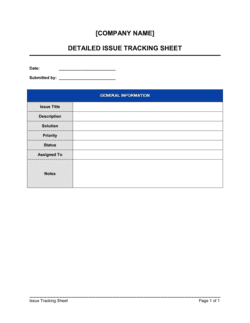
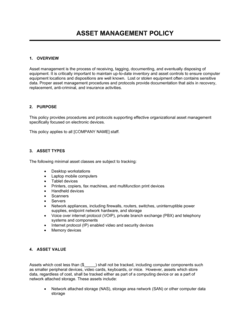
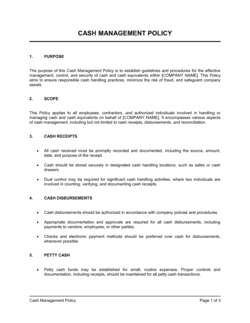
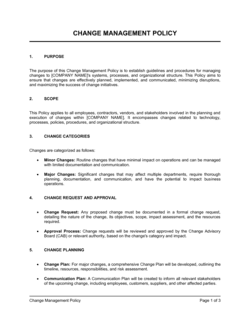
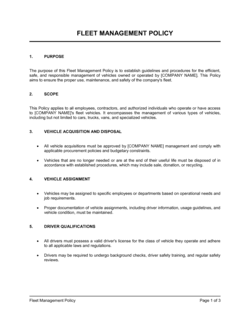
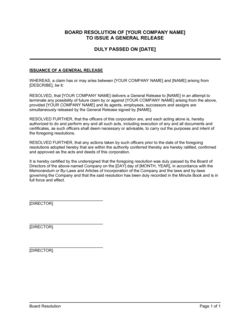
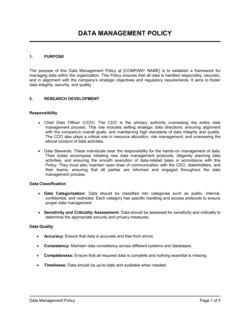
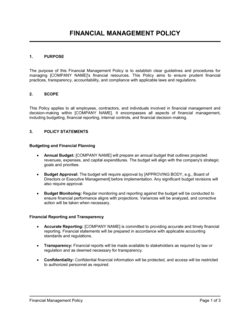
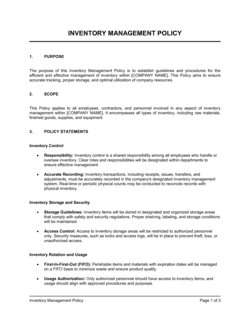
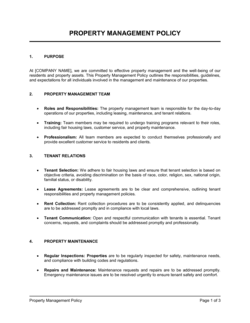
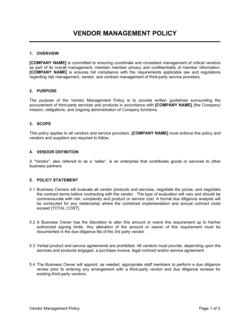
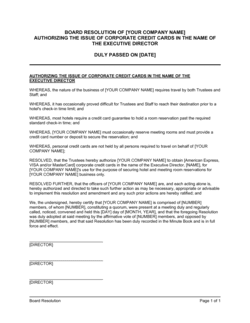
Each template is designed to help you move faster while giving your business more structure and consistency.
Browse All 3,000+ TemplatesPart of the Platform
Issue Management Is Just One Part ofthe Operating System
Business in a Box connects issue management to everything else your business needs to run.
Tasks & Projects
Plan, assign, and track tasks with full project management.
Docs & Knowledge
Organize policies, procedures, and business documents in one place.
Chat & Calls
Communicate with your team without switching apps.
Dashboard
See all data, project progress, and team performance in one view.
HR & People
Manage employees, attendance, and payroll-ready timesheets.
Ratings & Reviews
Rated Highly by Businesses Worldwide
What Businesses Say
Trusted by 250,000+ Businesses Worldwide
“Before Business in a Box, issues lived in Slack. Half of them never got resolved because they got buried. Now everything is logged, owned, and tracked — we've cut our recurring issue rate by more than half.”
Alex D. — Head of Engineering, B2B SaaS
“The link between issues and project tasks is what changed things for us. When a blocker is logged, the project manager sees it immediately in the project view. No more 'why didn't anyone tell me' moments.”
Fiona T. — Senior PM, Digital Product Agency
“We used to lose client-reported issues in email chains. Now they go into the issue tracker the moment they're received. Resolution rates are way up and clients notice the difference.”
Michael S. — Director of Client Services, Managed IT Provider
Enterprise-Ready Security
Built for Trust, Security, and Compliance
Your data is protected by enterprise-grade infrastructure and compliance standards.


Questions
Frequently Asked Questions


Stop Losing Issues in Chat. Start Resolving Them.
Business in a Box gives every issue a home — with an owner, a status, a priority, and a resolution history. Keep work moving even when things go wrong.
14-day money-back guarantee · Set up in minutes · Cancel anytime