Performance Management
Employee Evaluations That Actually Drive Performance
Replace paper forms and disconnected HR portals with structured digital evaluations — criteria, scoring, peer feedback, and development plans built into the same system where work happens.
The Problem
Most Performance Reviews Are Theater — Not Management
Annual reviews built on memory, paper forms, and clunky HR software produce uncomfortable conversations and nothing changes. Managers scramble to remember what happened eleven months ago. Employees feel blindsided. Development plans sit in a drawer.
Business in a Box makes evaluations continuous, structured, and connected to real work data. Criteria are set, scoring is consistent, feedback is documented, and development plans are tracked — all in one place that everyone can access.
Evaluation Features
Structured, Consistent, and Actually Connected to Work
Every feature is designed to make evaluations faster for managers, fairer for employees, and more useful for the organization.
Standardized Process
Configurable Evaluation Templates
Build evaluation templates with weighted criteria, rating scales, and required comments. Standardize across the company or customize by department and role.
360 Feedback
Peer & Multi-Rater Reviews
Collect structured feedback from peers, direct reports, and cross-functional collaborators — not just managers — for a fuller, fairer picture.
Data-Backed
Productivity Data Integration
Pull actual performance data — tasks completed, on-time delivery rate, output trends — directly into the evaluation so scoring is grounded in evidence.
Development
Individual Development Plans
Create development plans inside the evaluation with specific goals, timelines, and check-in milestones. Track progress between review cycles, not just during them.
Continuous Feedback
Between-Review Check-Ins
Managers and employees can log feedback, wins, and concerns any time — so the annual review is a summary, not a surprise.
Secure Records
Audit-Ready Evaluation Archive
Every completed evaluation is stored securely in the employee's record — searchable, timestamped, and available for HR compliance and legal reference.

A Day in the Life
What a Modern Evaluation Cycle Looks Like
From setting criteria to closing the review cycle, here's how Business in a Box makes evaluations useful instead of painful.
Use Cases
Evaluations for Every Stage and Structure
Whether you're running annual reviews, quarterly check-ins, or project-based feedback, the system adapts to how you manage performance.
Mid-Market
Scaling Companies (50–500 Employees)
Standardize evaluations across departments as you grow so performance management doesn't become inconsistent as headcount increases.
Team Leads
People Managers
Give managers a structured process that saves time and produces better conversations — with actual data backing every rating.
HR & Compliance
HR Leaders & People Ops
Maintain auditable evaluation records, ensure scoring calibration, and connect review outcomes to compensation and promotion decisions.
Individual Contributors
Employees
Give employees visibility into how they're being evaluated, tools to document their own contributions, and clarity on what development looks like.
Connected to Your OS
Evaluations That Connect to Real Work Data
Performance reviews in Business in a Box aren't isolated events — they pull from real work history and feed into compensation, development, and HR records.
Productivity Tracking
Pull task completion rates, velocity trends, and output data into evaluations so scores reflect actual performance, not just impressions.
Goal & OKR Tracking
Link evaluation criteria to the goals employees set at the start of the cycle — scoring becomes about whether goals were achieved.
Compensation Management
Evaluation scores feed into merit increase workflows so compensation decisions are documented, justified, and consistent.
HR Records
Completed evaluations are stored in the employee's permanent HR record alongside employment history, certifications, and documents.
Attendance & Time Data
Attendance records and time data are available in the evaluation context so punctuality and reliability can be assessed with facts.
Ready-to-Use Templates
Launch Your First Evaluation Cycle Today
Pre-built evaluation templates, scoring rubrics, and development plan frameworks so you don't start from a blank page.

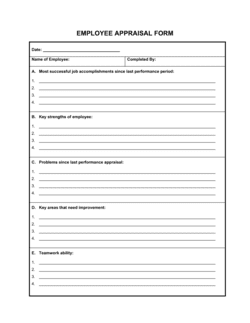
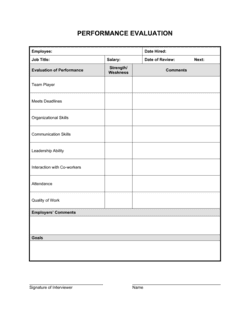

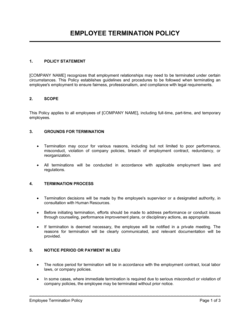
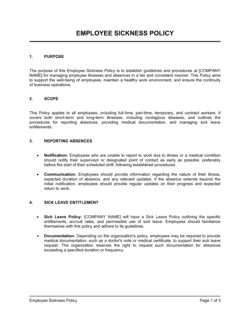
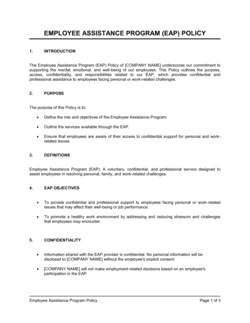
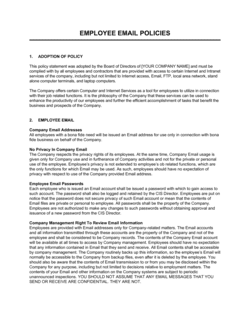
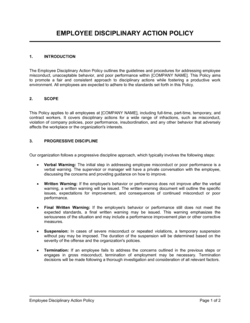
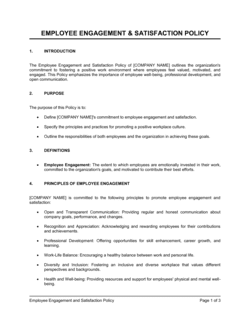
Each template is designed to help you move faster while giving your business more structure and consistency.
Browse All 3,000+ TemplatesPart of the Platform
Employee Evaluations Is Just One Part ofthe Operating System
Business in a Box connects employee evaluations to everything else your business needs to run.
Tasks & Projects
Plan, assign, and track tasks with full project management.
Docs & Knowledge
Organize policies, procedures, and business documents in one place.
Chat & Calls
Communicate with your team without switching apps.
Dashboard
See all data, project progress, and team performance in one view.
HR & People
Manage employees, attendance, and payroll-ready timesheets.
Ratings & Reviews
Rated Highly by Businesses Worldwide
What Businesses Say
Trusted by 250,000+ Businesses Worldwide
“Our review cycle used to take six weeks of chasing managers for paperwork. Now it's two weeks, every evaluation is complete, and the data actually goes somewhere.”
Rachel Kim — Director of People Operations, Vertex Health
“The development plan tracking is what changed things for us. Before, plans were written and forgotten. Now managers get reminders and employees can see their own progress.”
Carlos Mendes — VP of Engineering, Driftwood Labs
“Having productivity data inside the evaluation changed how conversations go. Instead of debating whether someone is performing, we're looking at the same numbers and talking about what to do next.”
Lisa Tran — Chief People Officer, Openbridge
Enterprise-Ready Security
Built for Trust, Security, and Compliance
Your data is protected by enterprise-grade infrastructure and compliance standards.


Questions
Frequently Asked Questions


Replace Paper Reviews With Performance Management That Actually Works.
Structured criteria, real data, peer feedback, and development plans — all in one system connected to where work happens.
14-day money-back guarantee · Set up in minutes · Cancel anytime