Checklist Equipment Lease

Free download β€’ Use as a template β€’ Print or share

2 pagesβ€’20–25 min to useβ€’Difficulty: Standard
Learn more ↓
FreeChecklist Equipment Lease Template

At a glance

What it is
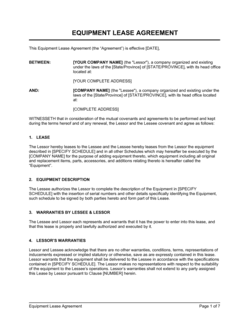
A Checklist Equipment Lease is a structured form used to document and verify the key details of an equipment lease transaction β€” including asset identification, condition at handoff, lease terms, and return requirements. This free Word download can be edited online and exported as PDF, giving lessors and lessees a shared reference for every stage of the lease lifecycle.
When you need it
Use it whenever equipment changes hands under a lease arrangement β€” at pickup, during scheduled inspections, and at return. It is especially useful when managing multiple leased assets across locations or tracking condition disputes at the end of a lease term.
What's inside
Equipment identification fields, condition ratings at lease start and end, lease term and payment details, insurance and liability notes, maintenance obligations, and sign-off fields for both parties.

What is a Checklist Equipment Lease?

A Checklist Equipment Lease is a structured form used to document the condition, accessories, and key lease details of a piece of equipment at each transfer point in the lease lifecycle β€” handoff, mid-lease inspection, and return. It serves as the operational companion to a formal equipment lease agreement, creating a mutually signed, timestamped record of what was leased, in what condition, and under what terms. Unlike the agreement itself, which defines rights and obligations, the checklist proves what physically occurred β€” making it the primary document in any condition dispute, deposit deduction, or insurance claim.

Why You Need This Document

Without a completed equipment lease checklist, every return becomes a potential dispute. Lessees contest damage charges they claim were pre-existing; lessors have no documentation to support deposit deductions; insurers have no baseline condition record to process a claim. A single undocumented handoff can turn a straightforward lease into a costly disagreement that damages client relationships and ties up security deposits for months. This template gives both parties a clear, consistent record from the moment equipment changes hands β€” reducing disputes, accelerating deposit returns, and creating the audit trail that lenders, insurers, and auditors require when high-value assets are involved.

Which variant fits your situation?

If your situation is…Use this template
Leasing heavy construction or industrial machineryEquipment Lease Agreement
Renting a vehicle or fleet of vehiclesVehicle Lease Agreement
Tracking IT hardware such as laptops or serversAsset Tracking Log
Renting event or audio-visual equipment short-termEquipment Rental Agreement
Documenting property inspections at move-in and move-outProperty Inspection Checklist
Logging scheduled maintenance on leased assetsEquipment Maintenance Log

Common mistakes to avoid

❌ Skipping the pre-lease condition inspection

Why it matters: Without a documented starting condition, the lessee can dispute any damage charge at return by claiming the damage was pre-existing. Security deposit deductions become unenforceable.

Fix: Complete the condition rating and written notes fields with the lessee present before handing over the equipment, every time β€” regardless of how trusted the relationship is.
❌ Omitting serial numbers and asset tags

Why it matters: A checklist that describes equipment only by type cannot prove which specific unit was leased, making it useless in an insurance claim or court dispute involving multiple similar assets.

Fix: Pull serial numbers directly from the equipment's identification plate and cross-reference them against your asset register before completing the form.

❌ Leaving accessories off the checklist

Why it matters: Missing accessories β€” a battery charger, a calibration certificate, a safety attachment β€” generate disputes at return that delay lease closeout and erode client relationships.

Fix: Build a standard accessories list for each equipment type in your inventory and use it as a pre-populated section in the checklist so nothing is forgotten.

❌ Getting only one party's signature

Why it matters: A checklist signed only by the lessee represents the lessor's unilateral assessment of condition β€” courts and insurers treat mutually signed documents as far more reliable evidence.

Fix: Require both lessor and lessee signatures at handoff and again at return. If remote handoff is unavoidable, use an eSign tool that timestamps both parties' acknowledgment.

The 10 key fields, explained

Equipment identification

Lessor and lessee details

Lease start and end dates

Condition at lease start

Condition at lease end

Accessories and attachments

Payment and deposit summary

Maintenance and service obligations

Insurance and liability confirmation

Sign-off and acknowledgment

How to fill it out

  1. 1

    Enter the equipment identification details

    Record the make, model, year, serial number, and any internal asset tag before the lessee arrives. Pull these details directly from the equipment itself, not from memory.

    πŸ’‘ Photograph the serial number plate and attach it to the digital copy of the checklist for an instant audit trail.

  2. 2

    Fill in lessor and lessee contact information

    Use legal entity names for both parties and include a direct phone number and email for the accounts payable or operations contact on each side.

    πŸ’‘ Confirm the lessee's legal name matches the name on the lease agreement before completing this field.

  3. 3

    Set exact lease start and end dates

    Enter specific calendar dates for both the start and end of the lease. Do not leave the end date to be filled in later.

    πŸ’‘ Set a calendar reminder 5 business days before the end date to schedule a return inspection and avoid disputes at the last minute.

  4. 4

    Complete the start-condition inspection together

    Walk through the condition rating with the lessee present. Note every existing scratch, dent, or functional issue in the written notes field β€” no matter how minor.

    πŸ’‘ Take timestamped photos from at least four angles and reference them in the notes field so there is no ambiguity about pre-existing damage.

  5. 5

    List all accessories and attachments

    Physically check off every included item β€” cables, keys, cases, safety guards β€” and record the condition of each. Both parties should initial the accessories list.

    πŸ’‘ Pack accessories in a labeled bag or case and photograph the full kit at handoff so the return inventory takes less than two minutes.

  6. 6

    Record payment terms and deposit

    Enter the lease rate, payment frequency, and security deposit amount. Confirm deposit receipt and note the payment method used.

    πŸ’‘ Issue a separate payment receipt referencing this checklist number so the deposit is traceable if the lessee disputes a deduction months later.

  7. 7

    Obtain signatures from both parties at handoff and return

    Both the lessor and lessee should sign and date the checklist at lease start. Repeat the process at return after completing the end-condition inspection together.

    πŸ’‘ Use Business in a Box eSign to capture digital signatures with a timestamp β€” especially useful when equipment is picked up remotely.

Frequently asked questions

What is a checklist equipment lease?

A checklist equipment lease is a structured form used to document the condition, terms, and handoff details of a leased asset at each stage of the lease lifecycle β€” pickup, inspection, and return. It supplements the lease agreement itself by creating a mutual, timestamped record that both lessor and lessee sign, making condition disputes and deposit deductions far easier to resolve.

How is a checklist equipment lease different from an equipment lease agreement?

An equipment lease agreement is the binding contract that establishes the legal terms of the lease β€” payment, liability, and obligations. A checklist equipment lease is the operational companion document that records the physical state of the asset and confirms each milestone β€” handoff, inspection, and return β€” was completed. You need both: the agreement governs the relationship; the checklist proves what actually happened.

When should I use an equipment lease checklist?

Use it any time equipment changes hands under a lease β€” at initial delivery, during scheduled mid-lease inspections for long-term rentals, and at return. It is especially valuable when the same equipment is leased repeatedly to different parties, when high-value assets are involved, or when the lessee and lessor are in different locations.

Does an equipment lease checklist need to be signed?

A signature is not legally required for the checklist to be useful, but it significantly strengthens its evidentiary value. A checklist signed by both parties at handoff and return creates a mutually acknowledged record that is much harder to dispute than a unilaterally completed form. For high-value assets, digital signatures with timestamps are recommended.

What should I photograph when completing an equipment lease checklist?

Photograph the equipment from at least four angles, close-ups of any existing damage or wear, the serial number or asset tag, and the full accessories kit. Timestamp each photo and reference the photo set in the checklist's condition notes field. This takes under five minutes and resolves the majority of return-condition disputes before they escalate.

Who is responsible for maintenance on leased equipment?

Maintenance responsibility depends on the lease agreement and should be explicitly recorded in the checklist. Short-term rentals typically place maintenance on the lessor; long-term or finance leases often assign routine servicing to the lessee. The checklist's maintenance field captures this assignment so there is no ambiguity during the lease term.

Can I use this checklist for vehicle leases?

Yes, with minor adjustments. For vehicles, add fields for mileage at handoff and return, fuel level, tire condition, and any traffic or parking violations. A dedicated vehicle lease agreement and odometer disclosure form should accompany the checklist for automotive leases.

How long should I retain a completed equipment lease checklist?

Retain completed checklists for at least as long as any dispute window under the lease agreement β€” typically 1–3 years. For high-value assets or leases with multi-year terms, keeping records for 5–7 years is prudent. Store digital copies in a cloud system indexed by asset ID and lessee name for fast retrieval.

How this compares to alternatives

vs Equipment Lease Agreement

An equipment lease agreement is the binding contract setting payment, liability, and term obligations. A checklist equipment lease is the operational record confirming condition and handoff at each stage. The agreement governs what must happen; the checklist proves what did happen. Both documents should be used together for any equipment lease.

vs Equipment Rental Agreement

A rental agreement covers short-term, often day-to-day equipment use with simpler terms than a long-term lease. An equipment lease checklist is equally applicable to both arrangements β€” it documents condition regardless of duration. For rentals with high turnover, the checklist is particularly important because equipment cycles through many hands quickly.

vs Vehicle Lease Agreement

A vehicle lease agreement covers automotive assets with specific terms around mileage, insurance, and registration. The equipment lease checklist can be adapted for vehicles by adding mileage and fuel fields, but a purpose-built vehicle inspection checklist provides more relevant condition categories for automotive assets.

vs Asset Tracking Log

An asset tracking log maintains an ongoing inventory of all company-owned or leased assets over time. A checklist equipment lease is a transaction-level document tied to a single lease event. Use the tracking log for portfolio-level asset management and the checklist for individual handoff and return verification.

Industry-specific considerations

Construction

Tracks heavy machinery condition across multiple job sites, documents fuel levels and attachments, and logs service hour readings at handoff and return.

Healthcare

Records calibration certificates, sterilization status, and regulatory compliance dates for leased diagnostic and therapeutic devices.

Technology / IT

Logs hardware asset tags, software license keys, and data-wipe confirmation for leased laptops, servers, and peripherals.

Manufacturing

Documents tooling condition, safety guard completeness, and maintenance interval compliance for leased production equipment and forklifts.

Template vs pro β€” what fits your needs?

PathBest forCostTime
Use the templateSmall businesses, rental operators, and contractors managing standard equipment leasesFree5–10 minutes per checklist
Template + professional reviewBusinesses adding custom condition categories, industry-specific compliance fields, or multi-asset batch processing$50–$200 (operations consultant or admin setup)1–2 hours
Custom draftedEnterprise fleet operators or regulated industries requiring integration with asset management software or compliance audit trails$500–$2,000+ (developer or specialist setup)1–2 weeks

Glossary

Lessee
The party who rents and uses the equipment under the lease agreement.
Lessor
The party who owns the equipment and grants use of it to the lessee in exchange for payment.
Asset Identification Number
A unique serial number, VIN, or internal tag number used to identify a specific piece of equipment.
Condition Rating
A standardized assessment β€” such as Excellent, Good, Fair, or Poor β€” used to document the physical state of equipment at a specific point in time.
Lease Term
The defined period during which the lessee is authorized to use the equipment, stated as a start date and end date.
Security Deposit
A refundable amount held by the lessor to cover damage or loss exceeding normal wear and tear at the end of the lease.
Normal Wear and Tear
The expected, minor deterioration of equipment from ordinary use β€” typically not charged back to the lessee at return.
Return Condition
The required physical and functional state the lessee must deliver the equipment in at the end of the lease term.
Maintenance Obligation
The contractual responsibility β€” assigned to either the lessee or lessor β€” for routine servicing, repairs, and upkeep of the equipment during the lease.
Early Termination Fee
A penalty charged to the lessee if the lease is ended before the agreed end date, compensating the lessor for lost revenue.

Part of your Business Operating System

This document is one of 3,000+ business & legal templates included in Business in a Box.

  • Fill-in-the-blanks β€” ready in minutes
  • 100% customizable Word document
  • Compatible with all office suites
  • Export to PDF and share electronically

Create your document in 3 simple steps.

From template to signed document β€” all inside one Business Operating System.
1
Download or open template

Access over 3,000+ business and legal templates for any business task, project or initiative.

2
Edit and fill in the blanks with AI

Customize your ready-made business document template and save it in the cloud.

3
Save, Share, Send, Sign

Share your files and folders with your team. Create a space of seamless collaboration.

Save time, save money, and create top-quality documents.

β˜…β˜…β˜…β˜…β˜…

"Fantastic value! I'm not sure how I'd do without it. It's worth its weight in gold and paid back for itself many times."

Managing Director Β· Mall Farm
Robert Whalley
Managing Director, Mall Farm Proprietary Limited
β˜…β˜…β˜…β˜…β˜…

"I have been using Business in a Box for years. It has been the most useful source of templates I have encountered. I recommend it to anyone."

Business Owner Β· 4+ years
Dr Michael John Freestone
Business Owner
β˜…β˜…β˜…β˜…β˜…

"It has been a life saver so many times I have lost count. Business in a Box has saved me so much time and as you know, time is money."

Owner Β· Upstate Web
David G. Moore Jr.
Owner, Upstate Web

Run your business with a system β€” not scattered tools

Stop downloading documents. Start operating with clarity. Business in a Box gives you the Business Operating System used by over 250,000 companies worldwide to structure, run, and grow their business.

Free Forever PlanΒ Β·Β No credit card required