Guest Feedback Form Template

Free Word download β€’ Edit online β€’ Save & share with Drive β€’ Export to PDF

2 pagesβ€’20–25 min to fillβ€’Difficulty: Standard
Learn more ↓
FreeGuest Feedback Form Template

At a glance

What it is
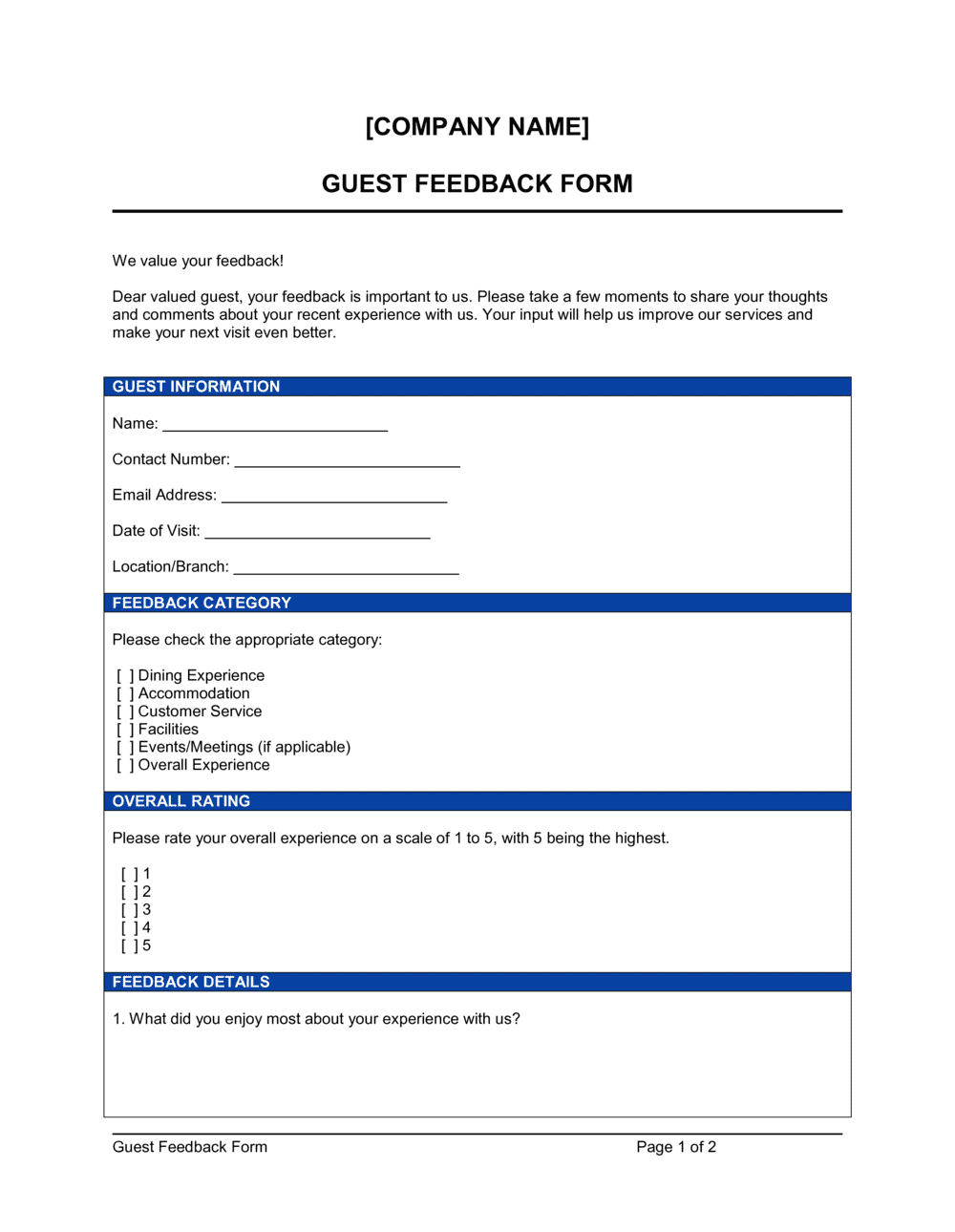
A Guest Feedback Form is a structured document used by hospitality businesses, venues, and event organizers to collect satisfaction ratings, comments on service quality, and suggestions for improvement from guests. This free Word download is ready to edit online and export as PDF β€” or print for on-site use at check-out, tableside, or post-event.
When you need it
Use it at the end of a hotel stay, restaurant visit, event, or venue booking to capture guest impressions while the experience is still fresh. It is also useful after any service interaction where operational quality data feeds a continuous improvement program.
What's inside
Guest identification fields, visit details, rated satisfaction scales for key service dimensions, open-ended comment fields, a likelihood-to-return question, and a follow-up consent block so you can act on specific complaints or recognize standout staff.

What is a Guest Feedback Form?

A Guest Feedback Form is a structured document used by hotels, restaurants, venues, spas, and event organizers to collect satisfaction ratings, open-ended comments, and improvement suggestions from guests immediately after a visit or event. It covers every measurable dimension of the guest experience β€” service quality, cleanliness, food and beverage, facilities, and likelihood to return β€” and feeds the customer experience analytics and operational quality programs that hospitality businesses use to set performance standards and train staff. This free Word download is ready to customize with your branding, edit online, and export as a PDF for print or digital distribution.

Why You Need This Document

Hospitality businesses that rely on verbal check-ins or online review platforms alone miss the majority of guest sentiment β€” most dissatisfied guests leave without saying anything, then post a negative review days later. A consistently distributed feedback form captures that sentiment at the moment of peak engagement, before it reaches a public channel. It gives you the documented evidence to identify recurring service failures, recognize staff by name, and demonstrate to your team that quality standards are measured β€” not just expected. Without a structured collection process, satisfaction scores become guesswork, training gaps go undetected, and the same operational failures repeat across dozens of visits. This template gives you a ready-to-use starting point that takes under 30 minutes to customize, making it practical for a single-location restaurant or a multi-property hotel group.

Which variant fits your situation?

If your situation is…Use this template
Collecting feedback at hotel check-outHotel Guest Feedback Form
Gathering post-meal ratings in a restaurantRestaurant Comment Card
Evaluating an event or conference experienceEvent Feedback Form
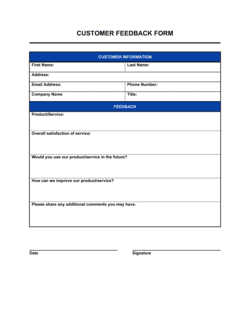
Rating a service provider or vendor after a projectCustomer Satisfaction Survey
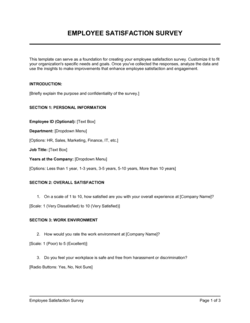
Collecting employee feedback on internal service qualityEmployee Satisfaction Survey
Capturing net promoter scores across a customer baseNPS Survey Template
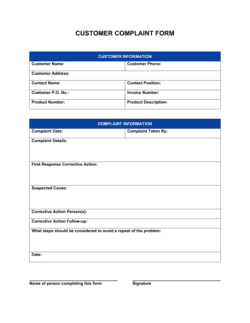
Tracking complaint resolution after a specific incidentCustomer Complaint Form

Common mistakes to avoid

❌ Too many questions

Why it matters: Forms with more than 15 questions see sharply lower completion rates in hospitality settings β€” guests have just checked out or finished a meal and have limited time.

Fix: Cut any question whose answer does not drive a specific operational change. If you cannot name what you would do differently based on the answer, remove the question.
❌ No clear rating scale labels

Why it matters: An unlabeled 1–5 scale produces unreliable data because half of respondents assume 1 is best and half assume 5 is best β€” aggregating the scores produces meaningless averages.

Fix: Label both ends explicitly on every rated question: '1 = Very dissatisfied, 5 = Very satisfied' β€” repeat it on each row, not just at the top of the section.

❌ Pre-ticking the follow-up consent checkbox

Why it matters: Guests who notice a pre-checked opt-in feel manipulated, which damages trust and, in some jurisdictions, invalidates the consent for data-privacy purposes.

Fix: Leave all consent boxes unchecked by default and use neutral language: 'Check here if you would like us to follow up with you.'

❌ Collecting forms without a review process

Why it matters: Feedback collected but never reviewed or actioned creates no operational value and can allow recurring service failures to go unaddressed for weeks.

Fix: Assign a named team member to tally and summarize feedback weekly, and add a standing agenda item to the operations meeting to review scores and open comments.

The 9 key fields, explained

Guest and visit identification

Overall satisfaction rating

Service quality ratings

Facilities and cleanliness ratings

Food and beverage ratings

Open-ended comments field

Likelihood to return or recommend

Staff recognition field

Follow-up consent and contact preference

How to fill it out

  1. 1

    Add your property name and branding

    Replace the placeholder header with your property or business name, logo, and contact details. A branded form signals professionalism and increases completion rates.

    πŸ’‘ Include a brief one-line welcome note β€” 'Your feedback helps us serve you better' β€” to set a cooperative tone before the first question.

  2. 2

    Set the rating scale and apply it consistently

    Choose either 1–5 or 1–10 and apply the same scale to every rated question in the form. Mixing scales in the same form confuses respondents and corrupts aggregate scoring.

    πŸ’‘ Label both ends of the scale on every question β€” not just the first β€” so guests do not have to scroll back to check which end is positive.

  3. 3

    Remove irrelevant sections for your context

    Delete the food and beverage section if you are distributing the form at a venue with no catering, or remove the room-comfort section for a restaurant. A shorter, relevant form outperforms a long generic one.

    πŸ’‘ Aim for a form completable in under three minutes β€” count your questions and cut anything that doesn't directly inform an operational decision.

  4. 4

    Customize open-ended prompts to your service type

    Replace generic comment prompts with specific questions relevant to your operation β€” 'What was the highlight of your stay?' for hotels, 'How was the pacing of your meal?' for restaurants.

    πŸ’‘ Specific prompts produce specific answers; 'Any comments?' produces one-word responses or nothing at all.

  5. 5

    Position the likelihood-to-return question early

    Move the return and recommend question to the top third of the form so it is captured even if the guest stops partway through.

    πŸ’‘ This single metric is the one most managers track weekly β€” prioritize its capture over any secondary question.

  6. 6

    Review the follow-up consent language for your region

    If you operate in the EU, UK, or California, confirm the consent language meets applicable data-privacy requirements before distributing the form. The template provides a standard opt-in checkbox as a starting point.

    πŸ’‘ Keep guest contact data collected via this form in a secure, access-controlled file separate from your general marketing list.

  7. 7

    Test the form with one staff member before launch

    Have a team member complete the form as if they were a guest and time how long it takes. Fix any confusing questions, illegible fonts, or cramped layout before distributing.

    πŸ’‘ Print one physical copy and one digital copy β€” formatting issues that are invisible on screen often appear in print, especially checkbox alignment.

Frequently asked questions

What is a guest feedback form?

A guest feedback form is a structured document used by hotels, restaurants, venues, and event organizers to collect satisfaction ratings, open-ended comments, and improvement suggestions from guests after a visit or event. It provides the raw data for customer experience analytics, staff performance reviews, and operational quality programs.

What questions should a guest feedback form include?

At minimum: an overall satisfaction rating, individual ratings for service quality and facilities, an open-ended comments section separated into positives and areas for improvement, a likelihood-to-return or recommend question, and an optional staff recognition field. Include a follow-up consent block if you plan to contact guests about their responses.

How long should a guest feedback form be?

Target a form completable in under three minutes β€” typically 10 to 15 questions. In hospitality settings, guests complete feedback at departure or immediately after a meal, when their time and attention are limited. A shorter, focused form consistently achieves higher response rates than a comprehensive survey.

Should I use a 1–5 or 1–10 rating scale?

A 1–5 scale is better suited to printed or on-site forms because it is faster to complete and produces less respondent confusion. A 0–10 scale is standard for NPS (net promoter score) measurement if you need to benchmark against industry data. Whichever you choose, apply the same scale consistently across every rated question and label both ends clearly.

Can I use this form digitally instead of printing it?

Yes. The Word template can be exported as a PDF for email distribution or tablet-based completion at reception. For higher-volume digital collection, transfer the questions into a form tool such as Google Forms, Typeform, or your property management system's survey module. Keep the question structure identical so paper and digital responses can be aggregated.

How do I increase the number of guests who complete the form?

Keep the form short, brand it with a welcoming headline, distribute it at the moment of peak goodwill β€” just before check-out or immediately after a meal β€” and make it clearly optional. For digital forms, a follow-up email sent within two hours of departure typically doubles response rates compared to forms handed out at the desk.

How should I use the feedback data once collected?

Tally satisfaction scores weekly by dimension (service, cleanliness, food, value) and track trends over time. Review open-ended comments in your weekly operations meeting and flag any issue that appears more than once. Use staff recognition mentions in performance reviews and team briefings. Share aggregate scores with department heads monthly so each team owns its rating.

Do I need to comply with data privacy laws when collecting guest feedback?

If you collect contact details for follow-up, data privacy laws may apply depending on where your guests reside. The GDPR applies to guests from the EU, the UK GDPR to guests from the United Kingdom, and the CCPA to California residents. In practice, using an unchecked opt-in consent box, stating clearly how you will use the contact information, and storing responses securely covers the basics for most hospitality contexts. Consult a privacy adviser if your property regularly hosts large volumes of EU or UK guests.

What is the difference between a guest feedback form and a customer satisfaction survey?

A guest feedback form is typically a short, on-site document designed for immediate completion at the end of a specific visit or stay. A customer satisfaction survey is usually longer, distributed digitally, and used to measure satisfaction across a broader customer base over time. Both measure similar dimensions, but a feedback form prioritizes speed and response rate in a face-to-face hospitality context.

How this compares to alternatives

vs Customer Satisfaction Survey

A customer satisfaction survey is a longer, digitally distributed instrument used to measure satisfaction across a broad customer base over time. A guest feedback form is a short, on-site document designed for immediate completion at departure. Use the feedback form for real-time operational data; use the survey for periodic strategic benchmarking.

vs Event Feedback Form

An event feedback form is scoped specifically to evaluate a single event β€” agenda, speakers, venue logistics, and catering. A guest feedback form covers the ongoing hospitality experience of a stay or visit. If you are hosting an event at a venue, you may need both: one for the event itself and one for the accommodation or venue experience.

vs Customer Complaint Form

A customer complaint form is used reactively when a guest raises a specific issue requiring investigation and resolution. A guest feedback form is proactive β€” distributed to all guests to surface both positive and negative sentiment before it reaches a formal complaint. Collect feedback broadly; use the complaint form to escalate and resolve specific incidents.

vs Employee Satisfaction Survey

An employee satisfaction survey measures internal team morale, engagement, and working conditions. A guest feedback form measures the external customer experience. Both feed quality programs, but they serve different audiences β€” one informs HR and management decisions, the other informs service delivery and operations.

Industry-specific considerations

Hotels and accommodation

Check-out forms rate room cleanliness, front-desk service, and amenities separately β€” scores feed daily housekeeping briefings and monthly GM reports.

Food and beverage

Tableside or post-meal comment cards focus on food quality, pacing of service, and server attentiveness β€” results are reviewed in pre-shift meetings.

Events and venues

Post-event forms cover setup quality, catering, audiovisual performance, and overall logistics β€” data feeds venue rebooking and vendor evaluation decisions.

Spa and wellness

Feedback forms rate individual therapist performance alongside facility cleanliness and booking experience β€” recognition fields drive therapist incentive programs.

Template vs pro β€” what fits your needs?

PathBest forCostTime
Use the templateHotels, restaurants, venues, and event organizers collecting standard guest satisfaction dataFree15–30 minutes to customize and print
Template + professional reviewProperties collecting contact data from EU or UK guests who need GDPR-compliant consent language$100–$300 (privacy adviser or legal review)1–2 days
Custom draftedHotel groups or chains integrating feedback data into a property management system or CX platform$500–$3,000 (CX consultant or developer integration)1–4 weeks

Glossary

Likert Scale
A rating scale β€” typically 1 to 5 β€” that measures the degree of satisfaction or agreement with a statement.
Net Promoter Score (NPS)
A single-question metric asking how likely a guest is to recommend the property or service on a 0–10 scale, used to benchmark loyalty.
Open-Ended Question
A feedback question with no predefined answer options, giving guests space to describe their experience in their own words.
Closed-Ended Question
A question with a fixed set of answer choices β€” checkboxes, ratings, or yes/no options β€” that produces data easy to tally and compare.
Follow-Up Consent
A checkbox or signature block where the guest agrees to be contacted by management regarding their comments.
CX Analytics
Customer experience analytics β€” the process of aggregating and analyzing feedback data to identify patterns in satisfaction and service gaps.
Comment Card
A short printed version of a feedback form, typically one page, designed for quick tableside or check-out completion.
Service Recovery
The process of addressing a guest complaint or dissatisfaction to restore confidence and prevent churn or negative reviews.
Response Rate
The percentage of guests who complete a feedback form relative to the total number asked, used to assess whether the collection method is effective.
Operational Quality Program
A structured internal process that uses feedback data to set performance standards, train staff, and track improvement over time.

Part of your Business Operating System

This document is one of 3,000+ business & legal templates included in Business in a Box.

  • Fill-in-the-blanks β€” ready in minutes
  • 100% customizable Word document
  • Compatible with all office suites
  • Export to PDF and share electronically

Create your document in 3 simple steps.

From template to signed document β€” all inside one Business Operating System.
1
Download or open template

Access over 3,000+ business and legal templates for any business task, project or initiative.

2
Edit and fill in the blanks with AI

Customize your ready-made business document template and save it in the cloud.

3
Save, Share, Send, Sign

Share your files and folders with your team. Create a space of seamless collaboration.

Save time, save money, and create top-quality documents.

β˜…β˜…β˜…β˜…β˜…

"Fantastic value! I'm not sure how I'd do without it. It's worth its weight in gold and paid back for itself many times."

Managing Director Β· Mall Farm
Robert Whalley
Managing Director, Mall Farm Proprietary Limited
β˜…β˜…β˜…β˜…β˜…

"I have been using Business in a Box for years. It has been the most useful source of templates I have encountered. I recommend it to anyone."

Business Owner Β· 4+ years
Dr Michael John Freestone
Business Owner
β˜…β˜…β˜…β˜…β˜…

"It has been a life saver so many times I have lost count. Business in a Box has saved me so much time and as you know, time is money."

Owner Β· Upstate Web
David G. Moore Jr.
Owner, Upstate Web

Run your business with a system β€” not scattered tools

Stop downloading documents. Start operating with clarity. Business in a Box gives you the Business Operating System used by over 250,000 companies worldwide to structure, run, and grow their business.

Start freeΒ Β·Β No credit card required