1
Identify the parties and reference the governing agreement
Enter both parties' full legal names and specify whether the rep is an employee or independent contractor. Reference the original commission agreement by name and date so the summary is legally anchored to its terms.
π‘ If no written commission agreement exists, use this summary as the trigger to draft one β a standalone summary without a governing agreement has limited enforceability.
2
Define the commission period precisely
State the exact start and end dates of the period. Confirm whether the period is calendar-month, fiscal quarter, or a custom cycle. Consistency in period definition prevents double-counting or gap disputes across periods.
π‘ Lock the period end date to the last day sales data is pulled from your CRM β not the last day of the month β to avoid including unverified late entries.
3
List each qualifying sale with transaction-level detail
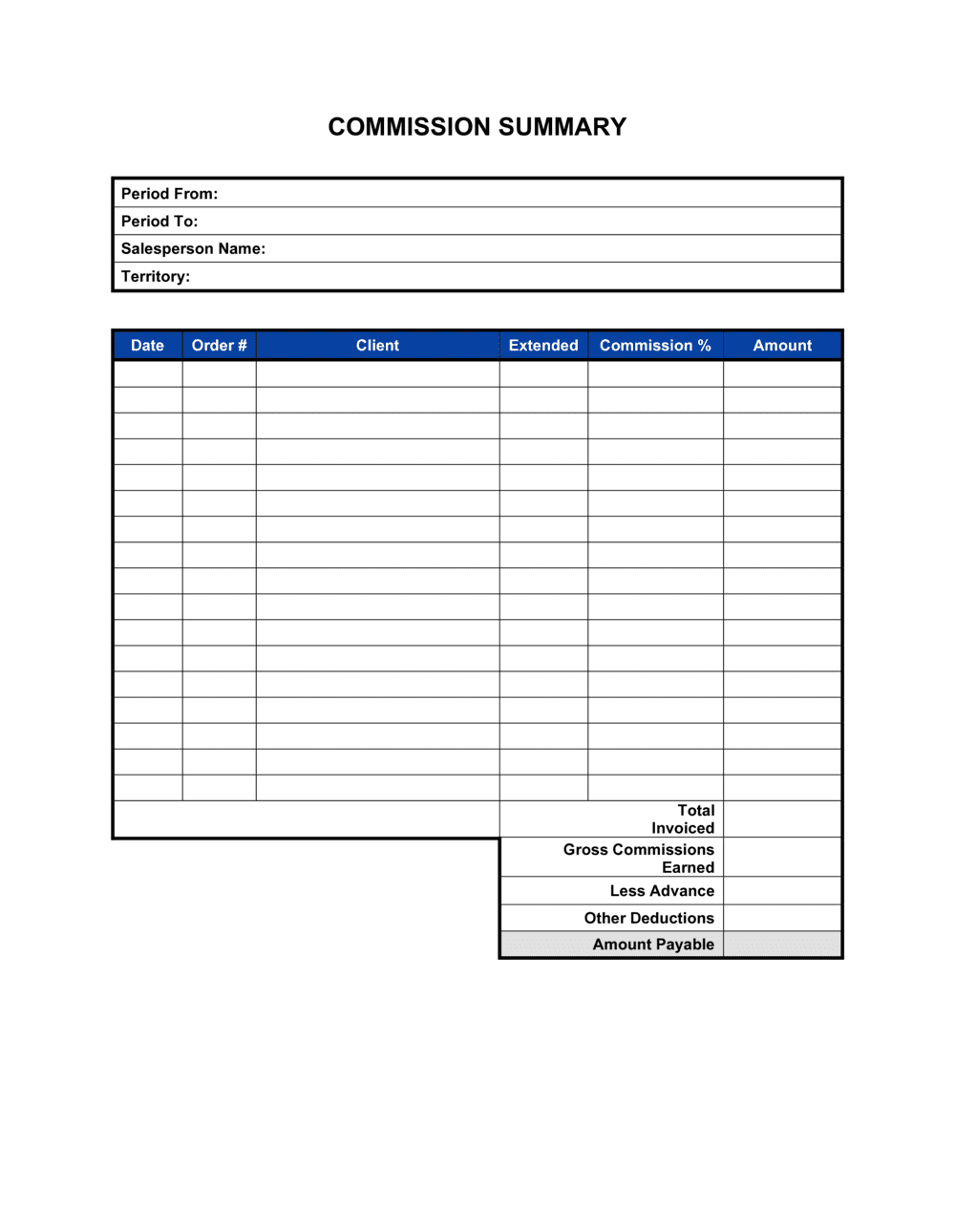
Enter every eligible transaction individually: customer name, invoice number, close date, sale amount, applicable commission rate, and commission earned per line. Include only sales that meet all qualifying criteria under the governing agreement.
π‘ Export directly from your CRM or billing system into the table rather than entering manually β transcription errors are the most common source of commission disputes.
4
Apply exclusions and document the basis for each
Remove non-qualifying transactions β cancellations, house accounts, split credits β and cite the specific contractual clause or factual reason for each exclusion. This creates an audit trail if the rep contests a deduction.
π‘ Attach supporting documentation (cancellation notice, refund record) as an exhibit rather than summarizing it inline β it removes ambiguity and speeds up dispute resolution.
5
Calculate the commission with tier and accelerator breakpoints shown
Show the full math from qualifying sales total to earned commission, including where any tier threshold was crossed and the rate applied above and below each breakpoint.
π‘ If the rep hit an accelerator, call it out explicitly β reps who earned accelerated commissions and don't see the higher rate flagged will almost always raise a dispute.
6
Reconcile any draw advance and prior-period clawbacks
Deduct any draw advance paid during the period from earned commissions, and apply any clawback or chargeback amounts for prior-period reversals. Reference the original commission statement and the event triggering each clawback.
π‘ Calculate net payout after all adjustments before entering the final payable figure β revising a signed summary creates confusion and may restart the dispute clock.
7
State the net payable amount, payment date, and method
Enter the final dollar amount the rep will receive, the specific calendar date it will be paid, and the payment mechanism. Note applicable tax withholding for employees.
π‘ For independent contractors, include a reminder that they are responsible for self-employment tax β this prevents misunderstanding about the gross vs. net figure.
8
Set a review window and obtain signatures
Give the rep at least 10 to 14 calendar days to review and raise objections in writing. Have both the company's authorized signatory and the rep sign and date the completed summary before the payment date.
π‘ Send via a tracked channel β email with read receipt, or an eSign platform β so you have timestamped proof of delivery if the rep later claims they never received it.