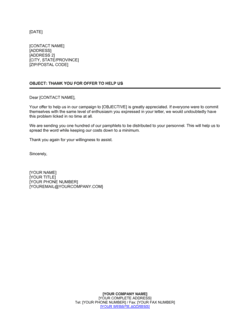
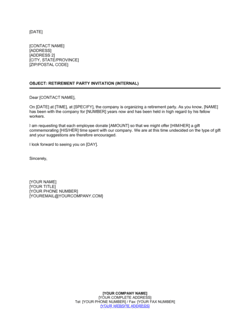
Won't You Join Us For a Party Template

Free Word download • Edit online • Save & share with Drive • Export to PDF

1 page20–30 min to fillDifficulty: StandardSignature requiredLegal review recommended
Learn more ↓
FreeWon't You Join Us For a Party Template

At a glance

What it is
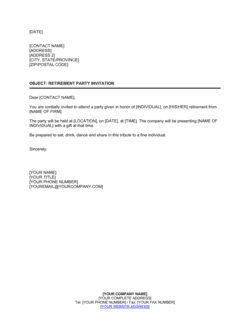
A formal party invitation letter is a written communication issued by a host organization or individual to invite recipients to a corporate event, celebratory gathering, or formal business occasion. This free Word download gives you a professionally structured template you can edit online and export as PDF, covering event details, dress code, RSVP instructions, and any conditions of attendance in clear, courteous language.
When you need it
Use it when hosting a corporate anniversary celebration, client appreciation event, product launch party, or any formal business gathering where you need to communicate event details to a defined list of guests in writing. A written invitation sets expectations, manages logistics, and creates a record of who was invited and on what terms.
What's inside
Host and event details, date, time, and venue information, dress code and theme, RSVP instructions and deadline, guest conduct expectations, and any special access or ticketing requirements. The template structures all of these elements into a polished, professional letter format ready for print or digital delivery.

What is a Formal Party Invitation Letter?

A formal party invitation letter is a written business communication issued by a host organization or individual to invite named guests to a corporate event, celebration, or professional gathering. It communicates all essential logistical details — event purpose, date, time, venue, dress code, RSVP instructions, and any conditions of attendance — in a structured, professional format appropriate for client-facing and high-stakes occasions. Unlike an informal email or digital card, a formal invitation letter establishes the tone and prestige of the event before it begins, signals the level of importance the host places on each guest's attendance, and creates a documented record of who was invited and under what terms.

Why You Need This Document

Relying on informal emails or verbal invitations for corporate events creates operational and reputational risk. Without a formal written invitation, guests arrive without confirmed dress code guidance, dietary restrictions go unrecorded until the day of the event, and RSVP responses are scattered across inboxes rather than managed centrally. For events involving senior clients, investors, or media, the invitation is the first brand impression — a poorly structured or generic communication signals disorganization before the event has even taken place. In jurisdictions subject to GDPR, PIPEDA, or US state privacy laws, failing to include photography consent language in the invitation creates regulatory exposure when event images are used in marketing. This template gives you a complete, professionally structured invitation that handles every logistical and legal element in one document, saving coordination time and protecting the host from avoidable gaps in consent and communication.

Which variant fits your situation?

If your situation is…Use this template
Inviting clients to a formal corporate dinner or galaCorporate Dinner Invitation Letter
Hosting a product launch event for press and VIP customersProduct Launch Event Invitation
Sending a casual internal team celebration noticeOffice Party Announcement
Inviting stakeholders to a charity fundraising eventFundraising Event Invitation Letter
Communicating details of a virtual or hybrid eventVirtual Event Invitation Letter
Inviting business partners to an annual general meeting receptionAGM Reception Invitation Letter
Notifying employees of a mandatory company celebration or recognition ceremonyEmployee Recognition Event Notice

Common mistakes to avoid

❌ Sending without a confirmed RSVP deadline

Why it matters: Without a deadline, guests assume they can respond any time — many never do. This leaves you unable to confirm headcount for catering, seating, and security with the venue.

Fix: Set the RSVP deadline at least ten business days before the event and state it prominently in the invitation. Follow up with non-responders three days before the deadline.

❌ Omitting dietary and accessibility information requests

Why it matters: Failing to ask guests about dietary restrictions or mobility needs at the RSVP stage creates last-minute catering emergencies and risks excluding guests with accessibility requirements — which can constitute a legal obligation in some jurisdictions.

Fix: Add a dedicated line to the RSVP section: 'Please indicate any dietary requirements or accessibility needs at the time of your RSVP.'

❌ Using a generic salutation instead of the guest's name

Why it matters: A formal business invitation addressed to 'Dear Guest' or 'Dear Valued Customer' signals that the event is not truly curated — reducing perceived exclusivity and lowering RSVP rates for premium events.

Fix: Use mail-merge for digital distributions and confirm the spelling and title of each named recipient before sending, particularly for C-suite or government guests.

❌ Forgetting photography and media consent language

Why it matters: Using event photographs of identifiable individuals in marketing materials without documented consent creates data privacy exposure under GDPR in the EU, PIPEDA in Canada, and similar frameworks in the UK and several US states.

Fix: Include a brief consent notice in the conditions of attendance clause and ensure it is visible to guests before they confirm attendance.

❌ Sending the invitation too close to the event date

Why it matters: Sending a formal invitation fewer than two weeks before a corporate event means most guests' calendars are already full — particularly for executives who schedule months in advance.

Fix: Send formal invitations four to six weeks in advance for evening events, and six to eight weeks for gala or destination events. Follow with a save-the-date if the event is more than eight weeks away.

❌ No named signatory on the letter

Why it matters: An invitation signed by a department name rather than a person is impersonal and gives recipients no point of contact — reducing both response rates and the perceived prestige of the event.

Fix: Always sign with a named individual of appropriate seniority — a CEO or VP signature on a client-facing invitation carries significantly more weight than an events team signature.

The 9 key clauses, explained

Host identification and salutation

In plain language: Opens the letter by identifying the hosting organization and addressing the recipient by name and title.

Sample language
[COMPANY NAME] cordially invites [RECIPIENT FULL NAME / TITLE] to join us for [EVENT NAME] on [DATE].

Common mistake: Addressing the invitation to 'Dear Valued Customer' instead of a named individual — recipients of formal business invitations expect to be named, and generic salutations reduce response rates and signal low effort.

Event description and purpose

In plain language: A short paragraph describing what the event is, why it is being held, and the occasion it marks.

Sample language
We are delighted to celebrate [OCCASION — e.g., our 10th anniversary / the launch of PRODUCT NAME] with the clients, partners, and colleagues who have been central to our journey.

Common mistake: Omitting the purpose of the event entirely — guests who do not understand why they are being invited are less likely to RSVP and may arrive with misaligned expectations about the occasion's tone.

Date, time, and duration

In plain language: States the exact date, start time, expected end time, and any schedule of activities during the event.

Sample language
Date: [DAY], [MONTH DATE, YEAR] | Time: [START TIME] – [END TIME] | Schedule: Cocktail reception at [TIME], dinner commencing at [TIME].

Common mistake: Providing a start time without an approximate end time — corporate guests, especially executives, need to plan around the event and will often decline an open-ended invitation rather than commit to an unknown time commitment.

Venue and access details

In plain language: Full address of the venue, room or floor name, parking or transit instructions, and any access codes or security requirements.

Sample language
[VENUE NAME], [FULL ADDRESS], [CITY, STATE/PROVINCE, POSTAL CODE]. Guests should proceed to [ROOM/FLOOR NAME]. Complimentary valet parking is available at [ENTRANCE]. Please present this invitation upon arrival.

Common mistake: Including the venue name but omitting the full address — many corporate venues share names with other locations or are unfamiliar to out-of-town guests, causing confusion and late arrivals.

Dress code and theme

In plain language: States the required or recommended dress standard and, if applicable, any theme or colour scheme guests should observe.

Sample language
Dress code: [BLACK TIE / COCKTAIL ATTIRE / BUSINESS FORMAL / SMART CASUAL]. Theme: [THEME NAME]. [OPTIONAL: Guests are encouraged to incorporate [COLOUR/ELEMENT] into their attire.]

Common mistake: Using vague terms like 'smart casual' without any further guidance — what qualifies as smart casual varies significantly across regions and industries, and ambiguity leads to guests feeling inappropriately dressed and uncomfortable.

RSVP instructions and deadline

In plain language: Tells the guest exactly how and by when to confirm attendance, including the contact name, email, phone number, and any online form link.

Sample language
Kindly confirm your attendance by [RSVP DATE] to [CONTACT NAME] at [EMAIL ADDRESS] or [PHONE NUMBER]. Please indicate any dietary requirements or accessibility needs at the time of your RSVP.

Common mistake: Setting an RSVP deadline fewer than five business days before the event — caterers and venues typically require final headcount 7–10 days in advance, and a deadline that is too close forces last-minute scrambling and additional costs.

Plus-one and guest policy

In plain language: States clearly whether the invitation is for the named recipient only, includes a guest, or allows additional attendees, and how extras should be registered.

Sample language
This invitation is extended to [RECIPIENT NAME] and one guest. Kindly include your guest's full name when confirming attendance. [COMPANY NAME] reserves the right to limit attendance to registered guests only.

Common mistake: Leaving the guest policy unaddressed — ambiguity on whether a plus-one is permitted creates awkward situations at the door and can significantly exceed catering and venue capacity.

Conditions of attendance and photography consent

In plain language: Notifies guests of any conditions they agree to by attending — such as consent to being photographed, confidentiality of content discussed, or compliance with venue rules.

Sample language
By attending [EVENT NAME], guests consent to photography and video recording for [COMPANY NAME]'s marketing and archival purposes. Any confidential business information shared during the event is subject to [COMPANY NAME]'s standard confidentiality obligations.

Common mistake: Failing to include photography and media consent language for events where the host intends to use images — using photographs of identifiable individuals without consent creates privacy law exposure in the EU, UK, and Canada.

Contact information and closing

In plain language: Provides the name and direct contact of the person managing the event for questions, and closes with a warm, professional sign-off from the host.

Sample language
For enquiries, please contact [EVENT COORDINATOR NAME] at [EMAIL] or [PHONE]. We look forward to welcoming you. Sincerely, [SIGNATORY NAME], [TITLE], [COMPANY NAME].

Common mistake: Signing the letter with a department name rather than a named individual — 'The Events Team' or 'HR Department' as a signatory makes the invitation feel impersonal and gives recipients no one to contact with questions.

How to fill it out

  1. 1

    Fill in host and company details

    Enter the full legal or trading name of the hosting organization, the signatory's name and title, and the company's address. Ensure these match your official letterhead.

    💡 Use your company's branded letterhead as the template header — this alone dramatically increases the perceived formality and professionalism of the invitation.

  2. 2

    Name the recipient and personalize the salutation

    Address the invitation to the specific named individual using their correct title (Mr., Ms., Dr., etc.) and full name. For bulk sends, use mail-merge rather than leaving generic placeholders.

    💡 For VIP guests such as major clients or board members, send individually signed physical invitations rather than digital copies — the format signals the level of priority you assign to their attendance.

  3. 3

    Describe the event and its purpose

    Write two to three sentences explaining what the event is celebrating or marking. Be specific — '25 years in business' is more compelling than 'a special occasion'.

    💡 Tie the event purpose to something meaningful to the recipient — if it is a client appreciation event, say so explicitly. Guests respond better when they understand why they specifically have been invited.

  4. 4

    Enter the full event logistics

    Complete the date, start and end times, venue name, full street address, room or floor details, and parking or transit instructions. Verify all details against the confirmed venue booking before sending.

    💡 Include a map link or QR code linking to the venue's location for digital invitations — reducing navigation friction increases attendance.

  5. 5

    Set the RSVP deadline and contact

    Choose an RSVP deadline at least ten business days before the event. Enter the coordinator's direct email and phone number. If using an online form, include the URL.

    💡 Send a reminder to non-responders three days before the RSVP deadline — a single follow-up typically converts 20–30% of non-responders into confirmations.

  6. 6

    State the dress code and guest policy clearly

    Choose one of the standard dress code categories (black tie, cocktail, business formal, smart casual) and add one clarifying sentence if needed. State whether the recipient may bring a guest and how to register them.

    💡 If the event has a theme that affects attire, include one concrete example of what guests could wear — this removes uncertainty and increases theme participation.

  7. 7

    Include conditions of attendance

    Add photography consent, confidentiality, or venue conduct language appropriate to the nature of the event. For events where proprietary information will be discussed, reference existing NDA obligations.

    💡 Keep conditions of attendance to no more than three brief points — a long list of rules in an invitation creates a negative tone before the event has even occurred.

  8. 8

    Obtain signatory approval and send

    Route the completed invitation to the named signatory for review and approval before distribution. For physical invitations, ensure signatures are original; for digital, a scanned signature is acceptable.

    💡 Send a test copy to yourself before the full distribution run to confirm formatting, links, and mail-merge fields all resolve correctly.

Frequently asked questions

What is a formal party invitation letter?

A formal party invitation letter is a written document issued by a host organization or individual to invite named recipients to a corporate or professional event. It communicates all logistical details — date, time, venue, dress code, and RSVP instructions — in a structured, professional format. Unlike a casual email or digital card, a formal letter creates a documented record of who was invited and on what terms, which is important for events involving clients, stakeholders, or regulated industries.

When should I use a formal invitation letter instead of an email?

Use a formal invitation letter for events involving senior clients, board members, government officials, or high-profile guests where the occasion warrants a professional presentation. Formal letters are also appropriate for black-tie events, gala dinners, and any event where conditions of attendance — such as photography consent or confidentiality — need to be communicated clearly in writing. For internal casual gatherings, a well-formatted email is typically sufficient.

How far in advance should I send a corporate party invitation?

For standard corporate evening events, send invitations four to six weeks in advance. For gala dinners, award ceremonies, or destination events, six to eight weeks is recommended, preceded by a save-the-date notice if possible. Executives typically schedule their calendars six to twelve weeks out, and sending too close to the event date — under two weeks — results in significantly lower attendance regardless of the invitation's quality.

Does a party invitation letter need to be signed?

For a formal corporate or business event, yes — a named signatory of appropriate seniority adds credibility and gives the recipient a clear point of accountability. The signature does not need to be notarized or witnessed, but it should be that of a real named individual rather than a department or company name. For digital invitations, a scanned signature embedded in the letter is generally acceptable.

What should I include in the RSVP section of an invitation letter?

The RSVP section should include the deadline date, the contact person's full name, direct email address, and phone number, and a request for dietary requirements and accessibility needs. If you are using an online RSVP form or event management platform, include the URL or a QR code. Clarity at this stage reduces back-and-forth and gives you accurate headcount data for venue and catering planning.

What dress code terms should I use in a formal invitation?

The four standard terms are black tie (tuxedo or formal gown), cocktail attire (smart dress or suit), business formal (suit and tie or equivalent), and smart casual (neat, non-denim clothing). Avoid vague descriptors that mean different things to different people. If the event has a theme that affects attire, describe it with one concrete example rather than leaving it entirely open-ended.

Can I use this template for international guests?

Yes, but adapt the language and logistics sections for the recipient's location. For international guests, include visa invitation letter language if required for travel, confirm whether the venue address format is clear to someone unfamiliar with the city, and consider time zone notation for the event start time. Data privacy disclosures should also reflect the applicable jurisdiction — GDPR language for EU guests, PIPEDA references for Canadian guests.

Is a party invitation letter legally binding?

A party invitation letter is not typically a binding contract — it does not create financial obligations or enforceable commitments in the same way a services agreement does. However, any conditions of attendance language included (such as photography consent, confidentiality, or ticketing terms) can be considered agreed to by the guest upon attendance. For events with ticketed entry or formal attendee agreements, a separate terms-of-attendance document is recommended.

How this compares to alternatives

vs Event Announcement Email

An event announcement email broadcasts event information to a wide audience quickly and cheaply. A formal invitation letter is addressed to a named individual and carries a level of formality and personalization appropriate for high-value clients, senior stakeholders, or exclusive events. Use an email for mass internal communications and a formal letter for curated, prestige-sensitive occasions.

vs Save-the-Date Notice

A save-the-date is a brief early notice sent weeks or months in advance to reserve a guest's calendar — it confirms the date and location but provides none of the logistical detail. A formal invitation letter follows the save-the-date and contains everything the guest needs to confirm attendance and prepare. Both documents are typically used together for large or high-priority events.

vs Event Registration Form

An event registration form collects attendee information and confirms a place at the event — it is a data-capture tool, not a communication document. A formal invitation letter is the communication that precedes registration, sets the tone, and motivates the guest to complete the form. For formal corporate events, both are typically used in sequence.

vs Sponsorship Invitation Letter

A sponsorship invitation letter asks an organization to financially support an event in exchange for branding and access benefits — it is a commercial proposal. A party invitation letter asks an individual to attend as a guest. The two documents have different recipients, purposes, and legal implications, though both reference the same event.

Industry-specific considerations

Financial Services

Client appreciation dinners and investor events require formal written invitations with confidentiality notices and strict guest-list controls due to regulatory restrictions on event marketing.

Professional Services

Law firms, accounting firms, and consultancies use formal invitation letters for client milestone celebrations and partner events where the prestige of the occasion must be reflected in the invitation's tone.

Retail / Hospitality

Luxury retail and hospitality brands issue formal invitations for VIP preview events, store openings, and brand anniversaries where the invitation itself is a brand touchpoint.

Nonprofit / Charitable Sector

Fundraising galas and donor recognition events rely on formal invitation letters that clearly communicate the charitable purpose, dress code, and giving expectations to maximize attendance and donations.

Jurisdictional notes

United States

In the US, party invitation letters are not regulated documents, but photography and media consent language is increasingly important under state-level privacy laws such as the California Consumer Privacy Act (CCPA) and Illinois BIPA. For events in California involving biometric data collection (such as facial recognition check-in), explicit written consent is required. Events at licensed venues may also require the host to carry event liability insurance.

Canada

Canada's Personal Information Protection and Electronic Documents Act (PIPEDA) and provincial privacy laws require consent for collecting and using personal information, including photographs of identifiable individuals. Invitations to corporate events in Quebec must comply with Law 25, which imposes strict obligations on how personal data is collected and used. French-language invitations are required for events hosted by Quebec-regulated employers.

United Kingdom

UK GDPR requires that individuals be informed if they will be photographed at an event and how those images will be used — including consent for marketing purposes. Event hosts should include a clear photography notice in the invitation and have a legal basis for processing attendee personal data. For events at licensed premises, the host may also need to ensure compliance with Licensing Act 2003 requirements.

European Union

Under EU GDPR, photographs of identifiable individuals constitute personal data. Event hosts must obtain explicit informed consent before using event photography in marketing materials and must retain records of that consent. The invitation's conditions of attendance clause can serve as the consent mechanism, but the language must be specific about how images will be used. Member states including Germany and France impose additional restrictions on commercial event photography.

Template vs lawyer — what fits your deal?

PathBest forCostTime
Use the templateStandard corporate events, client appreciation parties, and internal celebrations where conditions of attendance are straightforwardFree20–30 minutes per invitation run
Template + legal reviewEvents involving photography consent, confidentiality notices, or guests from GDPR-regulated jurisdictions$150–$400 for a brief legal review of the conditions of attendance language1–2 business days
Custom draftedHigh-profile events with ticketing terms, liability waivers, or binding attendee agreements — such as investor summits or regulated financial events$500–$2,000 depending on complexity3–7 business days

Glossary

Host
The individual, organization, or company issuing the invitation and responsible for organizing and funding the event.
RSVP
From the French 'Répondez s'il vous plaît' — a request that the invited guest confirm attendance or decline by a stated deadline.
RSVP Deadline
The specific date by which the guest must respond to the invitation so the host can finalize headcount, catering, and seating arrangements.
Dress Code
The required or recommended standard of attire for the event, ranging from business casual to black tie, communicated to guests in advance.
Venue
The physical or virtual location where the event will be held, including full address, room name, and any access instructions.
Plus-One Policy
The host's stated position on whether invited guests may bring an additional unspecified guest, and if so, how to register them.
Event Brief
A short description of the purpose and theme of the event included in the invitation so guests understand the occasion's nature and tone.
Conditions of Attendance
Any rules or requirements guests must agree to — such as photography consent, confidentiality, or ticketing — as a prerequisite for attending.
Regrets Only
An alternative to a full RSVP request where guests are only asked to respond if they cannot attend, implying the host will assume attendance unless told otherwise.
Invitee
The named individual or organization to whom the invitation is formally addressed and extended.

Part of your Business Operating System

This document is one of 3,000+ business & legal templates included in Business in a Box.

  • Fill-in-the-blanks — ready in minutes
  • 100% customizable Word document
  • Compatible with all office suites
  • Export to PDF and share electronically

Create your document in 3 simple steps.

From template to signed document — all inside one Business Operating System.
1
Download or open template

Access over 3,000+ business and legal templates for any business task, project or initiative.

2
Edit and fill in the blanks with AI

Customize your ready-made business document template and save it in the cloud.

3
Save, Share, Send, Sign

Share your files and folders with your team. Create a space of seamless collaboration.

Save time, save money, and create top-quality documents.

★★★★★

"Fantastic value! I'm not sure how I'd do without it. It's worth its weight in gold and paid back for itself many times."

Managing Director · Mall Farm
Robert Whalley
Managing Director, Mall Farm Proprietary Limited
★★★★★

"I have been using Business in a Box for years. It has been the most useful source of templates I have encountered. I recommend it to anyone."

Business Owner · 4+ years
Dr Michael John Freestone
Business Owner
★★★★★

"It has been a life saver so many times I have lost count. Business in a Box has saved me so much time and as you know, time is money."

Owner · Upstate Web
David G. Moore Jr.
Owner, Upstate Web

Run your business with a system — not scattered tools

Stop downloading documents. Start operating with clarity. Business in a Box gives you the Business Operating System used by over 250,000 companies worldwide to structure, run, and grow their business.

Free Forever Plan · No credit card required