Letter Confirming Employment Terms Template

Free Word download β€’ Edit online β€’ Save & share with Drive β€’ Export to PDF

2 pagesβ€’20–25 min to fillβ€’Difficulty: Standard
Learn more ↓
FreeLetter Confirming Employment Terms Template

At a glance

What it is
A Letter Confirming Employment Terms is a formal written notice sent by an employer to a new or existing employee to summarize the key agreed terms of employment β€” including job title, start date, salary, reporting structure, and any conditions that apply. This free Word download is fully editable online and can be exported as PDF and sent within minutes of a verbal offer being accepted.
When you need it
Use it immediately after a verbal job offer is accepted, when a role change or promotion is agreed, or when an employee requests written confirmation of their current terms. It bridges the gap between a verbal agreement and a fully executed employment contract.
What's inside
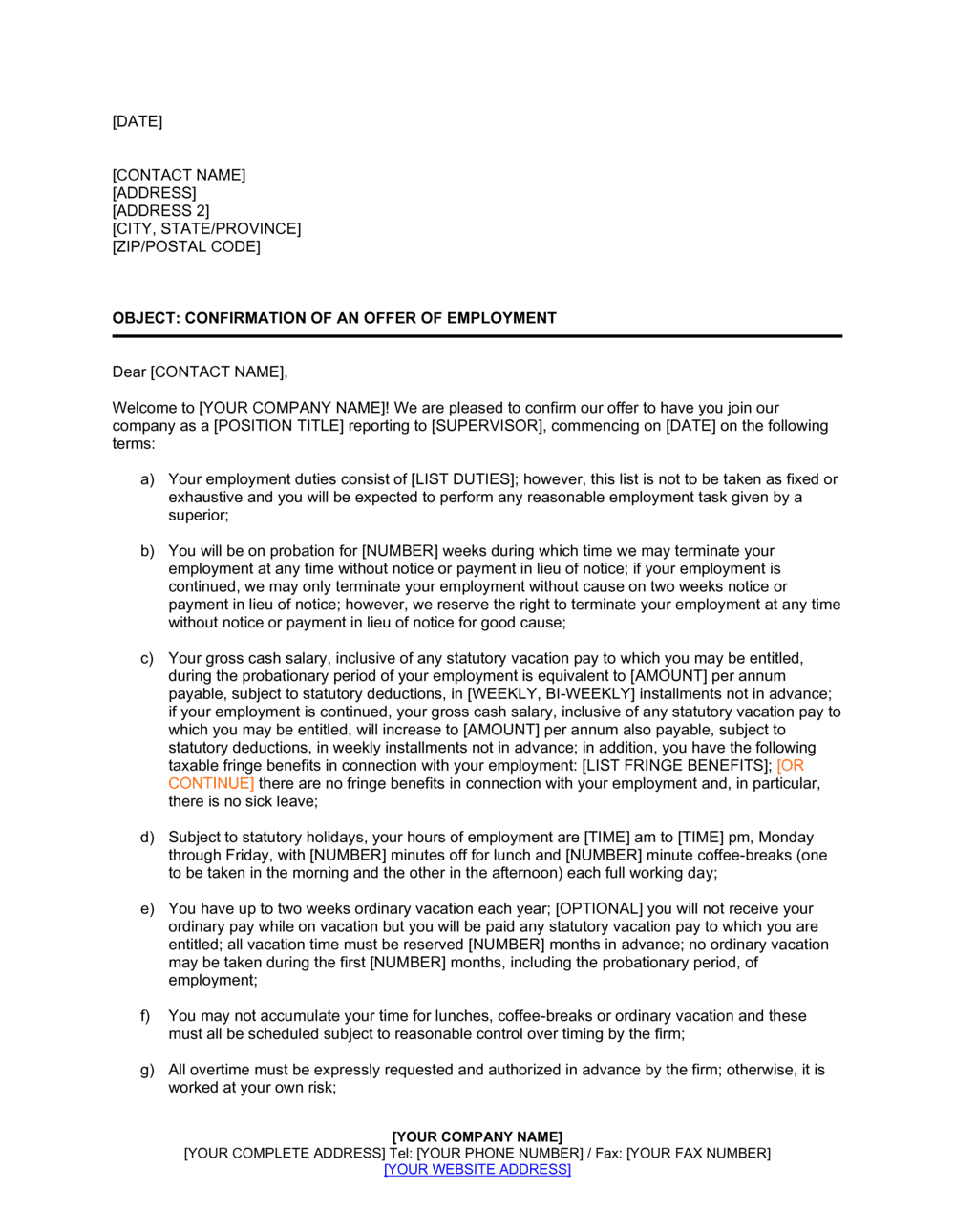
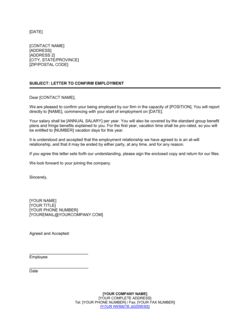
Date and addressee block, opening confirmation of the role, job title and department, start date, compensation and payment frequency, reporting line, applicable conditions (background check, probationary period), and a closing acknowledgement request.

What is a Letter Confirming Employment Terms?

A Letter Confirming Employment Terms is a formal written notice issued by an employer to a new or existing employee that records the key agreed conditions of the working relationship in a single, clearly structured document. It typically covers job title, start date, compensation, reporting structure, work location, any conditions of the offer, and any applicable probationary period. Unlike a full employment contract, it is designed to be issued quickly β€” often within hours of a verbal offer being accepted β€” to ensure both parties have an agreed written record before formal onboarding paperwork is complete.

Why You Need This Document

Relying solely on a verbal agreement after a job offer is accepted creates real risk for both parties. Without a written confirmation, salary figures are misremembered, start dates shift, and reporting lines become disputed β€” all before the employee has worked a single day. A letter confirming employment terms eliminates that ambiguity by creating a contemporaneous record the moment agreement is reached. It also protects the employer if a pre-employment condition β€” such as a background check β€” later reveals a disqualifying issue, because the condition was clearly documented upfront. For small businesses and startups without a dedicated HR function, this template provides a professional, consistent format that takes under 15 minutes to complete and fills the documentation gap between a handshake agreement and a signed employment contract.

Which variant fits your situation?

If your situation is…Use this template
Confirming a new full-time hire's accepted offerLetter Confirming Employment Terms
Issuing a binding employment agreement for signatureEmployment Contract
Extending a formal job offer that requires acceptanceJob Offer Letter
Confirming a promotion and updated compensationPromotion Confirmation Letter
Confirming terms for an executive-level hireExecutive Employment Agreement
Documenting terms for a temporary or fixed-term placementFixed-Term Employment Contract
Confirming independent contractor engagement termsIndependent Contractor Agreement

Common mistakes to avoid

❌ Treating the letter as a substitute for a full employment contract

Why it matters: A confirmation letter does not cover IP assignment, non-compete, confidentiality, severance formulas, or detailed termination rights β€” gaps courts fill with jurisdiction-specific defaults.

Fix: Issue the letter immediately after offer acceptance, then follow it with a full employment contract before or on the employee's first day.
❌ Omitting conditions of the offer

Why it matters: If a background check or reference reveals a disqualifying issue after the letter is issued, rescinding an unconditional offer exposes the employer to wrongful offer claims.

Fix: List every pre-employment condition explicitly in the conditions clause before sending the letter.

❌ Using a specific manager's name instead of their title

Why it matters: If the named manager leaves or changes roles before the new hire starts, the letter may be read as a material change in employment terms.

Fix: Write the reporting line as a job title β€” 'Vice President of Marketing' rather than 'Jane Smith' β€” so the clause remains accurate regardless of personnel changes.

❌ Not requesting a written acknowledgement

Why it matters: Without a record of the employee receiving and agreeing to the stated terms, the letter is a one-sided document that the employee can later claim was never agreed to.

Fix: Always include a closing paragraph requesting a signed response or email confirmation by a specific deadline, and file the response in the employee's HR record.

The 9 key clauses, explained

Date, sender, and addressee block

In plain language: The standard letter header identifying the date it was issued, the employer's name and address, and the employee's full name and address.

Sample language
[DATE] | [EMPLOYER COMPANY NAME] | [ADDRESS] | Re: Confirmation of Employment Terms for [EMPLOYEE FULL NAME]

Common mistake: Using a generic 'To Whom It May Concern' salutation rather than the employee's name β€” this weakens the document's function as a personal confirmation and can cause filing confusion.

Opening confirmation

In plain language: A direct opening sentence confirming the purpose of the letter and referencing the verbal or prior agreement it is summarizing.

Sample language
We are pleased to confirm your employment with [COMPANY NAME] on the terms set out below, following our conversation on [DATE].

Common mistake: Omitting a reference to when the verbal agreement was made, which can create ambiguity about which conversation or version of terms the letter applies to.

Job title and department

In plain language: States the employee's official job title and the team or department they will be working in.

Sample language
Position: [JOB TITLE] | Department: [DEPARTMENT NAME] | Employment Type: [Full-Time / Part-Time / Fixed-Term]

Common mistake: Using an informal working title instead of the official payroll title β€” mismatched titles across documents create confusion in background checks and benefits enrollment.

Start date and work location

In plain language: Confirms the employee's first day and where they are expected to work β€” office, remote, or a hybrid arrangement.

Sample language
Your employment will commence on [START DATE]. Your primary work location will be [OFFICE ADDRESS / Remote / Hybrid β€” [X] days on-site per week].

Common mistake: Leaving the work location vague for remote or hybrid roles, which leads to disputes about expectations around on-site attendance.

Compensation and payment terms

In plain language: States the agreed base salary or hourly rate, the payment frequency, and any bonus or commission eligibility.

Sample language
Base Salary: $[AMOUNT] per annum, paid [bi-weekly / semi-monthly]. Bonus: Eligible for a discretionary annual bonus of up to [X]% of base salary, subject to individual and company performance.

Common mistake: Omitting the word 'discretionary' when describing a bonus β€” courts in several jurisdictions have treated repeatedly paid bonuses as contractual entitlements even without a written guarantee.

Reporting structure

In plain language: Identifies the person or position the employee reports to directly.

Sample language
You will report directly to [MANAGER NAME], [MANAGER TITLE].

Common mistake: Naming a specific individual rather than a role title β€” when the named manager changes, the letter becomes outdated and may be interpreted as a material change to employment terms.

Conditions of the offer

In plain language: Lists any prerequisites the employee must satisfy before the offer is unconditional, such as reference checks, background screening, or proof of right to work.

Sample language
This offer is conditional upon satisfactory completion of: (a) a reference check, (b) a background screening, and (c) confirmation of your eligibility to work in [COUNTRY].

Common mistake: Failing to list conditions at all β€” if a pre-employment check later reveals a disqualifying issue, the absence of a written condition makes rescinding the offer legally and reputationally complicated.

Probationary period

In plain language: States the length of any probationary period and confirms how performance will be evaluated during that time.

Sample language
You will serve an initial probationary period of [X] days/months. During this period, your performance will be reviewed and either party may terminate the employment relationship with [X] days' written notice.

Common mistake: Specifying a probationary period without stating the associated shorter notice terms β€” the probationary clause loses its operational value without the termination mechanism that accompanies it.

Closing and acknowledgement request

In plain language: Closes the letter with a request for the employee to confirm receipt and agreement, either by replying in writing or by signing and returning a copy.

Sample language
Please confirm your acceptance of these terms by signing and returning a copy of this letter by [DATE], or by replying to this email with your written confirmation.

Common mistake: Not requesting any acknowledgement at all β€” without a record that the employee received and agreed to the stated terms, the letter functions only as a one-sided notice.

How to fill it out

  1. 1

    Complete the header with date and party details

    Enter today's date, the employer's full company name and address, and the employee's full legal name and address. Use the name as it appears on the employee's government-issued ID.

    πŸ’‘ Issue the letter on the same day the verbal offer is accepted β€” a same-day letter reinforces the agreed terms before any detail is misremembered.

  2. 2

    State the job title and employment type accurately

    Enter the official payroll job title β€” not a working title or nickname. Confirm whether the role is full-time, part-time, or fixed-term, and include the department name.

    πŸ’‘ Cross-check the title against your payroll system before issuing β€” inconsistent titles across documents slow down background checks and benefits enrollment.

  3. 3

    Confirm the start date and work location

    Enter the agreed first day of employment and the primary work location. For hybrid roles, specify the number of required on-site days per week to avoid later disputes.

    πŸ’‘ If the start date is subject to background check completion, note that explicitly β€” 'on or around [DATE], subject to satisfactory completion of pre-employment screening.'

  4. 4

    Enter compensation details with the correct label

    State the base salary or hourly rate, pay frequency, and any bonus. Mark discretionary bonuses as such and avoid specifying benefit plan details β€” reference them by category only.

    πŸ’‘ State the currency explicitly if there is any chance the employee is in a different country from the employer's home jurisdiction.

  5. 5

    Identify the reporting line by title, not name

    Write the manager's job title rather than their personal name so the letter does not require amendment if the manager changes before the employee's start date.

    πŸ’‘ If the hiring manager is the direct report, include a secondary escalation contact (e.g., 'or their designee') to cover handover scenarios.

  6. 6

    List all conditions and the probationary period

    Add every pre-employment condition β€” reference check, background screen, right-to-work verification β€” and state the probationary period with its associated shorter notice period.

    πŸ’‘ Set a specific deadline for satisfying conditions (e.g., 'within 5 business days of this letter') to avoid an offer remaining technically open-ended.

  7. 7

    Request a written acknowledgement with a deadline

    Close the letter with a clear request for the employee to sign and return a copy, or reply in writing, by a specific date β€” typically 2 to 5 business days after the letter is issued.

    πŸ’‘ Save the signed acknowledgement or confirmation email in the employee's HR file as evidence the terms were communicated and accepted.

Frequently asked questions

What is a letter confirming employment terms?

A letter confirming employment terms is a formal written document an employer sends to a new or existing employee to summarize the key agreed conditions of employment β€” job title, start date, salary, reporting line, and any conditions that apply. It is not a full employment contract but serves as a written record of what was verbally agreed, reducing the risk of misunderstandings before the formal contract is signed.

Is a letter confirming employment terms legally binding?

In most jurisdictions, a letter confirming employment terms can create binding obligations if it contains specific, agreed terms and is acknowledged by the employee β€” even without a formal employment contract. For this reason, it is important to mark any bonuses as discretionary and to include a clause noting that a full employment contract will follow. Consider consulting an employment lawyer if enforceability is a concern for your specific situation.

What is the difference between an offer letter and a letter confirming employment terms?

An offer letter extends a conditional job offer that requires the candidate's acceptance before any agreement is formed. A letter confirming employment terms is issued after acceptance to document what has already been agreed β€” it is a confirmation, not a proposal. The distinction matters because the confirmation letter is closer to a binding record of agreed terms, whereas the offer letter is an opening bid.

Should I send this letter before or after the employment contract?

Send the confirmation letter immediately after verbal acceptance of the offer β€” typically the same day or within 24 hours. Follow it with a full employment contract for the employee to sign before their first day. The letter bridges the gap between the verbal agreement and the formal contract, ensuring agreed terms are in writing even while the full contract is being prepared.

Does this letter need to be signed by both parties?

The employer signs or issues the letter; the employee is asked to acknowledge receipt and agreement in writing β€” by signing and returning a copy or sending an email confirmation. A full dual-signature execution is not strictly required for a confirmation letter, but the employee's written acknowledgement is essential for the document to serve its evidentiary purpose.

What happens if the employee never acknowledges the letter?

An unacknowledged letter still creates a contemporaneous written record of the terms the employer communicated, but its evidentiary value in a dispute is reduced. If no acknowledgement is received by the stated deadline, follow up by email or phone before the employee's start date. Document that follow-up in the HR file alongside the original letter.

Can this letter be used to confirm a promotion or role change?

Yes β€” the same format applies when confirming updated terms for an internal promotion, lateral move, or salary adjustment. Adapt the opening sentence to reference the role change rather than a new hire, and update the compensation, title, and reporting-line clauses to reflect the new terms. A separate addendum to the existing employment contract may also be appropriate for significant changes.

What should I do if the confirmed terms differ from the employment contract?

Reconcile any discrepancy before the employee's start date. If the contract and confirmation letter contain conflicting terms, the contract typically governs β€” but the inconsistency can create confusion and potential disputes. Update whichever document contains the error and reissue it with a note explaining the correction.

Do I need a lawyer to send this letter?

For standard domestic hires, a well-structured template is sufficient for most small and medium-sized businesses. Consider engaging an employment lawyer if the hire is for a senior or executive role, if the terms are unusually complex, or if you are operating in a jurisdiction with strict written-notice requirements. A short legal review typically costs $100–$300 and is worthwhile for high-stakes placements.

How this compares to alternatives

vs Job Offer Letter

A job offer letter proposes terms to a candidate who has not yet accepted β€” it is a conditional invitation requiring a response. A letter confirming employment terms is issued after acceptance to document what is already agreed. Use the offer letter to extend the initial proposal; use the confirmation letter to record the outcome once the candidate accepts.

vs Employment Contract

An employment contract is a comprehensive legally binding document covering IP assignment, confidentiality, non-compete, termination, and severance. A confirmation letter covers only headline terms and is issued quickly after verbal acceptance. The two documents are not interchangeable β€” the confirmation letter bridges the gap while the contract is being prepared.

vs Promotion Confirmation Letter

A promotion confirmation letter is addressed to an existing employee and references their prior role, the new title, and the updated compensation. A letter confirming employment terms is addressed to a new hire and establishes the employment relationship from scratch. The structure is similar but the context, tone, and applicable HR records differ.

vs Employment Verification Letter

An employment verification letter confirms that a named individual is currently or was previously employed, for third parties such as lenders or government agencies. A letter confirming employment terms is an internal document sent to the employee themselves to establish agreed working conditions. The two documents serve entirely different audiences and purposes.

Industry-specific considerations

Technology / SaaS

Rapid hiring cycles mean offers are accepted verbally before contracts are drafted β€” confirmation letters close the documentation gap for distributed and remote teams.

Professional Services

Firms confirm billing-rate targets, utilization expectations, and benefits eligibility in writing to align the hire's expectations before formal onboarding begins.

Retail / Hospitality

High-volume, fast-turn hiring means confirmation letters often serve as the primary written record of agreed shift patterns, hourly rates, and location assignments.

Construction and Trades

Site-based roles with variable locations and project-based assignments use confirmation letters to fix the agreed base pay rate, project location, and start date in writing.

Template vs pro β€” what fits your needs?

PathBest forCostTime
Use the templateStandard new hires, internal promotions, and role changes at small to mid-sized businessesFree10–15 minutes per letter
Template + professional reviewSenior hires, cross-border placements, or situations where the confirmation letter may be the only written record of terms$100–$300 (employment lawyer or HR consultant review)1–2 business days
Custom draftedExecutive placements with complex compensation structures, regulated industries, or jurisdictions with strict written-notice requirements$300–$8002–5 business days

Glossary

Employment Terms
The agreed conditions governing the working relationship, including title, compensation, hours, reporting structure, and any applicable conditions of employment.
Probationary Period
A defined initial period β€” typically 30 to 90 days β€” during which the employer evaluates the employee's performance before confirming continued employment.
Reporting Line
The management structure indicating which position or person the employee reports to directly.
Commencement Date
The official first day on which the employee is expected to begin work, as agreed between both parties.
Acknowledgement
A written response from the employee β€” typically a signed reply or email confirmation β€” indicating they have read and agree with the stated terms.
At-Will Employment
Employment that either party may end at any time for any lawful reason, without notice or cause β€” the default in most US states.
Conditions of Offer
Prerequisites the employee must satisfy before the offer becomes unconditional, such as passing a background check or providing proof of eligibility to work.
Compensation Package
The full set of financial and non-financial remuneration, including base salary, bonus eligibility, benefits, and any equity or allowances.
Integration Clause
A statement specifying that this letter is not a comprehensive employment contract and that a separate agreement will govern the full employment relationship.

Part of your Business Operating System

This document is one of 3,000+ business & legal templates included in Business in a Box.

  • Fill-in-the-blanks β€” ready in minutes
  • 100% customizable Word document
  • Compatible with all office suites
  • Export to PDF and share electronically

Create your document in 3 simple steps.

From template to signed document β€” all inside one Business Operating System.
1
Download or open template

Access over 3,000+ business and legal templates for any business task, project or initiative.

2
Edit and fill in the blanks with AI

Customize your ready-made business document template and save it in the cloud.

3
Save, Share, Send, Sign

Share your files and folders with your team. Create a space of seamless collaboration.

Save time, save money, and create top-quality documents.

β˜…β˜…β˜…β˜…β˜…

"Fantastic value! I'm not sure how I'd do without it. It's worth its weight in gold and paid back for itself many times."

Managing Director Β· Mall Farm
Robert Whalley
Managing Director, Mall Farm Proprietary Limited
β˜…β˜…β˜…β˜…β˜…

"I have been using Business in a Box for years. It has been the most useful source of templates I have encountered. I recommend it to anyone."

Business Owner Β· 4+ years
Dr Michael John Freestone
Business Owner
β˜…β˜…β˜…β˜…β˜…

"It has been a life saver so many times I have lost count. Business in a Box has saved me so much time and as you know, time is money."

Owner Β· Upstate Web
David G. Moore Jr.
Owner, Upstate Web

Run your business with a system β€” not scattered tools

Stop downloading documents. Start operating with clarity. Business in a Box gives you the Business Operating System used by over 250,000 companies worldwide to structure, run, and grow their business.

Start freeΒ Β·Β No credit card required