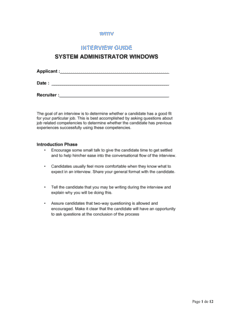
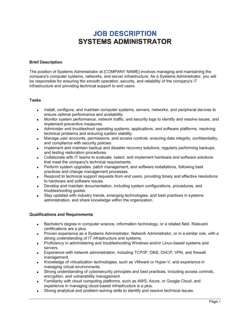
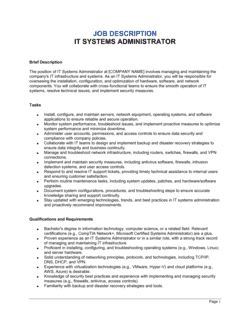
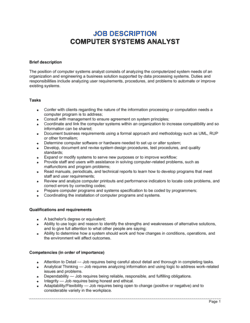
System Administrator Windows Job Description Template

Free Word download • Edit online • Save & share with Drive • Export to PDF

2 pages20–30 min to fillDifficulty: StandardSignature requiredLegal review recommended
Learn more ↓
FreeSystem Administrator Windows Job Description Template

At a glance

What it is
A System Administrator Windows Job Description is a formal employment document that defines the scope, responsibilities, qualifications, reporting structure, and compensation expectations for a Windows-focused IT systems administration role. This free Word download gives you a structured, legally defensible starting point you can edit online and export as PDF to support compliant hiring, performance management, and classification decisions.
When you need it
Use it when posting a new Windows sysadmin vacancy, restructuring an existing IT role, or formalizing informal duties that have grown organically. It is also required when classifying the position for payroll tax purposes or defending a hiring decision against a discrimination claim.
What's inside
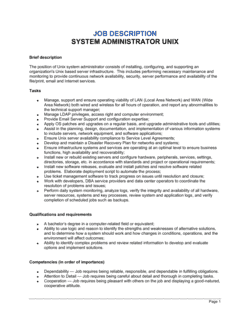
Role summary, primary and secondary duties, required and preferred qualifications (certifications, experience, and technical skills), reporting structure, working conditions, compensation range, and equal opportunity language. The template also includes a signature block for employee acknowledgment at onboarding.

What is a System Administrator Windows Job Description?

A System Administrator Windows Job Description is a formal employment document that defines the scope of responsibilities, required technical qualifications, reporting structure, working conditions, and compensation expectations for an IT professional who manages an organization's Windows-based server and desktop infrastructure. It covers the essential functions of the role — from Active Directory and Group Policy administration to patch management and incident response — and establishes the documented baseline used for recruiting, onboarding, performance management, and regulatory classification. The document typically concludes with a signed acknowledgment block confirming the employee has received and understood the role expectations before or on their first day of work.

Why You Need This Document

Operating without a documented job description for a Windows sysadmin creates four distinct risks. First, FLSA classification errors — misclassifying the role as exempt without a documented duties analysis — expose the employer to back-pay liability for years of unpaid overtime across every affected employee. Second, on-call obligations that are disclosed only verbally after hire are a leading cause of early voluntary turnover and constructive dismissal claims in several jurisdictions. Third, salary range posting laws in Colorado, New York, Washington, and California now require good-faith disclosure before the position is advertised — non-compliance carries enforcement penalties and civil liability. Fourth, a signed job description creates the documented record of role expectations that is required to support a performance improvement plan or a for-cause termination if the relationship breaks down. This template gives you a legally defensible, jurisdiction-aware starting point that closes all four gaps in under an hour.

Which variant fits your situation?

If your situation is…Use this template
Hiring a senior administrator responsible for Active Directory architectureSenior Windows System Administrator Job Description
Hiring a generalist IT admin covering both Windows and Linux environmentsIT Systems Administrator Job Description
Engaging a contractor for a defined Windows migration projectIndependent Contractor Agreement
Hiring a cloud-focused admin managing Azure or Microsoft 365 workloadsCloud Systems Administrator Job Description
Onboarding the hire formally after offer acceptanceEmployment Contract
Hiring a help desk technician with Windows desktop support dutiesIT Support Specialist Job Description
Documenting expectations for an existing employee whose role has expandedJob Description Update Memo

Common mistakes to avoid

❌ Misclassifying the role as FLSA exempt without a duties analysis

Why it matters: Classifying a sysadmin as exempt solely based on salary, without confirming the duties test, exposes the employer to back-pay claims for years of unpaid overtime — potentially multiplied across multiple employees.

Fix: Document the specific duties test analysis (computer employee or administrative exemption) in the HR file before finalizing the classification, and review it any time responsibilities materially change.

❌ Omitting on-call obligations from the job description

Why it matters: Candidates who accept an offer without knowing about rotating on-call schedules frequently resign early or claim constructive dismissal in jurisdictions that treat material undisclosed terms as a breach.

Fix: State the on-call frequency, typical response-time expectations, and any on-call compensation policy explicitly in the working conditions clause before posting.

❌ Using a salary range wider than the actual hiring budget

Why it matters: Colorado, New York, California, and Washington require posted salary ranges to be in good faith. An artificially wide range — e.g., $60K–$140K for a role budgeted at $90K–$100K — can trigger state labor enforcement and damages candidate trust.

Fix: Post the genuine range the company will consider for this specific role and level. A 25–35% spread between floor and ceiling is typical and defensible.

❌ Including contract-like language in the acknowledgment block

Why it matters: Phrases such as 'this document governs your employment' or 'these duties will not change without written amendment' can convert a job description into an implied employment contract, restricting at-will termination rights.

Fix: Add a clear disclaimer — 'This job description is not an employment contract and does not alter the at-will nature of employment' — and have legal counsel review the acknowledgment language before use.

The 10 key clauses, explained

Job Title and Classification

In plain language: States the official role title, department, FLSA classification (exempt or non-exempt), and employment type (full-time, part-time, or contract).

Sample language
Job Title: System Administrator — Windows | Department: Information Technology | FLSA Status: Exempt | Employment Type: Full-Time, Regular

Common mistake: Classifying the role as exempt without confirming it meets the FLSA salary and duties tests. Misclassification exposes the employer to back-pay liability for unpaid overtime.

Role Summary

In plain language: A 3–5 sentence overview of the position's purpose, primary function, and how it fits within the organization's IT structure.

Sample language
[COMPANY NAME] is seeking a Windows System Administrator to manage, maintain, and secure the company's Windows Server infrastructure. Reporting to the [IT DIRECTOR / VP OF ENGINEERING], this role is responsible for [SCOPE — e.g., 'a 200-seat environment running Windows Server 2022 and Microsoft 365'].

Common mistake: Writing a role summary that duplicates the duties list verbatim. The summary should explain the position's purpose and organizational context, not pre-list every task.

Essential Duties and Responsibilities

In plain language: An itemized list of the core tasks the employee is expected to perform regularly — the functions the role exists to accomplish.

Sample language
Administer and maintain Windows Server [VERSION] environments, including Active Directory, DNS, DHCP, and Group Policy. Monitor system performance and respond to incidents within SLA targets. Perform scheduled patch management on all Windows endpoints and servers.

Common mistake: Including every possible task without distinguishing essential from marginal functions. ADA compliance requires that essential functions be clearly identified so accommodations can be assessed accurately.

Required Qualifications

In plain language: The minimum education, years of experience, certifications, and technical skills a candidate must have to be considered for the role.

Sample language
Bachelor's degree in Computer Science, Information Technology, or a related field — or equivalent combination of education and experience. Minimum [X] years of hands-on Windows Server administration experience. Active Microsoft Certified: Windows Server Hybrid Administrator (or equivalent) required.

Common mistake: Setting degree requirements that are not genuinely necessary for the role. Several US jurisdictions and the EEOC scrutinize blanket bachelor's degree requirements as potentially discriminatory where a degree is not a proven predictor of job performance.

Preferred Qualifications

In plain language: Additional skills, certifications, or experience that distinguish stronger candidates but are not disqualifying if absent.

Sample language
Experience with Microsoft Azure AD (Entra ID) and hybrid identity environments preferred. Familiarity with ITIL v4 framework a plus. Microsoft 365 administration experience desirable.

Common mistake: Listing preferred qualifications that are functionally required — then screening out candidates who lack them. This undermines the distinction and can narrow the candidate pool to a degree that triggers disparate impact concerns.

Reporting Structure and Supervision

In plain language: Identifies who the employee reports to and whether they supervise or mentor other staff.

Sample language
This position reports directly to the [IT MANAGER / DIRECTOR OF INFRASTRUCTURE]. The Windows System Administrator may provide technical guidance to junior IT support staff but does not have direct supervisory authority.

Common mistake: Omitting the reporting line entirely. Without it, disputes over authority, performance management accountability, and organizational hierarchy arise during onboarding or termination.

Working Conditions and Physical Requirements

In plain language: Describes the work environment, expected schedule, on-call obligations, travel requirements, and any physical demands of the role.

Sample language
Work is performed primarily in an office or data center environment. Role requires on-call availability on a rotating [WEEKLY / MONTHLY] schedule. Occasional lifting of equipment up to [50 lbs] may be required. [X]% remote work may be available subject to company policy.

Common mistake: Omitting on-call obligations. Failing to disclose rotating on-call requirements before hire leads to disputes about compensation, work-life expectations, and constructive dismissal claims in some jurisdictions.

Compensation and Benefits

In plain language: States the salary range or hourly rate, pay frequency, bonus eligibility, and a reference to the standard benefits package.

Sample language
Annual salary range: $[MINIMUM] – $[MAXIMUM], commensurate with experience. Eligible for annual performance bonus of up to [X]% of base salary. Participation in the Company's standard benefits program including [health, dental, vision, 401(k)] as in effect from time to time.

Common mistake: Publishing a salary range broader than 30–40% of the midpoint. Many US states (Colorado, New York, California, Washington) now require posted salary ranges to be in good faith — an artificially wide range can trigger state enforcement action.

Equal Opportunity and Accommodation Statement

In plain language: States the employer's commitment to non-discrimination and the employee's right to request a reasonable accommodation under the ADA or equivalent law.

Sample language
[COMPANY NAME] is an equal opportunity employer and does not discriminate on the basis of race, color, religion, sex, national origin, age, disability, or any other characteristic protected by applicable law. Applicants requiring accommodation should contact [HR CONTACT / EMAIL].

Common mistake: Using boilerplate EEO language that does not reflect all protected classes in the applicable jurisdiction — for example, omitting gender identity or sexual orientation where state law requires their inclusion.

Acknowledgment and Signature Block

In plain language: A section for the employee to sign confirming they have read, understood, and received a copy of the job description.

Sample language
I have read and understand the responsibilities and requirements of this position. I acknowledge that this job description does not constitute an employment contract and that my employment remains at-will (where applicable). Employee Signature: ___________________ Date: ___________

Common mistake: Including language that inadvertently creates an employment contract — for example, 'this document governs the terms of your employment.' The acknowledgment should explicitly state it is not a contract.

How to fill it out

  1. 1

    Enter the job title, classification, and department

    Fill in the official title, confirm whether the role qualifies as FLSA exempt under the administrative or computer employee exemption, and identify the department. Align the title with your existing HR job leveling framework.

    💡 For a Windows sysadmin earning above $684/week who exercises independent judgment, the FLSA computer employee exemption typically applies — but document the duties test analysis in your HR file.

  2. 2

    Write the role summary in 3–5 sentences

    Describe the position's purpose, the environment it supports (server count, user count, key platforms), and the reporting relationship. This is the first thing candidates and courts read — make it specific.

    💡 Name the specific Windows versions and core technologies (Active Directory, Windows Server 2022, Microsoft 365) in the summary so candidates and systems self-screen effectively.

  3. 3

    List essential duties using action verbs

    Write 8–12 duty statements beginning with strong present-tense verbs (Administer, Monitor, Configure, Troubleshoot). Mark each as 'essential' or 'marginal' in your internal HR file, even if the public posting does not use those labels.

    💡 Assign approximate time percentages to duties in your internal version — e.g., 'Patch management (25%)' — to support ADA reasonable-accommodation analysis if needed.

  4. 4

    Define required qualifications with defensible criteria

    List only the education, certifications, and experience levels that are genuinely necessary to perform the essential functions. For each requirement, be prepared to explain the business justification if challenged.

    💡 Substituting 'equivalent combination of education and experience' for a hard degree requirement broadens your candidate pool and reduces disparate impact risk in jurisdictions that scrutinize degree mandates.

  5. 5

    Add preferred qualifications separately

    List skills that distinguish stronger candidates — Azure AD, PowerShell scripting, ITIL certification — in a clearly labeled 'Preferred' section distinct from the required qualifications.

    💡 Keep the preferred list to 4–6 items. A list of 12 'preferred' skills reads as a second required list and discourages qualified candidates from applying.

  6. 6

    State compensation range and benefits honestly

    Enter a salary range that reflects your actual budget for the role. Reference the benefits package by category without locking specific coverage levels into the description.

    💡 If you operate in Colorado, New York, Washington, or California, a posted salary range is legally required. Verify current state thresholds before posting — enforcement penalties apply.

  7. 7

    Add the EEO statement and accommodation language

    Include your standard equal opportunity employer statement and a clear invitation for applicants to request reasonable accommodation. Confirm the statement covers all protected classes required in your operating jurisdiction.

    💡 If you operate in multiple states, use the broadest applicable protected-class list — it is always compliant to protect more classes than the minimum required.

  8. 8

    Obtain employee signature at onboarding

    Present the completed job description to the new hire on or before their first day. Have them sign the acknowledgment block confirming receipt. File the signed copy in the employee's personnel record.

    💡 Include explicit at-will language in the acknowledgment and a disclaimer that the description is not an employment contract — this prevents the document from being used to claim implied contract terms.

Frequently asked questions

What is a Windows System Administrator job description?

A Windows System Administrator job description is a formal document that defines the duties, qualifications, reporting structure, compensation range, and working conditions for an IT professional responsible for managing Windows-based server and desktop infrastructure. It serves as the basis for recruiting, onboarding, performance management, and FLSA classification decisions, and — when signed by the employee — creates a documented record of agreed role expectations.

What are the typical duties of a Windows System Administrator?

Core duties typically include administering Active Directory, DNS, DHCP, and Group Policy; managing Windows Server environments (2016, 2019, 2022); performing patch management and vulnerability remediation; monitoring system health and responding to incidents within SLA targets; managing user accounts and access controls; maintaining backup and disaster recovery procedures; and documenting configurations and procedures. Specific duties vary by organization size and technology stack.

What certifications should a Windows sysadmin job description require?

The most commonly required certification is Microsoft Certified: Windows Server Hybrid Administrator Associate. CompTIA Server+ or CompTIA Security+ are frequently listed as alternatives or complements. For roles with Azure overlap, Microsoft Certified: Azure Administrator Associate (AZ-104) is increasingly standard. ITIL 4 Foundation is commonly listed as preferred rather than required. The specific certifications you require should reflect the actual technologies in your environment.

Is a Windows sysadmin typically classified as FLSA exempt?

In most cases, yes — Windows sysadmins who primarily perform systems administration, configuration, and troubleshooting, and who earn at least $684 per week (the 2024 federal threshold), typically qualify for the FLSA computer employee exemption. However, the duties test must be satisfied: the employee's primary duty must consist of applying systems analysis techniques or designing, developing, or modifying computer systems. Employers should document this analysis before finalizing the classification.

Do I need to include a salary range in a Windows sysadmin job posting?

It depends on your operating jurisdiction. Colorado, New York City, Washington State, California, and several other jurisdictions legally require employers to include a good-faith salary range in job postings. Even where not legally required, including a range reduces unqualified applications, speeds offer negotiations, and is increasingly expected by candidates. A typical range for a mid-level Windows sysadmin in the US is $65,000–$105,000 annually, varying significantly by geography and industry.

Can a job description be used as an employment contract?

A job description is generally not intended to be a binding employment contract, and courts typically do not treat it as one when the document includes a clear disclaimer to that effect. However, if the description contains promissory language — guaranteed duties, specific compensation commitments, or stated job security — it can be argued to create implied contract terms in some jurisdictions. Always include an explicit disclaimer and review acknowledgment language with counsel.

How often should a Windows sysadmin job description be updated?

Review the job description at least annually during performance review cycles, and immediately any time the role's essential duties, reporting structure, compensation range, or required technologies change materially. A description that no longer reflects actual duties cannot support a performance improvement plan or a termination for cause decision. Outdated descriptions also create FLSA misclassification risk if duties have shifted since the exempt classification was last confirmed.

What is the difference between a Windows sysadmin and a systems engineer?

A Windows System Administrator typically focuses on day-to-day operational maintenance — managing user accounts, applying patches, monitoring uptime, and responding to incidents. A Systems Engineer or Infrastructure Engineer focuses on architecture, design, and building new environments from the ground up. The roles often overlap in smaller organizations, and the job description should clearly delineate which activities belong to each role to support accurate classification and performance management.

Should the job description include on-call requirements?

Yes — always. On-call obligations are a material condition of employment for most sysadmin roles, and failing to disclose them before hire is one of the most common causes of early voluntary turnover and constructive dismissal claims. State the on-call frequency (weekly rotation, monthly, etc.), expected response time (e.g., 30 minutes for P1 incidents), and any associated on-call compensation or time-off-in-lieu policy.

How this compares to alternatives

vs IT Support Specialist Job Description

An IT Support Specialist job description covers help desk, desktop support, and end-user troubleshooting duties. A Windows System Administrator job description covers server infrastructure, Active Directory, and enterprise-level systems management. The sysadmin role typically requires deeper technical expertise, commands a higher salary band, and is more commonly classified as FLSA exempt.

vs Employment Contract

A job description defines the scope and expectations of a role but is not intended to create binding contractual obligations. An employment contract governs the legal terms of the relationship — compensation, IP assignment, confidentiality, non-compete, and termination. Both documents are used together: the job description establishes role clarity; the employment contract provides legal protection.

vs Independent Contractor Agreement

An independent contractor agreement engages a self-employed Windows admin for project-based or ongoing work without creating an employment relationship — no benefits, no withholding, no overtime. A job description is used only for employees. Misclassifying a sysadmin who works exclusively for one employer as a contractor triggers back taxes, penalties, and benefit liability.

vs Job Offer Letter

A job offer letter confirms the role, start date, and compensation to secure a candidate's acceptance — it is not a detailed operational document. A job description defines duties, qualifications, and working conditions in full. The two documents are complementary: the offer letter triggers acceptance; the job description defines what the employee is accepting.

Industry-specific considerations

Financial Services

Regulatory compliance requirements (SOX, PCI-DSS) elevate patch management, audit logging, and access control duties to essential functions with strict SLA requirements.

Healthcare

HIPAA security rule obligations make Active Directory access control, audit trail maintenance, and endpoint encryption core sysadmin responsibilities alongside standard uptime duties.

Professional Services

Client data confidentiality and remote-work infrastructure support drive emphasis on VPN management, Microsoft 365 administration, and multi-site Windows Server environments.

Manufacturing

OT/IT convergence means the Windows sysadmin often manages both corporate and production-floor Windows systems, requiring familiarity with industrial control system environments and stricter change-control procedures.

Jurisdictional notes

United States

FLSA computer employee exemption requirements must be satisfied before classifying the role as exempt — minimum salary of $684/week and a qualifying duties test. Several states (Colorado, New York, Washington, California, Illinois) require a good-faith salary range in job postings. ADA essential-function documentation is critical; the EEOC scrutinizes degree requirements that lack a clear business-necessity justification. At-will disclaimers in the acknowledgment block are recommended in all states.

Canada

Employment Standards Acts in each province govern minimum wages, overtime, and termination notice — the job description should not conflict with these floors. Quebec employers must ensure the description is available in French for provincially regulated workplaces. Ontario's Employment Standards Act, 2000 imposes specific overtime and scheduling rules that affect on-call language. The Canadian Human Rights Act prohibits discriminatory qualification requirements, including those with an adverse effect on protected groups.

United Kingdom

Job descriptions in the UK are typically incorporated by reference into the written statement of employment particulars required under the Employment Rights Act 1996. Employers must ensure required qualifications do not indirectly discriminate under the Equality Act 2010. On-call obligations must comply with the Working Time Regulations 1998, which cap the average working week at 48 hours unless the employee opts out in writing. Salary transparency is not yet legally mandated in most of the UK, though it is expected to increase under pay transparency initiatives.

European Union

The EU Pay Transparency Directive (2023/970/EU) requires member states to mandate salary range disclosure in job postings by June 2026 — employers should begin aligning now. The EU Transparent and Predictable Working Conditions Directive requires written terms within 7 days of hire and restricts parallel employment prohibitions. GDPR applies to candidate data collected during the hiring process; include a data processing notice if personal data is collected via the job posting. Non-discrimination rules under the Equal Treatment Framework Directive apply to qualification requirements.

Template vs lawyer — what fits your deal?

PathBest forCostTime
Use the templateSmall to mid-sized businesses hiring a Windows sysadmin in a single US state or Canadian province with standard working conditionsFree30–60 minutes
Template + legal reviewEmployers in jurisdictions with salary disclosure laws, ADA accommodation complexity, or multi-state operations$200–$500 for an HR attorney or employment counsel review1–3 days
Custom draftedRegulated industries (financial services, healthcare), cross-border roles, or organizations subject to collective bargaining agreements$500–$2,0001–2 weeks

Glossary

Active Directory (AD)
Microsoft's directory service for managing user accounts, computers, groups, and security policies across a Windows network.
Group Policy Object (GPO)
A set of configuration rules applied to users or computers in an Active Directory environment to enforce security and operational standards.
FLSA Classification
The US Fair Labor Standards Act designation of a position as exempt or non-exempt, determining whether the employee is entitled to overtime pay.
Essential Functions
The core duties a role exists to perform — the tasks that, if removed, would fundamentally change the nature of the job, and which are used to assess reasonable accommodation under the ADA.
Windows Server
Microsoft's server operating system family (2016, 2019, 2022) used to host applications, manage directory services, and deliver network resources.
ITIL
Information Technology Infrastructure Library — a framework of best practices for IT service management, commonly referenced in sysadmin role requirements.
SLA (Service Level Agreement)
A documented commitment defining the expected response and resolution time for IT incidents or service requests.
Patch Management
The process of regularly identifying, testing, and deploying software updates to servers and endpoints to close security vulnerabilities.
KPIs (Key Performance Indicators)
Quantifiable metrics used to evaluate whether a role is meeting its performance targets — such as system uptime percentage or mean time to resolution.
Reasonable Accommodation
An adjustment to the work environment or job duties required by disability-discrimination law to enable a qualified employee to perform essential functions.
At-Will Employment
Employment that either party may end at any time for any lawful reason, without advance notice — the default standard in most US states.

Part of your Business Operating System

This document is one of 3,000+ business & legal templates included in Business in a Box.

  • Fill-in-the-blanks — ready in minutes
  • 100% customizable Word document
  • Compatible with all office suites
  • Export to PDF and share electronically

Create your document in 3 simple steps.

From template to signed document — all inside one Business Operating System.
1
Download or open template

Access over 3,000+ business and legal templates for any business task, project or initiative.

2
Edit and fill in the blanks with AI

Customize your ready-made business document template and save it in the cloud.

3
Save, Share, Send, Sign

Share your files and folders with your team. Create a space of seamless collaboration.

Save time, save money, and create top-quality documents.

★★★★★

"Fantastic value! I'm not sure how I'd do without it. It's worth its weight in gold and paid back for itself many times."

Managing Director · Mall Farm
Robert Whalley
Managing Director, Mall Farm Proprietary Limited
★★★★★

"I have been using Business in a Box for years. It has been the most useful source of templates I have encountered. I recommend it to anyone."

Business Owner · 4+ years
Dr Michael John Freestone
Business Owner
★★★★★

"It has been a life saver so many times I have lost count. Business in a Box has saved me so much time and as you know, time is money."

Owner · Upstate Web
David G. Moore Jr.
Owner, Upstate Web

Run your business with a system — not scattered tools

Stop downloading documents. Start operating with clarity. Business in a Box gives you the Business Operating System used by over 250,000 companies worldwide to structure, run, and grow their business.

Free Forever Plan · No credit card required