Shipments Held Until Past Due Balance Paid Template

Free Word download • Edit online • Save & share with Drive • Export to PDF

1 page20–30 min to fillDifficulty: StandardSignature requiredLegal review recommended
Learn more ↓
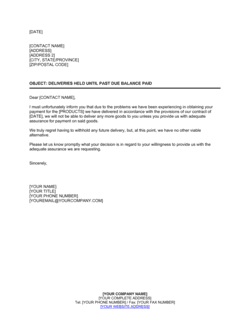
FreeShipments Held Until Past Due Balance Paid Template

At a glance

What it is
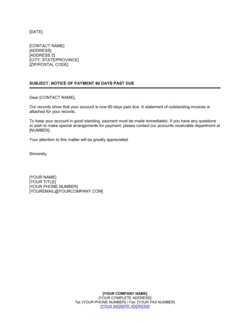
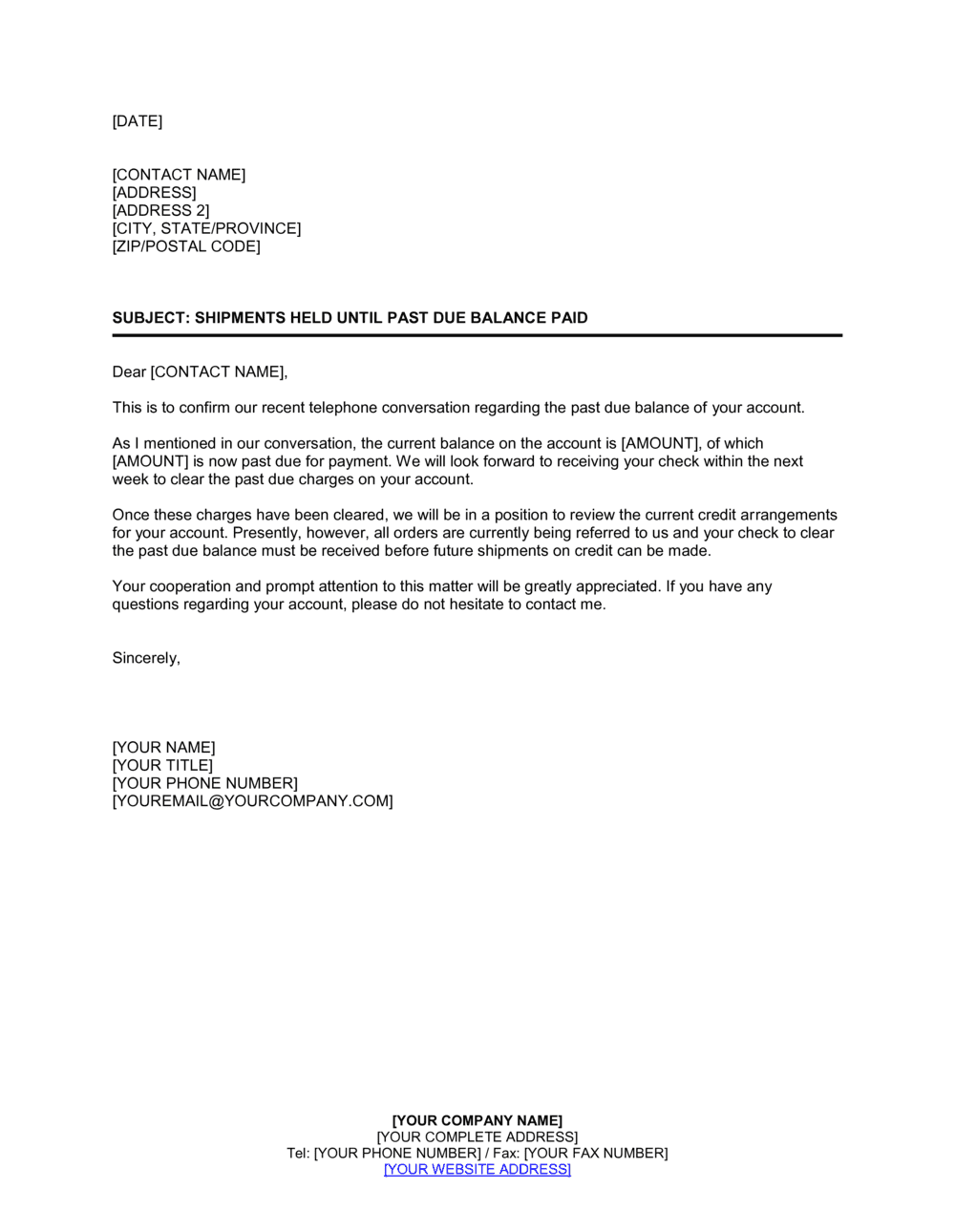
A Shipments Held Until Past Due Balance Paid notice is a formal written communication from a seller or supplier to a customer stating that all pending or future shipments will be withheld until the customer's outstanding overdue balance is paid in full. This free Word download provides a professionally drafted, legally defensible template you can edit online and export as PDF to send via certified mail or email with read receipt.
When you need it
Use it when a customer has an unpaid invoice that is past its agreed due date and you have new or pending orders from that same customer that you are not prepared to fulfill until the overdue amount is cleared. It is also appropriate when a customer's account has been placed on formal credit hold under your accounts-receivable policy.
What's inside
Identification of both parties, a reference to the specific overdue invoices and amounts, a clear statement that shipments are suspended, the conditions required to lift the hold, a deadline for payment, and the consequences of non-payment — including escalation to collections or legal action.

What is a Shipments Held Until Past Due Balance Paid Notice?

A Shipments Held Until Past Due Balance Paid notice is a formal written document issued by a supplier or seller to a customer stating that all pending and future shipments are suspended until the customer's overdue account balance is paid in full. It identifies the specific unpaid invoices and total amount owed, sets a firm payment deadline with a defined cure period, specifies the conditions required to lift the hold, and preserves the supplier's right to pursue all available legal remedies if payment is not made. Unlike an informal payment reminder, this document creates a clear, dated paper trail that functions as a key piece of evidence in any subsequent collection or legal proceeding.

Why You Need This Document

Continuing to ship goods to a customer with an unpaid balance is one of the most common and costly mistakes in trade credit management — each additional delivery compounds the exposure and signals that non-payment carries no real consequence. Without a formal written hold notice, suppliers lack documented evidence that the customer was placed on notice, that shipments were suspended for a legitimate commercial reason, and that the customer had a reasonable opportunity to cure the default. This gap weakens collection claims, strips late interest rights, and can even expose the supplier to claims of inconsistent conduct if litigation arises. A properly drafted, signed, and delivered shipment hold notice closes all three gaps at once: it stops additional unrecovered exposure, creates the legal paper trail needed to enforce the debt, and gives the customer a defined path to resolution — protecting the business relationship while making the financial consequences of inaction unmistakably clear.

Which variant fits your situation?

If your situation is…Use this template
Notifying a customer of a full credit hold on all future ordersCredit Hold Notice Letter
Demanding payment of a past due balance before any business relationship continuesPast Due Balance Demand Letter
Formally terminating a supply relationship due to chronic non-paymentTermination of Business Relationship Letter
Following up after the shipment hold notice with a final demand before legal actionFinal Demand Letter Before Legal Action
Issuing a payment plan to allow the customer to settle and resume shipmentsPayment Plan Agreement
Engaging a third-party debt collector after the hold notice goes unansweredDebt Collection Letter
Placing a lien on goods already delivered as security for the unpaid balanceNotice of Lien

Common mistakes to avoid

❌ Using ambiguous hold language

Why it matters: Phrases like 'may hold' or 'reserves the right to suspend' give the customer grounds to argue the hold was never formally enacted, potentially obligating the supplier to ship while pursuing payment.

Fix: Use definitive present-tense language: 'Supplier hereby suspends all shipments effective [DATE].' Active, unambiguous wording eliminates any argument that the hold is optional or contingent.

❌ Accepting partial payment without a written reservation of rights

Why it matters: In several common-law jurisdictions, accepting any payment after issuing a hold notice — without expressly reserving rights — can be construed as a modification of the original terms or a waiver of the remaining balance.

Fix: Before accepting any partial payment, confirm in writing that the payment is accepted on account only and does not modify the hold, the total amount owed, or any accruing interest.

❌ Setting an unreasonably short cure period

Why it matters: A cure period of fewer than 5 business days — particularly without prior verbal notice — can be characterized as commercially unreasonable in court, weakening the supplier's damages claim.

Fix: Allow at least 10 business days from the date of notice before escalating. If you have already given verbal notice, document that conversation and you may shorten the written cure period to 5 days.

❌ Citing a late interest rate that was never agreed to

Why it matters: Charging interest at a rate that does not appear in the original credit application or terms of sale may be unenforceable and, in some states and provinces, may constitute a statutory violation carrying penalties.

Fix: Insert only the rate that was disclosed and agreed to at the start of the credit relationship. If no rate was established, use the applicable statutory default rate and cite the governing statute.

❌ Failing to copy internal operations and logistics teams

Why it matters: If the warehouse or logistics team is not notified simultaneously, shipments may be released after the hold notice is sent — undermining its legal and commercial effect and exposing the supplier to inconsistent conduct claims.

Fix: Issue the hold notice and an internal hold instruction to the warehouse, logistics, and order management teams on the same day, referencing the same effective date and affected orders.

❌ Omitting the reservation of rights clause

Why it matters: Without an explicit reservation of rights, any subsequent communication or commercial gesture — accepting a return, extending a deadline, or negotiating informally — can be argued to have waived the supplier's right to enforce the original notice.

Fix: Include a standard reservation-of-rights paragraph in every hold notice and repeat it in any follow-up communications until the account is fully resolved.

The 9 key clauses, explained

Parties and Account Identification

In plain language: Identifies the supplier sending the notice and the customer whose account is subject to the shipment hold, including account numbers and contact details.

Sample language
This notice is issued by [SUPPLIER LEGAL NAME] ('Supplier') to [CUSTOMER LEGAL NAME] ('Customer'), Account No. [ACCOUNT NUMBER], located at [CUSTOMER ADDRESS].

Common mistake: Addressing the notice to an individual contact name rather than the legal entity. If escalation or litigation follows, the notice must be traceable to the correct contracting party.

Reference to Overdue Invoices

In plain language: Lists the specific invoice numbers, invoice dates, original due dates, and outstanding amounts that constitute the past due balance triggering the hold.

Sample language
As of [DATE], the following invoices remain unpaid and past due: Invoice #[INVOICE NUMBER] dated [DATE], due [DUE DATE], amount $[AMOUNT]; Invoice #[INVOICE NUMBER] dated [DATE], due [DUE DATE], amount $[AMOUNT]. Total past due balance: $[TOTAL AMOUNT].

Common mistake: Referencing only the total amount without listing individual invoices. A customer who disputes one invoice will use the lack of detail to delay payment on the undisputed portions.

Statement of Shipment Suspension

In plain language: Clearly and unambiguously states that all pending, in-process, and future shipments to the customer are suspended effective immediately until the overdue balance is resolved.

Sample language
Effective [DATE], Supplier hereby suspends all pending and future shipments to Customer, including Purchase Order(s) [PO NUMBERS], until Customer's past due balance of $[TOTAL AMOUNT] is paid in full.

Common mistake: Using hedging language like 'may suspend' or 'reserves the right to hold.' Ambiguous language gives the customer grounds to argue the hold was never formally invoked.

Conditions to Lift the Hold

In plain language: Specifies exactly what the customer must do — and by when — to have the shipment hold removed and normal order fulfillment resumed.

Sample language
Shipments will resume within [2] business days of Supplier's receipt and clearance of full payment of $[TOTAL AMOUNT] by [ACCEPTABLE PAYMENT METHODS]. Partial payment will not lift this hold unless expressly agreed in writing by Supplier.

Common mistake: Failing to state whether partial payment lifts the hold. Accepting a partial payment without a written reservation of rights can be construed as a waiver of the remaining balance in some jurisdictions.

Payment Deadline and Cure Period

In plain language: Sets a firm deadline by which the customer must pay the overdue balance before the supplier takes further action, such as canceling pending orders or referring the account to collections.

Sample language
Customer must remit full payment of $[TOTAL AMOUNT] no later than [DATE] ('Payment Deadline'). Failure to pay by the Payment Deadline will result in [cancellation of all open orders / referral to a collection agency / initiation of legal proceedings], at Supplier's sole discretion.

Common mistake: Setting a deadline that is unrealistically short — fewer than 5 business days — without prior verbal notice. Courts may view a notice with no reasonable cure period as commercially unreasonable, undermining the supplier's damages claim.

Accruing Late Payment Charges

In plain language: States the interest rate or flat fee that continues to accrue on the unpaid balance from the original due date until payment is received in full.

Sample language
Interest on the past due balance of $[TOTAL AMOUNT] shall continue to accrue at the rate of [1.5]% per month ([18]% per annum) from the original due date of each invoice until paid in full, as permitted under the parties' credit agreement and applicable law.

Common mistake: Citing an interest rate that was never agreed to in the original credit application or terms of sale. Charging interest at a rate not previously disclosed may be unenforceable or constitute a statutory violation.

Reservation of Rights

In plain language: Preserves the supplier's right to pursue all available legal and contractual remedies — including collection, litigation, or reclamation of delivered goods — without waiving any prior rights.

Sample language
Supplier expressly reserves all rights and remedies available under the parties' agreement and applicable law, including the right to pursue collection, seek judgment, reclaim delivered goods, and report the delinquency to credit bureaus. Issuance of this notice does not constitute a waiver of any prior breach or right.

Common mistake: Omitting the reservation of rights entirely. Without it, accepting any communication or partial payment from the customer after the notice could be interpreted as modifying or waiving the supplier's position.

Contact for Payment and Account Resolution

In plain language: Provides the name, direct phone number, and email address of the accounts receivable contact at the supplier who can accept payment, issue receipts, and discuss account resolution.

Sample language
To remit payment or discuss resolution of your account, please contact [AR CONTACT NAME], [TITLE], at [PHONE NUMBER] or [EMAIL ADDRESS]. Payments should be directed to [PAYMENT INSTRUCTIONS / ACCOUNT DETAILS].

Common mistake: Providing only a general company email or main phone number. Customers who cannot quickly reach the right person to pay are more likely to delay, and the supplier loses the argument that payment was made easy.

Governing Law and Notice Provisions

In plain language: Specifies the jurisdiction whose law governs any dispute arising from the overdue account and how formal legal notices must be delivered to be effective.

Sample language
This notice is governed by the laws of [STATE / PROVINCE / COUNTRY]. Formal legal notices shall be delivered by certified mail, return receipt requested, or nationally recognized overnight courier to the addresses set forth above.

Common mistake: Omitting governing law when the supplier and customer are in different states or countries. Without it, a court must determine which jurisdiction's law applies — a process that adds cost and uncertainty to any collection action.

How to fill it out

  1. 1

    Insert the supplier's full legal name and contact details

    Enter the supplier's registered legal entity name, mailing address, phone, email, and accounts receivable contact in the header section. Use the exact name that appears on the invoices and credit agreement.

    💡 Include your AR department's direct contact details — not a general inbox — so the customer can reach the right person to make payment immediately.

  2. 2

    Identify the customer and account number

    Enter the customer's full legal entity name, billing address, and internal account number. Cross-reference your AR system to confirm the legal name matches the entity that signed the original credit application or purchase order.

    💡 If the customer operates under a trade name, include both the trade name and legal entity name to avoid any dispute about who the notice is addressed to.

  3. 3

    List every overdue invoice by number, date, and amount

    Pull a complete AR aging report and list each unpaid invoice separately — invoice number, invoice date, original due date, and outstanding amount. Sum the total past due balance and enter it prominently.

    💡 Attach a copy of each overdue invoice as an exhibit. Customers who claim they never received an invoice lose that argument when the notice includes copies.

  4. 4

    State the effective date of the shipment hold and affected orders

    Enter the date the hold takes effect — typically the date of the notice or the next business day. Reference all open purchase orders or scheduled shipments that are being suspended by PO number or order reference.

    💡 Notify your warehouse and logistics team the same day you send the notice so no shipments are accidentally released while the hold is active.

  5. 5

    Set the payment deadline and cure period

    Enter a specific calendar date by which full payment must be received — typically 10 to 15 business days from the date of the notice. Avoid vague language like 'immediately' or 'as soon as possible.'

    💡 A 10-business-day cure period is standard in most commercial contexts and is generally considered reasonable by courts if the debt is undisputed.

  6. 6

    Confirm the late interest rate matches your credit terms

    Cross-reference the interest rate in the notice against the rate stated in the original credit application, terms of sale, or signed agreement. If no rate was agreed, use the statutory rate in the governing jurisdiction.

    💡 Some US states cap late interest at rates lower than 18% per annum for commercial contracts — verify the applicable cap before inserting a rate.

  7. 7

    Sign and send via a documented delivery method

    Have an authorized officer or AR manager sign the notice. Send via certified mail with return receipt and simultaneously by email with read receipt requested. Retain proof of delivery in the customer's file.

    💡 Sending both by certified mail and email creates two independent delivery records — important if the customer later claims they never received the notice.

  8. 8

    Log the notice and set a follow-up reminder

    Record the notice date, delivery confirmation, and payment deadline in your AR system. Set a calendar reminder for one business day after the deadline to initiate the next escalation step if payment has not been received.

    💡 Document every phone call, email, and response from the customer after the notice is sent — this record is essential evidence if the matter proceeds to collections or litigation.

Frequently asked questions

What is a shipments held until past due balance paid notice?

A shipments held until past due balance paid notice is a formal written communication from a supplier to a customer stating that all pending and future shipments are suspended until the customer's overdue account balance is paid in full. It documents the hold decision, specifies the exact overdue amounts, sets a payment deadline, and preserves the supplier's legal right to pursue further remedies if the balance is not resolved. It is commonly used as a structured escalation step between an overdue invoice reminder and formal collection or legal action.

Is a supplier legally allowed to withhold shipments for non-payment?

In most jurisdictions, yes — a supplier generally has the right to withhold future shipments when a customer's account is in default, provided the right is either stated in the original credit agreement or terms of sale, or recognized under applicable commercial law. In the US, the Uniform Commercial Code gives sellers rights to withhold delivery when a buyer is insolvent or in breach. The specific procedure and notice requirements vary by jurisdiction, so review your credit agreement and consider legal advice before implementing a hold on large accounts.

What information must be included in a shipment hold notice?

A complete notice should include both parties' legal names and contact details, the specific overdue invoice numbers and amounts, the effective date of the shipment hold, the affected purchase orders or shipments, the conditions required to lift the hold, a specific payment deadline with a reasonable cure period, the late interest rate if applicable, a reservation of rights, and the governing law. Missing any of these elements weakens the notice's enforceability and creates gaps a customer can exploit to delay payment.

What is a reasonable cure period for a shipment hold notice?

A cure period of 10 to 15 business days from the date of the written notice is generally considered commercially reasonable for undisputed overdue balances. If you have already given the customer prior verbal or written reminders, 5 to 10 business days may be sufficient. Courts look at the totality of the collection effort — a notice that drops with no prior warning and demands payment in 48 hours is more likely to be challenged as unreasonable than one issued after a documented escalation sequence.

What happens if a customer ignores a shipment hold notice?

If the customer does not pay by the deadline, the supplier typically escalates to one or more of the following: formal cancellation of all open orders, referral of the debt to a commercial collection agency, filing a claim in small claims court (for balances within the jurisdictional limit), or initiating a civil lawsuit for the unpaid amount plus accrued interest and collection costs. The hold notice and its delivery confirmation serve as key documentary evidence in any subsequent legal proceeding.

Can I charge interest on the overdue balance in the hold notice?

You can cite interest charges in the hold notice, but only at the rate that was disclosed and agreed to in the original credit application, terms of sale, or signed contract. Inserting a new or higher rate in the hold notice for the first time is generally unenforceable. If no rate was agreed, you may reference the applicable statutory default rate for commercial debts in the governing jurisdiction — for example, the UK Late Payment of Commercial Debts Act sets a statutory rate of 8% over the Bank of England base rate.

Should the notice be sent by email or certified mail?

Send it by both methods simultaneously. Certified mail with return receipt creates a legally recognized record of delivery that is difficult to dispute. Email with a read-receipt request creates an additional timestamp and is often faster to reach the right contact. Retaining both delivery confirmations in the customer's file is important evidence if the matter escalates to litigation or arbitration.

Does sending a shipment hold notice affect an ongoing business relationship?

A professionally worded hold notice — focused on the specific overdue balance and the conditions to lift the hold — can actually preserve a business relationship by making expectations clear and giving the customer a defined path to resolution. Many customers pay promptly when they receive a formal written notice because it signals the supplier is serious. The greater risk to the relationship is not sending a notice and continuing to ship on open credit to a customer who is not paying.

What is the difference between a shipment hold notice and a credit hold?

A credit hold is an internal decision to stop extending new credit to a customer — it affects new orders and may or may not result in a written notice. A shipment hold notice is the formal external communication that documents the hold, specifies the overdue amounts, and places the customer on record. A credit hold triggers the business decision; the shipment hold notice is the legal documentation of that decision. Both are often issued simultaneously but serve different functions.

How this compares to alternatives

vs Past Due Invoice Reminder

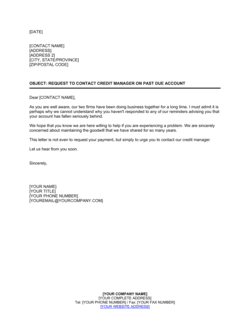
A past due reminder is a polite follow-up asking a customer to pay an overdue invoice; it does not impose any commercial consequence. A shipment hold notice is a formal legal document that suspends deliveries, sets a payment deadline, and preserves the supplier's enforcement rights. Use reminders for first and second contacts; escalate to a hold notice when reminders are ignored.

vs Termination of Business Relationship Letter

A shipment hold notice is a conditional suspension — shipments resume when payment is made. A termination letter ends the business relationship entirely, cancels all open orders, and signals no intent to resume. Use the hold notice when you want to collect and potentially continue the relationship; use termination when chronic non-payment has made the relationship commercially untenable.

vs Payment Plan Agreement

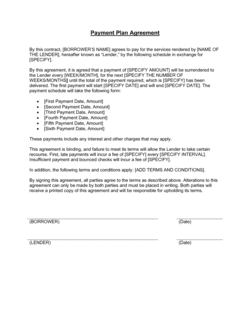
A payment plan agreement structures a schedule for the customer to pay the overdue balance in installments, often in exchange for the supplier lifting the hold and resuming shipments. The shipment hold notice is the enforcement lever; the payment plan is the negotiated resolution. Both documents should be used together when a customer cannot pay in full immediately but has a credible plan to do so.

vs Demand Letter Before Legal Action

A demand letter before legal action is a final formal notice warning the customer that litigation will be initiated unless payment is received by a specified date. It is typically issued after the shipment hold notice has been ignored. The hold notice focuses on suspending commercial activity; the demand letter focuses on impending legal consequences. Sending them in sequence creates a documented escalation trail that strengthens any subsequent court filing.

Industry-specific considerations

Manufacturing and Wholesale Distribution

High-volume B2B accounts with Net 30 or Net 60 terms make shipment holds a standard AR escalation tool; notices often reference multiple invoices and large outstanding balances spanning several delivery cycles.

Food and Beverage

Perishable goods create urgency on both sides — suppliers must act quickly to suspend deliveries before additional unrecoverable product is shipped to a non-paying buyer, and cure periods are often shorter given the goods' limited shelf life.

Construction and Building Materials

Materials suppliers frequently combine shipment hold notices with mechanic's lien rights, providing a dual enforcement mechanism against both the buyer and the project property where the materials were installed.

Retail and E-commerce

Subscription box and recurring-order sellers use shipment hold notices to formally document a payment failure before canceling a subscription, creating a clear record that distinguishes a non-payment hold from an unauthorized account termination.

Jurisdictional notes

United States

Under UCC Article 2, a seller may withhold delivery of goods when a buyer fails to make a payment due on or before delivery, or when the buyer is insolvent. Late interest rates are subject to state usury laws — some states cap commercial interest below 18% per annum. In California, New York, and Texas, specific notice requirements may apply before a creditor can report a delinquency or pursue certain collection remedies.

Canada

Canadian suppliers generally have a common-law right to withhold goods when a buyer is in default, supported by the Sale of Goods Acts in most provinces. Late interest must be agreed to in advance or set at the applicable provincial statutory rate. In Quebec, civil law principles apply under the Civil Code of Quebec, and notices must comply with specific formal requirements. Ontario's Business Corporations Act may affect remedies against corporate debtors.

United Kingdom

Under the Sale of Goods Act 1979, an unpaid seller has a lien on goods in their possession and a right to withhold delivery where payment terms have not been met. The Late Payment of Commercial Debts (Interest) Act 1998 entitles suppliers to claim interest at 8% over the Bank of England base rate on overdue B2B invoices, plus fixed debt recovery costs of £40–£100 depending on the debt amount. Notices should be sent to the customer's registered office address to be legally effective.

European Union

EU Directive 2011/7/EU on combating late payment in commercial transactions entitles creditors to statutory interest at 8% above the European Central Bank reference rate and a minimum €40 recovery fee automatically, without the need for a prior contractual agreement. Member states have transposed the Directive differently — France, Germany, and Spain each impose specific procedural requirements. GDPR considerations apply if the notice references personal data about individual guarantors or contacts.

Template vs lawyer — what fits your deal?

PathBest forCostTime
Use the templateSuppliers with a clear written credit agreement and undisputed overdue balances below $25,000Free15–30 minutes
Template + legal reviewCross-border accounts, balances above $25,000, or customers who have disputed prior invoices$200–$500 for a commercial attorney review1–2 business days
Custom draftedLarge-balance accounts, customers in bankruptcy proceedings, or situations involving reclamation of delivered goods$500–$2,000+3–7 business days

Glossary

Credit Hold
A supplier's internal decision to suspend order processing and shipments to a customer whose account is overdue or has exceeded its approved credit limit.
Past Due Balance
The portion of an outstanding invoice or account receivable that has not been paid by the agreed due date.
Accounts Receivable (AR)
Money owed to a business by its customers for goods or services already delivered but not yet paid for.
Net Terms
A credit arrangement stating the number of days after the invoice date by which full payment must be received — for example, Net 30 means payment is due 30 days from invoice date.
Shipment Hold
A temporary suspension of the physical dispatch or release of goods pending fulfillment of a specified condition, such as payment of an overdue balance.
Cure Period
A defined window of time — typically 5 to 15 days — given to a customer to remedy a default (such as paying an overdue invoice) before further consequences are enforced.
Right of Retention
A legal right allowing a creditor or supplier to withhold goods or property until a debt owed in connection with those goods is paid.
Reclamation
A seller's right to demand the return of goods delivered to a buyer who was insolvent at the time of receipt or who has not paid for them, subject to applicable law.
Late Payment Interest
Contractually or statutorily mandated interest charged on unpaid invoice amounts after the due date, typically expressed as an annual percentage rate.
Demand Letter
A formal written notice requiring a party to fulfill a legal obligation — such as paying an overdue balance — within a stated time frame or face further consequences.
Certified Mail
A postal service option providing proof of mailing and delivery, commonly used for legal notices to create a documented paper trail.

Part of your Business Operating System

This document is one of 3,000+ business & legal templates included in Business in a Box.

  • Fill-in-the-blanks — ready in minutes
  • 100% customizable Word document
  • Compatible with all office suites
  • Export to PDF and share electronically

Create your document in 3 simple steps.

From template to signed document — all inside one Business Operating System.
1
Download or open template

Access over 3,000+ business and legal templates for any business task, project or initiative.

2
Edit and fill in the blanks with AI

Customize your ready-made business document template and save it in the cloud.

3
Save, Share, Send, Sign

Share your files and folders with your team. Create a space of seamless collaboration.

Save time, save money, and create top-quality documents.

★★★★★

"Fantastic value! I'm not sure how I'd do without it. It's worth its weight in gold and paid back for itself many times."

Managing Director · Mall Farm
Robert Whalley
Managing Director, Mall Farm Proprietary Limited
★★★★★

"I have been using Business in a Box for years. It has been the most useful source of templates I have encountered. I recommend it to anyone."

Business Owner · 4+ years
Dr Michael John Freestone
Business Owner
★★★★★

"It has been a life saver so many times I have lost count. Business in a Box has saved me so much time and as you know, time is money."

Owner · Upstate Web
David G. Moore Jr.
Owner, Upstate Web

Run your business with a system — not scattered tools

Stop downloading documents. Start operating with clarity. Business in a Box gives you the Business Operating System used by over 250,000 companies worldwide to structure, run, and grow their business.

Free Forever Plan · No credit card required