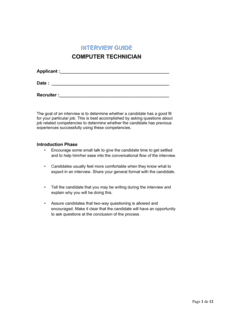
Computer Technician Job Description Template

Free Word download β€’ Edit online β€’ Save & share with Drive β€’ Export to PDF

2 pagesβ€’20–30 min to fillβ€’Difficulty: Standardβ€’Signature requiredβ€’Legal review recommended
Learn more ↓
FreeComputer Technician Job Description Template

At a glance

What it is
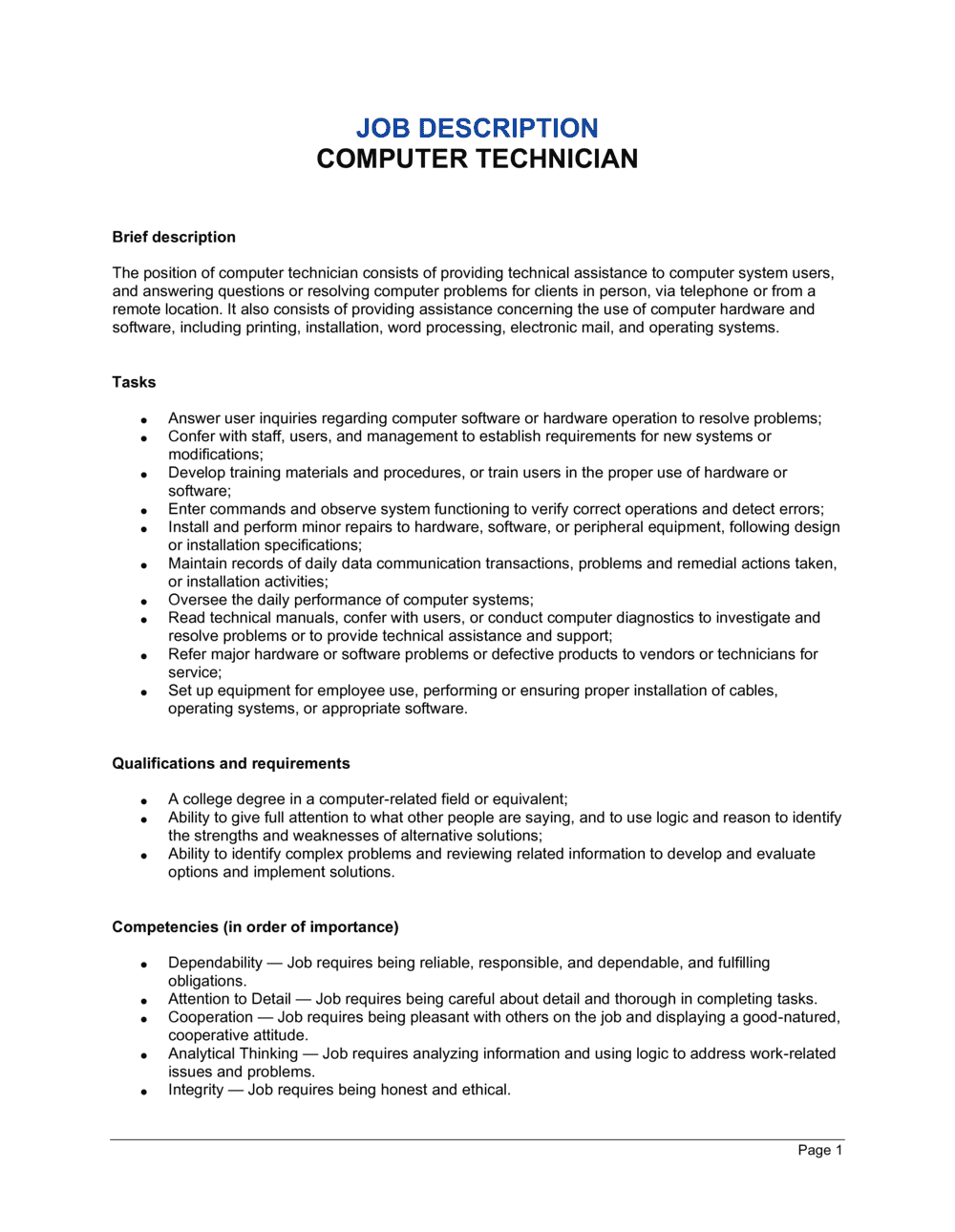
A Computer Technician Job Description is a formal document that defines the scope of work, technical requirements, reporting structure, and employment terms for a computer technician role. This free Word download gives you a structured, legally grounded starting point you can edit online and export as PDF to attach to an offer letter, employment contract, or job posting.
When you need it
Use it when hiring a new computer technician, reclassifying an existing IT role, or formalizing duties for a technician who was brought on without written terms. It is also required when attaching a Schedule A to an employment agreement.
What's inside
Role title and reporting structure, core technical duties, hardware and software responsibilities, required certifications and qualifications, physical and environmental requirements, performance expectations, compensation band reference, and employment classification.

What is a Computer Technician Job Description?

A Computer Technician Job Description is a formal document that defines the scope of work, required qualifications, technical skills, physical demands, and employment terms for a computer technician position. It functions as both a hiring tool and a legally significant record β€” establishing the duties the employee agreed to perform, supporting FLSA overtime classification, enabling ADA accommodation analysis, and providing the documented scope of work that performance management depends on. When attached as a Schedule A to an employment contract, it becomes part of the binding agreement between employer and employee.

Why You Need This Document

Operating without a written job description exposes you on multiple fronts simultaneously. Misclassifying a desktop support technician as FLSA-exempt without documented duties that satisfy the computer employee exemption triggers back-pay liability for up to three years of unpaid overtime. Omitting physical requirements makes it legally difficult to enforce safety protocols or conduct an ADA interactive process when an accommodation is requested. Failing to disclose on-call obligations in writing creates wage-and-hour exposure for non-exempt technicians who respond to after-hours alerts. And when a performance issue arises or a role boundary dispute emerges, an employer with no signed job description has no written baseline to enforce. This template gives you a complete, jurisdiction-aware starting point that closes all four gaps before the technician's first day.

Which variant fits your situation?

If your situation is…Use this template
Hiring a generalist desktop support technician for in-office useComputer Technician Job Description
Staffing a help desk role handling tier-1 remote support ticketsHelp Desk Technician Job Description
Engaging an independent IT contractor rather than an employeeIndependent Contractor Agreement
Hiring a senior systems administrator with network management dutiesSystems Administrator Job Description
Defining a cybersecurity-focused technician roleIT Security Analyst Job Description
Formalizing the full employment terms alongside the job descriptionEmployment Contract
Posting the role publicly and tracking applicantsJob Posting Template

Common mistakes to avoid

❌ Listing degree requirements without business-necessity documentation

Why it matters: Blanket degree requirements for IT roles that do not actually require a degree have been challenged under Title VII as creating disparate impact on protected classes without job-related justification.

Fix: Replace 'Bachelor's degree required' with the specific competency the degree proxies β€” then confirm a CompTIA A+ or equivalent certification actually demonstrates that competency.

❌ Omitting on-call obligations from the written description

Why it matters: Non-exempt technicians who respond to after-hours alerts without documented on-call terms may be entitled to additional compensation for standby time under FLSA and provincial wage standards.

Fix: Document on-call frequency, expected response time, and compensation policy β€” even if it is 'no on-call required' β€” before the candidate accepts the offer.

❌ Using an at-will clause in a Canadian, UK, or EU jurisdiction

Why it matters: At-will employment has no legal standing outside the United States. Including it in an agreement governed by Ontario, UK, or EU law does not override statutory notice entitlements β€” and may mislead the employee about their rights.

Fix: Replace the at-will clause with a notice-period clause that meets or exceeds the statutory minimum in the employee's work location.

❌ Collecting the acknowledgment signature after the employee starts work

Why it matters: In common-law jurisdictions, a document signed after employment begins requires fresh consideration to be enforceable β€” the employee's signature may not bind them to duties they were not told about at hire.

Fix: Include the job description in the pre-hire paperwork package and collect signatures during onboarding on day one at the latest, before the employee begins performing any duties.

❌ Specifying a single ticketing platform or vendor as a hard requirement

Why it matters: Requiring experience with one specific proprietary tool β€” e.g., 'must have 2 years of ServiceNow' β€” eliminates qualified technicians who use equivalent platforms and reduces applicant pool size unnecessarily.

Fix: Phrase requirements functionally: 'experience with enterprise ticketing platforms such as ServiceNow, Jira Service Management, or equivalent.'

❌ Writing physical requirements as 'none' or leaving them blank

Why it matters: Computer technician roles routinely involve lifting servers and UPS units (30–50 lbs), working in low-clearance cable runs, and standing on ladders β€” omitting these facts undermines ADA compliance and exposes the employer in a workers' compensation dispute.

Fix: Complete the physical requirements section accurately using specific measurements. If in doubt, have the hiring manager walk through a typical day and document every physical task encountered.

The 10 key clauses, explained

Role Title and Department

In plain language: States the official job title, the department the technician reports to, and the name or title of their direct supervisor.

Sample language
Position Title: Computer Technician I | Department: Information Technology | Reports To: IT Manager | FLSA Status: Non-Exempt

Common mistake: Using an informal working title instead of the official HR title. Mismatches between payroll records and the job description complicate FLSA audits and workers' compensation classification.

Position Summary

In plain language: A 2–4 sentence overview of the role's purpose β€” what the technician does, who they support, and the primary outcome their work delivers.

Sample language
[COMPANY NAME] is seeking a Computer Technician I to install, maintain, and troubleshoot desktop hardware, software, and peripheral equipment for approximately [NUMBER] end users across [LOCATION(S)].

Common mistake: Writing the summary as a marketing paragraph rather than a factual description. Vague summaries make it harder to defend FLSA classification or scope disputes.

Essential Duties and Responsibilities

In plain language: A numbered or bulleted list of the core tasks the technician is expected to perform regularly β€” the functions the role exists to carry out.

Sample language
1. Install, configure, and maintain desktop computers, laptops, and peripheral devices. 2. Diagnose and resolve hardware and software failures within agreed SLA timeframes. 3. Maintain [TICKETING SYSTEM] records for all service requests and resolutions. 4. Perform routine preventive maintenance on [NUMBER] workstations per [FREQUENCY].

Common mistake: Listing aspirational or occasional duties as essential functions. Courts and the EEOC assess whether a duty is truly essential by how much time is spent on it and the consequences of not performing it.

Required Qualifications and Certifications

In plain language: Specifies the minimum education, work experience, and certifications a candidate must hold to be considered for the role.

Sample language
Required: High school diploma or GED; CompTIA A+ certification or equivalent; [X] years of hands-on desktop support experience. Preferred: CompTIA Network+; experience with [OPERATING SYSTEM / TICKETING PLATFORM].

Common mistake: Listing degree requirements without confirming they are job-related and consistent with business necessity. In the US, degree requirements that screen out protected classes can constitute disparate-impact discrimination under Title VII.

Technical Skills and Systems

In plain language: Lists the specific hardware platforms, operating systems, software applications, and tools the technician must be proficient in.

Sample language
Proficiency required in: Windows 10/11 administration; Microsoft 365 user management; Active Directory account provisioning; TCP/IP fundamentals; imaging and deployment via [TOOL NAME].

Common mistake: Specifying a single vendor's ecosystem so narrowly that qualified candidates with equivalent skills are screened out, reducing the applicant pool unnecessarily.

Physical and Environmental Requirements

In plain language: Describes the physical demands of the role β€” lifting limits, prolonged sitting or standing, crawling under desks, exposure to electrical equipment β€” to support ADA compliance and accurate classification.

Sample language
This role requires the ability to lift and carry equipment up to [X] lbs, work in confined spaces to access cabling, and remain seated at a workstation for extended periods. Reasonable accommodations will be made for qualified individuals with disabilities.

Common mistake: Omitting physical requirements entirely. Without them, the employer cannot enforce safety protocols or conduct an ADA interactive process when an accommodation is requested.

Working Hours, Location, and Travel

In plain language: States standard working hours, whether the role is on-site, hybrid, or remote, any on-call obligations, and expected travel to satellite offices or client sites.

Sample language
Standard schedule: Monday–Friday, [START TIME] to [END TIME]. This is an on-site position at [PRIMARY LOCATION]. Occasional travel to [SATELLITE LOCATIONS] is required up to [X]% of the time. On-call rotation: [FREQUENCY / NONE].

Common mistake: Omitting on-call obligations from the job description. Undisclosed on-call requirements are a leading cause of early attrition and wage-and-hour disputes, particularly for non-exempt technicians.

Compensation Band and Benefits Reference

In plain language: States the salary range or hourly rate for the role, the pay frequency, and a reference to the benefits program β€” without locking specific plan terms into the document.

Sample language
Compensation: $[MIN]–$[MAX] per [hour / year], paid [bi-weekly / semi-monthly]. This position is eligible for the Company's standard benefits program, including [HEALTH / DENTAL / VISION / 401(k)], subject to plan terms in effect from time to time.

Common mistake: Detailing specific benefit plan coverage levels inside the job description. Plans change annually β€” locking specifics creates amendment obligations or misrepresentation exposure if the plan changes before or after hire.

Employment Classification and At-Will Statement

In plain language: Confirms whether the position is full-time, part-time, or temporary; its FLSA classification; and, where applicable, the at-will nature of the employment relationship.

Sample language
This is a full-time, non-exempt position. Employment is at-will, meaning either party may terminate the relationship at any time, for any lawful reason, with or without notice, subject to applicable law.

Common mistake: Including at-will language in jurisdictions where it is legally meaningless β€” Canada, the UK, and EU member states all require notice-based termination regardless of what the document says.

Acknowledgment and Signature Block

In plain language: A section where the employee signs and dates to confirm they have read, understood, and agree to the job description β€” creating a record that duties were disclosed before or on the start date.

Sample language
I acknowledge that I have received, read, and understood the above job description and agree to perform the duties described to the best of my ability. Employee Signature: _______________ Date: _______________ | Manager Signature: _______________ Date: _______________

Common mistake: Collecting the signature after the employee's first day. Post-start signatures create a consideration problem in common-law jurisdictions and undermine the employer's position that duties were disclosed at hire.

How to fill it out

  1. 1

    Set the official role title and FLSA classification

    Enter the job title exactly as it appears in your HR system. Determine FLSA status β€” most computer technicians performing non-managerial support work qualify as non-exempt unless their salary exceeds the current DOL threshold and their primary duties meet the computer employee exemption test.

    πŸ’‘ The DOL computer employee exemption requires a salary of at least $684/week or $27.63/hour AND duties centered on systems analysis, programming, or software engineering β€” routine desktop support typically does not qualify.

  2. 2

    Write a factual position summary

    In 2–4 sentences, describe what the technician does, who they support, and the key outcome their work delivers. Avoid marketing language β€” a factual summary is easier to defend in a scope or classification dispute.

    πŸ’‘ Anchor the summary to a concrete number: 'supports 150 end users across two offices' is more defensible than 'provides IT support to the organization.'

  3. 3

    List essential duties in order of frequency

    Start with the tasks the technician will perform most often and work down to occasional responsibilities. Number each duty and use active verbs β€” install, configure, diagnose, document.

    πŸ’‘ Limit the list to 8–12 duties. More than 12 lines signal a role that needs to be split into two positions or that non-essential tasks have crept in.

  4. 4

    Confirm required qualifications are job-related

    For each education and certification requirement, verify it is necessary to perform the essential functions. Remove requirements that are preferences rather than minimums β€” they inflate time-to-fill and create legal exposure.

    πŸ’‘ If CompTIA A+ is listed as required, have a documented rationale on file. The EEOC can request justification for any qualification that screens out a protected class at a higher rate.

  5. 5

    Specify technical skills at the platform level

    List operating systems, ticketing platforms, imaging tools, and network equipment by name and version where possible. Broad terms like 'Microsoft products' or 'networking experience' create ambiguity during screening.

    πŸ’‘ Group skills into tiers β€” required vs. preferred β€” so qualified candidates with partial experience are not screened out by ATS keyword filters.

  6. 6

    Complete the physical requirements section

    State lifting limits, posture requirements, and environmental conditions (server room temperatures, confined-space cable work). This section supports ADA compliance and workers' compensation classification.

    πŸ’‘ Use specific pound limits rather than 'light' or 'moderate' β€” these terms mean different things to different reviewers and are not defensible in an accommodation dispute.

  7. 7

    Confirm the compensation band reflects market rates

    Check current market data (BLS OES, Glassdoor, or a staffing agency benchmark) for your metro area before inserting the salary range. Several US states and cities now require pay transparency on job postings.

    πŸ’‘ In Colorado, California, New York, and Washington, posting a role without a salary range violates pay transparency law β€” check current state requirements before publishing.

  8. 8

    Obtain signatures before the start date

    Route the completed document to the hiring manager for approval, then to the candidate for signature before or on day one. Store the signed copy in the employee's personnel file.

    πŸ’‘ In jurisdictions requiring written employment terms β€” UK, Canada, EU β€” attach this document as a Schedule A to the employment contract and have both executed simultaneously.

Frequently asked questions

What is a computer technician job description?

A computer technician job description is a formal document that defines the duties, qualifications, technical skills, reporting structure, and employment terms for a computer technician position. It serves as both a hiring tool and a legally significant record β€” establishing the scope of work the employee agreed to perform and supporting FLSA classification, ADA compliance, and performance management.

What should a computer technician job description include?

At minimum: job title and FLSA classification, position summary, numbered list of essential duties, required and preferred qualifications and certifications, specific technical skills and systems, physical requirements, working hours and location including on-call obligations, compensation band, employment type and at-will statement where applicable, and a signed acknowledgment block. Missing any of these creates compliance gaps and makes scope disputes harder to resolve.

Is a computer technician job description legally binding?

A job description is not a standalone employment contract, but it carries legal weight when attached to one as a Schedule A. Courts and administrative bodies reference it in FLSA overtime classification decisions, ADA accommodation disputes, and workers' compensation cases. A signed acknowledgment creates a record that duties and physical requirements were disclosed before hire, which is important in common-law jurisdictions.

What certifications should I require for a computer technician role?

CompTIA A+ is the standard entry-level requirement for desktop support technicians. For roles with networking responsibilities, CompTIA Network+ is appropriate. Microsoft certifications (MD-102 for endpoint administration) are relevant for Microsoft 365 environments. Requiring certifications beyond what the role actually demands inflates time-to-fill and may screen out qualified candidates β€” list role-specific credentials only.

Should a computer technician be classified as exempt or non-exempt under the FLSA?

Most computer technicians performing routine desktop support, hardware installation, and help desk functions are non-exempt and entitled to overtime. The FLSA computer employee exemption applies only to employees whose primary duty involves systems analysis, programming, or software engineering β€” and who earn at least $684 per week or $27.63 per hour. Misclassifying a support technician as exempt triggers back-pay liability for up to three years of unpaid overtime.

Can I use the same job description for a contractor and an employee?

No. Using an employee job description for a contractor β€” with defined hours, required equipment, and a reporting supervisor β€” is one of the factors regulators use to reclassify the worker as an employee. For contractors, use a Statement of Work or Independent Contractor Agreement that defines deliverables and outcomes rather than duties and schedule.

How often should a computer technician job description be updated?

Review it annually and whenever the role's technology stack, reporting structure, or core duties change materially. If the technician's actual day-to-day work has diverged significantly from the written description, update it and collect a new signature β€” an outdated description undermines performance management and FLSA defense.

Do pay transparency laws require a salary range in the job description?

In Colorado, California, New York, Washington, and a growing number of other US states, employers must include a salary range in any external job posting. The requirement typically applies at the time of posting β€” not only in the formal offer. Check current state and municipal requirements before publishing, as these laws are expanding rapidly and penalties for non-compliance range from fines to civil action.

What is the difference between a job description and an offer letter?

A job description defines the scope of work, qualifications, and physical requirements for a role. An offer letter confirms the candidate's acceptance of that role and states compensation, start date, and contingencies. The job description should be attached to the offer letter and the employment contract as a Schedule A so all three documents reference the same agreed duties.

How this compares to alternatives

vs Employment Contract

An employment contract is the binding legal agreement that governs compensation, IP assignment, confidentiality, non-compete, and termination. A job description defines the scope of work within that relationship. The two documents work together β€” the job description is typically attached as a Schedule A to the employment contract. Using one without the other leaves significant gaps in both directions.

vs Independent Contractor Agreement

A contractor agreement engages a self-employed technician for a defined project or deliverable without creating employment obligations. A job description implies an employment relationship with defined hours, supervision, and ongoing duties. Using an employee-style job description for a contractor is a leading audit trigger for worker misclassification claims under the IRS 20-factor test and state equivalents.

vs Job Offer Letter

An offer letter confirms the role, start date, and compensation to secure the candidate's acceptance. A job description details the duties, qualifications, and physical requirements the candidate is agreeing to perform. The offer letter should reference and attach the job description β€” relying on the offer letter alone leaves the employer without a documented scope of work.

vs Employee Handbook

An employee handbook covers company-wide policies β€” conduct, leave, benefits, and procedures β€” that apply to all employees regardless of role. A job description is role-specific and defines individual duties and qualifications. The handbook sets the rules of the workplace; the job description defines the work itself. Both should be issued at onboarding and signed separately.

Industry-specific considerations

Healthcare

HIPAA training requirements and access controls must be documented as essential functions, and physical access to patient care areas requires background check conditions precedent.

Education

K–12 and higher education technicians typically require criminal background checks and child-protection certifications as mandatory qualifications listed in the job description.

Financial Services

PCI-DSS compliance obligations and data handling protocols must be enumerated as essential duties, with security clearance or bonding requirements stated in the qualifications clause.

Manufacturing

Industrial control system (ICS/SCADA) familiarity and the ability to work in environments with electrical hazards, heavy machinery, and strict PPE requirements must appear in both duties and physical requirements.

Jurisdictional notes

United States

FLSA classification is the primary compliance obligation β€” most computer technicians qualify as non-exempt absent the computer employee exemption. Title VII and the ADA require that qualifications listed in the job description be job-related and consistent with business necessity. Fourteen states plus the District of Columbia now have pay transparency laws requiring salary ranges in job postings; confirm requirements for your state before publishing.

Canada

Provincial Employment Standards Acts govern minimum notice, overtime thresholds, and pay equity obligations that must be reflected in the job description's classification and compensation clauses. Ontario's Pay Transparency Act and similar provincial statutes may require salary disclosure. Quebec employers must provide the job description in French for provincially regulated workplaces. At-will language is legally meaningless and should be replaced with notice-period terms meeting provincial minimums.

United Kingdom

Employers must provide a written statement of employment particulars β€” including a description of work β€” on or before the first day of employment under the Employment Rights Act 1996. The Equality Act 2010 requires that qualifications and physical requirements be objectively justified and not indirectly discriminatory. IR35 rules apply when engaging technicians through personal service companies, making accurate role classification critical.

European Union

The EU Transparent and Predictable Working Conditions Directive requires written terms β€” including a description of work β€” within seven calendar days of the start date. GDPR applies to any personal data collected during the hiring process, including screening criteria documented in the job description. Several member states, including France and Germany, require works council consultation before modifying an existing role's job description materially.

Template vs lawyer β€” what fits your deal?

PathBest forCostTime
Use the templateSmall businesses and IT managers hiring standard desktop support technicians in a single jurisdictionFree20–30 minutes
Template + legal reviewRoles in regulated industries (healthcare, finance), cross-jurisdictional hires, or senior technician positions with on-call and IP exposure$200–$500 for an HR consultant or employment lawyer review1–3 days
Custom draftedEnterprise IT roles, government contractors requiring OFCCP compliance, or multi-country deployments where local labor law governs classification$800–$2,500+1–2 weeks

Glossary

Job Description
A written document that defines a position's duties, qualifications, reporting structure, and employment terms β€” used for hiring, performance management, and legal classification.
FLSA Classification
A determination under the US Fair Labor Standards Act of whether a role is exempt or non-exempt from overtime pay requirements, based on duties and salary level.
Essential Functions
The core duties a position exists to perform β€” the tasks that, if removed, would fundamentally change the nature of the role.
CompTIA A+
An entry-level IT certification from CompTIA that validates foundational hardware, software, networking, and troubleshooting competencies.
Scope of Work
A defined list of tasks, deliverables, and boundaries that describe exactly what a technician is responsible for and what falls outside their role.
At-Will Employment
An employment arrangement β€” common in most US states β€” where either party may end the relationship at any time for any lawful reason without advance notice.
ADA Accommodation
A reasonable modification to a job's physical or operational requirements that allows a qualified individual with a disability to perform the essential functions.
Schedule A
An attachment to an employment contract that details specific job duties, replacing a general description in the main agreement body so the contract does not need to be amended when duties evolve.
Exempt vs. Non-Exempt
US FLSA classification: exempt employees do not receive overtime pay; non-exempt employees must receive 1.5Γ— their regular rate for hours worked beyond 40 per week.
Probationary Period
A defined initial period β€” typically 30 to 90 days β€” during which an employer evaluates a new hire's performance with simplified termination procedures.

Part of your Business Operating System

This document is one of 3,000+ business & legal templates included in Business in a Box.

  • Fill-in-the-blanks β€” ready in minutes
  • 100% customizable Word document
  • Compatible with all office suites
  • Export to PDF and share electronically

Create your document in 3 simple steps.

From template to signed document β€” all inside one Business Operating System.
1
Download or open template

Access over 3,000+ business and legal templates for any business task, project or initiative.

2
Edit and fill in the blanks with AI

Customize your ready-made business document template and save it in the cloud.

3
Save, Share, Send, Sign

Share your files and folders with your team. Create a space of seamless collaboration.

Save time, save money, and create top-quality documents.

β˜…β˜…β˜…β˜…β˜…

"Fantastic value! I'm not sure how I'd do without it. It's worth its weight in gold and paid back for itself many times."

Managing Director Β· Mall Farm
Robert Whalley
Managing Director, Mall Farm Proprietary Limited
β˜…β˜…β˜…β˜…β˜…

"I have been using Business in a Box for years. It has been the most useful source of templates I have encountered. I recommend it to anyone."

Business Owner Β· 4+ years
Dr Michael John Freestone
Business Owner
β˜…β˜…β˜…β˜…β˜…

"It has been a life saver so many times I have lost count. Business in a Box has saved me so much time and as you know, time is money."

Owner Β· Upstate Web
David G. Moore Jr.
Owner, Upstate Web

Run your business with a system β€” not scattered tools

Stop downloading documents. Start operating with clarity. Business in a Box gives you the Business Operating System used by over 250,000 companies worldwide to structure, run, and grow their business.

Start freeΒ Β·Β No credit card required