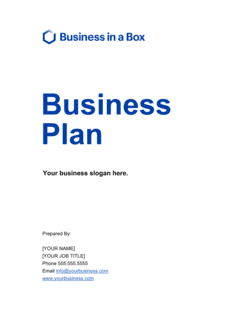
Business Plan - Cover Page With Image Template

Free Word download β€’ Edit online β€’ Save & share with Drive β€’ Export to PDF

1 pageβ€’40–55 min to fillβ€’Difficulty: Expert
Learn more ↓
FreeBusiness Plan - Cover Page With Image Template

At a glance

What it is
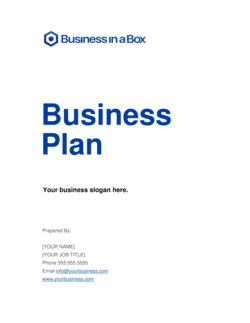
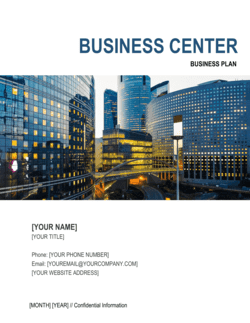
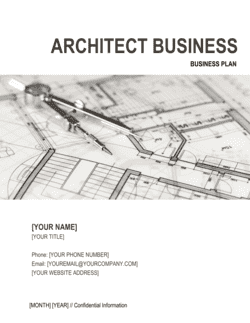
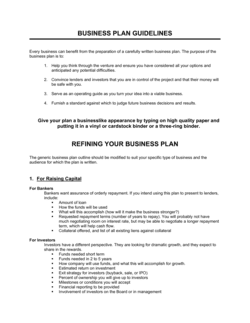
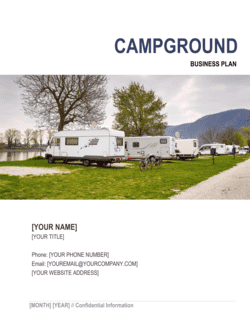
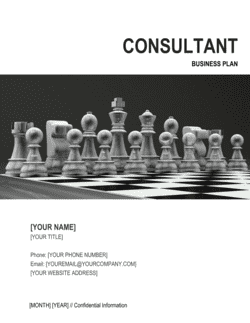
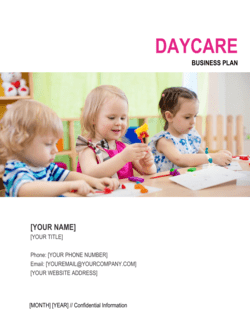
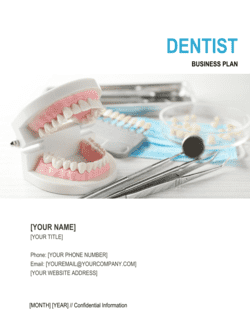
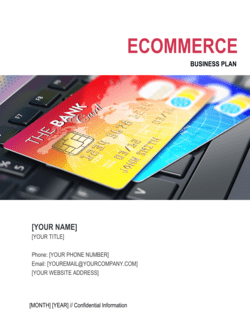
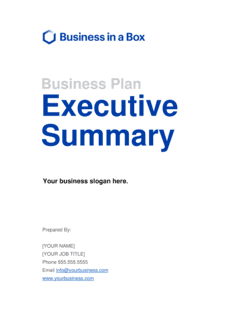
A Business Plan Cover Page With Image is a single-page title document that opens a business plan and presents the company's name, plan title, key contact details, date, and a featured image β€” such as a product photo, office shot, or branded graphic. This free Word download is fully editable online and can be exported as PDF, giving any plan a polished, investor-ready first impression before the reader reaches page one.
When you need it
Use it whenever you submit a formal business plan to an investor, lender, accelerator, or internal stakeholder β€” anytime the document needs to signal professionalism and brand identity from the very first page.
What's inside
A structured layout with placeholders for your company name, plan title, tagline or subtitle, featured image block, contact details, and preparation date β€” all styled to match a professional business document format.

What is a Business Plan Cover Page With Image?

A Business Plan Cover Page With Image is a professionally designed single-page title document that opens a business plan and presents the company's name, logo, plan title, featured image, contact information, and preparation date in a visually structured layout. It functions as the first thing an investor, lender, or stakeholder sees β€” before the executive summary, before the financials, before any content β€” making it the document's single most important first impression. This free Word download includes a pre-formatted image block, placeholder text for every required field, and a layout designed to look polished in both digital PDF and print formats.

Why You Need This Document

A business plan submitted without a properly formatted cover page looks incomplete β€” and in competitive funding environments, incomplete signals unprepared. Investors and loan officers who review dozens of plans simultaneously use the cover page to file, forward, and identify documents; a plan that starts with the executive summary and no cover page is harder to route and easier to misplace. Beyond logistics, the cover page is the first signal of your brand's visual identity β€” a low-resolution logo, a missing image, or unreplaced placeholder text tells the reader something went wrong before they reach your market analysis. This template eliminates that risk by giving you a structured, image-ready layout you can brand and complete in under 30 minutes, ensuring every plan you submit leads with the same professional standard your underlying content deserves.

Which variant fits your situation?

If your situation is…Use this template
Submitting a plan to investors who expect a branded, visual first impressionBusiness Plan Cover Page With Image
Submitting a formal plan to a bank or SBA lender preferring a clean, text-only formatBusiness Plan Cover Page (No Image)
Preparing a full 20–35 page business plan documentBusiness Plan
Preparing a one-page business canvas for internal ideationOne-Page Business Plan
Opening a restaurant-specific business plan submissionRestaurant Business Plan
Presenting a nonprofit program plan to a board or funderNonprofit Business Plan
Opening a new product launch plan documentProduct Launch Plan

Common mistakes to avoid

❌ Using a low-resolution or pixelated logo

Why it matters: A blurry logo on a business plan cover page signals that the company does not own proper brand assets β€” which undermines credibility before the reader opens the document.

Fix: Export the logo from its original source file at a minimum of 150 DPI. Request a PNG or SVG version from your designer if you do not have the source files.

❌ Leaving placeholder text unreplaced

Why it matters: Sending a plan with '[COMPANY NAME]' or '[INSERT IMAGE]' still visible tells the investor or lender the document was not proofread β€” an immediate signal of carelessness.

Fix: Do a final find-and-replace pass searching for '[' before every export. Any remaining bracket indicates an unfilled placeholder.

❌ Using a stock photo unrelated to the business

Why it matters: Experienced investors recognize widely used stock photos instantly, and a cover image that has nothing to do with the actual product or service undermines authenticity.

Fix: Use an original photograph of your product, team, location, or service. If professional photography is not yet available, a clean branded graphic with your brand colors is preferable to a generic stock image.

❌ Omitting contact details or using a generic email

Why it matters: An investor or loan officer who cannot find a direct contact on the cover page must dig through the document to find one β€” and some will not bother.

Fix: Always include a named individual with a direct email address and phone number on the cover page, not a general company inbox.

The 10 key sections, explained

Company logo

Company name

Plan title and subtitle

Featured image block

Tagline or mission statement

Prepared by and contact details

Prepared for (optional recipient field)

Date of preparation

Confidentiality notice

Version or draft label

How to fill it out

  1. 1

    Insert your company logo

    Place your official logo in the designated logo block at the top of the template. Use a high-resolution file β€” PNG with transparent background is ideal β€” at a minimum of 150 DPI.

    πŸ’‘ Export your logo directly from your brand's source file (AI, SVG, or EPS) rather than screenshotting it from a website. The quality difference is immediately visible in print and PDF.

  2. 2

    Enter the company name and plan title

    Replace the placeholder text with your full legal entity name and the plan's official title. Add a subtitle that identifies the audience, fiscal year, or funding stage.

    πŸ’‘ Keep the title and subtitle to two lines maximum. More than two lines pushes other elements down and breaks the visual balance of the page.

  3. 3

    Add the featured image

    Insert a high-resolution photograph or branded graphic into the image block. Choose an image that directly represents your business β€” a product, location, team, or service in action.

    πŸ’‘ Horizontal images at a 2:1 aspect ratio fit most cover page layouts without cropping. Portrait images often get cut awkwardly by the template's image frame.

  4. 4

    Write or paste your tagline

    Enter a one-sentence tagline or mission statement beneath the company name or image. It should name your customer and the specific outcome you deliver.

    πŸ’‘ Test the tagline by reading it to someone unfamiliar with your business. If they cannot summarize what the company does after hearing it once, rewrite it.

  5. 5

    Fill in the prepared-by and contact details

    Enter the full name, title, direct email, and direct phone number of the person who authored or owns the plan. If submitting to a specific recipient, add the 'Prepared for' field.

    πŸ’‘ Use the email address you check daily, not a general info@ address. Investors who want to follow up quickly lose patience with slow responses routed through a shared inbox.

  6. 6

    Set the date and version label

    Enter the current month and year as the preparation date. Add a version label β€” 'v1.0' for a first submission, 'Draft' during review cycles, or 'Final' for the version you are formally submitting.

    πŸ’‘ Update the date every time you make substantive changes to the plan body. An out-of-date cover on a revised plan tells the reader the author is not detail-oriented.

  7. 7

    Add the confidentiality notice and export as PDF

    Confirm the confidentiality notice at the bottom of the page references your correct legal entity name. Then export the completed document as PDF and attach it as the first page of your full business plan.

    πŸ’‘ Before sending, open the exported PDF on a device you do not own β€” a phone or a different computer β€” to confirm fonts, images, and layout render correctly for the recipient.

Frequently asked questions

What should be on a business plan cover page?

A business plan cover page should include the company name and logo, the plan title and a brief subtitle, a featured image, a tagline or mission statement, the author's name and contact details, the date of preparation, and a short confidentiality notice. Optionally, include a 'Prepared for' field naming the specific investor or lender receiving the plan. These elements give readers the context they need to understand what the document is and who to contact before turning to page one.

Does a business plan need a cover page?

A cover page is not legally required, but it is universally expected in professional business plan submissions. Investors, lenders, and accelerators review many plans simultaneously β€” a formatted cover page signals that the author takes presentation seriously. A plan that begins abruptly with the executive summary, with no identifying information on the first page, is harder to file, forward, and attribute when it reaches a second reader.

What image should I use on a business plan cover page?

Use an original, high-resolution image that directly represents the business β€” a product photograph, a photo of your location or team, or a branded graphic using your company's visual identity. Avoid generic stock photos that experienced investors will recognize. If professional photography is not yet available, a clean branded graphic with your logo and brand colors is a stronger choice than a stock image.

What size should the image on a business plan cover page be?

For a standard US Letter or A4 business plan, the featured image block typically spans the full page width and occupies 30–50% of the vertical space. A minimum resolution of 150 DPI ensures the image looks sharp in both PDF and print. Horizontal images at a 2:1 aspect ratio fit most cover page layouts without awkward cropping.

Should a business plan cover page include a confidentiality notice?

Yes β€” a brief confidentiality notice is standard practice. It signals that the document contains proprietary information and restricts unauthorized distribution. Keep it to one or two sentences on the cover page; detailed confidentiality terms belong in the body of the plan. The notice does not replace a formal non-disclosure agreement for sensitive disclosures.

How do I brand a business plan cover page template in Word?

Open the template in Word and replace the logo placeholder with your company's high-resolution PNG logo. Update the font colors in the title block to match your brand's primary color using the 'Font Color' and 'Shape Fill' tools. Replace the featured image by right-clicking the image block and selecting 'Change Picture.' Save a master branded version so you only need to update plan-specific content for future submissions.

What is the difference between a cover page and a title page?

The terms are often used interchangeably for business plans. Strictly speaking, a title page typically contains only text β€” company name, document title, author, and date β€” while a cover page includes visual elements such as a logo, featured image, and branded design. This template is a cover page: it is designed to carry both the identifying text and a prominent image that represents the business.

Can I use this cover page template for plans other than a general business plan?

Yes. The template works equally well as the cover page for a restaurant business plan, a nonprofit program plan, a franchise application plan, a product launch plan, or an internal strategic plan. Simply update the plan title, subtitle, and featured image to reflect the specific document. The structural elements β€” logo, contact details, date, and confidentiality notice β€” are relevant across all plan types.

Should the cover page be counted as page one in the business plan?

Conventionally, the cover page is not numbered and is not counted in the page sequence. The table of contents, executive summary, or first body section typically begins on page one. In Word, you can suppress the page number on the cover page by using a section break after it and unchecking 'Link to Previous' in the header/footer settings.

How this compares to alternatives

vs Business Plan (Full Document)

A full business plan is a 20–35 page document covering market analysis, strategy, operations, team, and financial projections. The cover page is a single-page opening document that precedes the plan body. You need both: the cover page sets the professional tone; the full plan delivers the content investors and lenders actually evaluate.

vs One-Page Business Plan

A one-page business plan condenses the entire business thesis β€” opportunity, model, financials, and milestones β€” onto a single page for rapid internal alignment or early-stage ideation. A cover page serves a completely different function: it is the title and branding page that opens a full-length plan, not a substitute for the plan itself.

vs Pitch Deck

A pitch deck is a 10–15 slide visual presentation designed for a live investor meeting. A business plan cover page opens a written document submitted for detailed review. The two serve different stages of the investor relationship: the deck generates interest; the written plan with its cover page supports diligence and formal review.

vs Executive Summary

An executive summary is a 1–2 page distillation of the business plan's key points β€” problem, solution, market, traction, team, and ask. The cover page precedes the executive summary and contains no substantive business content. Both are required components of a complete plan submission, but they serve entirely different purposes.

Industry-specific considerations

Technology / SaaS

Cover pages for SaaS business plans often feature a product screenshot or UI mockup as the featured image to immediately communicate the software experience to investors.

Food & Beverage / Restaurant

Restaurant business plan cover pages typically use a high-quality food photograph or interior shot to establish atmosphere and signal the brand's positioning before the reader opens the plan.

Retail / E-commerce

Retail plan cover pages benefit from a product lifestyle photograph that shows the item in use, reinforcing brand identity and market positioning for buyers and lenders.

Professional Services

Consultants and professional firms typically use a team photograph or branded office image to convey credibility and scale, which is especially important when the team is the primary asset being assessed.

Template vs pro β€” what fits your needs?

PathBest forCostTime
Use the templateFounders, small business owners, and students preparing a business plan for investors, lenders, or internal useFree15–30 minutes
Template + professional reviewCompanies submitting to high-stakes audiences β€” institutional lenders, VC firms, or accelerator programs β€” who want brand design reviewed by a professional$100–$300 for a graphic designer review or brand alignment check1–2 days
Custom draftedBusinesses with complex visual brand guidelines requiring a fully custom cover layout built from scratch by a designer$300–$1,000 for a custom-designed cover page and document template3–7 days

Glossary

Cover Page
The first page of a formal document that identifies the title, author or company, date, and contact information before the body content begins.
Title Block
A structured area on the cover page that displays the document's official name and any subtitle or version label.
Featured Image
A photograph, product shot, or branded graphic placed prominently on the cover page to reinforce company identity and visual appeal.
Tagline
A short phrase beneath the company name or plan title that summarizes the company's value proposition in one sentence or less.
Confidentiality Notice
A brief statement on the cover page indicating that the document contains proprietary information and restricting its distribution.
Version Number
A label such as 'v1.2' or 'Draft 3' that distinguishes iterations of the same document and prevents readers from working from outdated copies.
Prepared By
A field identifying the individual, team, or firm that authored the plan β€” typically placed at the bottom of the cover page alongside contact details.
Prepared For
An optional field naming the specific investor, lender, or organization the plan was submitted to, personalizing the document for a targeted audience.
Date of Preparation
The month and year the plan was completed or last updated, which signals currency and relevance to the reader.
Brand Consistency
The practice of using the same fonts, colors, and logo treatment across all business documents so they are immediately recognizable as coming from the same company.

Part of your Business Operating System

This document is one of 3,000+ business & legal templates included in Business in a Box.

  • Fill-in-the-blanks β€” ready in minutes
  • 100% customizable Word document
  • Compatible with all office suites
  • Export to PDF and share electronically

Create your document in 3 simple steps.

From template to signed document β€” all inside one Business Operating System.
1
Download or open template

Access over 3,000+ business and legal templates for any business task, project or initiative.

2
Edit and fill in the blanks with AI

Customize your ready-made business document template and save it in the cloud.

3
Save, Share, Send, Sign

Share your files and folders with your team. Create a space of seamless collaboration.

Save time, save money, and create top-quality documents.

β˜…β˜…β˜…β˜…β˜…

"Fantastic value! I'm not sure how I'd do without it. It's worth its weight in gold and paid back for itself many times."

Managing Director Β· Mall Farm
Robert Whalley
Managing Director, Mall Farm Proprietary Limited
β˜…β˜…β˜…β˜…β˜…

"I have been using Business in a Box for years. It has been the most useful source of templates I have encountered. I recommend it to anyone."

Business Owner Β· 4+ years
Dr Michael John Freestone
Business Owner
β˜…β˜…β˜…β˜…β˜…

"It has been a life saver so many times I have lost count. Business in a Box has saved me so much time and as you know, time is money."

Owner Β· Upstate Web
David G. Moore Jr.
Owner, Upstate Web

Run your business with a system β€” not scattered tools

Stop downloading documents. Start operating with clarity. Business in a Box gives you the Business Operating System used by over 250,000 companies worldwide to structure, run, and grow their business.

Free Forever PlanΒ Β·Β No credit card required