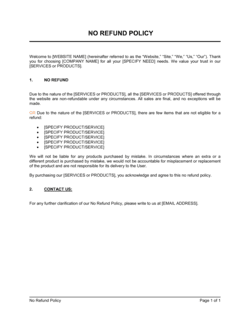
No Show Policy Template

Free Word download β€’ Edit online β€’ Save & share with Drive β€’ Export to PDF

2 pagesβ€’20–25 min to fillβ€’Difficulty: Standard
Learn more ↓
FreeNo Show Policy Template

At a glance

What it is
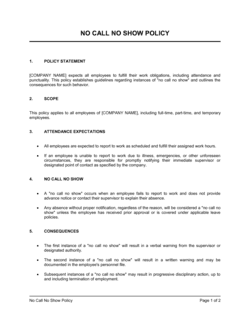
A No Show Policy is a written operational document that defines what constitutes a no-show, the cancellation window clients must respect, any fees or consequences applied when the policy is violated, and the process for communicating and enforcing those rules. This free Word download gives you a structured, ready-to-customize template you can edit online and share with clients via email, intake forms, or your booking platform.
When you need it
Use it any time your business or practice relies on scheduled appointments, reservations, or time-blocked services β€” and when missed appointments create direct revenue loss or block other clients from being served. It is especially important when you are introducing or formalizing a fee for missed appointments.
What's inside
A purpose statement, definitions of no-show and late cancellation, required notice window, fee schedule, waiver criteria, communication and reminder protocols, enforcement procedures, staff responsibilities, and an acknowledgment clause for client sign-off.

What is a No Show Policy?

A No Show Policy is a written operational document that defines the rules and consequences governing missed appointments, sessions, or reservations. It specifies what counts as a no-show versus a late cancellation, the minimum advance notice clients must give before cancelling, any fee charged when that notice is not provided, the process for collecting that fee, and how repeat violations are handled. Businesses use it to protect scheduled time slots, recover lost revenue, and set clear expectations with clients before any appointment takes place.

Why You Need This Document

Every missed appointment without a policy in place costs you twice: once in lost revenue for the slot you cannot fill, and again in the time your staff spends managing the fallout without any authority to act. Without a written no show policy, there is no consistent standard for when to charge a fee, who can waive it, or how to handle a client who misses appointments repeatedly β€” leaving every case to be negotiated from scratch and creating inconsistency that clients notice and exploit. A clearly communicated policy, acknowledged by clients at booking, gives your team the authority to enforce fees without conflict and gives your clients the fair warning they need to take appointment commitments seriously. This template gives you the complete structure in one document, ready to customize to your service type, fee level, and booking workflow in under an hour.

Which variant fits your situation?

If your situation is…Use this template
Medical or dental practice with insurance billing implicationsMedical No Show Policy
Salon, spa, or beauty service with deposit-based bookingsSalon Cancellation and No Show Policy
Restaurant or event venue managing table reservationsRestaurant Reservation No Show Policy
Fitness studio managing class and personal training bookingsFitness Studio Cancellation Policy
Corporate training or HR team managing internal session attendanceEmployee No Show Policy
General service business needing a lightweight single-page policyNo Show Policy (Short Form)
Legal or consulting practice billing by the hourClient Cancellation and Rescheduling Policy

Common mistakes to avoid

❌ Using vague notice language

Why it matters: Phrases like 'adequate notice' or 'reasonable cancellation' are interpreted differently by every client and make fees nearly impossible to enforce consistently.

Fix: State the exact number of hours required β€” '48 hours prior to the appointment start time' β€” and use that same phrasing throughout the document.

❌ Setting a fee but having no payment method on file

Why it matters: A no-show fee only works if you can actually collect it. Without a stored card or deposit, you are left sending invoices that clients ignore.

Fix: Require a credit card or deposit at booking and reference that requirement explicitly in the fee collection section of the policy.

❌ Never updating the policy after it goes live

Why it matters: Business conditions change β€” service costs increase, booking volumes shift, or the original fee proves too low to deter repeat offenders. A policy that is never revisited loses relevance.

Fix: Schedule an annual review of the policy, update the fee and notice window as needed, and re-send the updated version to your client list with at least 14 days' notice.

❌ Failing to communicate the policy before the first appointment

Why it matters: Charging a fee a client has never seen creates a dispute, a chargeback, and a damaged relationship β€” even if the policy is contractually sound.

Fix: Send the policy at the time of booking confirmation, require acknowledgment before the first appointment, and include a short reference to it in every reminder message.

The 10 key sections, explained

Purpose statement

Scope and applicability

Definitions

Required notice and cancellation window

Fee schedule and payment terms

Waiver criteria and exceptions

Reminder and communication protocol

Enforcement and repeat no-show consequences

Staff responsibilities

Client acknowledgment

How to fill it out

  1. 1

    Insert your business name and applicable services

    Replace every [BUSINESS NAME] placeholder with your registered business name. In the scope section, list the specific service types and booking channels the policy covers.

    πŸ’‘ If you operate multiple locations or offer both in-person and virtual services, specify each separately so there is no ambiguity about which appointments are covered.

  2. 2

    Set your cancellation window

    Choose a specific number of hours β€” 24 or 48 is standard for most service businesses β€” and enter it consistently in the definitions, cancellation window, and reminder protocol sections.

    πŸ’‘ Match your cancellation window to how far in advance your typical booking is made. A 24-hour window is too short for services booked 2–4 weeks out; 48–72 hours gives you time to rebook the slot.

  3. 3

    Define the fee amount

    Enter a fixed dollar amount or percentage of service cost for both no-shows and late cancellations. Make the fee proportionate to the service value β€” a $25 fee on a $40 service will be challenged; 50% of service cost is more defensible.

    πŸ’‘ Check whether your booking platform or payment processor can automatically charge the card on file. If it can, reference that process explicitly in the fee collection language.

  4. 4

    Write your waiver criteria

    List the specific circumstances β€” medical emergency, bereavement, first-time occurrence β€” under which you will waive the fee, and name the role authorized to approve exceptions.

    πŸ’‘ Limit courtesy first-time waivers to one per client per 12-month period and document it in your booking system so staff can see the waiver history.

  5. 5

    Configure your reminder protocol

    Decide how many reminders you will send, by what channel (email, SMS, or both), and how far in advance. Enter those specifics into the template and make sure your booking system is configured to match.

    πŸ’‘ Two-touch reminders β€” at 48 hours and again at 24 hours β€” reduce no-show rates by 20–40% in most service categories, which reduces how often you need to enforce the fee.

  6. 6

    Assign enforcement responsibilities to specific roles

    Name the role β€” front desk coordinator, booking manager, practice administrator β€” responsible for logging no-shows, issuing charges, and documenting repeat incidents in your system.

    πŸ’‘ Create a simple checklist in your booking system or CRM so every no-show triggers the same three steps: log, charge, document. Inconsistent enforcement is the most common reason fees go uncollected.

  7. 7

    Add the client acknowledgment and distribute the policy

    Finalize the acknowledgment language and decide how clients will accept it β€” digital signature on intake forms, checkbox at online booking, or a printed form signed at first visit.

    πŸ’‘ Store the signed acknowledgment in the client's record so you can produce it instantly if a fee dispute escalates to a chargeback.

  8. 8

    Review and communicate before going live

    Share the finalized policy with your team for a consistency check, then communicate it to all existing clients at least 14 days before enforcement begins.

    πŸ’‘ Post the policy prominently on your booking page, in your email signature, and in your intake paperwork β€” not just buried in terms and conditions.

Frequently asked questions

What is a no show policy?

A no show policy is a written document that defines what happens when a client, patient, or attendee misses a scheduled appointment without adequate notice. It specifies the required cancellation window, any fee charged for violations, the criteria for waiving that fee, and how repeated no-shows are handled. Its primary purpose is to protect the business's time and revenue while giving clients clear expectations.

What is a reasonable no show fee?

For most service businesses, a no-show fee in the range of 50–100% of the scheduled service cost is considered reasonable and defensible. A flat fee works well for consistent-price services; a percentage works better for variable-cost appointments. The fee should be high enough to change client behavior but not so punitive that it drives clients away permanently. For healthcare practices, $25–$75 is a common range.

How much notice should a no show policy require?

Twenty-four hours is the industry minimum for most service businesses; 48 hours is more common for higher-value or longer appointments where rebooking the slot is harder. Medical and dental practices often use 24–48 hours. Restaurants typically require cancellation 2–4 hours before the reservation. Match your window to how far in advance your appointments are typically booked β€” a same-day booking logically has a shorter window than one made two weeks out.

Can I charge a no show fee without a signed policy?

In most cases, charging a fee without documented client acknowledgment creates a dispute risk and may not be defensible if the client files a credit card chargeback. While you may have a legal basis depending on your jurisdiction and the circumstances, the practical outcome of enforcing an unacknowledged fee is often a damaged relationship and a reversed charge. A signed or digitally acknowledged policy is your strongest protection.

How do I communicate a no show policy to clients?

Distribute the policy at booking confirmation, include a reference to it in every appointment reminder, require acknowledgment on intake forms before the first appointment, and post it visibly on your booking page and website. For existing clients, send a direct notification at least 14 days before enforcement begins. Acknowledgment via a booking checkbox, digital signature, or email reply all create a usable record.

Should I waive the no show fee for first-time offenders?

A one-time courtesy waiver for a first no-show is a common and practical approach β€” it preserves the client relationship while still communicating the policy is real. Document the waiver in your booking system and make clear to the client that future no-shows will result in the fee being charged. Limiting courtesy waivers to one per client per 12 months prevents repeat exploitation of the exception.

What should I do about clients who no-show repeatedly?

Escalating consequences work better than a flat policy for repeat offenders. After two no-shows within a 12-month window, require full prepayment for all future bookings. After three no-shows, reserve the right to decline future appointments. Document each instance in your booking system and reference the escalation schedule in your policy so clients are aware of the consequences before they occur.

Does a no show policy apply to employee attendance as well?

A client-facing no show policy and an employee attendance policy are separate documents with different legal implications. A client no show policy governs external appointments and service fees. Employee no-show rules β€” including call-out procedures, disciplinary steps, and job abandonment definitions β€” belong in an employee handbook or standalone attendance policy. Using a single document for both audiences creates confusion and may conflict with employment law requirements.

How do I enforce a no show policy without damaging client relationships?

Consistent, pre-communicated enforcement is less damaging than selective or surprise enforcement. When the policy is clearly stated at booking, acknowledged by the client, and applied equally to everyone, most clients accept the fee as a fair consequence. Personalizing the enforcement conversation β€” a brief phone call rather than an automated charge without notice β€” reduces friction significantly for long-term or high-value clients.

How this compares to alternatives

vs Cancellation Policy

A cancellation policy governs advance notice and any associated fees when a client proactively cancels. A no show policy specifically addresses the failure to appear without any notice at all. Most businesses need both β€” or a single combined document β€” because the consequences and enforcement steps differ between a timely cancellation, a late cancellation, and a complete no-show.

vs Refund Policy

A refund policy governs when and how clients receive money back for services paid in advance. A no show policy governs when the business charges a fee or retains a deposit due to a missed appointment. They overlap when prepayments or deposits are involved, but refund policies are broader in scope and cover situations unrelated to attendance.

vs Service Agreement

A service agreement is a binding contract that governs the entire relationship between a service provider and a client β€” scope of work, deliverables, payment terms, liability, and termination. A no show policy is a narrower operational document addressing one specific scenario. The no show policy is typically referenced or incorporated into the service agreement rather than replacing it.

vs Employee Attendance Policy

An employee attendance policy sets expectations and consequences for staff who fail to show up for scheduled shifts β€” it is an internal HR document with employment law implications. A client no show policy is an external-facing operational document governing client behavior. Conflating the two in a single document creates legal ambiguity and audience confusion.

Industry-specific considerations

Healthcare and medical practices

Missed appointments waste clinical time that cannot be recovered and may affect patient outcomes; policies often integrate with EHR systems and insurance billing workflows.

Salon, spa, and beauty services

Single-operator businesses are especially vulnerable to no-shows since one missed appointment can represent 25–50% of a day's revenue with no way to fill the slot last-minute.

Fitness and wellness coaching

One-on-one personal training and nutrition coaching rely on session-by-session revenue; group fitness studios also use the policy to manage waitlists for popular classes.

Restaurant and hospitality

Table reservation no-shows during peak service periods leave revenue gaps that cannot be recovered; many restaurants now require a credit card at reservation with a fee of $25–$50 per seat.

Template vs pro β€” what fits your needs?

PathBest forCostTime
Use the templateSmall businesses, independent service providers, and clinics that need a clear, enforceable policy without complex legal requirementsFree30–60 minutes to customize and deploy
Template + professional reviewHealthcare practices integrating the policy with insurance billing, or businesses in regulated industries where fee collection has statutory considerations$150–$400 for a brief attorney or compliance review2–5 business days
Custom draftedMulti-location businesses, franchises, or practices where the policy must integrate with software systems, insurance contracts, or franchise standards$500–$1,500 for a custom-drafted policy with legal review1–2 weeks

Glossary

No-show
When a client, patient, or attendee fails to appear for a scheduled appointment without providing any prior notice.
Late cancellation
A cancellation made after the minimum required notice window has closed β€” treated differently from a timely cancellation in most policies.
Cancellation window
The minimum number of hours or days before an appointment by which a client must cancel to avoid a fee or penalty.
No-show fee
A fixed charge or percentage of the service cost billed to a client who misses an appointment without adequate notice.
Deposit
A prepayment collected at booking that may be forfeited or applied toward a no-show fee if the client fails to appear.
Rebooking
The process of scheduling a new appointment after a missed or cancelled one, subject to availability and any applicable policy conditions.
Waiver
A documented exception that excuses a client from the no-show fee based on qualifying circumstances such as a medical emergency.
Confirmation reminder
An automated or manual communication sent before an appointment β€” typically 24–48 hours ahead β€” to reduce the likelihood of a no-show.
Repeat no-show
A client who has failed to attend two or more scheduled appointments within a defined period, often triggering an escalated consequence such as prepayment requirements or service suspension.
Acknowledgment clause
A statement in the policy requiring the client to confirm in writing β€” via signature, checkbox, or reply β€” that they have read and accept the no-show terms.

Part of your Business Operating System

This document is one of 3,000+ business & legal templates included in Business in a Box.

  • Fill-in-the-blanks β€” ready in minutes
  • 100% customizable Word document
  • Compatible with all office suites
  • Export to PDF and share electronically

Create your document in 3 simple steps.

From template to signed document β€” all inside one Business Operating System.
1
Download or open template

Access over 3,000+ business and legal templates for any business task, project or initiative.

2
Edit and fill in the blanks with AI

Customize your ready-made business document template and save it in the cloud.

3
Save, Share, Send, Sign

Share your files and folders with your team. Create a space of seamless collaboration.

Save time, save money, and create top-quality documents.

β˜…β˜…β˜…β˜…β˜…

"Fantastic value! I'm not sure how I'd do without it. It's worth its weight in gold and paid back for itself many times."

Managing Director Β· Mall Farm
Robert Whalley
Managing Director, Mall Farm Proprietary Limited
β˜…β˜…β˜…β˜…β˜…

"I have been using Business in a Box for years. It has been the most useful source of templates I have encountered. I recommend it to anyone."

Business Owner Β· 4+ years
Dr Michael John Freestone
Business Owner
β˜…β˜…β˜…β˜…β˜…

"It has been a life saver so many times I have lost count. Business in a Box has saved me so much time and as you know, time is money."

Owner Β· Upstate Web
David G. Moore Jr.
Owner, Upstate Web

Run your business with a system β€” not scattered tools

Stop downloading documents. Start operating with clarity. Business in a Box gives you the Business Operating System used by over 250,000 companies worldwide to structure, run, and grow their business.

Free Forever PlanΒ Β·Β No credit card required