- Waiting Period
- The span of time — typically 30, 60, or 90 days after a hire date — before a new employee becomes eligible to enroll in a group benefits plan.
- Special Enrollment Period
- A window outside of open enrollment during which an employee may sign up for coverage due to a qualifying life event such as loss of prior insurance, marriage, or birth of a child.
- Group Health Plan
- An employer-sponsored insurance arrangement that covers a defined group of employees and, typically, their eligible dependents under a single policy.
- Effective Date
- The specific calendar date on which insurance coverage begins and claims can be submitted — distinct from the enrollment request date.
- Qualifying Life Event (QLE)
- An IRS-recognized change in circumstance — such as job loss, divorce, or a new hire's loss of other coverage — that triggers eligibility to enroll outside of the standard open enrollment window.
- COBRA
- A US federal law (Consolidated Omnibus Budget Reconciliation Act) that allows employees and dependents to continue group health coverage for a limited period after leaving a job, at the employee's full cost plus a 2% administrative fee.
- Plan Administrator
- The party — either the employer, an insurer, or a third-party benefits firm — responsible for managing group plan enrollment, claims processing, and compliance.
- Probationary Period
- An initial employment window — often aligned with the insurance waiting period — during which benefits eligibility may be deferred pending performance evaluation.
- ERISA
- The Employee Retirement Income Security Act, the US federal law that sets minimum standards for most voluntarily established group health and pension plans in private industry.
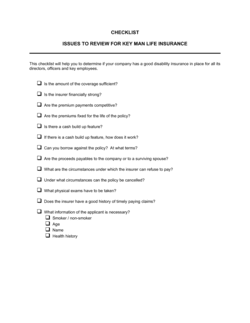
- Evidence of Insurability (EOI)
- Medical underwriting documentation — typically a health questionnaire or physical examination — that an insurer may require before approving coverage outside of standard enrollment windows.
- Dependent Coverage
- The extension of a group benefits plan to cover an enrolled employee's eligible spouse, domestic partner, or children.