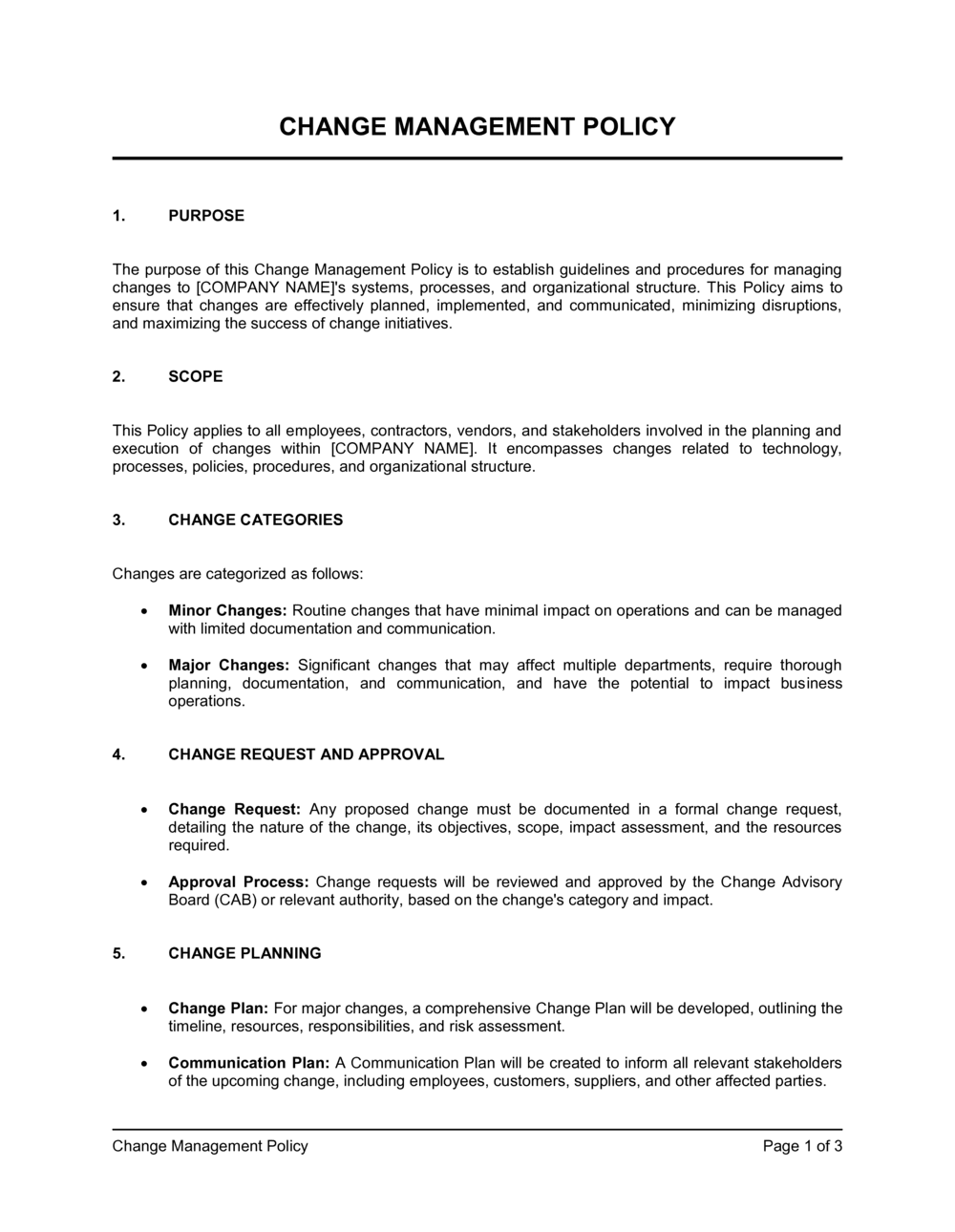
Change Management Policy Template

Free Word download β€’ Edit online β€’ Save & share with Drive β€’ Export to PDF

3 pagesβ€’20–30 min to fillβ€’Difficulty: Standard
Learn more ↓
FreeChange Management Policy Template

At a glance

What it is
A Change Management Policy is an operational document that defines how an organization identifies, evaluates, approves, implements, and reviews changes to its systems, processes, or organizational structure. This free Word download gives you a structured, ready-to-edit policy covering everything from change classification to rollback procedures, which you can adapt to your organization and export as PDF for immediate use.
When you need it
Use it when your organization needs a formal, repeatable process for handling changes to IT infrastructure, business processes, or organizational structure β€” especially when uncontrolled changes have caused outages, compliance gaps, or operational disruptions.
What's inside
Purpose and scope, change classification framework, roles and responsibilities, change request and approval workflow, risk and impact assessment criteria, implementation guidelines, communication requirements, and post-implementation review procedures.

What is a Change Management Policy?

A Change Management Policy is an operational governance document that defines how an organization classifies, submits, reviews, approves, implements, and audits changes to its IT systems, business processes, or organizational structure. It establishes a repeatable framework β€” covering everything from change request submission requirements to rollback procedures and post-implementation reviews β€” that ensures changes are evaluated for risk and business impact before they reach production. Rather than leaving change governance to individual judgment, the policy creates a consistent, auditable process that applies uniformly across teams and change types.

Why You Need This Document

Without a formal change management policy, uncontrolled changes are the single most common cause of IT outages and process failures β€” industry data consistently shows that 70–80% of production incidents are triggered by changes that bypassed review. Beyond outages, the absence of a documented policy creates immediate compliance exposure for organizations subject to SOC 2, ISO 20000, PCI DSS, or HIPAA audits, all of which require evidence of change governance controls. Ad hoc approval processes also create bottlenecks: when there is no agreed classification framework, every change defaults to the highest scrutiny level, slowing down routine work and training teams to bypass the process entirely. This template gives you a structured, ready-to-customize policy that establishes clear roles, risk-scoring criteria, and approval workflows β€” so your teams follow a process that is fast enough to be workable and rigorous enough to protect the business.

Which variant fits your situation?

If your situation is…Use this template
Managing changes to IT systems and infrastructure specificallyIT Change Management Policy
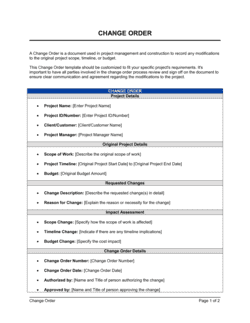
Controlling scope changes within a defined projectChange Order Form
Guiding employees through a major organizational restructuringChange Management Plan
Documenting a single requested change for approvalChange Request Form
Communicating an organizational change to all staffChange Communication Plan
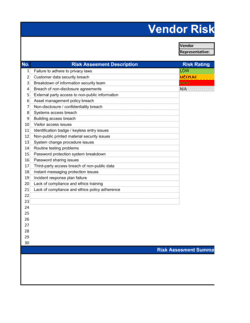
Evaluating the risk of a proposed system or process changeRisk Assessment Template
Tracking multiple in-flight changes across the organizationChange Log Template

Common mistakes to avoid

❌ Applying the same approval path to all change types

Why it matters: Routing a password reset through the same process as a database migration creates approval backlogs and trains staff to work around the policy for routine tasks.

Fix: Define at least three change categories with distinct approval paths, and pre-approve standard low-risk changes so they require no individual review.

❌ No rollback plan required in the change request

Why it matters: When an implementation fails during a production window, the absence of a documented rollback procedure extends downtime and forces improvised decisions under pressure.

Fix: Make a rollback procedure a mandatory field on every Normal and Emergency change request and reject CRs that leave it blank.

❌ Change windows set so infrequently that teams bypass the process

Why it matters: A monthly change window creates a three-to-four week delay for urgent-but-non-emergency changes, pushing teams to implement outside the approved process.

Fix: Offer at least two change windows per week for Normal changes, and review the frequency quarterly against the volume of emergency and unauthorized changes.

❌ Skipping post-implementation reviews for completed changes

Why it matters: Without PIRs, recurring implementation failures are never captured as lessons learned, and the same avoidable mistakes repeat across teams and quarters.

Fix: Block change closure in your ticketing or ITSM system until a PIR is submitted β€” make completion a system-enforced requirement, not an optional step.

❌ Listing roles without named accountable owners

Why it matters: A policy that references 'the Change Manager' without identifying who holds that role creates accountability gaps that surface only during incidents or audits.

Fix: Attach a RACI matrix to the policy with named individuals or specific teams assigned to each role, and update it whenever organizational changes occur.

❌ No defined policy for unauthorized changes

Why it matters: Without a clear reporting and escalation procedure, teams that implement changes outside the process self-conceal incidents, leaving the change log incomplete and audit trails unreliable.

Fix: Add an explicit 'unauthorized change' section specifying a reporting window, the escalation path, and the consequence β€” then enforce it consistently from the policy's first day in effect.

The 10 key sections, explained

Purpose and scope

Change classification framework

Roles and responsibilities

Change request submission requirements

Risk and impact assessment

Approval workflow and change windows

Implementation and testing requirements

Communication requirements

Post-implementation review

Policy compliance and exceptions

How to fill it out

  1. 1

    Define the scope and what counts as a change

    Specify exactly which systems, processes, and organizational changes the policy covers. List any explicit exclusions β€” for example, routine content updates or cosmetic UI changes β€” to prevent scope creep into the approval process.

    πŸ’‘ A one-page scope matrix listing 'in scope' vs 'out of scope' examples prevents the most common interpretation disputes before they arise.

  2. 2

    Set your change classification criteria

    Define the thresholds that separate Standard, Normal, and Emergency changes. Include at least two objective criteria per category β€” for example, number of affected users and reversibility β€” so classification is consistent across teams.

    πŸ’‘ Pilot the classification framework on ten recent changes before finalizing it β€” if most real changes land in the same category, the thresholds need adjustment.

  3. 3

    Assign named owners to each role

    Replace generic role titles with the actual names or team names of the Change Manager, CAB members, and escalation contacts. An unassigned role is an unenforceable one.

    πŸ’‘ Include a backup owner for the Change Manager role so the process does not stall when that person is unavailable.

  4. 4

    Define the risk scoring criteria

    Build a simple scoring matrix with four to five dimensions and a 1–5 scale for each. Map score ranges to approval paths explicitly β€” for example, scores 1–8 to Change Manager, 9–15 to CAB β€” so routing is automatic rather than discretionary.

    πŸ’‘ Keep the scoring matrix on a single page and attach it as an appendix β€” reviewers will reference it every time they evaluate a CR.

  5. 5

    Set change windows and submission lead times

    Specify the days and times changes may be implemented (e.g., Tuesdays and Thursdays, 10 p.m.–2 a.m.) and the minimum lead time for CR submission before each window. Align windows with your lowest-impact business hours.

    πŸ’‘ Survey your operations and support teams before finalizing windows β€” IT's preferred window often conflicts with batch jobs or scheduled reports that no one documented.

  6. 6

    Write the communication notification requirements

    Specify who gets notified, how many business days before the change window, and through which channel (email, ticketing system, status page). Include a template subject line and body in the appendix.

    πŸ’‘ Automated notifications from your change management tool are more reliable than manual emails β€” if you use one, reference it by name in this section.

  7. 7

    Establish the post-implementation review cadence

    Set a firm deadline for PIR completion by change category β€” for example, 24 hours for Emergency changes and 5 business days for Normal changes. Assign PIR ownership to the Change Owner, not the Change Manager.

    πŸ’‘ Add a 'lessons learned' field to your PIR form with a minimum word count β€” blank fields indicate a review was completed in name only.

  8. 8

    Get leadership sign-off and publish the policy

    Have the policy reviewed and signed off by IT leadership, operations, and any compliance stakeholders before publishing. Distribute to all affected teams with a required-reading acknowledgment.

    πŸ’‘ Version the document from day one β€” 'v1.0 β€” May 2026' in the header and footer β€” so teams always know which version is current when referencing it during an audit.

Frequently asked questions

What is a change management policy?

A change management policy is an operational document that defines how an organization classifies, submits, reviews, approves, implements, and reviews changes to its systems, processes, or structure. It establishes a repeatable governance framework that reduces the risk of uncontrolled changes causing outages, compliance failures, or unintended operational disruption. Organizations typically build the policy around an established framework such as ITIL or ISO 20000.

What is the difference between a change management policy and a change management plan?

A change management policy is a standing governance document that applies to all changes on an ongoing basis β€” it defines the rules, roles, and approval process. A change management plan is a project-specific document created for a single major change initiative, describing how that particular change will be planned, communicated, and executed. The policy is the rulebook; the plan is the playbook for a specific change.

Who should own the change management policy?

Ownership typically sits with the IT Director or CIO for IT-focused policies, or with the COO or Head of Operations for broader organizational change policies. Day-to-day administration is handled by a designated Change Manager. Regardless of functional home, the policy should be reviewed and endorsed by leadership across IT, operations, and compliance to ensure cross-functional adoption.

What change categories should a change management policy include?

Most frameworks recognize three core categories: Standard changes (pre-approved, routine, low-risk β€” no individual review required), Normal changes (require formal submission and CAB review, subdivided by risk level), and Emergency changes (unplanned, require expedited approval and mandatory post-implementation review). Some organizations add a Major change tier requiring executive sign-off for high-impact initiatives.

Is a change management policy required for ISO or SOC 2 compliance?

Yes β€” both ISO 20000 and SOC 2 (Type II) require documented change management controls. ISO 20000 mandates a formal change management process including risk assessment, approval, and PIR. SOC 2 Change Management is one of the five Trust Service Criteria; auditors will request evidence that changes are approved and tested before deployment to production. A written policy supported by change logs and PIRs is typically the primary evidence artifact.

How often should a change management policy be reviewed?

At minimum, review the policy annually and whenever a significant organizational, technology, or regulatory change occurs. Trigger an immediate review if the number of unauthorized changes, failed changes, or policy bypass incidents increases materially β€” these are signals that the policy is no longer fit for the current operating environment.

What is a Change Advisory Board and does every organization need one?

A Change Advisory Board (CAB) is a cross-functional group that reviews and approves significant change requests before implementation. It typically includes IT, operations, security, and a business stakeholder. Smaller organizations do not need a formal standing CAB β€” a two-person approval from the Change Manager and a senior technical reviewer achieves the same governance objective with less overhead. Scale the CAB to your change volume.

What should a rollback plan include?

A rollback plan should specify the trigger conditions that will prompt a rollback (for example, error rate exceeds 5% within 30 minutes of deployment), the exact steps to reverse the change, the estimated time to complete the rollback, and the person responsible for executing it. It should be tested in a non-production environment before the change window opens, not written during an active incident.

Can a change management policy apply to organizational changes as well as IT changes?

Yes. While change management policies originated in IT service management, many organizations extend the same governance model to organizational restructuring, process redesign, and policy changes. The classification framework and approval workflow translate directly β€” the key adaptation is replacing technical risk criteria with organizational impact criteria such as number of affected employees, retraining requirements, and regulatory notification obligations.

How this compares to alternatives

vs Change Management Plan

A change management plan is a project-specific document created for a single major initiative, covering stakeholder engagement, training, and communication for that change. A change management policy is a standing governance document that applies to all organizational and IT changes on an ongoing basis. You need both β€” the policy defines the rules; the plan executes a specific change within those rules.

vs Change Order Form

A change order form is a transactional document used to request and approve a single scope change within a project or contract. A change management policy is a governance framework that defines the process, criteria, and roles for all changes across the organization. The change order form is one of the tools used within the policy's workflow, not a substitute for it.

vs IT Disaster Recovery Plan

A disaster recovery plan defines how the organization restores operations after an unplanned outage or data loss event. A change management policy defines how planned changes are controlled to prevent outages from occurring in the first place. The two documents are complementary β€” the rollback procedures in a change policy feed directly into the recovery procedures in the DR plan.

vs Risk Assessment Template

A risk assessment is a standalone analysis of the likelihood and impact of identified risks at a point in time. A change management policy embeds a repeatable risk scoring process into every change request, making risk evaluation a routine operational step rather than a periodic standalone exercise. For large or complex changes, a full risk assessment supplements the policy's built-in scoring.

Industry-specific considerations

Technology / SaaS

Continuous deployment pipelines require change windows, feature flag governance, and automated rollback triggers integrated with the formal change policy.

Financial Services

Regulatory requirements under PCI DSS and SOC 2 mandate documented change approval, segregation of duties between developer and deployer, and a complete change audit trail.

Healthcare

HIPAA-covered systems require change management controls to protect ePHI; clinical systems changes must include clinical risk assessment and downtime procedure updates.

Manufacturing

Changes to production line processes, ERP configurations, and quality management systems must satisfy ISO 9001 change control requirements and include validation test records.

Professional Services

Client-facing system changes require communication protocols tied to SLA obligations, with change windows aligned to client business hours and contractual maintenance windows.

Retail / E-commerce

Change freezes during peak trading periods (Black Friday, holiday season) are a critical policy element, with emergency change procedures for payment system outages.

Template vs pro β€” what fits your needs?

PathBest forCostTime
Use the templateSMBs and growing teams establishing formal change governance for the first timeFree2–4 hours to customize and publish
Template + professional reviewOrganizations preparing for SOC 2, ISO 20000, or ITIL-aligned audits$500–$2,000 for an IT governance consultant or ITSM advisor review1–2 weeks
Custom draftedEnterprises in regulated industries (financial services, healthcare) with complex multi-environment change controls$3,000–$10,000 for a governance framework engagement4–8 weeks

Glossary

Change Request (CR)
A formal submission proposing a modification to a system, process, or organizational structure, submitted before any change work begins.
Change Advisory Board (CAB)
A cross-functional group β€” typically including IT, operations, risk, and business stakeholders β€” that reviews and approves significant change requests.
Standard Change
A pre-approved, low-risk change that follows a well-known procedure and does not require individual CAB review before implementation.
Emergency Change
An unplanned change needed immediately to restore service or address a critical security or compliance issue, subject to expedited approval and mandatory post-implementation review.
Change Freeze
A defined period β€” often around major business events or peak trading periods β€” during which non-emergency changes are prohibited.
Rollback Plan
A documented procedure to reverse a change and restore the previous state if the implementation fails or causes unacceptable disruption.
Impact Assessment
An analysis of the potential effects of a proposed change on systems, users, dependencies, and business operations before approval is granted.
Post-Implementation Review (PIR)
A structured evaluation conducted after a change is implemented to confirm it achieved its objectives and to capture lessons learned.
Change Window
A pre-scheduled time slot β€” typically outside peak business hours β€” during which approved changes may be implemented to minimize operational impact.
ITIL (IT Infrastructure Library)
A widely adopted framework of best practices for IT service management, including a detailed change-management process that many organizations use as the basis for their change policy.

Part of your Business Operating System

This document is one of 3,000+ business & legal templates included in Business in a Box.

  • Fill-in-the-blanks β€” ready in minutes
  • 100% customizable Word document
  • Compatible with all office suites
  • Export to PDF and share electronically

Create your document in 3 simple steps.

From template to signed document β€” all inside one Business Operating System.
1
Download or open template

Access over 3,000+ business and legal templates for any business task, project or initiative.

2
Edit and fill in the blanks with AI

Customize your ready-made business document template and save it in the cloud.

3
Save, Share, Send, Sign

Share your files and folders with your team. Create a space of seamless collaboration.

Save time, save money, and create top-quality documents.

β˜…β˜…β˜…β˜…β˜…

"Fantastic value! I'm not sure how I'd do without it. It's worth its weight in gold and paid back for itself many times."

Managing Director Β· Mall Farm
Robert Whalley
Managing Director, Mall Farm Proprietary Limited
β˜…β˜…β˜…β˜…β˜…

"I have been using Business in a Box for years. It has been the most useful source of templates I have encountered. I recommend it to anyone."

Business Owner Β· 4+ years
Dr Michael John Freestone
Business Owner
β˜…β˜…β˜…β˜…β˜…

"It has been a life saver so many times I have lost count. Business in a Box has saved me so much time and as you know, time is money."

Owner Β· Upstate Web
David G. Moore Jr.
Owner, Upstate Web

Run your business with a system β€” not scattered tools

Stop downloading documents. Start operating with clarity. Business in a Box gives you the Business Operating System used by over 250,000 companies worldwide to structure, run, and grow their business.

Start freeΒ Β·Β No credit card required